

Skip to content
Learn MikuMikuDance – MMD Tutorials – Free 3D Animation Software

Learn MikuMikuDance – MMD Tutorials – Free 3D Animation Software

Download Free Animation Software – Let's Learn How to Do Everything!

  • Step-by-Step MMD instructions
  • DOWNLOADS
  • Troubleshoot, Fix MMD
  • Site Contents
  • Reggie Replies Q&A
  • Homework!
  • What IS MMD?
    • Download MikuMikuDance Newest Latest Version of MMD
  • “HOW TO”
    • Raycast RAY-MMD Effect Tutorials
  • BONUS PAGES
    • Why convert PMD models to PMX?
  • HALL of CHAMPIONS
  • Tutorial Categories
  • About
    • Privacy Policy
  • Toggle search form
  • Build your own stage for MMD using Blender 2.69 Blender
  • Make an MMD Music Video Bo Beep Bo Beep! "the making of" my video
  • Oomary’s guide to mastering MMD Hair Physics Fixing Broken Models
  • Reggie's Adoration of FIVE MMD Models
    Reggie’s ADORATION of FIVE MMD Models -Downloads and Instructions "the making of" my video
  • Miku virtual idol starts our Brave New World Random Thoughts & Visions
  • Knock-out the Background as you Render to Picture in MMD Add Background Pictures and AVI
  • Pose MMD Models Naturally Using Reference Pictures Bones
  • Download and Install MikuMikuEffect (MME) To Use Special Effects Nameplate effect

Category: Renee

NCHLShader2 adds realistic depth to MMD models

NCHLShader2 adds realistic depth to MMD models

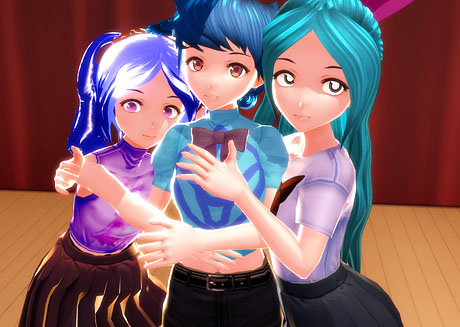
Download NCHLShader2. How do I use NCHL Shader? How can I make my MMD models look more realistic? What shaders should I use? How do I use MME shaders? How to use NCHLShader2 NCHL Shader by nil is a very fun shader to use. The possibilities with it are endless; you can mix and match…

Read More “NCHLShader2 adds realistic depth to MMD models” »

Advanced Shader Technique
  • New “LearnMMD Wars” Video Posted to YouTube! Google SketchUp and MMD
  • Easily Transfer an Accessory to a Dummy Bone from Model’s Hand in MMD Accessory Manipulation/Adjust
  • Creating an animation using MMD, MikuMikuDance! "the making of" my video
  • FFMPEG – Final Frontier For Video and Audio File Processing Background AVI
  • Using Beamman’s SoftSmoke Effect Beamman's Soft Smoke
  • Use the PMXE Transform Window to edit your MMD models! Accessory Manipulation/Adjust
  • Use PMXEditor INFOfile to optimize MMD models
    PMXEditor PMXInfo Analyzing Optimizing MMD Models Fixing Broken Models
  • Find New MMD Models – MMD Resources Hunting! Downloading New Models

Copyright © 2022 Learn MikuMikuDance – MMD Tutorials – Free 3D Animation Software and Instructions..

Powered by PressBook Premium theme