
Skip to content
Learn MikuMikuDance – MMD Tutorials – Free 3D Animation Software

Learn MikuMikuDance – MMD Tutorials – Free 3D Animation Software

Download Free Animation Software – Let's Learn How to Do Everything!

  • Step-by-Step MMD instructions
  • DOWNLOADS
  • Troubleshoot, Fix MMD
  • Site Contents
  • Reggie Replies Q&A
  • Homework!
  • What IS MMD?
    • Download MikuMikuDance Newest Latest Version of MMD
  • “HOW TO”
    • Raycast RAY-MMD Effect Tutorials
  • BONUS PAGES
    • Why convert PMD models to PMX?
  • HALL of CHAMPIONS
  • Tutorial Categories
  • About
    • Privacy Policy
  • Toggle search form
  • Easy Fun MMD Music Video Mahlazer Motion Download “Feel the Sound” MMD Basics
  • Beamman's WEater Effect can be very realistic.
    BeamMan’s Water Effects really look wet! Beamman's Water v5
  • Create Bouncing Ball using MMD Physics Engine Making Models
  • Video Dojo Expo 2 Champion: Turquoise Narcotic Video Dojo Champions
  • Miku virtual idol starts our Brave New World Random Thoughts & Visions
  • MMD Smooth Criminal video project download "the making of" my video
  • Ray-MMD Godrays… argggh!!! MMD Tutorials
  • Making amazing complicated MMD video requires circle of learning Animation Shortcuts
LearnMMD.com _ MikuMikuDance MMD Tutorials

Learn MMD Basics before jumping into a big project!

Posted on July 25, 2016July 26, 2016 By Reggie_Dentmore 2 Comments on Learn MMD Basics before jumping into a big project!

Learn MMD Basics
before jumping into a big project!

A reader wrote a comment…

I tried to make a movie. I’m new to MikuMikuDance and I want to make my own but I don’t know how. Please help me learnmmd?!

Read all the articles by LearnMMD's Silent Headset!… and LearnMMD’s Silent Headset replied:

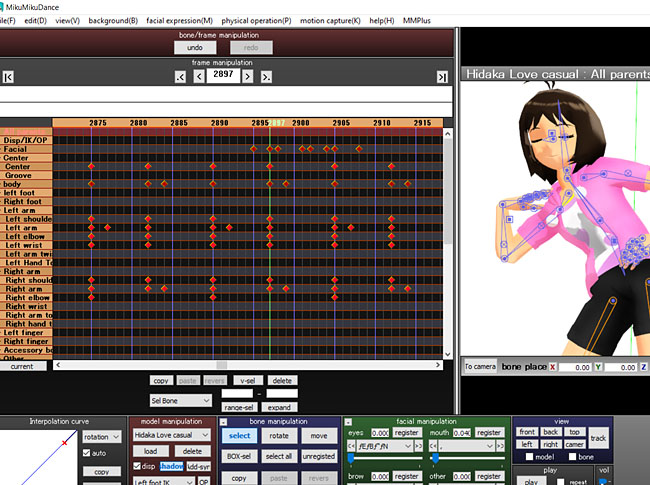
Hmm…first off…make sure you already get the hang of animating in MMD to begin with. MMD’s learning curve is quite steep, so it might be important to take things slowly at first.

First, take a look at our start here pages
https://learnmmd.com/StartHere/

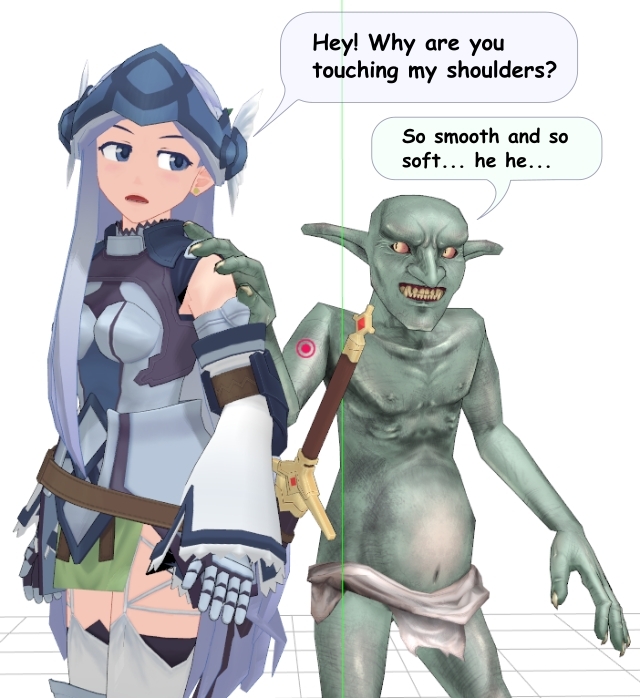
Before tackling a project as HUGE as a movie, it’s better to “get a feel” of MMD’s capability as an animation software. The Happy Hands Meme is one of the MMD Basics that every MMDer should try as they learn MMD.One of the best ways to do this is through “meme”, which is basically a project that is already done in most part, like motions, lip-sync, and music. We host some memes here, from the most basic meme:
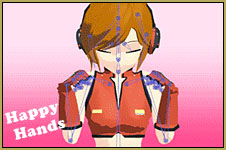
https://learnmmd.com/http:/learnmmd.com/create-an-mmd-video-using-the-happy-hands-meme/
… to the slightly more advanced ones:
https://learnmmd.com/http:/learnmmd.com/our-ring-around-the-moon-project/
https://learnmmd.com/http:/learnmmd.com/mmd-animation-project-demons/
Or you can look here for the ones you might like:
http://mmd-nay-pmd.deviantart.com/art/New-MMD-Motion-Data-Index-A-L-526892180

REALLY Learn MMD as you take the 450-frame challenge and make 15-second MMD animations.Done with memes? Then you can try making your own original short animations!
We have another site, Zero-to-450.com dedicated to give some “ideas” for your short projects, which is ideally 450 frames long!

Now that you’re pretty much confident with MMDing, then you can tackle the movie projects!

Note that since “movies” are long, and MMD will have some issues if you As you learn MMD basics, you will learn to make a long animation by assembling short ones!overload it with too many models at once (depending on your hardware capacity of course), it’s better that you do them in “parts” and then use another video editing software to combine them.
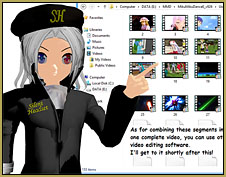
I gave some advice on how to make such a project in one of my articles:
https://learnmmd.com/http:/learnmmd.com/behind-the-scenes-of-my-newest-video/

Self promoting aside (^^;), the most important thing is to have fun with MMD. You can’t expect to become good and make a movie in one day, but a bit of work and training and you’ll find yourself as an Ace Animator in no time!!

Thank you Silent Headset… well done!


– SEE BELOW for MORE MMD TUTORIALS…


— — —


– _ — –


Visit the LearnMMD.com Homepage! Plenty of Mikumikudance instruction and info!

More MMD Tutorials...

Enjoy the "camera Angles WEIRD in Anime" meme...

Enjoy the "camera Angles WEIRD in Anime" meme... This image is from The Slayers - NEXT, ...read more

Reader asks how to create MMD artwork... stuff like posing, camerawork?

A reader asks... Is there a tutorial on how to create MMD artwork, like those you ...read more

Learn MikuMikuDance in Small Steps! New LearnMMD Video Series

Learn MikuMikuDance in Small Steps. Where can I find easy-to-follow MMD instructions on YouTube? How ...read more

Apply Multiple Effects on an Entire MMD Model Using M4Layer Effect

How can I apply multiple effects to an MMD model? Can I use more than ...read more

MMD Plugin Manager... I Found a Treasure!

What sorts of MMD Plugins are there? MMD Plugin Manager? MMD Plugins. Plugin MMD. More ...read more

2025: Hatsune Miku is 18... but she is designed to be always 16 Years old, by design and in reality!

Finally, in 2023, Hatsune Miku is 16 years old! but in August of 2025, she ...read more

MMD Basics, MMD Tutorials, Nuts & Bolts, Silent Headset

Post navigation

Previous Post: Use the PMXE Transform Window to edit your MMD models!
Next Post: The Easiest Way To Add Hair Physics in PMX Editor!

Related Posts

  • When MMD 7.39 crashes you lose any unsaved changes. Save Often!
    MMD Crashes when Rendering to AVI Making Videos - Rendering to AVI
  • Intentionally Build Dramatic Atmosphere into your MMD Animation MMD Tutorials
  • Get the K-Lite Codec for MMD
    The K-Lite Codec Pack: How To Install, and Current Problems K Lite Mega Codec Pack 995
  • “The making of ” any of my videos starts with these considerations… "the making of" my video
  • Breathing “SOUL” into MMD models and scenes using Fine Art Techniques Advanced Shader Technique
  • The MMD 7.39 FRAME MENU Options MENU Option Descriptions

More Related Articles

Teto replies! Fixing white models and accessories that don’t follow in PMXE Bandages
VOCALOID 3 Tutorial – The whole interface on a basic level Kazuki Matsuoka
Culling unseen MMD model parts optimises computer assets (PART 2) Chestnutscoop
Using the AdultShader Effect In MikuMikuDance Adult Shader effect
Search LearnMMD.com SEARCH LearnMMD.com… it’s Easy! MMD Tutorials
Different Eye Textures in one model using PMXE JuneTarzan

Comments (2) on “Learn MMD Basics before jumping into a big project!”

  1. Alana says:
    October 18, 2019 at 5:19 pm

    Thank you for this, I just began MMD one week ago and I have already improved. I watch people animate then watch tutorials of questions I have that I can’t seem to wrap my mind across. This tutorial has helped ALOT with bone movement as sometimes, even the weirdest positions look natural for animation. (Ex: Miku’s wrist pointing outward instead of inward or Miku’s neck being completely straight).

    Reply
    1. Reggie_Dentmore says:
      October 18, 2019 at 6:44 pm

      Awesome comment… great that we can help you create with MMD!

      Reply

Leave a Reply Cancel reply

Your email address will not be published. Required fields are marked *

Download the latest version of MikuMikuDance!
See the MMD Step-by-Step instructions page!
Learn how to make your own MMD motions!
LearnMMD.com
  • How to sign up and Upload to Piapro! HollyLawliet
  • Add Shadows to MMD .X Accessories Tutorial MMD Basics
  • Video Dojo Expo 2 Champion: Turquoise Narcotic Video Dojo Champions
  • How do I use MikuMikuDance Make A Music Video with MMD Intro to MikuMikuDance
  • Proper Computer DPI Scaling Setup Stops Text Cut Off in PMXE Mae Blythe
  • The MME Otome effect adds a fantasy cloud of bubbles and sparkles.
    Otome effect yields bubble and sparkle psychedelia Otome
  • Learn MikuMikuDance in Small Steps: a new video series on YouTube by LearnMMD.com!
    Learn MikuMikuDance in Small Steps! New LearnMMD Video Series MMD Tutorials
  • PocketMQO(with MMD) MikuMikuDance in an Android environment! MMD Tutorials

Copyright © 2022 Learn MikuMikuDance – MMD Tutorials – Free 3D Animation Software and Instructions..

Powered by PressBook Premium theme

Go to mobile version