Skip to content
Learn MikuMikuDance – MMD Tutorials – Free 3D Animation Software

Learn MikuMikuDance – MMD Tutorials – Free 3D Animation Software

Download Free Animation Software – Let's Learn How to Do Everything!

  • Step-by-Step MMD instructions
  • DOWNLOADS
  • Troubleshoot, Fix MMD
  • Site Contents
  • Reggie Replies Q&A
  • Homework!
  • What IS MMD?
    • Download MikuMikuDance Newest Latest Version of MMD
  • “HOW TO”
    • Raycast RAY-MMD Effect Tutorials
  • BONUS PAGES
    • Why convert PMD models to PMX?
  • HALL of CHAMPIONS
  • Tutorial Categories
  • About
    • Privacy Policy
  • Toggle search form
  • The SSAO effect adds depth of color and shadows for greater realism! MME MMD 7.39
    Playing with MME – Using MORE cool MikuMikuEffects! Nuts & Bolts
  • Rin is excited about the MomiCup
    How to enter The MomiCup and other YouTube MMD Contests and Parties. ARIZONA
  • Use Stage Changes in MMD to Make an Interesting Video Koneko the MMD Fairy
  • Editing Effect Textures Creates Brand New Effects! Chestnutscoop
  • Dueling Banjos w Metronome MMD Inspiration Video on YouTube Metronome
  • Physical Operations Tab in MikuMikuDance 7.39 Menu Options MENU Option Descriptions
  • Fix Model Ambient Light Problems Using PMDE/PMXE GloriaTheAnimator
  • Raycast Ray-MMD Toon Shader
    Ray-MMD Toon Shading Basics MMD Tutorials

Category: Winky

How To Make Global Lighting Work with Game-Rips

How To Make Global Lighting Work with Game-Rips

How do I make global lighting work on my game-ripped models? Why won’t my model react to global lighting? How can I use PMDE to fix my game rips? Fixing Game-Rips When They Don’t React To Global Lighting Don’t you hate when you can’t make the global lighting “work” on some of your models (mostly…

Read More “How To Make Global Lighting Work with Game-Rips” »
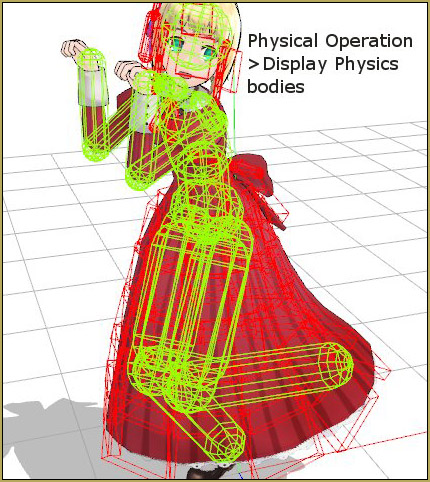
Fixing Broken Models
Adjusting the Physical Operation Tab settings in MMD 9.10

Adjusting the Physical Operation Tab settings in MMD 9.10

How do you adjust the Physical Operation Tab settings in MMD? What’s new in the MMD 9.10 physics engine settings? How do I turn off the physics in MikuMikuDance?    The PHYSICS ENGINE Settings in MMD 9.10 After a long time, I think I finally figured out the nuts and bolts to the new Physics…

Read More “Adjusting the Physical Operation Tab settings in MMD 9.10” »

Functions-Copy-Paste-Expand
Use 2D Background Images in MikuMikuDance

Use 2D Background Images in MikuMikuDance

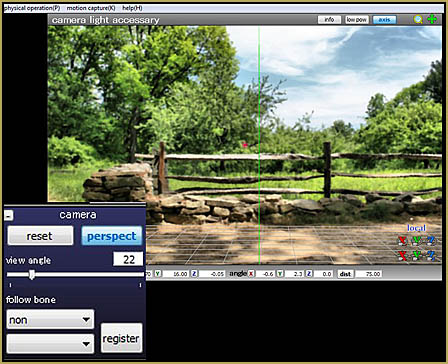
I want to use 2D background images in MikuMikuDance. How do I use a photograph as a background image for my MMD pictures? Will a simple photo work as a background image? Use 2D Background Images to make pictures and videos in MikuMikuDance! Hello Everyone! Today I will show you how to use background images…

Read More “Use 2D Background Images in MikuMikuDance” »

Add Background Pictures and AVI
The MMD Physics Engine keeps Skirts from going through legs!

The MMD Physics Engine keeps Skirts from going through legs!

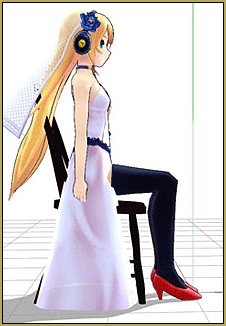
Why does my model look so stiff? Can I adjust the MMD Physics Engine to automatically take care of my model’s fabrics and hair? Do I always have to adjust every bone in the model in order to get a natural pose?   How to keep Skirts from going through legs … Adjust Gravity &…

Read More “The MMD Physics Engine keeps Skirts from going through legs!” »

MMD Basics
How to Add Multiple Effects on a Model.

How to Add Multiple Effects on a Model.

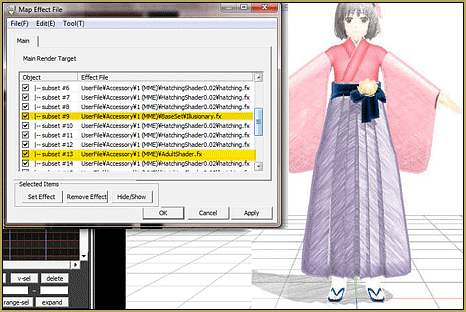
How do you use more than one effect at a time in MMD? Can you use multiple effects in MikuMikuDance? Why do some effects cancel each other out in MMD DirectX 9? Is there a tutorial for using multiple effects in MMD? Using Multiple Effects In MikuMikuDance. This was originally an answer to a reader’s…

Read More “How to Add Multiple Effects on a Model.” »

Adult Shader effect
  • Raycast Ray-MMD Toon Shader
    Ray-MMD Toon Shading Basics MMD Tutorials
  • YouTube Audio Library supplies Free music Copyrighted Music
  • LearnMMD.com _ MikuMikuDance MMD Tutorials
    Learn MMD Basics before jumping into a big project! MMD Basics
  • Give the Animasa Teto Chimera a wing flapping motion in MMD 7.39
    Create Wing Flapping Motion for Teto Chimera MMD 7.39 Creating Motions
  • Use M4Layer Effect to add multiple effects onto your MMD model.
    Apply Multiple Effects on an Entire MMD Model Using M4Layer Effect M4Layer Effect
  • How To Recolor MikuMikuDance Models Without PMDE! Keep the Faith-MMD Credits/Sharing
  • Use the PMXE Transform Window to edit your MMD models! Accessory Manipulation/Adjust
  • RAY-MMD: Haku’s crazy light show [PART 3] MME Effects Tutorials

Copyright © 2022 Learn MikuMikuDance – MMD Tutorials – Free 3D Animation Software and Instructions..

Powered by PressBook Premium theme