Skip to content
Learn MikuMikuDance – MMD Tutorials – Free 3D Animation Software

Learn MikuMikuDance – MMD Tutorials – Free 3D Animation Software

Download Free Animation Software – Let's Learn How to Do Everything!

  • Step-by-Step MMD instructions
  • DOWNLOADS
  • Troubleshoot, Fix MMD
  • Site Contents
  • Reggie Replies Q&A
  • Homework!
  • What IS MMD?
    • Download MikuMikuDance Newest Latest Version of MMD
  • “HOW TO”
    • Raycast RAY-MMD Effect Tutorials
  • BONUS PAGES
    • Why convert PMD models to PMX?
  • HALL of CHAMPIONS
  • Tutorial Categories
  • About
    • Privacy Policy
  • Toggle search form
  • The MMD 7.39 FRAME MENU Options MENU Option Descriptions
  • Ray-MMD shading Mech-Girls!
    Ray-MMD Shading Mech Girls brings those beauties to life! MMD Tutorials
  • Make Your YouTube Channel Popular with Engrossing Introductions MMD Basics
  • MMD smoke clouds are easy to make with Beamman's Breath effect.
    MMD Smoke Clouds and a Smoke Filled Room… Beamman's Breath Effect
  • Featured-translate-japanese-models
    Translate Japanese Models Using PMXEditor’s Batch Name Editor Trackdancer2015
  • Use the PMXE Transform Window to edit your MMD models! Accessory Manipulation/Adjust
  • Download MMD Pokeball Accessory and Learn Accessory Manipulation Accessory Manipulation/Adjust
  • Study MMD Motion Files to SEE and LEARN about creating animations
    Study MMD Motion Files to SEE and LEARN about creating animations Making Smooth Motions

MMD Theater Seats Don’t Have to Sit on the Floor

Posted on March 2, 2015March 31, 2016 By Reggie_Dentmore No Comments on MMD Theater Seats Don’t Have to Sit on the Floor

A Feature Article by Reggie Dentmore on LearnMMD.comWhen setting the stage for your animation…
You have to “do” what you have to do!

MMD Theater Seats
Don’t Have to Sit on the Floor!

I wanted to set up a scene in a theater with steeply inclined seats so that I could pan the camera from above the stage and still capture some of the audience in the scene. Always, before, I have had to have the camera well back from the stage or close to the floor to catch the audience as I panned into the action … because I have always set the seats … on the floor, of course!

It occurred to me, today, that I could tilt the standard Theater Seats that come with the LearnMMD Auditorium Stage download … tilt them up for a more arena-like appearance. (I was using the Auditorium Stage at 150% size … so I had room for TWO sets of the seats, side-by-side!)

I need for these theater seats to be on a steep angle ... so I tilted 'em up!

Yes … it looks BAD from a distance … especially when you can see all of those little legs dangling down below the seats…

The tilted theater seats look bad form a distance ... just don't show the bad parts!

… but if you position the camera to avoid seeing the underside of the seats, you can make a believable scene!

Tilting the theater seats let me shoot the shot I was imagining!

This realization started me to thinking about what other “reality shortcuts” might be available to us. Things like trees and furniture, and other models in your scene, don’t necessarily have to take a stationary position on your stage … you could mount them on dummy bones and simply wave them past the camera when you need to see them … I feel like I have discovered a great freedom … a freedom that experienced filmmakers have taken advantage of forever, now that I think about it!

When setting the stage for your animation…
You have to “do” what you have to do!


– SEE BELOW for MORE MMD TUTORIALS…


— — —


– _ — –


Visit the LearnMMD.com Homepage! Plenty of Mikumikudance instruction and info!

More MMD Tutorials...

Enjoy the "camera Angles WEIRD in Anime" meme...

Enjoy the "camera Angles WEIRD in Anime" meme... This image is from The Slayers - NEXT, ...read more

Reader asks how to create MMD artwork... stuff like posing, camerawork?

A reader asks... Is there a tutorial on how to create MMD artwork, like those you ...read more

Learn MikuMikuDance in Small Steps! New LearnMMD Video Series

Learn MikuMikuDance in Small Steps. Where can I find easy-to-follow MMD instructions on YouTube? How ...read more

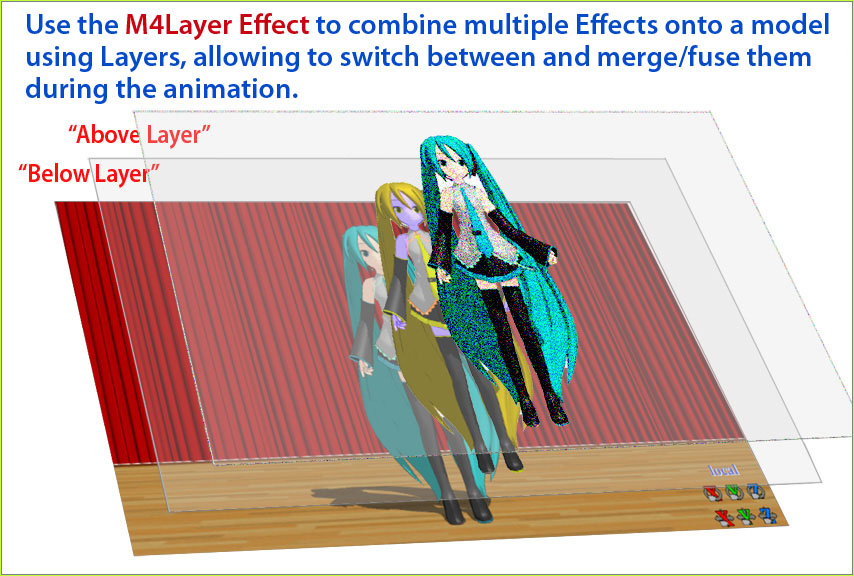
Apply Multiple Effects on an Entire MMD Model Using M4Layer Effect

How can I apply multiple effects to an MMD model? Can I use more than ...read more

MMD Plugin Manager... I Found a Treasure!

What sorts of MMD Plugins are there? MMD Plugin Manager? MMD Plugins. Plugin MMD. More ...read more

2025: Hatsune Miku is 18... but she is designed to be always 16 Years old, by design and in reality!

Finally, in 2023, Hatsune Miku is 16 years old! but in August of 2025, she ...read more

Animation Shortcuts, MMD Basics, MMD Tutorials, Random Thoughts & Visions, Reggie Dentmore

Post navigation

Previous Post: New LearnMMD Stage Instructions just posted!
Next Post: How to Use the Squash and Stretch Effect for MMD.

Related Posts

  • Troubleshoot MMD models– or anything else– with four techniques! Bandages
  • Speech Synthesizer gives MMD Models a voice! Making Soundtracks
  • Close Up of Sph File with Text
    Create Sph Files in Blender Without Drawing Anything! Blender
  • Finding Inspiration for your Animation MMD Basics
  • Download MMDxShow.dll Fix the Cannot Read MMDxShow.dll Error MMDxShow.dll Error
  • Downloading MMD 9.32 is Quick and Easy! Download MikuMikuDance 9.32 Download MikuMikuDance

More Related Articles

Different MMD models react differently to pose and motion data MMD Basics
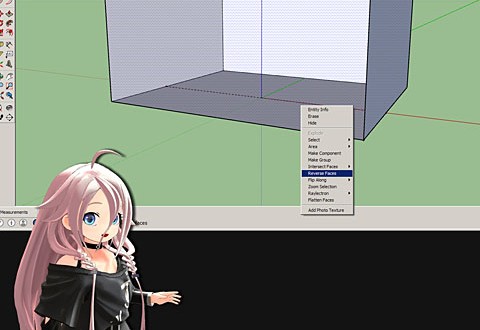
Build Your Own Stage For MMD Using SketchUp Google SketchUp and MMD
Storyboards organize your MMD animation Intro to MikuMikuDance
Use M4Layer Effect to add multiple effects onto your MMD model. Apply Multiple Effects on an Entire MMD Model Using M4Layer Effect M4Layer Effect
How to sign up and Upload to Piapro! HollyLawliet
Recoloring MMD’s Control Panel GUI Interface Genbento

Leave a Reply Cancel reply

Your email address will not be published. Required fields are marked *

Download the latest version of MikuMikuDance!
See the MMD Step-by-Step instructions page!
Learn how to make your own MMD motions!
LearnMMD.com
  • Creating and Editing UV Morphs for MMD Models Bandages
  • Hatsune Miku is 16 years old in 2023!
    2025: Hatsune Miku is 18… but she is designed to be always 16 Years old, by design and in reality! MMD Tutorials
  • Download the latest version of MikuMikuDance - MMD 9.32
    NEW MMD 9.32 and 9.32×64… Latest version of MMD! Download MikuMikuDance
  • Sexiest MMD Model Dance Motion you can Download "the making of" my video
  • Raycast / Ray-MMD First Steps MMD Tutorials
  • Yukari's Gap Portal Style.
    The In’s and Out’s of Yukari’s Gap for MikuMikuDance. ARIZONA
  • Set MMD Widescreen Screen Size balance Size VS Quality MMD Basics
  • Learn to resize PMD models
    How to resize PMD models (and what to do when they don’t) KillerBeer

Copyright © 2022 Learn MikuMikuDance – MMD Tutorials – Free 3D Animation Software and Instructions..

Powered by PressBook Premium theme

Go to mobile version