


Skip to content
Learn MikuMikuDance – MMD Tutorials – Free 3D Animation Software

Learn MikuMikuDance – MMD Tutorials – Free 3D Animation Software

Download Free Animation Software – Let's Learn How to Do Everything!

  • Step-by-Step MMD instructions
  • DOWNLOADS
  • Troubleshoot, Fix MMD
  • Site Contents
  • Reggie Replies Q&A
  • Homework!
  • What IS MMD?
    • Download MikuMikuDance Newest Latest Version of MMD
  • “HOW TO”
    • Raycast RAY-MMD Effect Tutorials
  • BONUS PAGES
    • Why convert PMD models to PMX?
  • HALL of CHAMPIONS
  • Tutorial Categories
  • About
    • Privacy Policy
  • Toggle search form
  • MikuMikuDance “Keep the Faith-MMD” MMD Tutorials
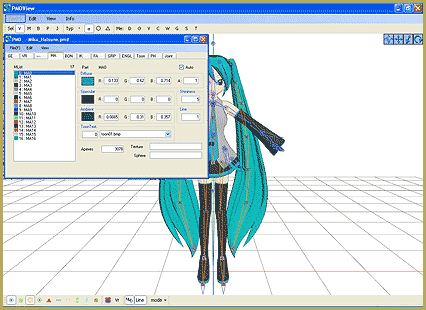
  • PMD Editor Basics, now in English – Modify Your MMD Models! Nuts & Bolts
  • Customized Skydome replace stages, enhance MMD animations MMD Tutorials
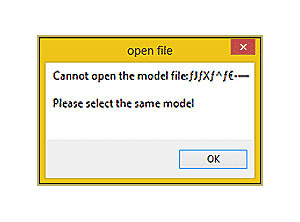
  • Why MMD cannot open the models in a saved PMM file Downloading New Models
  • After lowering the stage -.2 on the Y axis, the floorlights.x work great!
    Easy Fix for the Auditorium Stage Accessory: Use a Dummy Bone Dummy Bones
  • The VDE-5 Champions are chosen!
    The CHAMPIONS of Video Dojo Expo FIVE Video Dojo Competition
  • Kaito and the SpotLight Effect.
    Using the SpotLight Effect in MikuMikuEffects ARIZONA
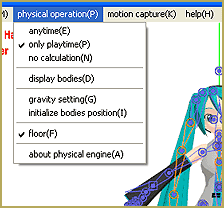
  • Physical Operations Tab in MikuMikuDance 7.39 Menu Options MENU Option Descriptions

Category: Randomshenanigans

Hologram Effect gives projected-holograph looking image

Hologram Effect gives projected-holograph looking image

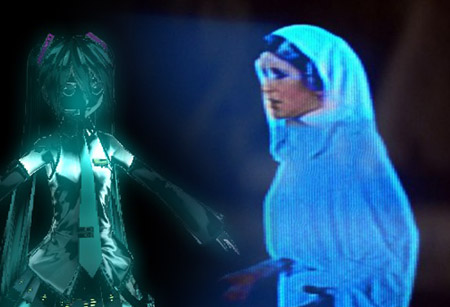
How do I use the Hologram effect? Where can I download the Hologram effect? How do I set-up the effect? In need of a sci-fi feel to your latest project? Look no further! The hologram effect provides your model with a Star Wars look. Hologram Effect yields a Sci-Fi image If you’re new to MME,…

Read More “Hologram Effect gives projected-holograph looking image” »

Hologram Effect
  • MMD Theater Seats Don’t Have to Sit on the Floor Animation Shortcuts
  • An MMD Walking Motion: Creating it is easy! LoverOfVocaloid
  • Enjoy the “camera Angles WEIRD in Anime” meme… Animation Shortcuts
  • Hatsune Miku is 16 years old in 2023!
    2025: Hatsune Miku is 18… but she is designed to be always 16 Years old, by design and in reality! MMD Tutorials
  • Make your own MMD Accessory Objects in Google Sketchup Google SketchUp and MMD
  • ZERO-GRAVITY Day on the beach in MMD!. Use Gravity Settings and Noize to make winds blow.
    Using the Gravity Settings in MikuMikuDance ARIZONA
  • Storyboards organize your MMD animation Intro to MikuMikuDance
  • How To Make Global Lighting Work with Game-Rips Fixing Broken Models

Copyright © 2022 Learn MikuMikuDance – MMD Tutorials – Free 3D Animation Software and Instructions..

Powered by PressBook Premium theme