Skip to content
Learn MikuMikuDance – MMD Tutorials – Free 3D Animation Software

Learn MikuMikuDance – MMD Tutorials – Free 3D Animation Software

Download Free Animation Software – Let's Learn How to Do Everything!

  • Step-by-Step MMD instructions
  • DOWNLOADS
  • Troubleshoot, Fix MMD
  • Site Contents
  • Reggie Replies Q&A
  • Homework!
  • What IS MMD?
    • Download MikuMikuDance Newest Latest Version of MMD
  • “HOW TO”
    • Raycast RAY-MMD Effect Tutorials
  • BONUS PAGES
    • Why convert PMD models to PMX?
  • HALL of CHAMPIONS
  • Tutorial Categories
  • About
    • Privacy Policy
  • Toggle search form
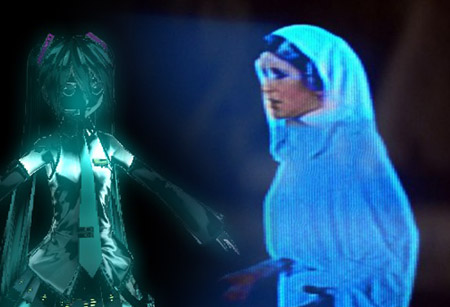
  • Hologram Effect gives projected-holograph looking image Hologram Effect
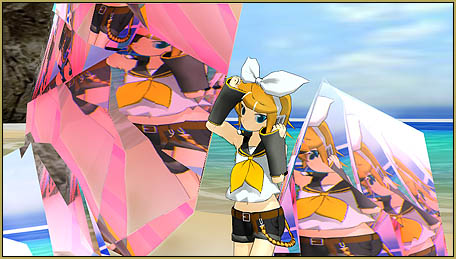
  • MME Quartz Effect Refracts Reflections All Around! MMD Tutorials
  • The Rule of Thirds.
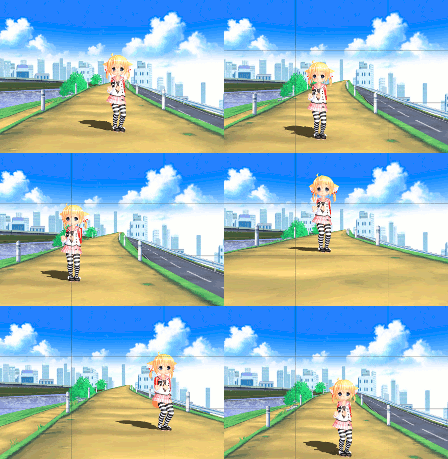
    Use the Rule of Thirds Effect to Create Camera Motion Data in MMD! ARIZONA
  • IrfanView captures single-frame images from Video AVI files! Irfanview Media Viewer
  • The Cheaplens Effect is easy to use and very powerful!
    MME CheapLens Effect controls the “Look” of your MMD video CheapLens Effect
  • Video Dojo Expo 2 CHAMPIONS are chosen! CONTESTS
  • MMD 8.06 Low Power button allows you to Multi-task MMD Basics
  • Fixed version of the PluginManager featured image. Well, slightly fixed.
    MMD Plugin Manager… I Found a Treasure! MMD Tutorials

Category: MENU Option Descriptions

Multiply of Facial Expression command in MMD

Multiply of Facial Expression command in MMD

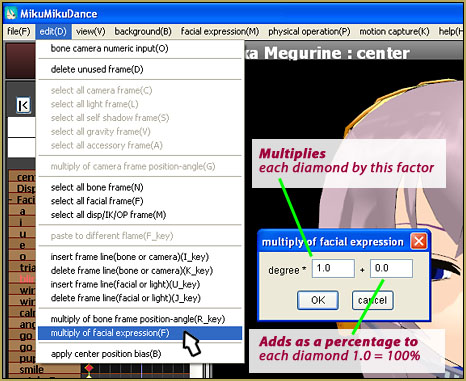
How do I use the Multiply of Facial Expression(f) command in the MMD Edit Menu? How can I adjust the mouth motions to better fit my model? Use the “Multiply of Facial Expression” to modify existing facial motions … Have you ever downloaded a motion file for an MMD meme only to find that the…
Read More “Multiply of Facial Expression command in MMD” »

Animation Shortcuts
Adjusting the Physical Operation Tab settings in MMD 9.10

Adjusting the Physical Operation Tab settings in MMD 9.10

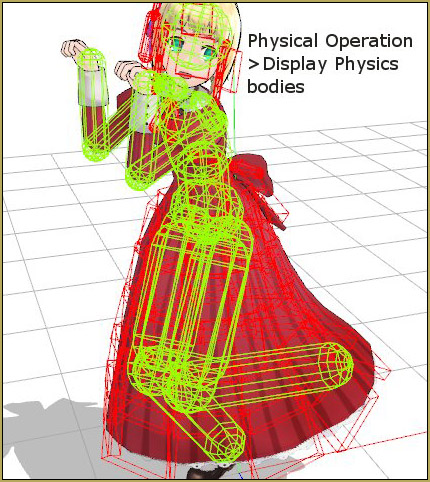
How do you adjust the Physical Operation Tab settings in MMD? What’s new in the MMD 9.10 physics engine settings? How do I turn off the physics in MikuMikuDance?    The PHYSICS ENGINE Settings in MMD 9.10 After a long time, I think I finally figured out the nuts and bolts to the new Physics…

Read More “Adjusting the Physical Operation Tab settings in MMD 9.10” »

Functions-Copy-Paste-Expand
Physical Operations Tab in MikuMikuDance 7.39 Menu Options

Physical Operations Tab in MikuMikuDance 7.39 Menu Options

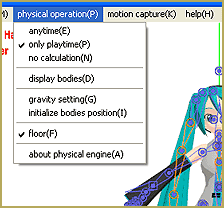
What’s the physical operation tab for in MMD 7.39? What is the difference between Anytime and Only Playtime on the Physics tab in Miku Miku Dance 7.39? The Physical Operations tab … If you are an MMD newbie, than you need to know about these tabs! — You open up MMD and then Hatsune Miku….

Read More “Physical Operations Tab in MikuMikuDance 7.39 Menu Options” »

MENU Option Descriptions
Local and Global Mode Bone Movement MMD: Miku’s Mode Swings

Local and Global Mode Bone Movement MMD: Miku’s Mode Swings

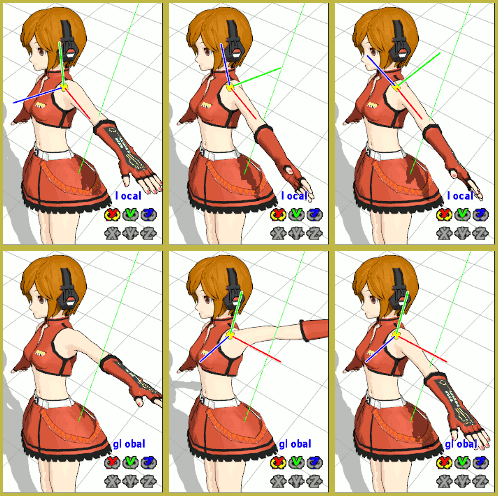
What do local and global mode mean in MMD? What’s the difference between local and global  mode in MikuMikuDance? What does local and global mean in Miku Miku Dance? How do you use the local and global in MMD DirectX? Thinking globally and acting locally! MMDer 1: “Hey Arizona! What’s up?” Arizona: “According to the…

Read More “Local and Global Mode Bone Movement MMD: Miku’s Mode Swings” »

ARIZONA
Using the Gravity Settings in MikuMikuDance

Using the Gravity Settings in MikuMikuDance

What are the gravity settings in MMD? How do you use the gravity settings in mmd? What does Noize mean in MikuMikuDance? Breaking Wind … How MMD Gravity Settings  Work MikuMikuDance is a very strange world. The usual laws of physics don’t apply. Models can fly and move through “solid” objects, each other, and themselves….

Read More “Using the Gravity Settings in MikuMikuDance” »

ARIZONA
Copy and Paste for Repetitive Motion in MikuMikuDance

Copy and Paste for Repetitive Motion in MikuMikuDance

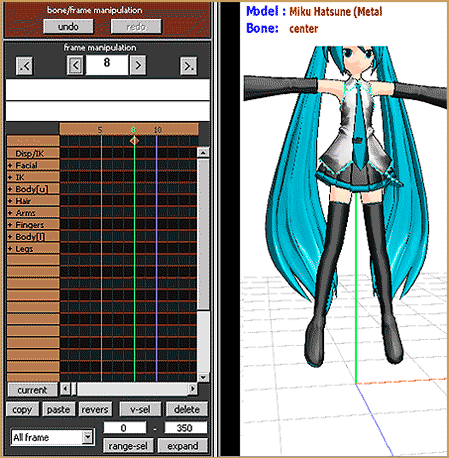
How do I copy a motion? How do I make a smooth motion in MMD? How do you use Range-Select in MikuMikuDance? How do I make a movement repeat? What is V-Select in Miku Miku Dance? Copy and Paste for Repetitive Motion in MikuMikuDance MikuMikuDance has tools that make it easy to create a repetitive…

Read More “Copy and Paste for Repetitive Motion in MikuMikuDance” »

Functions-Copy-Paste-Expand
Use Center Position Bias to duplicate a motion

Use Center Position Bias to duplicate a motion

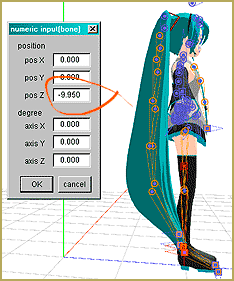
How can I paste a motion in a new place on the stage? How can I copy and paste a motion sequence? LearnMMD Tutorials. How do I use The Center Position Bias? What is the Center Position Bias in MikuMikuDance MMD? Use Center Position Bias to duplicate a motion I wanted to create a single…

Read More “Use Center Position Bias to duplicate a motion” »

Functions-Copy-Paste-Expand
The MMD 7.39 VIEW MENU Options

The MMD 7.39 VIEW MENU Options

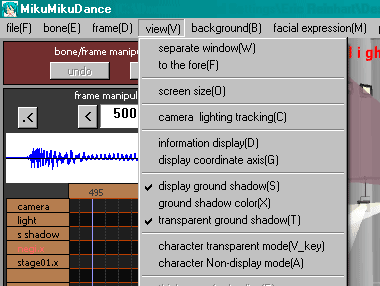
How can I change the screen size of my MMD video? How do I turn the shadows off in Miku Miku Dance? How do I change the color of my models on MMD? Can I adjust the FPS frames per second in MikuMikuDance?  The VIEW MENU Options This article is OBSOLETE. It was written in…

Read More “The MMD 7.39 VIEW MENU Options” »

MENU Option Descriptions
Keyboard Shortcuts to the Menus

Keyboard Shortcuts to the Menus

Does MikuMikuDance have keyboard shortcuts? What are the keyboard shortcuts in Miku Miku Dance MMD?  An often overlooked shortcut to Windows program operation is the ability to access the main menu items from the keyboard.  You do not need to move the mouse to use the menus. Addressing options and commands from the keyboard can…

Read More “Keyboard Shortcuts to the Menus” »

Functions-Copy-Paste-Expand
The MMD 7.39 FRAME MENU Options

The MMD 7.39 FRAME MENU Options

How do I use the frame menu options in MMD MikuMikuDance? How can I select only all of the facial frame motions? How can I select motions to copy to other models? How can I move my model off of the center of the stage in Miku Miku Dance? Can I insert frames inside of…

Read More “The MMD 7.39 FRAME MENU Options” »

MENU Option Descriptions
The MMD 7.39 BONE MENU Options

The MMD 7.39 BONE MENU Options

The MMD 7.39 BONE MENU Options This article is OBSOLETE. It was written in the era of MMD 7.39 and no longer applies to the newer versions of MikuMikuDance. X, Y, Z VALUE TO 0: Moves the selected bone to the Zero Position. ROTATION DEGREE TO 0: Rotates the selected bone to the Zero Position….

Read More “The MMD 7.39 BONE MENU Options” »

MENU Option Descriptions

Posts pagination

1 2 Next
  • Different Eye Textures in one model using PMXE JuneTarzan
  • MMD Camerawork sets the mood, enhances the animation, and showcases your models!
    MMD Camerawork sets mood enhances animation showcases models "the making of" my video
  • The MMD 7.39 FRAME MENU Options MENU Option Descriptions
  • Paper Crowd model delivers instant huge audience Paper Crowd model
  • Kasane Teto with Beamman's Simple Magic Explosion2 positioned behind her
    Beamman’s SimpleMagic creates Explosions, Fire-Balls and Swirling Flames! Beamman's SimpleMagic
  • Beautiful CyberMiku Black ver1.5 has wings!
    Download MMD CyberMiku Black ver1.5 with Glowing Wings and an attitude! "the making of" my video
  • Culling unseen MMD model parts optimises computer assets (PART 2) Chestnutscoop
  • Create/Export .x files in Blender 3 using PMXE
    Create/Export .x files in Blender 3 using PMXE (Blender 2.8+) Blender

Copyright © 2022 Learn MikuMikuDance – MMD Tutorials – Free 3D Animation Software and Instructions..

Powered by PressBook Premium theme