


Skip to content
Learn MikuMikuDance – MMD Tutorials – Free 3D Animation Software

Learn MikuMikuDance – MMD Tutorials – Free 3D Animation Software

Download Free Animation Software – Let's Learn How to Do Everything!

  • Step-by-Step MMD instructions
  • DOWNLOADS
  • Troubleshoot, Fix MMD
  • Site Contents
  • Reggie Replies Q&A
  • Homework!
  • What IS MMD?
    • Download MikuMikuDance Newest Latest Version of MMD
  • “HOW TO”
    • Raycast RAY-MMD Effect Tutorials
  • BONUS PAGES
    • Why convert PMD models to PMX?
  • HALL of CHAMPIONS
  • Tutorial Categories
  • About
    • Privacy Policy
  • Toggle search form
  • The FILE Menu Options MENU Option Descriptions
  • PMXE Plugin adds Arm IK bone
    PMXE Plugin adds Arm IK bones allowing automatic MMD model interaction Animation Shortcuts
  • VDE-4 Champion: Reona Video Dojo Champions
  • VOCALOID 3 Tutorial – The whole interface on a basic level Kazuki Matsuoka
  • dull-VS-alive-animation-environment
    MMD animation environment… MORE than just a model on a stage! "the making of" my video
  • Re-size PMD Models and Keep the Bones and Physics! Adjust PMD Model Size
  • Adding Sound Effects to existing MMD animations Making Soundtracks
  • Enjoy the “camera Angles WEIRD in Anime” meme… Animation Shortcuts

Category: Rule of Thirds Effect

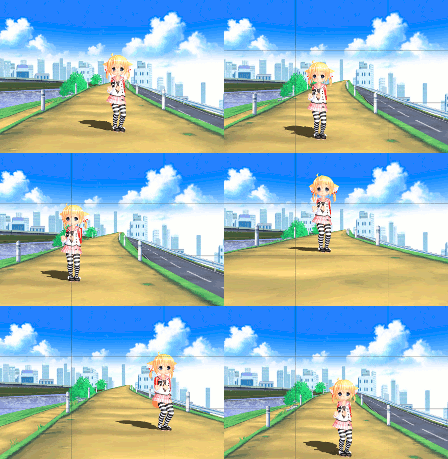
Use the Rule of Thirds Effect to Create Camera Motion Data in MMD!

Use the Rule of Thirds Effect to Create Camera Motion Data in MMD!

How do you use the Rule of Thirds effect in MikuMikuEffects? How do you make better camera motion data for MikuMikuEffects? LearnMMD MME Tutorials. How do I make my MMD camera motion data look more professional? Where do I get the Rule of Thirds Effect for MME? Rule of Thirds Effect tutorial? How to Use…

Read More “Use the Rule of Thirds Effect to Create Camera Motion Data in MMD!” »

ARIZONA
  • The Champions are Chosen! Video Dojo Expo 3 is Complete. CONTESTS
  • Kaito Sees Rotating Stars Thanks to the Accessory Manipulation Panel.
    More on Accessory Manipulation in MikuMikuDance Accessory Manipulation/Adjust
  • Dramatically Decrease AVI File size before uploading YouTube videos MMD Tutorials
  • MME ExcellentShadow2 effect smooths ugly Self-Shadows ExcellentShadow2
  • Create 450-Frame MMD Animation from scratch!
    Create 450-Frame MMD animation from scratch! "the making of" my video
  • Adding & Working the Stage Lights with Dummy Bones MMD MikuMikuDance Dummy Bones
  • Formatting Captions With MMM MikuMikuMoving Bullwood
  • MMD Camerawork sets the mood, enhances the animation, and showcases your models!
    MMD Camerawork sets mood enhances animation showcases models "the making of" my video

Copyright © 2022 Learn MikuMikuDance – MMD Tutorials – Free 3D Animation Software and Instructions..

Powered by PressBook Premium theme