Skip to content
Learn MikuMikuDance – MMD Tutorials – Free 3D Animation Software

Learn MikuMikuDance – MMD Tutorials – Free 3D Animation Software

Download Free Animation Software – Let's Learn How to Do Everything!

  • Step-by-Step MMD instructions
  • DOWNLOADS
  • Troubleshoot, Fix MMD
  • Site Contents
  • Reggie Replies Q&A
  • Homework!
  • What IS MMD?
    • Download MikuMikuDance Newest Latest Version of MMD
  • “HOW TO”
    • Raycast RAY-MMD Effect Tutorials
  • BONUS PAGES
    • Why convert PMD models to PMX?
  • HALL of CHAMPIONS
  • Tutorial Categories
  • About
    • Privacy Policy
  • Toggle search form
  • Posing MMD Models: Anatomy Matters! BigPerryman
  • MMD NyaReimu dances to Miku’s “The World is Mine” "the making of" my video
  • PMXE Plugin adds Arm IK bone
    PMXE Plugin adds Arm IK bones allowing automatic MMD model interaction Animation Shortcuts
  • PMDE Parts Links help you create your MMD Selfie NOKO2
  • MMD Models with a Mother Bone are easy to move on your stage.
    MMD Mother Bones Allow Easy Dancer Model Movement From Stage Center ARIZONA
  • Video Dojo Expo 1 Winner: Angel Dreams Video Dojo Champions
  • ZERO-GRAVITY Day on the beach in MMD!. Use Gravity Settings and Noize to make winds blow.
    Using the Gravity Settings in MikuMikuDance ARIZONA
  • MikuMikuDance “Keep the Faith-MMD” MMD Tutorials
The Cheaplens Effect is easy to use and very powerful!

MME CheapLens Effect controls the “Look” of your MMD video

Posted on February 20, 2021February 17, 2023 By Reggie_Dentmore No Comments on MME CheapLens Effect controls the “Look” of your MMD video

A Feature Article by Reggie Dentmore on LearnMMD.comWhere can I download the CheapLens Effect? How do I use the CheapLens effect for MikuMikuDance, MMD? How can I soften, vignette, or blur the edges of the screen in my MMD video?
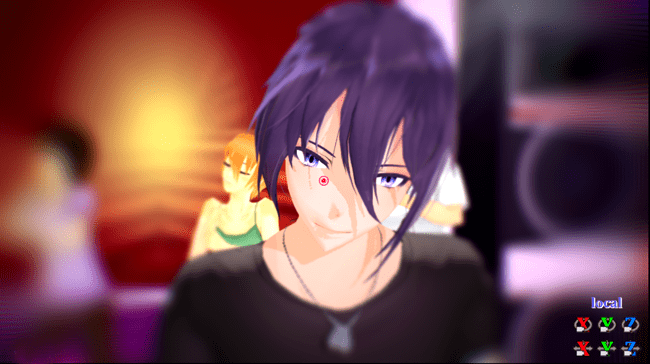
The MME CheapLens effect controls your MMD animation's scene from soft focus to blurry!

The CheapLens Effect controls the “Look” of your MMD video!

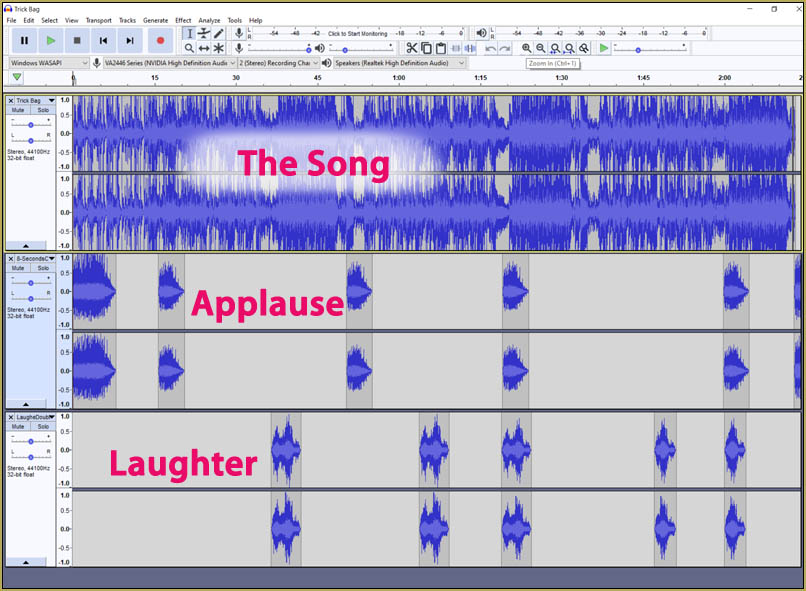
When I made my Trick Bag video, I used a number of effects to create the atmosphere of the scene… Diffusion7, SvDOF, Beamman’s Breath… but maybe all I REALLY Needed was this one CheapLens effect!
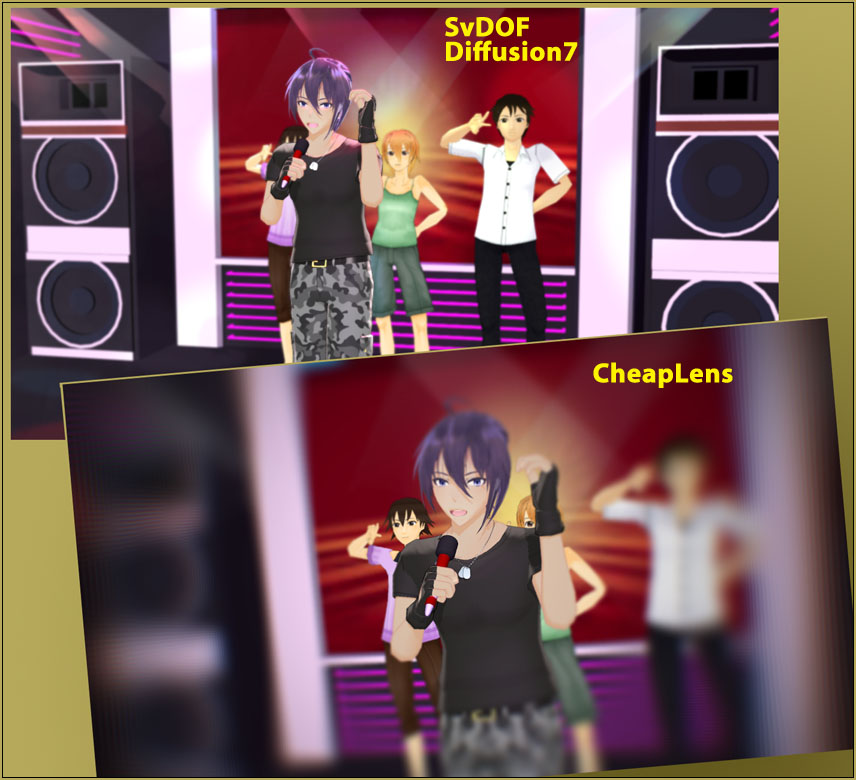
The cheaplens effect is a powerful MME tool!


The CheapLens MME effect is POWERFUL and easy to use! You DOWNLOAD the Cheaplens effect from THIS OneDrive Page… You have to login on that page… it’s free. When you do login, that full page will be there. You can click the tiny “Download” at the top to get the entire lot of effects or you can download just the one you want.

DON’T GO CRAZY! There are TONS of effects listed on that page!

… just download the effect you are looking for… and KNOW that you can always go back for another one if you wish.

Easy as pie!

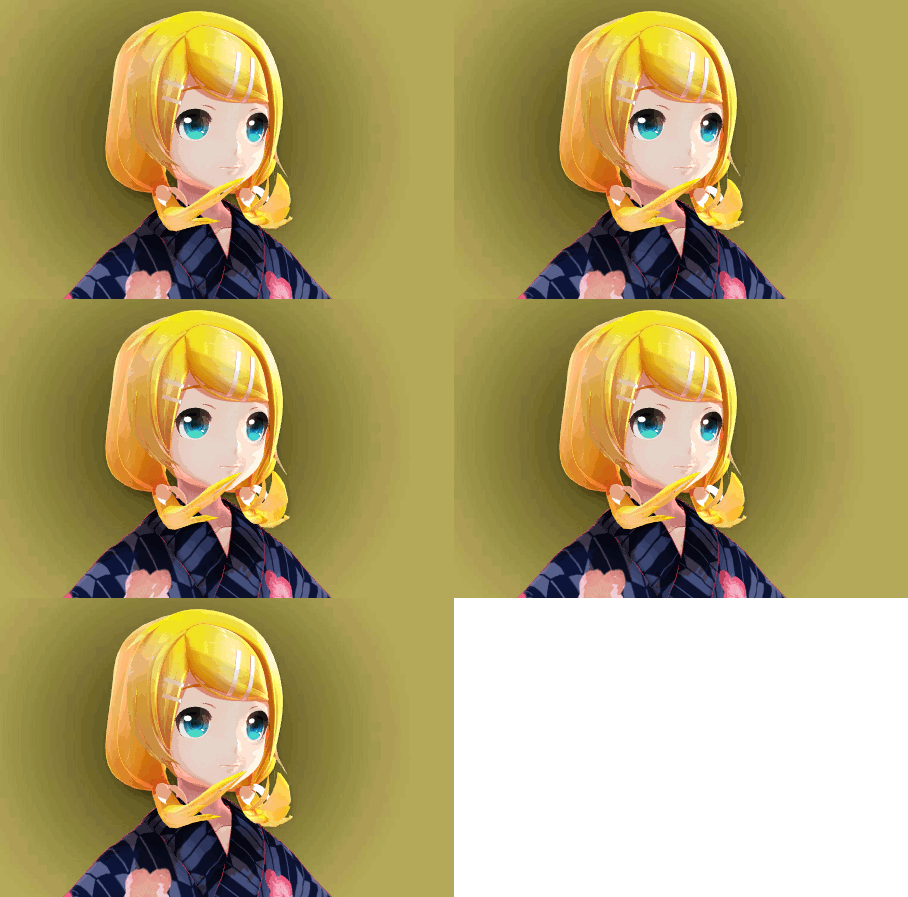
Put your scene together in MMD… stage, model, lighting… and then load the cheaplens.x file from the Accessory Manipulation Panel. … When you DO: not too much will happen. You will see the edges of your scene blur, a little:
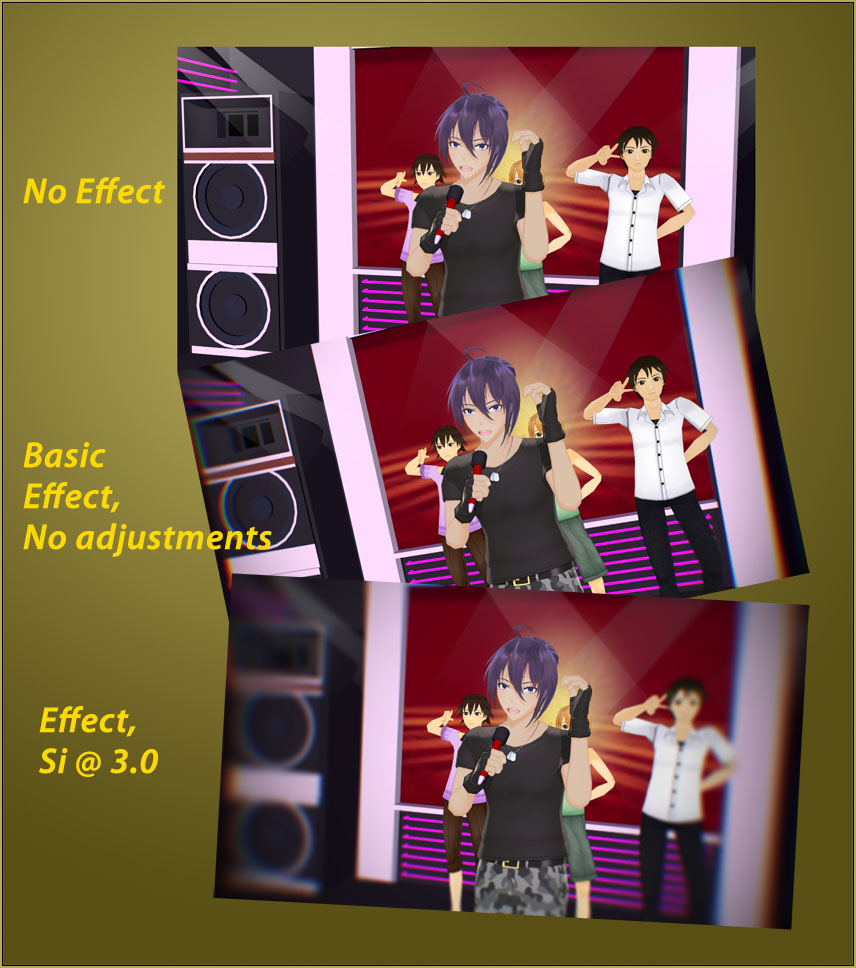
The fun of the CheapLens effect "happens" as you play with the settings.

The fun “happens” as you play with the settings.

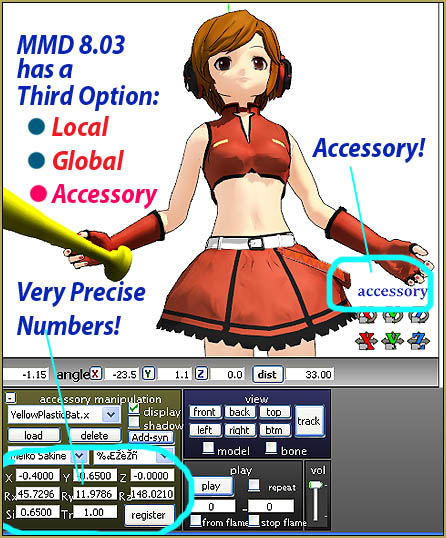
You have the Si size setting and the Tr transparency settings to play with. The Si size sort of sets the “good part” of your cheap lens. At setting 1.0, almost the whole scene is in focus… and by the time you get to TWELVE, you have developed tunnel-vision as only the center of the scene is still in focus. … The Tr transparency softens or sharpens the effect. … Remember that Tr can only be maximum of 1.0… and adjustments are done as decimal numbers.
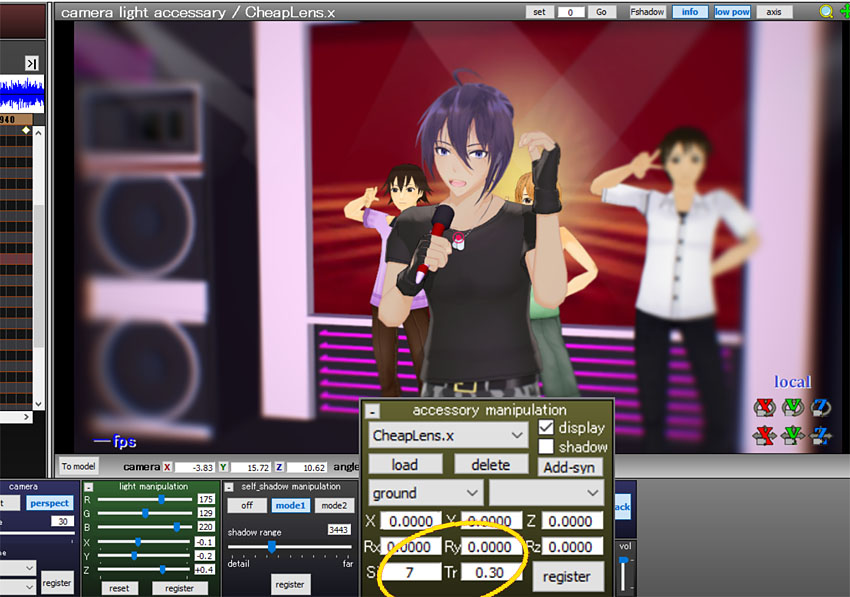
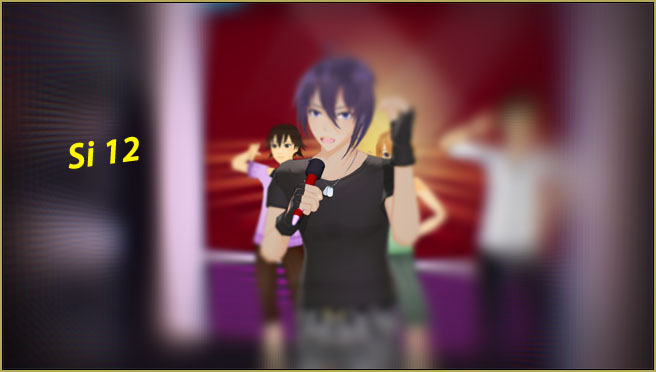
THERE ARE a few more notes for you in the README file included in your download. It’s in Japanese so I have translated the README and you can download the translated README HERE.

AND…

… as with other effects, the settings move between your registered positions… so you can set values in frame zero and in frame 75… and they will smoothly shift from the one setting into the next.

… like in this scene, below, you can see that those are not any numbers that I entered… it’s shifting smoothly between the registered frames.
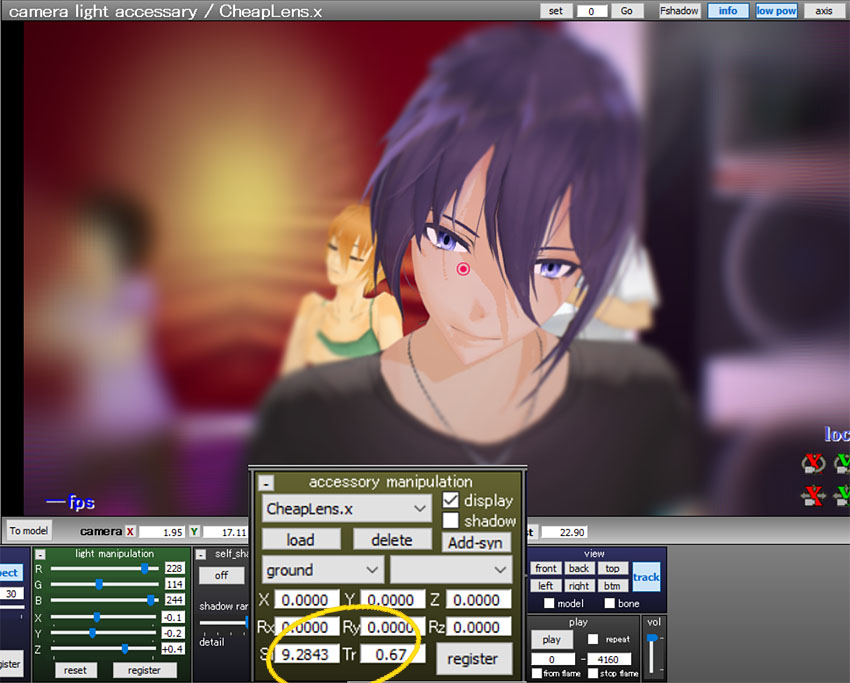
So, there you go… Have fun with this effect! … and…

Have fun with MikuMikuDance!


– SEE BELOW for MORE MMD TUTORIALS…


— — —


– _ — –


Visit the LearnMMD.com Homepage! Plenty of Mikumikudance instruction and info!

More MMD Tutorials...

Enjoy the "camera Angles WEIRD in Anime" meme...

Enjoy the "camera Angles WEIRD in Anime" meme... This image is from The Slayers - NEXT, ...read more

Reader asks how to create MMD artwork... stuff like posing, camerawork?

A reader asks... Is there a tutorial on how to create MMD artwork, like those you ...read more

Learn MikuMikuDance in Small Steps! New LearnMMD Video Series

Learn MikuMikuDance in Small Steps. Where can I find easy-to-follow MMD instructions on YouTube? How ...read more

Apply Multiple Effects on an Entire MMD Model Using M4Layer Effect

How can I apply multiple effects to an MMD model? Can I use more than ...read more

MMD Plugin Manager... I Found a Treasure!

What sorts of MMD Plugins are there? MMD Plugin Manager? MMD Plugins. Plugin MMD. More ...read more

2025: Hatsune Miku is 18... but she is designed to be always 16 Years old, by design and in reality!

Finally, in 2023, Hatsune Miku is 16 years old! but in August of 2025, she ...read more

CheapLens Effect, MMD Tutorials, Reggie Dentmore

Post navigation

Previous Post: MME FireintheSkiesEffect gives floating flame and embers!
Next Post: MME ShapeMosaic effect counters Wardrobe-malfunctions and more!

Related Posts

  • Workin’ on my VDE-4 Animation: The Easy Part is Complete! "the making of" my video
  • Download the beautiful LUKA MEGURINE HIPSTERBLACK by PS-2002
    Download the beautiful LUKA MEGURINE HIPSTERBLACK by PS-2002 "the making of" my video
  • KiraKira-sparkleV2 beautiful colored sparkles.
    KiraKira-sparkleV2 MME Effect adds COLOR to KiraKira! KiraKira-SparkleV2
  • Multiply of Facial Expression command in MMD Animation Shortcuts
  • Sometimes you need a “motion scratchpad” while animating in MMD Animation Shortcuts
  • Are you running the Latest Version of MMM? MMM Tutorials

More Related Articles

Applause for Miku! MikuMikuDance turns Six. ARIZONA
Ray-MMD Godrays… argggh!!! MMD Tutorials
Rio Carnival Miku TDA edit by shiro-nekovocaloid is a beautiful model for the MMD Model Adoration Slideshow video. Rio Carnival Miku is my latest MMD Model Adoration Slideshow video "the making of" my video
Making JRPG style scenes using MMD MMD Comics
Adjust downloaded motions to fit your MMD models Animation Shortcuts
Culling unseen MMD model parts optimises computer assets (PART 2) Chestnutscoop

Leave a Reply Cancel reply

Your email address will not be published. Required fields are marked *

Download the latest version of MikuMikuDance!
See the MMD Step-by-Step instructions page!
Learn how to make your own MMD motions!
LearnMMD.com
  • The MME Oppai Effect adjusts the breast size of your MME models!
    MME Oppai Effect enhances MMD Model’s figure… one for the boys! MMD Tutorials
  • Shading China Dresses
    Shading China Dresses Using Advanced Shader Techniques Advanced Shader Technique
  • Toon Shader modifies shadows and highlights! GloriaTheAnimator
  • Extreme S Curve 02.
    Using the Interpolation Curve in MikuMikuDance. ARIZONA
  • Make an effect start at a certain frame Kazuki Matsuoka
  • L_EdgeShader_Ver 1.00
    How to Use the L EdgeShader Effect for MikuMikuDance. ARIZONA
  • Understanding PMXE Materials: Ambient, Diffuse, Specular, Reflect and More! Bandages
  • Value of saved poses.
    Saved Poses get your MMD Animation Started! Animation Shortcuts

Copyright © 2022 Learn MikuMikuDance – MMD Tutorials – Free 3D Animation Software and Instructions..

Powered by PressBook Premium theme

Go to mobile version