



Windows 11 S Mode. Why won’t my Windows 11 computer let me install the C++ programs? I cannot install the C++ Redistributables. How can I get out of S Mode? I cannot run the C++ programs for MMD.
Get Out of Windows 11 S Mode
… a Windows 11 C++ installation workaround!

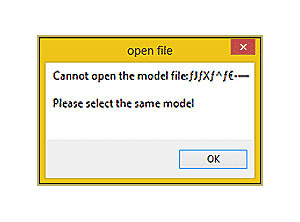
“The app you’re trying to install isn’t a Microsoft verified app.”
In a comment to the LearnMMD.com Downloads Page, a reader… “Random Reader”… left this instruction describing the need to get your Windows 11 computer out of S Mode if you want to download software from sources other than the Microsoft Store. “S Mode allows only apps from the Microsoft Store, and requires Microsoft Edge for safe browsing.”
Random Reader writes:
Right, so I just got done helping another newbie get MMD working on a Windows 11 computer, and in the process, I’ve learned about some hurdles and roadblocks that the rest of you all may want to be aware of.
When attempting to install the required Visual C++ packets, the newbie got an error “The app you’re trying to install isn’t a Microsoft verified app.” Even though they got the downloads directly from Microsoft’s own website, Windows 11 was refusing to allow them to be installed (If I had to guess, because of the age. I saw something about the 2008 and 2010 versions no longer being supported on one of Microsoft’s pages.)
It turned out that the newbie’s version of Windows 11 was in “S mode,” some newfangled security feature that some computers now come with by default. It’s easy to get out of S Mode. Here are the instructions: https://www.asus.com/support/faq/1034213/
Know that “turning it off” is a one-way option, cannot be turned back “on”, but it’s the only way to get certain “unverified” stuff to install.
Thank you Random Reader!
That’s awesome information!
— Reggie
– SEE BELOW for MORE MMD TUTORIALS…
— — —
– _ — –





Man, S Mode is such a headache for anyone who actually wants to use their PC for anything beyond a basic browser. I remember helping a friend with a similar issue, and hitting that exact “Microsoft verified app” error even when downloading official files directly from their site is just incredibly counter-intuitive. It’s wild that Windows 11 blocks its own redistributables just because they aren’t wrapped in a Store installer.
It really reminds me of the struggle I face when trying to keep my older hobbyist rigs functional. I still maintain a legacy home server that relies on a specific 16GB kit of DDR2-533 (PC2 4200) memory https://serverorbit.com/pc-and-server-memory/pc2-4200/16gb-ddr2-533mhz. Trying to get modern software to play nice with that older server-grade hardware often requires hunting down obscure, “unverified” drivers or libraries that Microsoft has long since moved on from. You realize very quickly how restrictive “modern security” can be when it starts blocking legitimate tools for niche projects like MMD.
I’m glad you pointed out that switching out of S Mode is a one-way street, though. That’s a huge detail to keep in mind before someone pulls the trigger. Do you think Microsoft will ever make the Store versions of these C++ packets more comprehensive, or is the “manual” workaround just going to be the standard forever?
hello, i need some help. im from indonesia, i have a probelm when i install the mmd software it say because i need install microsoft visual c++. and then i downloaded the 2010 version after i run the program it have 2 option, repair and unsintall, and then i select the repair option and then after i still cant open the mmd, and it say the same problem “The Side-by-Side configuration error.”
Hello, how are you? I just installed Visual C++ 2005 through 2022 on my new Windows 11 PC without leaving Windows S mode because I downloaded them using a Windows 10 PC. I have a question: When I try to load multiple models with a scenario and several accessories and render a Full HD image, the program won’t let me. What can I do? My new PC comes with an Intel Core Ultra 7 265KF, two 16GB memory cards, W11 Pro 64-bit, a delicate NVIDIA GeForce RTX 5070 12GB graphics card, and finally, how can I get MikuMikuDance to open using only the dedicated graphics card and not the integrated Intel graphics card? Thank you very much for your collaboration, and I look forward to your honest response.
Hello! – My “honest” response… “:o).
We have found that MMD does not like to Render to Video if your screen-size is set higher than your computer monitor’s resolution. So, maybe that’s the issue. … I have an HD monitor with resolution 1920×1080 and I usually run MMD at that screen size: 1920×1080 …. and I have no issues with Render to Video on my Windows 10 Pro machine. I am using the UTVideo codec.
Why does MMD not see your NVIDIA card? I don’ know. … But I asked the Google AI and got lots of potentially good informatiopn. I phrased my question as:
on Windows 11, old DirectX 9 game always uses built-in Intel graphics card rather than my NVIDIA card
I hope you can find a solution.
— Reggie