


Skip to content
Learn MikuMikuDance – MMD Tutorials – Free 3D Animation Software

Learn MikuMikuDance – MMD Tutorials – Free 3D Animation Software

Download Free Animation Software – Let's Learn How to Do Everything!

  • Step-by-Step MMD instructions
  • DOWNLOADS
  • Troubleshoot, Fix MMD
  • Site Contents
  • Reggie Replies Q&A
  • Homework!
  • What IS MMD?
    • Download MikuMikuDance Newest Latest Version of MMD
  • “HOW TO”
    • Raycast RAY-MMD Effect Tutorials
  • BONUS PAGES
    • Why convert PMD models to PMX?
  • HALL of CHAMPIONS
  • Tutorial Categories
  • About
    • Privacy Policy
  • Toggle search form
  • Create Bouncing Ball using MMD Physics Engine Making Models
  • Congratulations Dolly Strawberry!
    Video Dojo Expo 2 Champion: Dolly Strawberry (MacaronTeaCupBaby) Video Dojo Champions
  • Use Stage Changes in MMD to Make an Interesting Video Koneko the MMD Fairy
  • MMD Fill Lights Part 2 – (Ray-MMD) MMD Tutorials
  • "Say cheese!" Setting up the camera moves in MMD 7.39 takes some thought. Credits: MMD Little Town by Harner Productions, Chibi Miku Yamato Style 1.35 by Koshitsuki, Chibi NC DT SeeU by HousekineMinto, Video Camera by Dark Konata
    Camera Motion Instructions 1 – MMD Basics ARIZONA
  • Cookiefun Channel Camera Crew Model Free Download Downloading New Models
  • Making JRPG style scenes using MMD MMD Comics
  • Keep The Faith MMD
    Use proper MMD Etiquette when Downloading Models for MMD Intro to MikuMikuDance

MikuMikuDance MMD Cage Stage Tutorial

Posted on June 22, 2013March 16, 2018 By Reggie_Dentmore No Comments on MikuMikuDance MMD Cage Stage Tutorial

Where can I get the MMD Cage Stage? How can A Feature Article by Reggie Dentmore on LearnMMD.comI use the Cage Stage in MikuMikudance 7.94 … it has so many .x pieces! I can’t read the names of those Japanese files!

Enjoy this amazing MMD Stage …
The MMD Cage Stage from the Sinlessrogue.Angelfire page

This amazing MMD Cage Stage is beautiful and flexible!

I wanted to try something new … so I downloaded this MMD Cage Stage from the sinlessrogue.angelfire Backgrounds page.

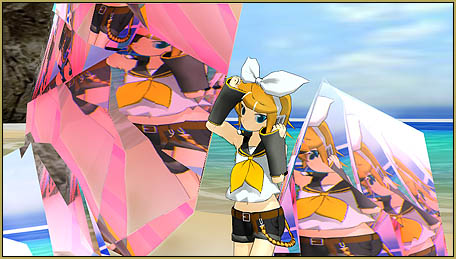
This is an amazing stage with 14 individual .x parts … not counting the one .PMD dummy bone that is included … and a .VMD!  The individual elements, like a globe of the Earth, one of the Moon, and one for a fiery planet … not to mention all of the mirrored globes … can be used as accessories, all by themselves!

I made a short video to show off what I learned, just this afternoon … I am sure it can be made to “do” more!

Download the zip of images to help you navigate this amazing stage! MMD Cage Stage LearnMMDJapanese File names in the Zip!

If your “System” is like mine, it scrambles Japanese file names when I open a downloaded Zip. So I be sure to use the Applocale/7-Zip routine to Extract files from that new Zip!

Editor’s
Note: 5/28/2016

Another method for keeping the Japanese file names as you open a Japanese model zip folder is to use the free Bandizip software with the Code Page dropdown set to Japanese. See the Bandizip article.

The Files have Japanese Names!

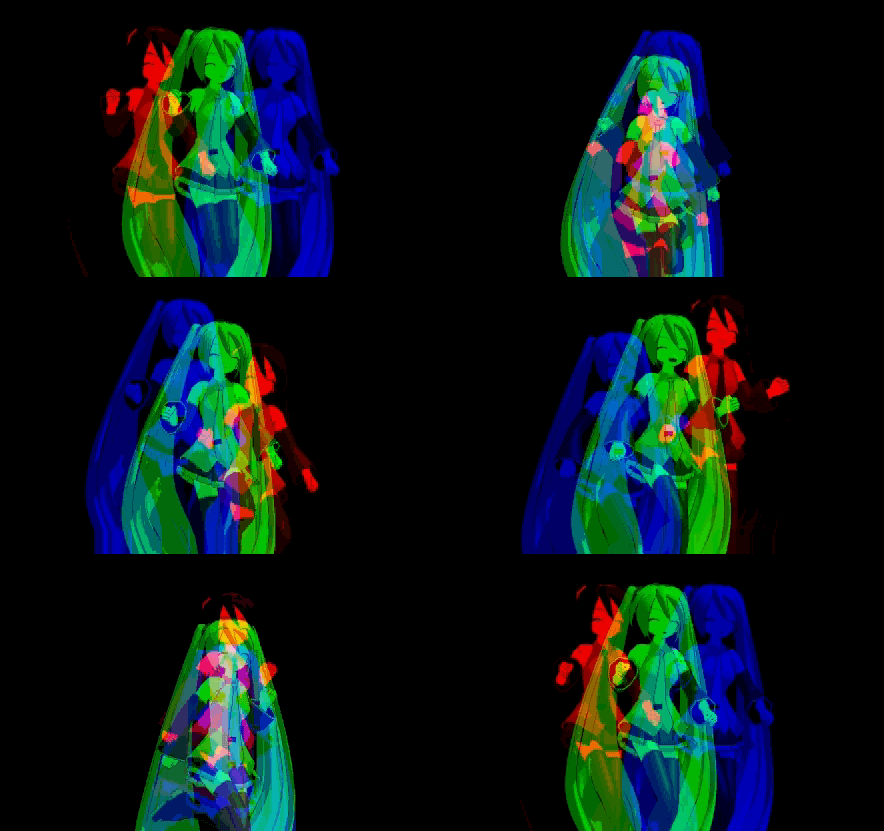
I couldn’t tell which element was which … not just from those file names … so I made a set of pictures to identify each of the 14 elements of the stage.
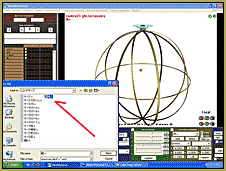
Here's a sample of one of the ID Chart pictures I made for the MMD Cage Stage.

 DOWNLOAD my ID Chart ZIP


Included in that ZIP is my new READ ME x 3.txt file. I tried to use Google Translate to “read” the included READ ME.txt file and was unable to make much sense of the translation. I made a new ReadME and called it Read Me “times three” because in there is the original Japanese ReadMe text … The stupid Google translation … and the Romaji text generated by the Google Translate page … I think the Romaji “reads” better than the the broken English words.

So … Open MikuMikuDance … and begin!

Open MMD. Open my ID Chart so you can see which element is which. LOAD one of the .x elements of the Cage Stage. I also did a LOAD of the included PMD Dummy Bone. I started out by attaching each element to that same dummy bone #10. Keep adding parts until you like what you see. The large globe/sphere elements all have their bone attachment in their centers … so you can easilyGreat details are built into this MMD Cage Stage! spin them on their dummy bones. BUT … If you attache them all to the same dummy bone … they simply overlap each-other … not good. So just load the one sphere you like.

It turns out (get it? … turns?) that there is a supplied .VMD Motion file that you can load onto the supplied Dummy Bone #10 … the motion is 7200 frames of a gentle rotation. You can copy/paste it onto other bones … you can use the EXPAND function as you paste that motion to speed or slow the rotation of the various elements. Open your own set of Dammy Bones so that you will have Great details and mind-whirling images are in this stage!plenty to work with. As you attach elements to the various dummy bones, you will want to move the dummy bone to recenter the element’s position within this concentric stage. (i.e. Dummy bone 5 is not in the center of the stage. You will want to move that bone over and back, or front, to position it in the central axis of rotation.)

You will want to adjust the SIZE of some of the pieces. See our many articles about using the settings in the AMP panel to adjust size, transparency, and other aspects of the accessories you mount to dummy bones.

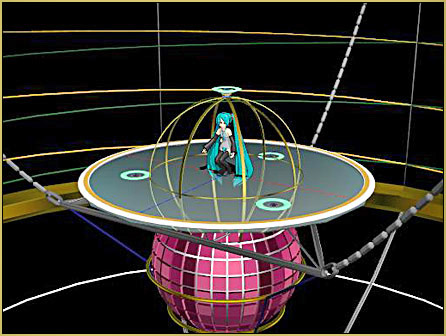
Today I enlarged the beautiful pink sphere to a SIZE setting of 8.0 using the settings in the AMP. It is big enough to dance in … and has plenty of room to swing the camera around, too! I added only the translucent dance floor piece to complete my setup. Nothing is spinning in this animation. The camera motion is what’s causing all of that background motion.  Fun stuff!

Keep working at it … and as you create some motions, push PLAY once in awhile, to enjoy this spinning stage!


– SEE BELOW for MORE MMD TUTORIALS…


— — —


– _ — –


Visit the LearnMMD.com Homepage! Plenty of Mikumikudance instruction and info!

More MMD Tutorials...

Introducing MMD model 1052C China Qipao Miku

Where can I download MMD model 1052C dancers? I want the 1052C China Qipao Miku ...read more

MMD Boobs too Big yields Too Funny Really Bad Boy video!

Can MMD boobs too big get in the way of a downloaded motion file? What ...read more

Download Hatsune Miku type N models from 2010... a set of 6!

Can I still download Hatsune Miku type N models? Where can I download a few ...read more

Download Early Miku 1052C-Re0710 MMD Models from 2010!

Download these 1052C-Re0710 MMD Models from 2010! These 1052C-Re0710 MMD models were created in 2010. I ...read more

Download MMD CyberMiku Black ver1.5 with Glowing Wings and an attitude!

Download MMD CyberMiku Black ver1.5 with Glowing Wings and an attitude to match! A treasure... Yesterday I ...read more

Download the beautiful LUKA MEGURINE HIPSTERBLACK by PS-2002

Where can I download LUKA MEGURINE HIPSTERBLACK by PS-2002? How can I get a new ...read more

Downloading New Models, MMD Stages

Post navigation

Previous Post: Download MMDxShow.dll Fix the Cannot Read MMDxShow.dll Error
Next Post: Add Shadows to MMD .X Accessories Tutorial

Related Posts

  • "Departures" meme for MMD is a beauty! Memes are like KITS for MMD!
    Departures Meme Is a Beautiful MMD Project "the making of" my video
  • Download these 1052C-Re0710 MMD Models and enjoy!
    Download Early Miku 1052C-Re0710 MMD Models from 2010! Downloading New Models
  • REM Hatsune Miku 10th model links on LearnMMD.com
    Reintroducing cute REM Hatsune Miku 10th in Hello, how are you? "the making of" my video
  • Download Table Lamp Accessory ON and OFF Downloading New Models
  • MMD Download links – Some of my favorite MikuMikuDance Sites Download MikuMikuDance
  • MikuDance.info has a constantly updated list of new MMD models and accesssories.
    MikuDance.info – A Very Useful Site for MMDers! Downloading New Models

More Related Articles

Rotate stage to allow ground shadows MMD MikuMikuDance Accessory Manipulation/Adjust
MMD Stages Source Featured Great MMD Stages Source: Deviant Art MMD Basics
REM Hatsune Miku 10th model links on LearnMMD.com Reintroducing cute REM Hatsune Miku 10th in Hello, how are you? "the making of" my video
Use Proper MMD Etiquette When Using New Models and Accessories Downloading New Models
MMD model 1052C China Qipao Miku download Introducing MMD model 1052C China Qipao Miku "the making of" my video
Assemble your stages from .x type components Accessory Manipulation/Adjust

Leave a Reply Cancel reply

Your email address will not be published. Required fields are marked *

Download the latest version of MikuMikuDance!
See the MMD Step-by-Step instructions page!
Learn how to make your own MMD motions!
LearnMMD.com
  • The Art of Moe and the genre’s backstory. Random Thoughts & Visions
  • With some practice, Rin can dance the sample dance as well as Miku!
    There Can Be Frame Data Ghosts remaining after Deletion Making Smooth Motions
  • Make your own READ ME files so you can track your Sources Keep the Faith-MMD Credits/Sharing
  • Download Reggie’s Cafeteria Table and Chair accessory! New Stage Accessory
  • Adjust downloaded motions to fit your MMD models Animation Shortcuts
  • RAY-MMD: A method to get great results fast and easy!
    RAY-MMD: A method to get great results fast and easy! MMD Tutorials
  • Understanding Normals Bandages
  • How to make multi-part videos in MikuMikuDance Animation Shortcuts

Copyright © 2022 Learn MikuMikuDance – MMD Tutorials – Free 3D Animation Software and Instructions..

Powered by PressBook Premium theme

Go to mobile version