Skip to content
Learn MikuMikuDance – MMD Tutorials – Free 3D Animation Software

Learn MikuMikuDance – MMD Tutorials – Free 3D Animation Software

Download Free Animation Software – Let's Learn How to Do Everything!

  • Step-by-Step MMD instructions
  • DOWNLOADS
  • Troubleshoot, Fix MMD
  • Site Contents
  • Reggie Replies Q&A
  • Homework!
  • What IS MMD?
    • Download MikuMikuDance Newest Latest Version of MMD
  • “HOW TO”
    • Raycast RAY-MMD Effect Tutorials
  • BONUS PAGES
    • Why convert PMD models to PMX?
  • HALL of CHAMPIONS
  • Tutorial Categories
  • About
    • Privacy Policy
  • Toggle search form
  • Make Custom MMD Models using Downloaded Parts BigPerryman
  • Chibi Miku and Baby Teto Love Dancing with the KeyScreen!
    Using the KeyScreen Effect in MikuMikuEffects (MME) ARIZONA
  • Translate Japanese Models to English with Google Translate and PMDE Bones
  • MMD Camerawork sets the mood, enhances the animation, and showcases your models!
    MMD Camerawork sets mood enhances animation showcases models "the making of" my video
  • Try Reggie’s Evil Eye Effect for an Anime-style effect MMD Tutorials
  • MMD Augmented Reality AR on Android Devices Random Thoughts & Visions
  • Open MikuMikuDance and enjoy it for the fun of it!
    Open MikuMikuDance… just for the fun of it! MMD Basics
  • Creating Hand IK Bones with the IKMakerX PMXE plugin Bones

Animation Fade helps MMD scene transitions

Posted on June 15, 2015July 24, 2015 By Zazi 1 Comment on Animation Fade helps MMD scene transitions

See all the articles written by Zazi on LearnMMD.comHow do I make an Animation Fade scene transition? What is an animation fade? Why would I want to fade one scene into another?

The power of the Animation Fade…

There is great power in an animation fade. It can imply action or a look Animation Fade lets you join scenes seemlessly indicationg a transition of image or of thought.into the past of the singer, or a look into their minds as a glimpse of what they’re talking/singing about.
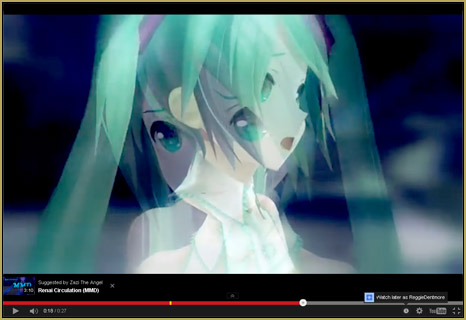
How do you do this… Lets say you have a sweet fight scene you’d like to incorporate into your animation…  but you’ve already done the lip sync and animation for a PV (a long, uninterrupted single-scene shot, as most MMD music videos are)… just render the original scene as one video and the fight scene as a second video, and, using a video-editing program like Sony Vegas or Microsoft MovieMaker, find good spots in that video to cross fade-in the fight-scene (key here is to make sure its an emotional or climactic part of the song) see the below videos for references:

 Fade onto yourself??

Now lets say you want the animation to have a sort of fade-effect but to fade-in and -out on itself. It’s the same process; though you’d have to fix up the lip-sync a bit. As with this video preview, here, which I have been working on…

The key with this type of thing is going to be to have many camera angles to choose from as you edit.  I recommend that you render at least 2 versions of the same animation using a few different camera angles.

A final note… a little off-topic!

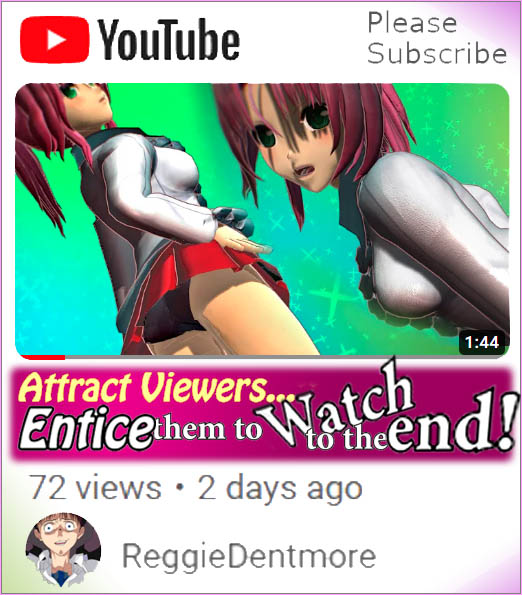
After you have made your video and posted it to YouTube, try to get the best possible image to be your thumbnail image on YouTube. I like to stress the idea that you could have the best video ever… but if your thumbnail doesn’t look artistic, you won’t get many views. ^ _^

Have fun with MMD… try out this Animation Fade idea!

<


– SEE BELOW for MORE MMD TUTORIALS…


— — —


– _ — –


Visit the LearnMMD.com Homepage! Plenty of Mikumikudance instruction and info!

More MMD Tutorials...

Enjoy the "camera Angles WEIRD in Anime" meme...

Enjoy the "camera Angles WEIRD in Anime" meme... This image is from The Slayers - NEXT, ...read more

Reader asks how to create MMD artwork... stuff like posing, camerawork?

A reader asks... Is there a tutorial on how to create MMD artwork, like those you ...read more

Learn MikuMikuDance in Small Steps! New LearnMMD Video Series

Learn MikuMikuDance in Small Steps. Where can I find easy-to-follow MMD instructions on YouTube? How ...read more

Apply Multiple Effects on an Entire MMD Model Using M4Layer Effect

How can I apply multiple effects to an MMD model? Can I use more than ...read more

MMD Plugin Manager... I Found a Treasure!

What sorts of MMD Plugins are there? MMD Plugin Manager? MMD Plugins. Plugin MMD. More ...read more

2025: Hatsune Miku is 18... but she is designed to be always 16 Years old, by design and in reality!

Finally, in 2023, Hatsune Miku is 16 years old! but in August of 2025, she ...read more

Animation Shortcuts, Making Videos - Rendering to AVI, MMD Tutorials, Zazi

Post navigation

Previous Post: Storyboards organize your MMD animation
Next Post: Beamman’s MME DropShadow effect for MikuMikuDance

Related Posts

  • Breathing “SOUL” into MMD models and scenes using Fine Art Techniques Advanced Shader Technique
  • MME DiscoLightEX v003 effect now hosted by LearnMMD.com! Disco Lighting Effect
  • Getting Started with MMD MikuMikuDance Intro to MikuMikuDance
  • Ghost Effect for MME
    How to Use the Ghost Effect for MME! ARIZONA
  • Switch Models without Physics Glitches Accessory Manipulation/Adjust
  • RAY-MMD: A method to get great results fast and easy!
    RAY-MMD: A method to get great results fast and easy! MMD Tutorials

More Related Articles

Make MMD Background AVI using WAV and AviUtl Make MMD Background AVI Using AviUtl WMV Files "the making of" my video
Uploading MikuMikuDance YouTube Videos MMD Making Videos - Rendering to AVI
Posing MMD Models Using Reference Images Animation Shortcuts
Adjust the Shadows in MikuMikuDance KillerBeer
Beautiful CyberMiku Black ver1.5 has wings! Download MMD CyberMiku Black ver1.5 with Glowing Wings and an attitude! "the making of" my video
Create Bouncing Ball using MMD Physics Engine Making Models

Comment (1) on “Animation Fade helps MMD scene transitions”

  1. Elizabeth says:
    September 2, 2025 at 10:07 am

    I saw “Miku”, possibly misspelled? I’ve used spellingreport.com myself for quick confirmations.

    Regards,
    Elizabeth Williams

    Reply

Leave a Reply Cancel reply

Your email address will not be published. Required fields are marked *

Download the latest version of MikuMikuDance!
See the MMD Step-by-Step instructions page!
Learn how to make your own MMD motions!
LearnMMD.com
  • Show the Love: Melanie’s “Ring Around the Moon” CONTESTS
  • MME fireintheskies effect
    MME FireintheSkiesEffect gives floating flame and embers! FireintheSkiesEffect
  • Lexasio's Steampunk Teto & Miku star in "Kiss me" MMD video!
    Lexasio’s Steampunk Teto & Miku star in MMD “Kiss Me” animation "the making of" my video
  • The TrueCamera Effect enhances the 3D look of your MMD animation.
    MME TrueCamera Effect enhances 3D appearance Reggie Dentmore
  • MMD PostAnalogTV effect gives easy scene transitions and more! MME Effects Tutorials
  • Codec Problems!
    Updating the Codecs for MikuMikuDance’s Latest Versions ARIZONA
  • Making MMD Pictures: JPG vs PNG – which is better? MMD Tutorials
  • No MikuMikuDance MMD in India… can it be? Random Thoughts & Visions

Copyright © 2022 Learn MikuMikuDance – MMD Tutorials – Free 3D Animation Software and Instructions..

Powered by PressBook Premium theme

Go to mobile version