
Skip to content
Learn MikuMikuDance – MMD Tutorials – Free 3D Animation Software

Learn MikuMikuDance – MMD Tutorials – Free 3D Animation Software

Download Free Animation Software – Let's Learn How to Do Everything!

  • Step-by-Step MMD instructions
  • DOWNLOADS
  • Troubleshoot, Fix MMD
  • Site Contents
  • Reggie Replies Q&A
  • Homework!
  • What IS MMD?
    • Download MikuMikuDance Newest Latest Version of MMD
  • “HOW TO”
    • Raycast RAY-MMD Effect Tutorials
  • BONUS PAGES
    • Why convert PMD models to PMX?
  • HALL of CHAMPIONS
  • Tutorial Categories
  • About
    • Privacy Policy
  • Toggle search form
  • Background AVI Files require a Baseleine AVI setting.
    MMD Background AVI Files converted using CloudConvert Background AVI
  • Go to my DOWNLOADS PAGE to get your free Cropping/Transition Panel!
    New Cropping-Transition Panel Ready to Download! Transition Panel (it's not an effect)
  • Sometimes you need a “motion scratchpad” while animating in MMD Animation Shortcuts
  • Hitogata Brings Face Tracking to MMD Animation Resource
  • Miku wishes for a peaceful birthday!
    Happy Birthday Miku! ARIZONA
  • IrfanView captures single-frame images from Video AVI files! Irfanview Media Viewer
  • Learn to translate models from Japanese with LearnMMD.com!
    Translate Japanese Models to English in PMDE… with Excel! Fixing Broken Models
  • The UT Video Codec Suite works well with Render to AVI in MMD.
    UT Video Codec Suite v22.2.0 creates simple AVI video for MMD background AVI Reggie Dentmore

Author: Winky

How To Make Global Lighting Work with Game-Rips

How To Make Global Lighting Work with Game-Rips

How do I make global lighting work on my game-ripped models? Why won’t my model react to global lighting? How can I use PMDE to fix my game rips? Fixing Game-Rips When They Don’t React To Global Lighting Don’t you hate when you can’t make the global lighting “work” on some of your models (mostly…

Read More “How To Make Global Lighting Work with Game-Rips” »
Fixing Broken Models
Adjusting the Physical Operation Tab settings in MMD 9.10

Adjusting the Physical Operation Tab settings in MMD 9.10

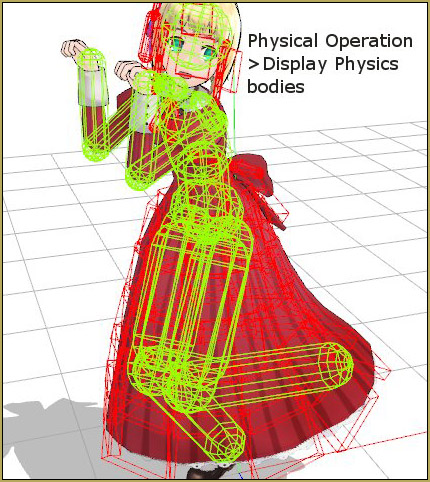
How do you adjust the Physical Operation Tab settings in MMD? What’s new in the MMD 9.10 physics engine settings? How do I turn off the physics in MikuMikuDance?    The PHYSICS ENGINE Settings in MMD 9.10 After a long time, I think I finally figured out the nuts and bolts to the new Physics…

Read More “Adjusting the Physical Operation Tab settings in MMD 9.10” »

Functions-Copy-Paste-Expand
Use 2D Background Images in MikuMikuDance

Use 2D Background Images in MikuMikuDance

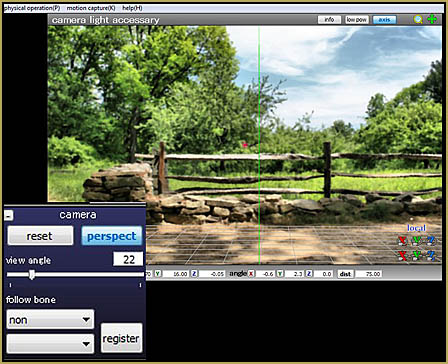
I want to use 2D background images in MikuMikuDance. How do I use a photograph as a background image for my MMD pictures? Will a simple photo work as a background image? Use 2D Background Images to make pictures and videos in MikuMikuDance! Hello Everyone! Today I will show you how to use background images…

Read More “Use 2D Background Images in MikuMikuDance” »

Add Background Pictures and AVI
The MMD Physics Engine keeps Skirts from going through legs!

The MMD Physics Engine keeps Skirts from going through legs!

Why does my model look so stiff? Can I adjust the MMD Physics Engine to automatically take care of my model’s fabrics and hair? Do I always have to adjust every bone in the model in order to get a natural pose?   How to keep Skirts from going through legs … Adjust Gravity &…

Read More “The MMD Physics Engine keeps Skirts from going through legs!” »

MMD Basics
How to Add Multiple Effects on a Model.

How to Add Multiple Effects on a Model.

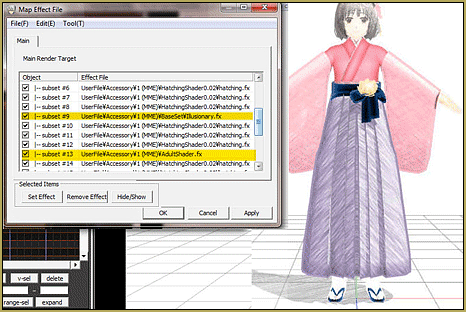
How do you use more than one effect at a time in MMD? Can you use multiple effects in MikuMikuDance? Why do some effects cancel each other out in MMD DirectX 9? Is there a tutorial for using multiple effects in MMD? Using Multiple Effects In MikuMikuDance. This was originally an answer to a reader’s…

Read More “How to Add Multiple Effects on a Model.” »

Adult Shader effect
  • Translate Japanese Models to English with Google Translate and PMDE Bones
  • MMD AnimationSmoother Tool does just that! AnimationSmoother Tool
  • How To Add Depth and Emotion in an MMD Picture Advanced Shader Technique
  • Rotate stage to allow ground shadows MMD MikuMikuDance Accessory Manipulation/Adjust
  • ObjectLuminous Haku and Teto
    Using The ObjectLuminous Effect in MikuMikuDance Accessory Manipulation/Adjust
  • Download Reggie's pose collection ... includes his and pose collection!
    .vpd Pose Files help you demo new MMD Models VPD Files
  • Making MMD Pictures: JPG vs PNG – which is better? MMD Tutorials
  • MikuMikuDance Links and Resources MMD Tutorials

Copyright © 2022 Learn MikuMikuDance – MMD Tutorials – Free 3D Animation Software and Instructions..

Powered by PressBook Premium theme