

Skip to content
Learn MikuMikuDance – MMD Tutorials – Free 3D Animation Software

Learn MikuMikuDance – MMD Tutorials – Free 3D Animation Software

Download Free Animation Software – Let's Learn How to Do Everything!

  • Step-by-Step MMD instructions
  • DOWNLOADS
  • Troubleshoot, Fix MMD
  • Site Contents
  • Reggie Replies Q&A
  • Homework!
  • What IS MMD?
    • Download MikuMikuDance Newest Latest Version of MMD
  • “HOW TO”
    • Raycast RAY-MMD Effect Tutorials
  • BONUS PAGES
    • Why convert PMD models to PMX?
  • HALL of CHAMPIONS
  • Tutorial Categories
  • About
    • Privacy Policy
  • Toggle search form
  • Import models from Source engine based games (HL2, Portal, TF2 etc.) Blender
  • You can download new rio carnival models by shiro nekovocaloid
    Download new Rio Carnival models by shiro-nekovocaloid, Miku, Haku and Luka! "the making of" my video
  • MMD Camerawork makes your video exciting!
    No more boring MMD Camerawork – Keep it moving! Camera Motion
  • Translate Japanese Models to English with Google Translate and PMDE Bones
  • Typical MikuMikuDance MMD Download Project: Lucky! "the making of" my video
  • Scrambled first frame of video must be Voodoo! MMD Basics
  • MMD Animation without Animating the model.
    Create MMD Animations WITHOUT Animating a Model Animation Shortcuts
  • Download Reggie's collection of Rocking Chair Accessory for MMD7.39
    New MMD Rocking Chair Accessory Ready to Download Make your own Accessories

Category: Chris no Akumu

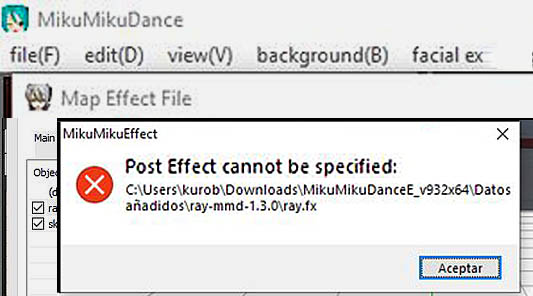
Fix the “Post Effect cannot be specified” error

Fix the “Post Effect cannot be specified” error

How do I fix the “Post Effect cannot be specified” error. Why do I get the Post Effect cannot be specified error? What causes the Post Effect cannot be specified error? Hello! If you’ve found this error after trying to load a specific FX file, here you may learn how to solve this issue, and…

Read More “Fix the “Post Effect cannot be specified” error” »

Chris no Akumu
  • VDE-4 Champion: Kazumi "the making of" my video
  • Breathing “SOUL” into MMD models and scenes using Fine Art Techniques Advanced Shader Technique
  • Making JRPG style scenes using MMD MMD Comics
  • You can enlarge or reduce and Accessory by adjusting the Si value in MikuMikuDance.
    Use Accessory Manipulation fields to position/adjust Accessories Accessory Manipulation/Adjust
  • MikuDance.info has a constantly updated list of new MMD models and accesssories.
    MikuDance.info – A Very Useful Site for MMDers! Downloading New Models
  • Hitogata Brings Face Tracking to MMD Animation Resource
  • Fix MMD Missing Model Options using PMDE Fixing Broken Models
  • Windows 11 S Mode can be swicthed off.
    Windows 11 S Mode: The app you’re trying to install isn’t a Microsoft verified app. Troubleshooting MMD

Copyright © 2022 Learn MikuMikuDance – MMD Tutorials – Free 3D Animation Software and Instructions..

Powered by PressBook Premium theme