





Skip to content
Learn MikuMikuDance – MMD Tutorials – Free 3D Animation Software

Learn MikuMikuDance – MMD Tutorials – Free 3D Animation Software

Download Free Animation Software – Let's Learn How to Do Everything!

  • Step-by-Step MMD instructions
  • DOWNLOADS
  • Troubleshoot, Fix MMD
  • Site Contents
  • Reggie Replies Q&A
  • Homework!
  • What IS MMD?
    • Download MikuMikuDance Newest Latest Version of MMD
  • “HOW TO”
    • Raycast RAY-MMD Effect Tutorials
  • BONUS PAGES
    • Why convert PMD models to PMX?
  • HALL of CHAMPIONS
  • Tutorial Categories
  • About
    • Privacy Policy
  • Toggle search form
  • Learn How to Navigate Japanese MikuMikuDance Pages Downloading New Models
  • Teto replies!
    Fixing white models and accessories that don’t follow in PMXE Bandages
  • Yellow PV LAT Miku downloaded from a MMD Newcomers find on YouTube.
    Source for New MMD Models: MMD Newcomers on YouTube Downloading New Models
  • IrfanView captures single-frame images from Video AVI files! Irfanview Media Viewer
  • MMD Little Car Models offer racing fun!
    MMD Little Car Models Download offers racing thrills! Downloading New Models
  • NCH VideoPad Video Editor
    VideoPad Video Editor Free Download from NCH Software "the making of" my video
  • Getting Re-Excited about MikuMikuDance … Happy Birthday Miku! Intro to MikuMikuDance
  • You can enlarge or reduce and Accessory by adjusting the Si value in MikuMikuDance.
    Use Accessory Manipulation fields to position/adjust Accessories Accessory Manipulation/Adjust

My “O Canada” MMD video confused Japanese viewers!

Posted on July 29, 2017October 9, 2017 By Senshi Sun 2 Comments on My “O Canada” MMD video confused Japanese viewers!

A feature article by LearnMMD's Senshi Sun!At the end of June, I decided I wanted to do some sort of celebration for Canada’s 150th birthday. 150 years ago, Canada went from being a bunch of colonies to being a Dominion, which means that it’s part of the British Common Wealth, but is mostly independent.

The making of my “O Canada” video…
How Internet Patriotism became Japanese Surrealism!

I had a few ideas for what kind of video I could make:

  1. Rick Mercer explaining the Canadian Government
  2. The opening to Mr. Dressup
  3. William Shatner’s “O Canada“

I was musing about the advantages and disadvantages of each video when I checked the calendar. I had misjudged the amount of time I had to make the video. I did not have a week. I had one day.

William Shatner’s O Canada it was! I already knew the audio well because a show I was working near used it as part of their program. It was short – only five minutes long – and simple. All I really needed was one guy standing on a stage and talking.

First, I needed a stage. I immediately went to our very own Learn MMD Auditorium stage because it’s simple and clean.

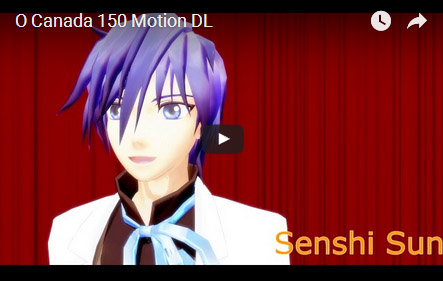
Second, I needed a guy. This was a bit more difficult to figure out because I was not sure if I wanted to imitate the look of the original video. Eventually, I chose Hzeo’s Formal Kaito because I’d already downloaded it.

Third, I needed the audio. I found a shorter version of the original clip on YouTube and downloaded it.

Analyzing this video gave me the basics for the camera set up. There were two shots. One was a full body shot from the front, and another was a bust-up at an angle. The video switched between one and the other. There was no camera movement. Easy.

I didn’t want to motion trace the video. Motion tracing would be much slower and more complicated, and I wanted to make the video my own.

I worked very quickly. I didn’t use interpolation curves very much, and the movement was pretty basic. I didn’t even recolour the ground shadow. I would not consider this my best work, but I had a deadline to meet.

I finished it and uploaded it to YouTube on June 30th.

Because videos seem to get more views on Nico Nico Douga, I uploaded it there too. I didn’t put subtitles on the video. This was partially because I thought it would take too long and partially because I thought it was easy to understand.

There was a small but notable reaction. On YouTube, the video got two thumbs up and one thumbs down.

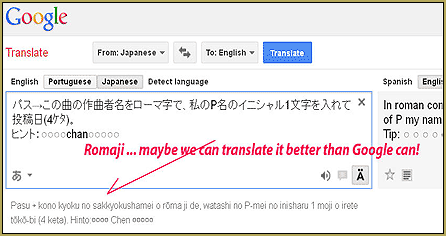
On Nico Nico Douga, the reaction was different. It was added to a few people’s favorites. People left comments on it. I don’t read Japanese, so I put them through Google Translate.

Initially, I thought there was a mistake with the translation. After fiddling with the translation options, I realized the confusion did not come from a translation issue.

They said, in summary, “Lol! This is so surreal.”

My "O Canada" video... OMG... how could they NOT get it?... The jokes, the presentation... too funny, right?How could they say that?

It was easy to understand!

I was so confused.

Then, I realized it was easy to understand if:

  1. You can follow casual English sentence structures with many parentheticals
  2. You know the Canadian national anthem
  3. You understand who William Shatner is
  4. You understood what the jokes were

Most Japanese people didn’t meet any of those requirements. They just saw the “Rankin Bass” level of animation quality and heard a series of words strung together by nonsense.

Next time I upload something to Nico Nico Douga, I will have to add subtitles. If I could find a Japanese translation or somebody was kind enough to write one, I could write them in Japanese, but English subtitles could work too. At least then, people will be able to figure out what the people in the video are saying.

I hope these musings are useful to some of you. I will be writing more soon. Have a wonderful day!


– SEE BELOW for MORE MMD TUTORIALS…


— — —


– _ — –


Visit the LearnMMD.com Homepage! Plenty of Mikumikudance instruction and info!

More MMD Tutorials...

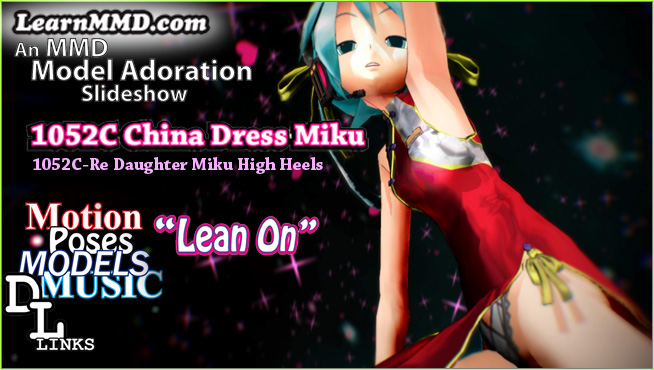
Introducing MMD model 1052C China Qipao Miku

Where can I download MMD model 1052C dancers? I want the 1052C China Qipao Miku ...read more

Download Jomomonogm's Snow Miku 2019 for MMD, a most unusual model!

Where can I download Jomomonogm's Snow Miku 2019? What is so unusual about this Snow ...read more

MMD animation made-from-scratch Forgotten Vocaloid Mew Rags on Reggie's MMD Videos

How do I make my own MMD animation from scratch? How do I start my ...read more

Rediscover your old MMD Animations: Love them again!

Rediscover your old MMD Animations: Love them again! https://youtu.be/P4b3todZMUI A labor of love... Remember how it was when ...read more

MMD Boobs too Big yields Too Funny Really Bad Boy video!

Can MMD boobs too big get in the way of a downloaded motion file? What ...read more

Download MMD CyberMiku Black ver1.5 with Glowing Wings and an attitude!

Download MMD CyberMiku Black ver1.5 with Glowing Wings and an attitude to match! A treasure... Yesterday I ...read more

"the making of" my video, Senshi Sun Tags:internationalisation, making of, MMD

Post navigation

Previous Post: Modifying model texture color compensates Raycast color desaturation
Next Post: Download MikuMikuDance Easily make YouTube MMD Music Videos

Related Posts

  • The Making of “Oubliette” "the making of" my video
  • Halloween Costume TDA Miku on LearnMMD.com
    Download Halloween Costume TDA Miku edit by dA’s Shiro-NekoVocaloid "the making of" my video
  • MMD animation from Scratch “The Wind-up and the Pitch!” "the making of" my video
  • Beautiful CyberMiku Black ver1.5 has wings!
    Download MMD CyberMiku Black ver1.5 with Glowing Wings and an attitude! "the making of" my video
  • New Reggie’s Evil Eye demo video posted to YouTube "the making of" my video
  • “The making of ” any of my videos starts with these considerations… "the making of" my video

More Related Articles

Using Texture Transparency hides MMD model problem areas MMD Tutorials
Typical MikuMikuDance MMD Download Project: Lucky! "the making of" my video
The Making of “Hell To Your Doorstep” MMD Animation and Video "the making of" my video
Smooth camera moves and soft focus make for smooth scene transitions in MMD 7.39 . LearnMMD.com Smooth Scene Transitions featured in new MMD Departures video "the making of" my video
Rediscover your old MMD animations... Love them again! Rediscover your old MMD Animations: Love them again! "the making of" my video
Reggie's Adoration of FIVE MMD Models Reggie’s ADORATION of FIVE MMD Models -Downloads and Instructions "the making of" my video

Comments (2) on “My “O Canada” MMD video confused Japanese viewers!”

  1. Cakoo says:
    August 10, 2017 at 12:02 pm

    Is it advisable to use MMD to create a professional series instead of using Maya, 3DS Max, lightwave, daz studio or poser? Can MMD its handle this everything? please answer me

    Reply
    1. Reggie_Dentmore says:
      August 10, 2017 at 10:58 pm

      MMD is nice… but it does have its limitations. You mentioned some high-power software. MikuMikuDance is free. It is powerful… but in the end, you get what you pay for. There is at least one series created with MMD…
      https://learnmmd.com/http:/learnmmd.com/tesagure-bukatsu-mono-anime-associated-mikumikudance/
      … and I am sure there are others.

      Reply

Leave a Reply Cancel reply

Your email address will not be published. Required fields are marked *

Download the latest version of MikuMikuDance!
See the MMD Step-by-Step instructions page!
Learn how to make your own MMD motions!
LearnMMD.com
  • Hand Clap free download MMD motion file
    ureshiiiiii “HAND CLAP” Free Motion & WAV Download – Awesome! "the making of" my video
  • Half-Lambert Shader.
    How to Use the Half-Lambert Shader in MMD Half-Lambert Shader
  • Sketchup Orbit view on MMD: Right Click and Drag! Keyboard Shortcuts
  • Getting Re-Excited about MikuMikuDance … Happy Birthday Miku! Intro to MikuMikuDance
  • Load Camera Motion Data VMD files using the File Menu in MMD ARIZONA
  • MME Plastic Effect Featured
    MME Plastic Effect adds plastic realism to MMD model parts MMD Tutorials
  • LearnMMDClub is OPEN on Deviant Art! Intro to MikuMikuDance
  • The Making of “Hell To Your Doorstep” MMD Animation and Video "the making of" my video

Copyright © 2022 Learn MikuMikuDance – MMD Tutorials – Free 3D Animation Software and Instructions..

Powered by PressBook Premium theme

Go to mobile version