



Skip to content
Learn MikuMikuDance – MMD Tutorials – Free 3D Animation Software

Learn MikuMikuDance – MMD Tutorials – Free 3D Animation Software

Download Free Animation Software – Let's Learn How to Do Everything!

  • Step-by-Step MMD instructions
  • DOWNLOADS
  • Troubleshoot, Fix MMD
  • Site Contents
  • Reggie Replies Q&A
  • Homework!
  • What IS MMD?
    • Download MikuMikuDance Newest Latest Version of MMD
  • “HOW TO”
    • Raycast RAY-MMD Effect Tutorials
  • BONUS PAGES
    • Why convert PMD models to PMX?
  • HALL of CHAMPIONS
  • Tutorial Categories
  • About
    • Privacy Policy
  • Toggle search form
  • Motion is LOCAL, per the Model's orientation, or GOBAL, per the Program's Grid. (Meiko Sakine from MMD 7.39)
    Local and Global Mode Bone Movement MMD: Miku’s Mode Swings ARIZONA
  • The Making of: Sleepover Gone Wrong (REMAKE) "the making of" my video
  • Free Download MikuMikuDance MMD
    Download MikuMikuDance Easily make YouTube MMD Music Videos MMD Basics
  • Follow My Learnmmd on Facebook for latest LearnMMD.com MMD tutorials! MMD Tutorials
  • MikuMikuDance Tutorials MMD Tutorials on LearnMMD.com MMD Tutorials
  • Keep the Center-Bone when adding Mother-Bone to an older model MMD Tutorials
  • VDE-4 Champion: Beemz Video Dojo Champions
  • RAY-MMD: Haku’s crazy light show [PART 2] MME Effects Tutorials

Category: NordGeit

MMAccel – Accelerate your MMD creation!

MMAccel – Accelerate your MMD creation!

What is MMAccel? How can I make my own MMD Keyboard shortcuts? Where can I download the latest version of MMAccel? ACCELERATE, EXPAND, MASTER! Ever found yourself using a lot of features in MMD that aren’t easily accessible? Or do you use one feature in such excessive amounts that it’s quite honestly stupid? Or maybe…
Read More “MMAccel – Accelerate your MMD creation!” »

Animation Shortcuts
Create/Export .x files in Blender 3 using PMXE (Blender 2.8+)

Create/Export .x files in Blender 3 using PMXE (Blender 2.8+)

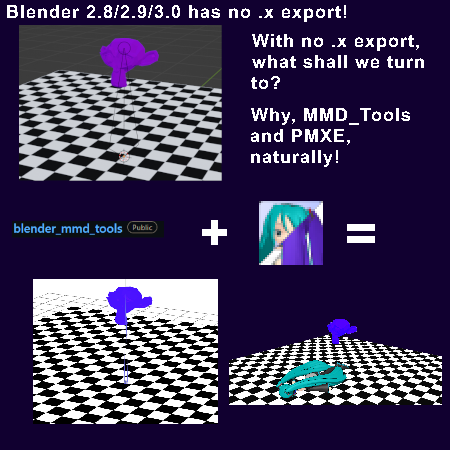
There’s no .x export in Blender 2.8/2.9/3.0… you cannot directly Export .x files in Blender 3! How do I export a .x file in Blender? Help me: I want funny monkey head in MMD. They removed .x export in blender 2.8 and up :((((((((((((( This is the second worst thing to befall humanity ever since…

Read More “Create/Export .x files in Blender 3 using PMXE (Blender 2.8+)” »

Blender
Create MMD model color morphs using PMXE

Create MMD model color morphs using PMXE

How can I add my own color-changing morphs to an MMD model? How do I make my model change color as I animate? Can I use PMXE to create my own color morphs? Or, if you’re British, or prefer British spelling: Colour Morphs! (I honestly prefer that too) Color morphs, and color theory! Aight… This…

Read More “Create MMD model color morphs using PMXE” »

Making Models
FFMPEG – Final Frontier For Video and Audio File Processing

FFMPEG – Final Frontier For Video and Audio File Processing

How do I compress MMD renders? How do I convert video to use as a Background AVI in MMD? Unified solution for video handling? How to convert mp3 to wav? Convert to AVI, Convert to MP4, Better video compression? FFMPEG: The deity, the god of media files (Hey psst… This article uses words encased in…

Read More “FFMPEG – Final Frontier For Video and Audio File Processing” »

Background AVI
  • Audacity® 2.0 Audio Editor easily converts mp3 to WAV files for MMD Music and WAV Files
  • Troubleshooting MMD errors and setting up d3dx9_32.dll error
  • Beamman’s MME SelfFreeze Effect for MikuMikuDance 7.39 MME Effects Tutorials
  • Chrysanthemums are lovely with the Fireworks effect!
    Using the Fireworks Effect In MikuMikuDance ARIZONA
  • MMD NyaReimu dances to Miku’s “The World is Mine” "the making of" my video
  • Easily Make Realistic Hair Texture for MMD Models Mae Blythe
  • RAY-MMD: A method to get great results fast and easy!
    RAY-MMD: A method to get great results fast and easy! MMD Tutorials
  • LAT Model Shaders Create Stunning Scenes in MMD Kazumi

Copyright © 2022 Learn MikuMikuDance – MMD Tutorials – Free 3D Animation Software and Instructions..

Powered by PressBook Premium theme