


Skip to content
Learn MikuMikuDance – MMD Tutorials – Free 3D Animation Software

Learn MikuMikuDance – MMD Tutorials – Free 3D Animation Software

Download Free Animation Software – Let's Learn How to Do Everything!

  • Step-by-Step MMD instructions
  • DOWNLOADS
  • Troubleshoot, Fix MMD
  • Site Contents
  • Reggie Replies Q&A
  • Homework!
  • What IS MMD?
    • Download MikuMikuDance Newest Latest Version of MMD
  • “HOW TO”
    • Raycast RAY-MMD Effect Tutorials
  • BONUS PAGES
    • Why convert PMD models to PMX?
  • HALL of CHAMPIONS
  • Tutorial Categories
  • About
    • Privacy Policy
  • Toggle search form
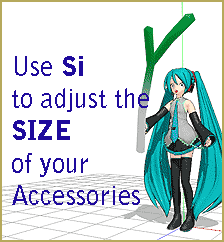
  • You can enlarge or reduce and Accessory by adjusting the Si value in MikuMikuDance.
    Use Accessory Manipulation fields to position/adjust Accessories Accessory Manipulation/Adjust
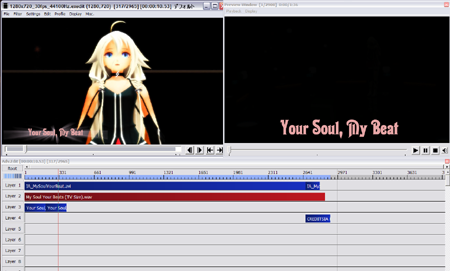
  • Minimize both windows so you can reach the RECORD in Audacity and then the PLAY in you video player. Make Sound Effects in your MMD video soundtrack.
    MMD Soundtrack Make Sound Effects on your Desktop using Audacity® "the making of" my video
  • Recommended Software Library for MMDers Animation Shortcuts
  • How to Switch Models and Stages in MikuMikuDance Accessory Manipulation/Adjust
  • Follow My Learnmmd on Facebook for latest LearnMMD.com MMD tutorials! MMD Tutorials
  • A girl named Miku Hatsune… Random Thoughts & Visions
  • My VDE-3 Entry has Music, Camera, Dancers… Now for the HARD part. "the making of" my video
  • Multiply of Bone Frame Position-Angle Resizes Motions to fit your Model CommanderZoey

Tag: modify accessories

Use Accessory Manipulation fields to position/adjust Accessories

Use Accessory Manipulation fields to position/adjust Accessories

How do you use the x, y, z, and Rx, Ry, and Rz windows in the accessory manipulation panel in MMD?  How do you change the size of a stage or accessory in MikuMikuDance? How do you make an accessory transparent in Miku Miku Dance? Coordinate Coordination: The Sequel. Have you ever wanted to use…

Read More “Use Accessory Manipulation fields to position/adjust Accessories” »

Accessory Manipulation/Adjust
  • Open MikuMikuDance and enjoy it for the fun of it!
    Open MikuMikuDance… just for the fun of it! MMD Basics
  • Why MMD cannot open the models in a saved PMM file Downloading New Models
  • See my new YouTube MMD video “She’s So Hot!” Making Soundtracks
  • Using Beamman’s SoftSmoke Effect Beamman's Soft Smoke
  • Watch the video as I create this MMD animated GIF using GIMP 2.6
    Make MMD Animated GIFs using GIMP 2.6 – MikuMikuDance Animated GIFs
  • Editing Model Materials in PMDE for MikuMikuDance PMD and PMX Models Fixing Broken Models
  • Widescreen MMD “Kiss Me” animation too long but I wanted More! "the making of" my video
  • MMD Little Car Models offer racing fun!
    MMD Little Car Models Download offers racing thrills! Downloading New Models

Copyright © 2022 Learn MikuMikuDance – MMD Tutorials – Free 3D Animation Software and Instructions..

Powered by PressBook Premium theme