
Skip to content
Learn MikuMikuDance – MMD Tutorials – Free 3D Animation Software

Learn MikuMikuDance – MMD Tutorials – Free 3D Animation Software

Download Free Animation Software – Let's Learn How to Do Everything!

  • Step-by-Step MMD instructions
  • DOWNLOADS
  • Troubleshoot, Fix MMD
  • Site Contents
  • Reggie Replies Q&A
  • Homework!
  • What IS MMD?
    • Download MikuMikuDance Newest Latest Version of MMD
  • “HOW TO”
    • Raycast RAY-MMD Effect Tutorials
  • BONUS PAGES
    • Why convert PMD models to PMX?
  • HALL of CHAMPIONS
  • Tutorial Categories
  • About
    • Privacy Policy
  • Toggle search form
  • Take full control of MME Effects by editing .fx files Beamman's Burner effect
  • Hatsune Miku “LIVE” on David Letterman’s ‘The Late Show’ Random Thoughts & Visions
  • An MMD town stage: Making Kerorin Town Great Again – Part 3 MMD Stages
  • Cycles materials for textures model and nodes
    Cycles Materials For Textures in Blender: Nice Textures for MMD Fast! Blender
  • LearnMMD Video Dojo Expo competition: open to all MMDers!
    Voting is closed – You Chose the Winners! CONTESTS
  • Stationary Motion Creation rights and wrongs Creating Motions
  • Free Download MikuMikuDance MMD
    Reader writes: i don’t know how to do mmd :( MMD Tutorials
  • The MME files just need to be in the same folder as your MikuMikuDance.exe file. Download MMEffects v028 from LearnMMD.com and enjoy!
    Download MMEffects v037 on LearnMMD’s Downloads Page! MME Download MME MikuMikuEffects

VDE-3 Champion: Katherine Duncan

Posted on April 30, 2020May 7, 2020 By Reggie_Dentmore No Comments on VDE-3 Champion: Katherine Duncan

Hello. I’m Katherine!

I’m from Georgia, and I graduated college with a Film Production Degree in late 2019. I love anime, video games, and of course, MMD. I’m really creative, and love writing, drawing, and animation.

I’ve been playing around with MMD off and on again since around 2014, often messing around with various models and motions.

My Video Dojo Expo entry:

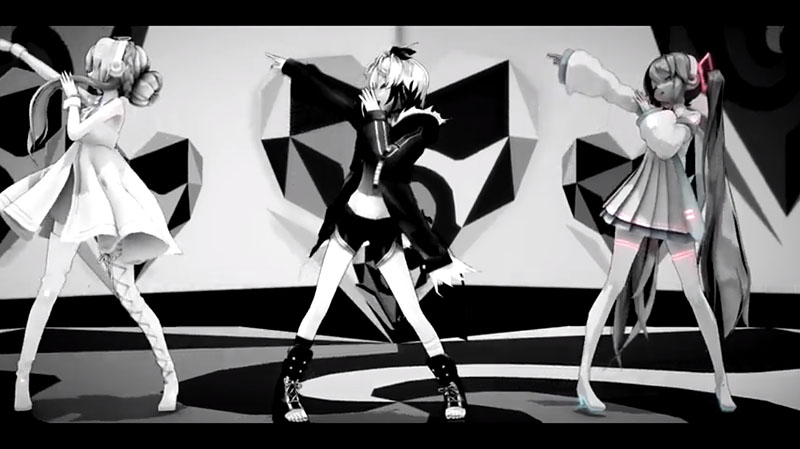
When the third Dojo came up, I decided to enter. Since I didn’t have much experience making my own motions, I decided to use a pre-made motion. As it was, I already was working on a video using the motion Dance! by ureshiiiiii, who happens to be one of my favorite MMD Motion makers. I decided to redo the video, and to change up the cast to make it better look like a group.

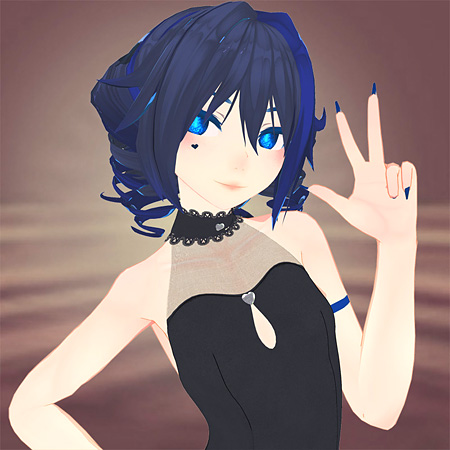
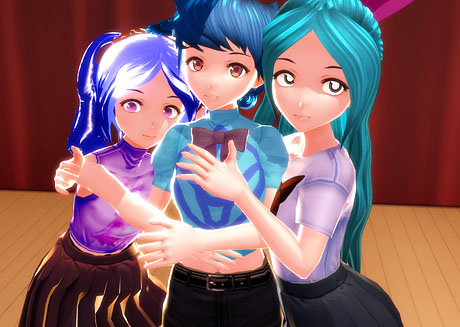
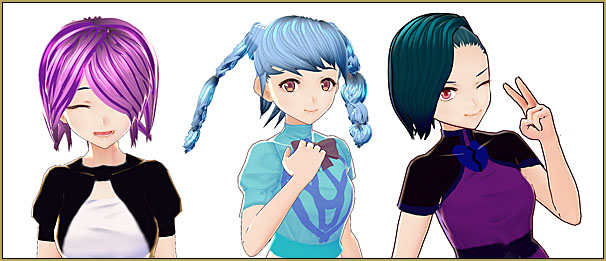
For my models, I decided to use the models I had made in VROID, a program by Pixiv for making anime models. I converted them into PMX. I chose from my models: Lizzie, Azul, and Samantha.
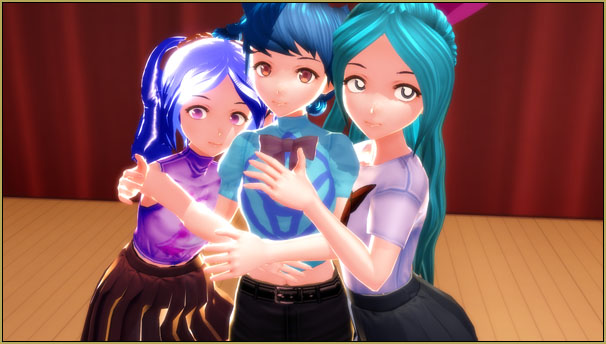
VDE-3 Champion: Katherine Duncan used VROID Models in her video. Here are Lizzie, Azul, and Samantha.

My VROID models…

I’ve gone overboard, and, maybe, made WAY too many models in VROID!
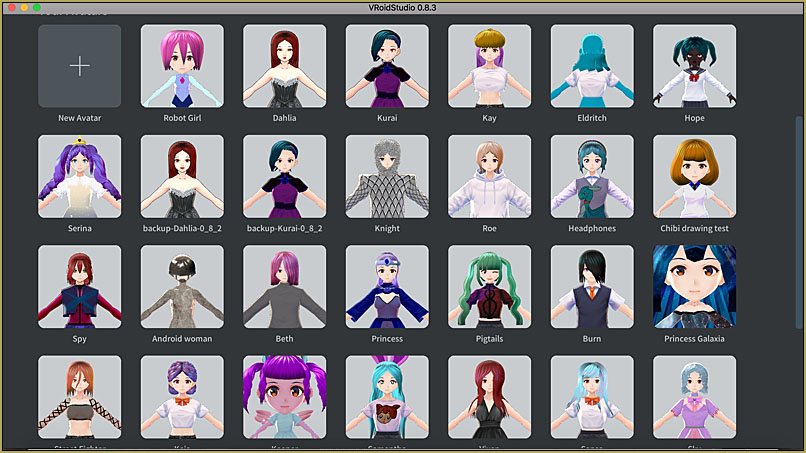
Katherine Duncan's collection of MMD models converted through VROID.

… and a few of my favorite VROID models…
Making my video…

For the motion, I used ureshiiiiii’s motion for the backup dancers, while I mixed that motion with other motions for the lead dancer. It took some time to figure out which motions would work best together, but I ended up using the shuffle dance motions by ぴすたちおまる, and the beginning of the GEE motion by LullabyxMelody.

Some problems came up with actually rendering the video, as I initially wanted to render it at 60fps. My computer didn’t like that. Nor did it like the Raycast effect. So I decided to, instead of making the video look all glossy, use simple effects like Diffusion and AutoLuminous, along with the Camera Screen effect. Combined with the school auditorium stage I used, it gave it a kinda homegrown, school group feel.

Next time, I might focus on trying my own motions, or to do something more humorous. As for my advice, have fun and try something new, something that no one else has done before.

Have fun with MikuMikuDance!


– SEE BELOW for MORE MMD TUTORIALS…


— — —


– _ — –


Visit the LearnMMD.com Homepage! Plenty of Mikumikudance instruction and info!

More MMD Tutorials...

VDE-FIVE Honorable Mention: Jonah Snyder

Howdy Folks! My name is Jonah Snyder! I am a 17 year old guy from Winston-Salem, ...read more

VDE-4 Champion: Reona

Hello! ... I am Reona... I'm an MMDer who started in March of 2015. Aside from ...read more

VDE-4 Champion: Kazumi

It is I, Kazumi!  Aka "that one Sukone Tei stan" aka "RoboCheatsy"!  I can't believe ...read more

VDE-4 Champion: Beemz

Hello! I'm Beemz! I'm from the Philippines!! I do art and make MMD PVs as ...read more

VDE-4 Champion: YamiMori

Hi! I’m YamiMori... (formerly known as BattleNat) I am an 18 year old resident of the US. ...read more

VDE-3 Champion: Kazumi

Hey everyone!  I'm Kazumi, but you may also know me as RoboCheatsy!  I'm still so ...read more

Video Dojo Champions

Post navigation

Previous Post: LearnMMD’s Video Dojo Expo 4: The Voting is Done!!
Next Post: Keep the Center-Bone when adding Mother-Bone to an older model

Related Posts

  • Video Dojo Expo 2 Champion: MMDv Video Dojo Champions
  • Video Dojo Expo 1 Winner: sociohat Video Dojo Champions
  • Video Dojo Expo 2 Champion: Turquoise Narcotic Video Dojo Champions
  • Video Dojo Expo 1 Champion
    Video Dojo Expo 1 Winner: EmberAce216 EmberAce216
  • VDE-4 Champion: Pajamaje135 Video Dojo Champions
  • VDE-3 Champion: Kazumi Video Dojo Champions

More Related Articles

Video Dojo Expo 1 Champion Video Dojo Expo 1 Winner: EmberAce216 EmberAce216
Video Dojo Expo 1 Winner: Angel Dreams Video Dojo Champions
VDE-4 Champion: Reona Video Dojo Champions
The Champions are Chosen! Video Dojo Expo 3 is Complete. CONTESTS
VDE-3 Champion: Kazumi Video Dojo Champions
Video Dojo Expo 2 Champion: MMDv Video Dojo Champions

Leave a Reply Cancel reply

Your email address will not be published. Required fields are marked *

Download the latest version of MikuMikuDance!
See the MMD Step-by-Step instructions page!
Learn how to make your own MMD motions!
LearnMMD.com
  • Making JRPG style scenes using MMD MMD Comics
  • LearnMMD.com _ MikuMikuDance MMD Tutorials
    Convert SFM/GMOD Models Into MMD Flawlessly! Haztract
  • ReSize SketchUp Models for MikuMikuDance Google SketchUp and MMD
  • The MMD 7.39 BONE MENU Options MENU Option Descriptions
  • Select Japanese Shift JIS from the Convert dropdown in Notepad++.
    Read Japanese READ ME Text Files with Notepad++, Google Translate Navigating Japanese Pages
  • MMD Banjo_RD by Reggie Dentmore for MikuMikuDance 7.39
    LearnMMD’s Dueling Banjos Banjo is avilable for Download! Google SketchUp and MMD
  • Add a Motherbone for Easy Model Manipulation in MMD 7.39 Mother Bones
  • LearnMMDClub is OPEN on Deviant Art! Intro to MikuMikuDance

Copyright © 2022 Learn MikuMikuDance – MMD Tutorials – Free 3D Animation Software and Instructions..

Powered by PressBook Premium theme

Go to mobile version