

It is I, Kazumi! Aka “that one Sukone Tei stan” aka “RoboCheatsy”! I can’t believe I won VDE-4! I just entered for the fun of it, not expecting to actually win!! Thank you everyone who voted for me, I can’t really express how grateful I am!! I consider this MMD to be one of my greatest achievements, so it means so much to me that other people liked it, too!
So, let’s get down to brass tacks here! (Or whatever tacks are made of these days, heh.)
How did I get into MMD?
Backstory time! You’ll probably recognize this from my write-up about my VDE-3 entry, but nonetheless…
I got into MMD around early 2016, but didn’t get into actually using it until late 2017! I had seen a bunch of people who had made music videos with Pokemon characters and thought it was so cool! At first I thought they’d somehow modded the game or something, but then I found out it was MikuMikuDance! After making that (literally) life-changing discovery, I immediately wanted to get into MMD as well!
I started off with Pokemon MMDs. My first was a poorly done Childish War MMD using the NCHL shader… it certainly has not aged well! It had no camera, the lights weren’t even adjusted, and the motion didn’t even fit the models! It was a lot of fun to make, though, and I fell in love with making MMDs after that!
My favorite model makers are… pretty much all of them. YYB, LAT, and Sour are my top 3, though! (But I also adore a well-made TDA model as well as Saboten’s adorable Windows100% models!)
As for my favorite MMD makers, oh goodness, there are so many great ones! But I really like Soda Wave, Kreifish, 2mk, and Fina-chan Daisuki! They all make some of the most high quality and beautiful MMDs I’ve seen!
Nowadays, I use MMD to create PVs for my Vocaloid and UTAU covers, so they’re much more polished and professional looking now! (Fun fact: this VDE entry was made for both VDE-4 and my UTAU cover of Alien Alien by Nayutalien!)
Into the nitty-gritty!
So, this MMD was basically created as a PV for my cover, but I loved it so much I wanted to enter it into VDE-4! But, I don’t think that little sentence there really does the amount of toil put into the MMD, so here we go into the details~!
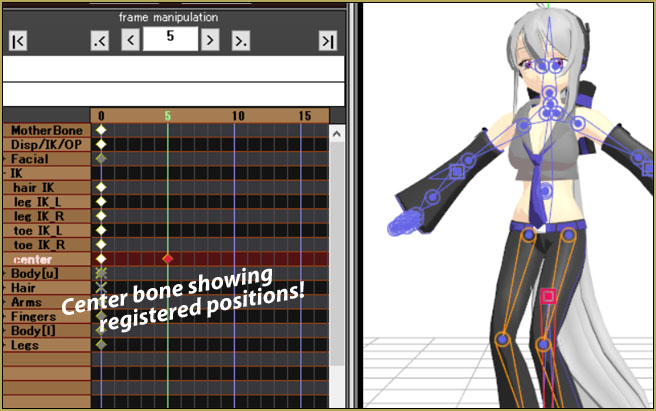
Given this motion was ripped from Project Diva and was never intended for MMD, it required lots of workarounds and edits to make it look good! To start with, I had to edit my Tei model to have a different bone structure than your usual MMD model. This meant I had to move the hip bone, add a third upper body bone, and a second motherbone! (The second motherbone was required to make the camera work correctly!)
Then, I had to find stages that would work with the PV! Normally I’d have dozens of stages hoarded and taking up disk space, but I had just recently moved to a new computer so I was missing most of the assets I’d collected.
Stages, stages stages…
Phase 1:
Finding a stage suited the video turned out to be more challenging than I expected. The video was going to require lots of stages and I needed some good Sci-fi themed stages.
Despite spending hours (and I do mean hours) searching for stages on NicoSeiga and DeviantArt (and Google images) I couldn’t find much of anything that fit the bill! So, I had to make due with what I could find!
The first stage I settled on was a cyber stage! It looked like it could fit the sci-fi theme well-enough and didn’t require much of anything extra on my part.

… Then, I needed some kind of “street” stage… which I had a hard time finding for some reason.
Phase 2:
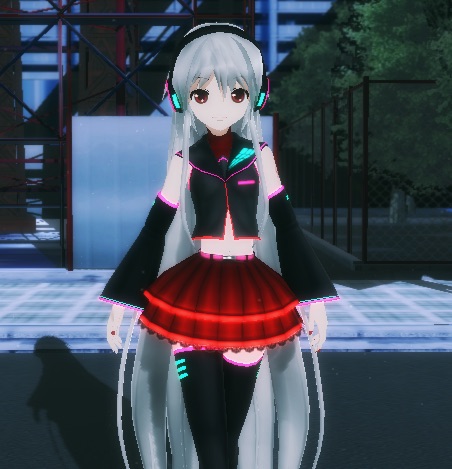
I came up with the idea of using the Kagerou Daze street stage and replaced the built-in skydome with nighttime skydome! However, the stage did not look great from the get go… I had to use the “real figure shader” effect to make it look nice and use the MME panel to hide parts of the model. Turns out the shader was enough to make the stage “fit” better!
Phases 3 and 4:
The next stage I had to use didn’t take too much thinking to come up with. I just happened to stumble across an MMD stage pack that had just what I was looking for! The stage I used in “phase 3” was from a Sci-fi PV in Project Diva! (Erase or Zero, to be specific.)
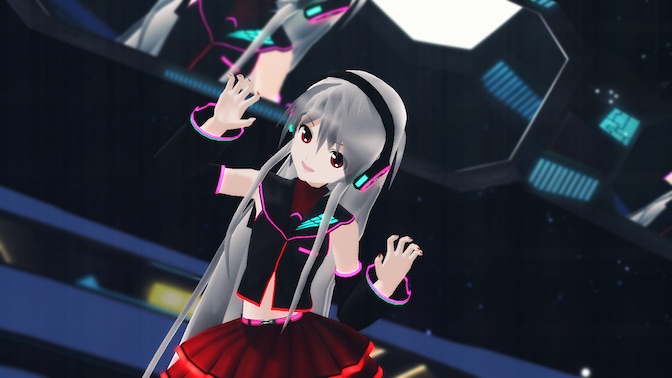
The last portion of stages was the fun part! I had to load three different stages to give the illusion Tei was “rising up” on a platform from the previous stage into “the galaxy” as I envisioned it. This part was difficult at first, so I referenced Seto’s video showing off the motion rip to get an idea how to handle that part!
First, I lowered the “sci-fi” Diva stage, loaded in Trackdancer’s PPP stage, and then the Freely Tomorrow stage! I had to raise the Freely Tomorrow stage because it looked boring to just see Tei dancing on a platform in front of a skydome, but I also had to remove the floor of the stage after raising so you could see Tei come from the previous stage and have it look like the platform was in the sky!
It’s all about effects and illusions!
My favorite part of any MMD is working with the effects, and I will spend hours adjusting them down to even the finest little detail. This MMD was no exception!
There isn’t too much to say about them this go ’round because I think the stages held more prominence, but I don’t think I should downplay the effects, so I’ll talk about a few of my favorites!
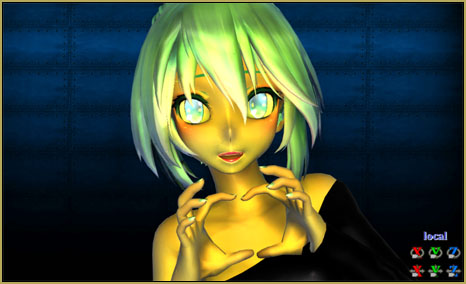
S5shader: responsible for making the model and stages’ colors more vibrant! Really makes a difference!
Figure shader: goodness. You simply cannot expect to load most Diva stages and have it look good from the get go! Adding the figure shader will make the stage look like it actually belongs, and dare I say, better than it does in the actual Project Diva games!
Dust: I mentioned this in my write-up about LAT models, but dust really helps the scene come to life. Though, it was only used in certain sections!
KiraKira: This was completely random and improvised. Typically I don’t use kirakira, but I thought this might really “spice up” my MMD during the last “phase”. It looked reminiscent of twinkling stars and overall made the PV more interesting to look at!
Autoluminous: This really added to the whole “sci-fi” factor by making Tei’s clothes and parts of a couple of the stages light up!! I thought it looked especially cool during phases 3 & 4; it looked kind of mysterious…! (Perfect for sci-fi, amirite?)
Now, for the illusion factor…
There wasn’t a spotlight effect I could find that didn’t require the effect to be set on a model despite hours of searching for one. So, I had to make due with whatever I could find, which was one of the default spotlights that came with MMD.
I resized the spotlight in the accessory panel until it looked the right size for an alien spaceship spotlight or whatever they’re called! Then I adjusted its position on the y axis until the part I wanted to hide was hidden by the stage.
After that, I set the transparency to 0 on the beginning frame for the “illusion”, then set it to “1” on the frame I wanted it to appear. This made it look like a spotlight was slowly appearing as Tei rose upward into “space”.

Fun things I learned!
Turns out it’s incredibly beneficial to split a large MMD into multiple parts! Each “phase” got split into multiple PMMs for every stage change, and it can really cut down on the time it takes to render! Also keeping the stage changes to different PMMs, it really reduces the load on your computer!
Also, it’s easier to work with so you’re not constantly swapping between stages, trying to remember which one is which.
I also learned that you can set the physics to be on or off for certain frames, which was mandatory for me to learn so I could keep Tei’s physics from getting crazy (and also preventing certain types of camera shots). I feel like I was probably supposed to know this already, LOL. But either way, it’s an extremely helpful trick!!
Thanks again, everyone!! Once more, I’m Kazumi and I’ll “see” you next time!!
– SEE BELOW for MORE MMD TUTORIALS…
— — —
– _ — –