




 Can you build your own stage using Blender? How can I make a new stage for MMD? Is Blender hard to use? Where can I get Blender? What programs do I need to make a stage for MMD?
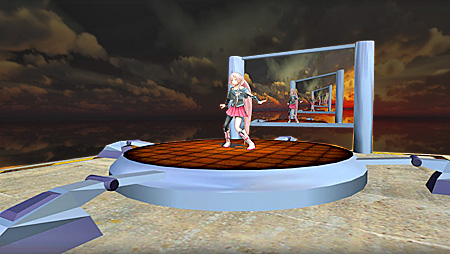
Have you ever wanted to build your own stage for use in MMD and wondered how to go about doing so?
Build your own stage for MMD using Blender 2.69
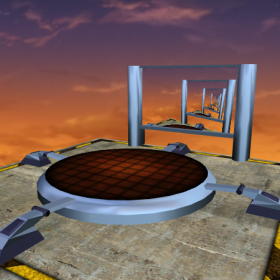
If you really think about stages, be they in the real world or MMD, in essence they are very simple. The very basic components of a stage are:
- A surface for the performer to dance or sing on.
- A backdrop or view blocks.
- Some decorations to set the scene, the mood or theme.
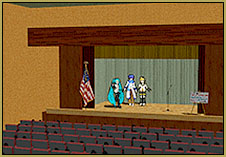
Stages don’t have to be very elaborate and some of the most popular stages, such as the original LearnMMD stage, are very simple in structure. Then again, since cost is never really a factor in MMD, there are some stages that were made for MMD that would cost millions to build in real life for live performers.
But let’s put those grand plans aside for the moment and start simple.
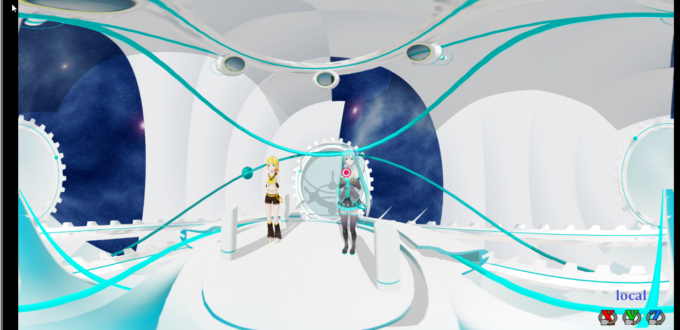
 What we are going to do in this article is to teach you the basics on how to build a stage for MMD that will look something like the one shown in the illustration at the top of this article. Furthermore, we will be using an excellent open-source 3D modeling program to build this stage. Just to be clear, the software is free and is absolutely superb. That said, it is a serious professional grade application with a steep learning curve, but is still easy enough for an absolute beginner to use.
Blender…
This article will show you how to build a stage model using Blender, and we’ve chosen to use Blender for this project as the software does open up huge possibilities for anyone who seriously wants to get into all types of model building for MMD, but 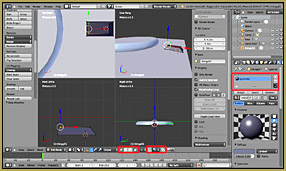 who does not want to get into the huge expense of investing in a professional application such as Maya. However, we do want to state clearly that this is not going to be a ‘how to use Blender’ tutorial. Our tutorial will assume that the reader does have at least the basic knowledge of how to get around in this application. The tutorial will focus instead on how to build the different elements of a stage and how to get it textured and processed for use in MMD. To facilitate the process we have even furnish the texture maps for use with this project. If you follow our directions, you should be able to end up with a functioning stage for MMD that looks something like what is shown up top.
For this project you will need the following software and the basic knowledge on how to get around in them:
- Blender 2.69
- MMD 9.26
- Either the PMD or the PMX Editor – PMD 0.1.3.9 or equivalent is assumed.
- Either Photoshop or GIMP if you want to make your own texture maps.
If you don’t have Blender you can download it here:
- archive.blender.org/download/get-blender/index.html
An excellent basic Blender tutorial can be accessed here:
- cgcookie.com/flow/introduction-to-blender/
You don’t have to read the whole thing for this project, just enough of it to be able to know your way around Blender and how to build basic models. A lot of Blender’s features are not supported by MMD anyway. At a minimum, just read the following units:
- 00: Blender Basics
- 01: Mesh Modeling Fundamentals
- 03: Fundamentals of Texturing
If you are already familiar with 3D modeling in other applications, the only thing you need to know about Blender at this point is just how to get around within it’s GUI and how to access and operate its modeling functions.
See the Online Tutorials… 5 parts!
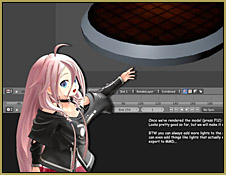
Our tutorial is in ‘comic strip’ format and has Chibi IA taking you step-by-step through the process. Due to the length of the tutorial, we have broken it down into five parts for ease of access. The tutorial does show you ‘where to click’ in most instances. To facilitate this we do show the Blender UI full screen. The tutorial parts are listed below; please click on the thumbnails to view and download them:
Part 01: 
Part 02: 
Part 03: 
Part 04: 
Part 05: 

Download the textures for this project…
The texture set used for this project can be downloaded from here: StageTextures
Do, however, feel free to make your own texture maps (or modify the ones we are providing). We won’t be giving instructions on creating textures like these here, but will do so in a future article.
We hope you will have fun building this stage (or something like it) and that the experience will open a whole new avenue of creative activities for you with MMD.
New to 3D modeling… ?
If you are completely new to 3D modeling, something like this arguably can be a bit of a struggle, but perseverance does pay off. Most beginner computer-aided-design modelers 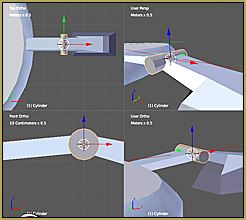 struggle not so much with the process of modeling but with the software being used which is why we have emphasized the import-
ance of getting the basic knowledge to get around Blender (and the other software used) before plunging into the process of building something. So if you do become stuck for some reason, figure out whether it is because the issue is with the use of the tools or whether you have an issue with the process itself. If you can answer this fundamental question, then you will have gone half way to solving the problem.
Make your own model in Blender… ?
Oh one more thing, and this is because I’ve been asked many times:
How hard will it be to build my own Miku (or OC)?
The answer is very simple: “very hard“. There are millions of MMD users worldwide, yet the number of people who can build anthropomorphic models from scratch numbers well below 100. There is a reason for this. It takes training and a thorough understanding of the process of 3D modeling to create a Miku model from scratch plus a lot of time. It can take well over 200 hours of actual work time to make one.
On the other hand, making something like the stage that is the subject of this tutorial can be done (and was done) in an evening. So our advice to beginners who want to enter into the fascinating and rewarding world of modeling for MMD, is to start small and work up from there.
Thanks for reading. We hope you have found this article useful. We are planning on writing more articles on different aspects of modeling for MMD. So in the interim have fun and “Keep the Faith“.
— Trackdancer2015
– SEE BELOW for MORE MMD TUTORIALS…
— — —
– _ — –






What I can do if I ended up with nothing shows up on my PMD editor?
That depends… Please carefully describe what happens… start at the beginning…
This project is much much MUCH too difficult for an absolute beginner in blender, I would not recommend this project for blender starters, have at least 3 months worth of blender tutorials before you start this. I got angry, frustrated and ended up crying depressed doing this. I admit i learned a LOT from Trackdancer (as in all of his tutorials) but Blenders unintuitive way of getting around, extremely difficult texture to object assigning and not knowing many of the shortcuts or functionalities of Blender , not even knowing you need to right click instead of left click to select something, makes it that people trying this get to know that the learning curve is waay to steep, and they end up falling into the abyss as a result. Maybe i’ll try this again in the future when i have some more blender experience.
I’ve played around with Blender 2.79 for almost a year now, and want to make my own accessories for MMD. The Stage tutorial(that uses images) is very small, and I have tried;
-3 different Browsers, with Edge having the highest zoom at 505%
-Saving the images and resizing them larger with several image editor programs.
The images are either too small(at 505% zoom), or too blurry to read. Is there any chance that they can be re-done by the author or is there a good tutorial link for creating a stage in Blender?
Click on any of tutorial pictures. A separate tab is supposed to open with only a picture in it. If it’s still small, click on that too. It’s supposed to unfold to its real size, which is 1280×10000 or so.
If that doesn’t work with any of your browsers, try to right-click on those small pictures in the main article and choose “Save link” (not “Save image”!). That should download original tutorial pictures as they should be.
Here are the links to those full-size tutorial images… As KillerBeer says, just clicking on those tiny images should have opened these large images for you.
https://learnmmd.com/wp-content/uploads/2015/12/project_stage_part01.jpg
https://learnmmd.com/wp-content/uploads/2015/12/project_stage_part02.jpg
https://learnmmd.com/wp-content/uploads/2015/12/project_stage_part03.jpg
https://learnmmd.com/wp-content/uploads/2015/12/project_stage_part04-1.jpg
https://learnmmd.com/wp-content/uploads/2015/12/project_stage_part05.jpg
They may still look tiny when you open those links… but just mouse-over the image and see the magnifying-glass cursor… so click on that picture to view the image full-size.