

Skip to content
Learn MikuMikuDance – MMD Tutorials – Free 3D Animation Software

Learn MikuMikuDance – MMD Tutorials – Free 3D Animation Software

Download Free Animation Software – Let's Learn How to Do Everything!

  • Step-by-Step MMD instructions
  • DOWNLOADS
  • Troubleshoot, Fix MMD
  • Site Contents
  • Reggie Replies Q&A
  • Homework!
  • What IS MMD?
    • Download MikuMikuDance Newest Latest Version of MMD
  • “HOW TO”
    • Raycast RAY-MMD Effect Tutorials
  • BONUS PAGES
    • Why convert PMD models to PMX?
  • HALL of CHAMPIONS
  • Tutorial Categories
  • About
    • Privacy Policy
  • Toggle search form
  • DropShadow_dual Creates Two DropShadow Effects at Once! Chestnutscoop
  • MMD AnimationSmoother Tool does just that! AnimationSmoother Tool
  • LearnMMD.com: The Instruction Sheet you've been searching for!
    Use Google SketchUp to make DirectX Accessories in MMD Dummy Bones
  • Skirt in the process of being rigged in PMX Editor
    PMXE Skirt Plugin Presets and Other Tips for Awesome Skirts Mae Blythe
  • RAY-MMD: Haku’s crazy light show [PART 3] MME Effects Tutorials
  • Vocaloids and MMD: It’s all about the Music!! Random Thoughts & Visions
  • Learn How to Dress the LearnMMD Stage – Instructions Dummy Bones
  • PocketMQO(with MMD) MikuMikuDance in an Android environment! MMD Tutorials

Passion VS Work – Making Videos for your Fanbase

Posted on December 2, 2015December 31, 2015 By Zazi 2 Comments on Passion VS Work – Making Videos for your Fanbase

See all the articles written by Zazi on LearnMMD.com
So, let’s talk for a moment about your YouTube channel’s “content-to-view” ratio and the importance of doing what you want… not what others want you to do… on YouTube.

Follow your Passion…
… and work to maintain your Fanbase on YouTube!

When you start to accrue a fanbase through your animations, people will ask for specific things or watch only videos that are of a certain nature.

Below this sentence is an example of a recently “more popular” video I’ve done… more popular, yes… but can you tell me why?…

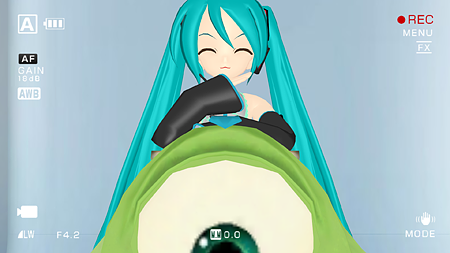
The answer is clear: it’s funny and it’s got a cast people can recognize… as opposed to the video, below…

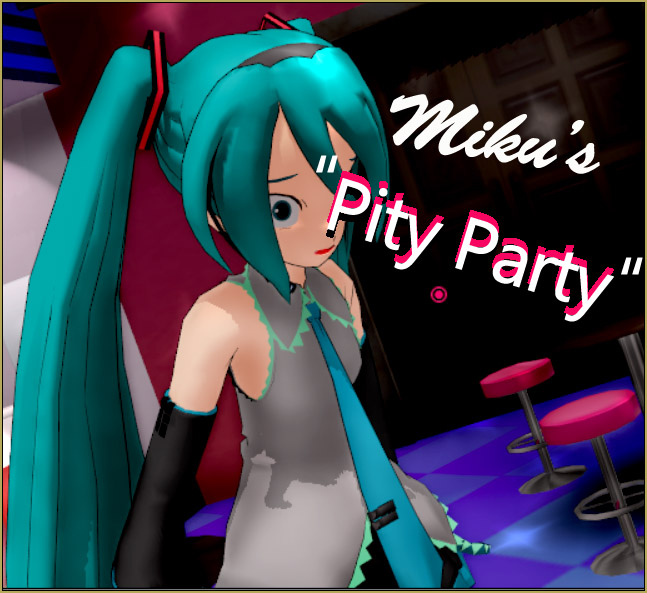
… which also has a recognizable character, but fewer “likes”. Why?…. because it’s sad and depressing, even though it looks one-million times better… so why did I make the second video, at all? It didn’t contribute to my “view count” much and it hurt my status with the fanbase, overall.  So, why?… the answer is because as an animator we can be easily drawn from what we wish to do into doing what others ask of us. It goes from being fun… to being a chore… and once it becomes THAT, an MMDer inevitably stops doing MikuMikuDance animations.

“So where is a healthy medium?” you ask. … Well,  I’m not sure, to be honest, but for my channel, I mix up Make a video for your fanbase, now and then... and be sure to make videos to feed your OWN passions, as well.content that I want to do with content others want me to do: short funny motion data with truly heart-wrenching scene work. This may seem like it’s not that different from the statements above… but what it does for the human mind is important. It keeps MMD from being something that I don’t want to do and allows me to do it forever.
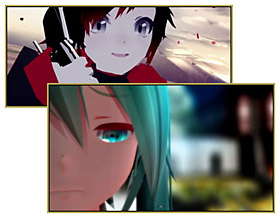
I guess my point is that, as an artist, you need to do some projects for your audience… and do some projects for you. You need to make time for your personal projects or you will burn your creativity down to nothing. … but also, if you want to maintain your status on YouTube, then you need to do projects that the people, your fans, want. The solution I offer is: every two videos I want to do for myself, is followed-up by a video my fans are waiting for.

I hope this little rant helps you maintain your passion, everyone!
^_^


– SEE BELOW for MORE MMD TUTORIALS…


— — —


– _ — –


Visit the LearnMMD.com Homepage! Plenty of Mikumikudance instruction and info!

More MMD Tutorials...

Enjoy the "camera Angles WEIRD in Anime" meme...

Enjoy the "camera Angles WEIRD in Anime" meme... This image is from The Slayers - NEXT, ...read more

Reader asks how to create MMD artwork... stuff like posing, camerawork?

A reader asks... Is there a tutorial on how to create MMD artwork, like those you ...read more

Learn MikuMikuDance in Small Steps! New LearnMMD Video Series

Learn MikuMikuDance in Small Steps. Where can I find easy-to-follow MMD instructions on YouTube? How ...read more

Apply Multiple Effects on an Entire MMD Model Using M4Layer Effect

How can I apply multiple effects to an MMD model? Can I use more than ...read more

MMD Plugin Manager... I Found a Treasure!

What sorts of MMD Plugins are there? MMD Plugin Manager? MMD Plugins. Plugin MMD. More ...read more

2025: Hatsune Miku is 18... but she is designed to be always 16 Years. Old by design and in reality!

Finally, in 2023, Hatsune Miku is 16 years old! but in August of 2025, she ...read more

MMD Tutorials, Random Thoughts & Visions, Zazi

Post navigation

Previous Post: MME ExcellentShadow2 effect smooths ugly Self-Shadows
Next Post: Staging and the 12 Principles of Animation.

Related Posts

  • Different MMEffects for different feelings
    Give MMD Pictures Different MMEffects For Different Feelings BigPerryman
  • PMDE Q&A – Making clothes follow model motions Fixing Broken Models
  • Reggie's Adoration of FIVE MMD Models
    Reggie’s ADORATION of FIVE MMD Models -Downloads and Instructions "the making of" my video
  • Squash and Stretch Ball
    The 12 Principles of Animation for MikuMikuDance. ARIZONA
  • Reduce MMD video file size by using HandBrake.
    Reduce MMD Video File Size using FREE HandBrake video converter HandBrake video conversion
  • Create MMD Abstract Art from Low-Res Videos! MMD Tutorials

More Related Articles

INKSCAPE makes creating MMD Comics Easy Inkscape MMD Comics
Why does MMD HAVE to be EXCRUCIATINGLY CONFUSING? MMD Basics
Blackout Effect offers Fade-to-Black and fade-to-white! MME Blackout Effect offers Fade-to-Black and Fade-to-White Blackout Effect
Free Download MikuMikuDance MMD Free Download MikuMikuDance 3D animation software Intro to MikuMikuDance
Click to see the new Getting Started with MMD Video on YouTube! Getting Started with MMD Video on YouTube! MMD Basics
Different Eye Textures in one model using PMXE JuneTarzan

Comments (2) on “Passion VS Work – Making Videos for your Fanbase”

  1. underfell sans says:
    June 19, 2016 at 4:10 am

    Im sorry but i still dont understand how to start one what do i do

    Reply
    1. KillerBeer says:
      June 19, 2016 at 7:40 am

      Well this post isn’t on the instructive side, there’s a reason it’s placed in “Random Thoughts and Visions” category, after all. There are plenty of other articles that may help you better. If you’re completely at loss, start with clicking “Step-by-Step Instructions” banner on the right side of the page.

      Reply

Leave a Reply Cancel reply

Your email address will not be published. Required fields are marked *

Download the latest version of MikuMikuDance!
See the MMD Step-by-Step instructions page!
Learn how to make your own MMD motions!
LearnMMD.com
  • LearnMMD.com _ MikuMikuDance MMD Tutorials
    Analyzing Why some VSQ files make MMD Crash Senshi Sun
  • Creating an animation using MMD, MikuMikuDance! "the making of" my video
  • Zelda09pokemon's Miku with dark shades and black jacket.
    Download New MMD Model of Miku by Zelda09pokemon Downloading New Models
  • Different MMD models react differently to pose and motion data MMD Basics
  • MikuMikuDance FREE Animation Software & Instructions MMD Tutorials
  • Excited about MMD? Write for LearnMMD.com! Welcome to LearnMMD.Com!
  • MMD ballet Poses Download on LearnMMD
    Download MMD Ballet Poses created by ctrlaltdelete999 "the making of" my video
  • Make MMD Background AVI using WAV and AviUtl
    Make MMD Background AVI Using AviUtl WMV Files "the making of" my video

Copyright © 2022 Learn MikuMikuDance – MMD Tutorials – Free 3D Animation Software and Instructions..

Powered by PressBook Premium theme

Go to mobile version