

Skip to content
Learn MikuMikuDance – MMD Tutorials – Free 3D Animation Software

Learn MikuMikuDance – MMD Tutorials – Free 3D Animation Software

Download Free Animation Software – Let's Learn How to Do Everything!

  • Step-by-Step MMD instructions
  • DOWNLOADS
  • Troubleshoot, Fix MMD
  • Site Contents
  • Reggie Replies Q&A
  • Homework!
  • What IS MMD?
    • Download MikuMikuDance Newest Latest Version of MMD
  • “HOW TO”
    • Raycast RAY-MMD Effect Tutorials
  • BONUS PAGES
    • Why convert PMD models to PMX?
  • HALL of CHAMPIONS
  • Tutorial Categories
  • About
    • Privacy Policy
  • Toggle search form
  • Kaitensora effect gives moving clouds background in your MMD scene Kaitensora Moving Clouds
  • MMD vs MMM Bullwood
  • 7 Reasons Why We Don’t Do These Things Fia Phoenix
  • Neru Jams to the Background Music
    Downloading Background Music for MikuMikuDance Videos. ARIZONA
  • Kasane Teto with Beamman's Simple Magic Explosion2 positioned behind her
    Beamman’s SimpleMagic creates Explosions, Fire-Balls and Swirling Flames! Beamman's SimpleMagic
  • Recent MikuMikuDance Updates may become collectible, who knows?! Download MikuMikuDance
  • Squash and Stretch Ball
    The 12 Principles of Animation for MikuMikuDance. ARIZONA
  • Build Your Own Stage For MMD Using SketchUp Google SketchUp and MMD
The Zombie Song download for MMD is a lot of fun!

Zombie Song download easily makes spooky MMD videos!

Posted on October 25, 2021November 1, 2022 By Reggie_Dentmore No Comments on Zombie Song download easily makes spooky MMD videos!

Zombie Song download easily makes spooky MMD videos!

This motion file is still available to download. See my original article about this fun little animation.

Download the files, add your model… enjoy MikuMikuDance!

That’s really all there is to it.
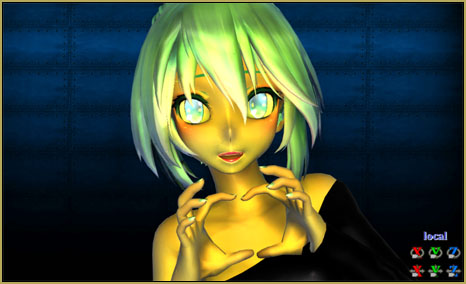
Beautiful poses are built into the motion file.

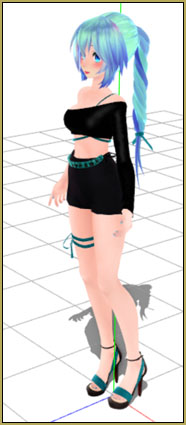
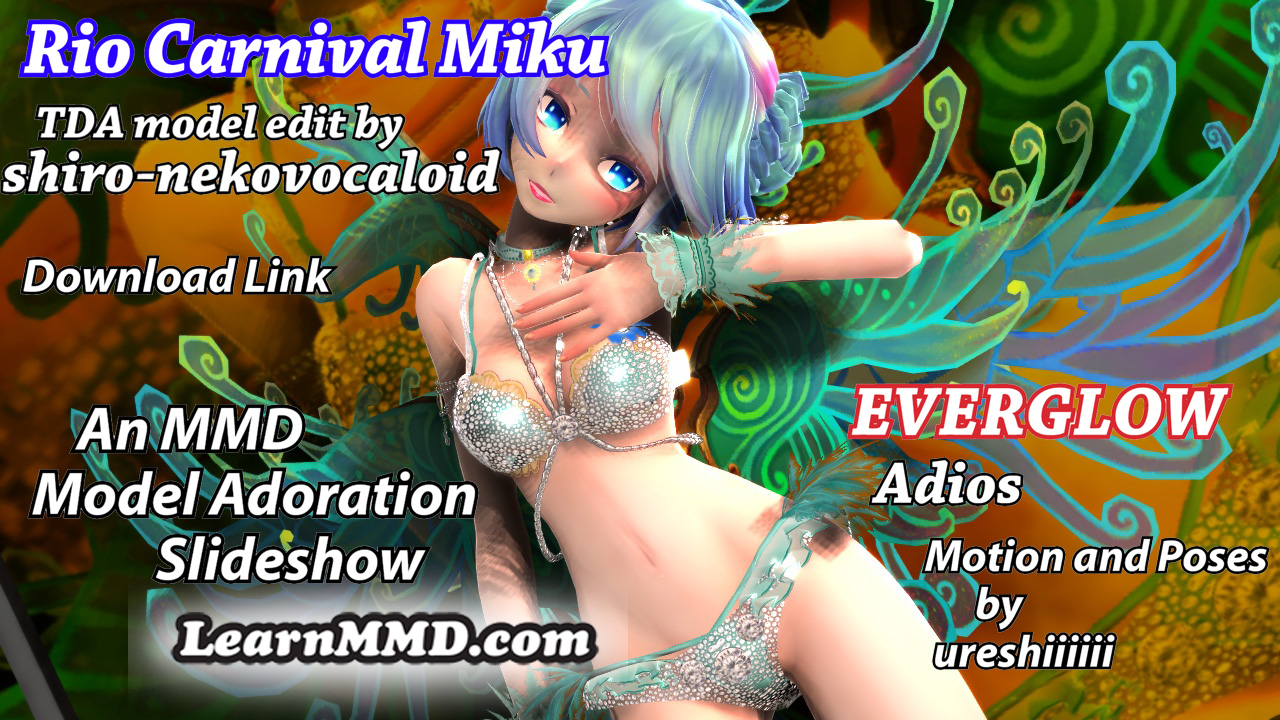
Click this image to visitthis model's homepage... download the model.For this animation, I chose to use a new model… new to ME, anyway…

TDA Miku Hatsune ~Samba~ BY Shiro-NekoVocaloid

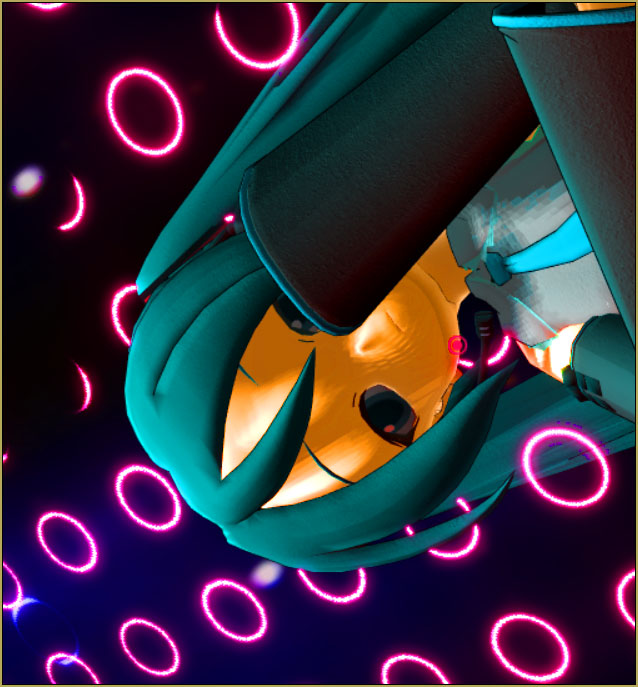
I have enjoyed some of the other models by Shiro-NekoVocaloid. This one?… maybe not the most “beautiful”… but in the close-ups for The Zombie Song, she looks great!

I decided to use some shaders on the model. I chose to use Real Material Shader and found that something odd happened to her clothes: some previously invisible artifacts popped into view. … I’d have been upset except that I felt that this happy accident added to the “zombieness” of the model!


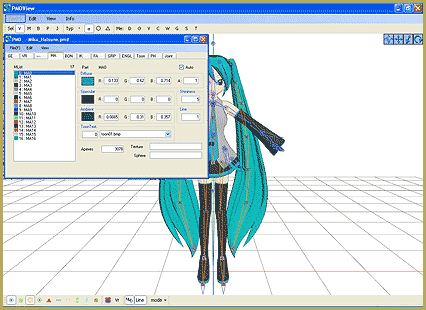
Real Material Shader is rough on skin and faces… so I did a Subset-Extract to apply Real Figure Shader to her face and body… Part numbers 17 and 0 (zero) on this model. Doing so gave a very nice, smooth surface to those parts.

MORE Zombieness…

This model’s skin/face worked well with my shaders but the EYES totally freaked out! … Perfect!… more zombieness!

I also added Autoluminous and saw the sparkle in her eyes light-up!

The stage…

I used a background image that I already had and I used no other stage. The model and the darkness was all that I needed.

DiscoLight Effect…

I needed some spooky color… so I dimmed the main house-lights and unbalanced the color to be a little gree-bluer than normal. (She may be DEAD, you know…) and then I added the DiscoLight effect to have a constant spookie color-change going on. … and I made an amazing discovery about that DiscoLight effect!

When you are creating your animation in MMD… as you scroll back through it to make adjustments, you can see that the disco light is constantly in motion… as you scroll away from a frame and then go back to it, you will see how the light has changed. … BUT: if you render to video, you will see how the colored lights appear in your video. … and if you AGAIN render to video, you will see that the colored lights are still in the same place in both videos.


… and what’s more, if you pick aframe in MMD… and you watch the lights change color, you can Render to Picture and see the color, not as you see it on-screen, but as it appears in your video.

… this means that the DiscoLight effect always starts from the same place when you render to video… it is in the same positions as you render to video, time after time. In MY case, I wanted to change the colors I was seeing in my video. I found that I could adjust the settings in the PMD controller to make the ball spin faster or slower in order to get the light to shift differently when I render to video… learn by doing… who knew?

Beautiful motions in this animation!

There are plenty of nice poses built into this animation… It’s fun to put together someting that works this well and is so pretty.

… and so spookie!

Have fun with MikuMikuDance!


– SEE BELOW for MORE MMD TUTORIALS…


— — —


– _ — –


Visit the LearnMMD.com Homepage! Plenty of Mikumikudance instruction and info!

More MMD Tutorials...

Introducing MMD model 1052C China Qipao Miku

Where can I download MMD model 1052C dancers? I want the 1052C China Qipao Miku ...read more

Download Jomomonogm's Snow Miku 2019 for MMD, a most unusual model!

Where can I download Jomomonogm's Snow Miku 2019? What is so unusual about this Snow ...read more

MMD animation made-from-scratch Forgotten Vocaloid Mew Rags on Reggie's MMD Videos

How do I make my own MMD animation from scratch? How do I start my ...read more

Rediscover your old MMD Animations: Love them again!

Rediscover your old MMD Animations: Love them again! https://youtu.be/P4b3todZMUI A labor of love... Remember how it was when ...read more

MMD Boobs too Big yields Too Funny Really Bad Boy video!

Can MMD boobs too big get in the way of a downloaded motion file? What ...read more

Download Hatsune Miku type N models from 2010... a set of 6!

Can I still download Hatsune Miku type N models? Where can I download a few ...read more

"the making of" my video, Disco Lighting Effect, Real Figure Shader, Real Material Shader, Reggie Dentmore

Post navigation

Previous Post: LearnMMD.com is BACK ONLINE, again!
Next Post: 966_ Otogibanashi Toon “Fairy Tale” shader effect recolors your models

Related Posts

  • The Making of “Boum Boum Boum”: Everything is More Sophisticated in French "the making of" my video
  • I added laughter and applause tracks using Audacity software.
    Add Life to your MMD soundtrack with Laughter and Applause! VDE-3! Making Soundtracks
  • MMD smoke clouds are easy to make with Beamman's Breath effect.
    MMD Smoke Clouds and a Smoke Filled Room… Beamman's Breath Effect
  • Barbarians disregarding creative rights destroy MMD for all of us. Keep the Faith-MMD Credits/Sharing
  • Mahlazer’s Walking Motion vmd file download for MMD Make a Smooth Walking Motion
  • Multiply of Facial Expression command in MMD Animation Shortcuts

More Related Articles

MMD Camerawork makes your video exciting! No more boring MMD Camerawork – Keep it moving! Camera Motion
NCH VideoPad Video Editor VideoPad Video Editor Free Download from NCH Software "the making of" my video
Hatsune Miku “LIVE” on David Letterman’s ‘The Late Show’ Random Thoughts & Visions
Gakupo sings "Trick Bag" - VDE-3 Entry! Step 1: VDE-3 “Gotta Sing… Gotta Dance!” Entry Creation… YouTube Music Approval CONTESTS
YouTube Audio Library supplies Free music Copyrighted Music
Halloween Costume TDA Miku on LearnMMD.com Download Halloween Costume TDA Miku edit by dA’s Shiro-NekoVocaloid "the making of" my video

Leave a Reply Cancel reply

Your email address will not be published. Required fields are marked *

Download the latest version of MikuMikuDance!
See the MMD Step-by-Step instructions page!
Learn how to make your own MMD motions!
LearnMMD.com
  • PMDE Parts Links help you create your MMD Selfie NOKO2
  • The Fourth Momi Cup is Set to Begin! ARIZONA
  • Chrysanthemums are lovely with the Fireworks effect!
    Using the Fireworks Effect In MikuMikuDance ARIZONA
  • Make Chibi Models for MikuMikuDance! Adjust PMD Model Size
  • PocketMQO(with MMD) MikuMikuDance in an Android environment! MMD Tutorials
  • LearnMMD.com _ MikuMikuDance MMD Tutorials
    Learn MMD Basics before jumping into a big project! MMD Basics
  • Ray-MMD: Lost in the Fog
    Ray-MMD Localized Fog Effects for stunning MMD scenes MMD Tutorials
  • Making POV Camera Shots in MikuMikuDance 8.03+ Camera Motion

Copyright © 2022 Learn MikuMikuDance – MMD Tutorials – Free 3D Animation Software and Instructions..

Powered by PressBook Premium theme

Go to mobile version