

Skip to content
Learn MikuMikuDance – MMD Tutorials – Free 3D Animation Software

Learn MikuMikuDance – MMD Tutorials – Free 3D Animation Software

Download Free Animation Software – Let's Learn How to Do Everything!

  • Step-by-Step MMD instructions
  • DOWNLOADS
  • Troubleshoot, Fix MMD
  • Site Contents
  • Reggie Replies Q&A
  • Homework!
  • What IS MMD?
    • Download MikuMikuDance Newest Latest Version of MMD
  • “HOW TO”
    • Raycast RAY-MMD Effect Tutorials
  • BONUS PAGES
    • Why convert PMD models to PMX?
  • HALL of CHAMPIONS
  • Tutorial Categories
  • About
    • Privacy Policy
  • Toggle search form
  • MMD Wooden Stool Accessory from LearnMMD.com Google SketchUp and MMD
  • MMD Models with a Mother Bone are easy to move on your stage.
    MMD Mother Bones Allow Easy Dancer Model Movement From Stage Center ARIZONA
  • Metronome successfully marks the beat in Dueling Banjos MMD Metronome
  • Why does the texture move as I convert the Sketchup model into a DirectX .x model using the 3D-RAD plugin?
    Add custom texture images to Google Sketchup .x model for MMD 9.32 Google SketchUp and MMD
  • The Disappearance of Akita Neru Random Thoughts & Visions
  • MMPlus has many safeguards that will save you time as you work with MMD.
    MMPlus, a New MMD Plugin! Animation Resource
  • This picture was taken as a "Render to Picture File" command from the FILE Menu.
    MMD Screen Capture Tool makes taking pictures a Snap! Making Videos - Rendering to AVI
  • LearnMMD.com _ MikuMikuDance MMD Tutorials
    Analyzing Why some VSQ files make MMD Crash Senshi Sun

Create and Post 1 or 2 videos a day? VocaloidAnime1924 does!

Posted on March 5, 2012March 31, 2016 By Reggie_Dentmore 5 Comments on Create and Post 1 or 2 videos a day? VocaloidAnime1924 does!

VocaloidAnime1924 creates a video and posts to YouTube almost everyday!

Wish you could just bang out a new MMD video whenever you wanted to? This Japanese artist does just that! She finishes and posts several videos a week … even more than one a day!

See Vocaloidanime1924’s YouTube Channel for her collection of works.

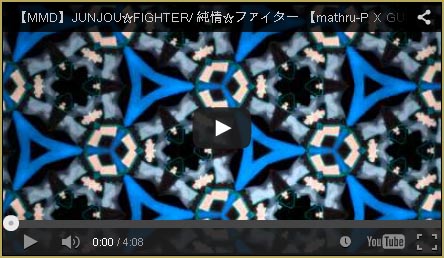
This is one of her favorite viodeos:

https://youtu.be/gsUzBJ1J5Nw

I have asked her for her formula and asked her to write for LearnMMD.com … but she is very humble … saying she is not that good, really. (I disagree! So much effort and such a wide variety of subjects deserves a reward. Let’s visit  Vocaloidanime1924’s YouTube Channel and leave comments to boost her ego! “:o). She DID say that she is able to create so many videos because she downloads WAV files, motion files, memes, new models, new accessories and uses them to assemble her animations from those parts.

It’s always fun to see her latest work … be sure to leave her a nice comment!


– SEE BELOW for MORE MMD TUTORIALS…


— — —


– _ — –


Visit the LearnMMD.com Homepage! Plenty of Mikumikudance instruction and info!

More MMD Tutorials...

Introducing MMD model 1052C China Qipao Miku

Where can I download MMD model 1052C dancers? I want the 1052C China Qipao Miku ...read more

Rediscover your old MMD Animations: Love them again!

Rediscover your old MMD Animations: Love them again! https://youtu.be/P4b3todZMUI A labor of love... Remember how it was when ...read more

MMD Boobs too Big yields Too Funny Really Bad Boy video!

Can MMD boobs too big get in the way of a downloaded motion file? What ...read more

Download Hatsune Miku type N models from 2010... a set of 6!

Can I still download Hatsune Miku type N models? Where can I download a few ...read more

Download Early Miku 1052C-Re0710 MMD Models from 2010!

Download these 1052C-Re0710 MMD Models from 2010! These 1052C-Re0710 MMD models were created in 2010. I ...read more

Download MMD CyberMiku Black ver1.5 with Glowing Wings and an attitude!

Download MMD CyberMiku Black ver1.5 with Glowing Wings and an attitude to match! A treasure... Yesterday I ...read more

Downloading New Models, Intro to MikuMikuDance, Random Thoughts & Visions Tags:beginner, mikumikudance, new to MMD, Video

Post navigation

Previous Post: Download and Install MikuMikuEffect (MME) To Use Special Effects
Next Post: Dummy Bones Hold Accessories in MikuMikuDance

Related Posts

  • Reggie Dentmore's hand motion animation.
    Introduction to MikuMikuDance Intro to MikuMikuDance
  • The Disappearance of Akita Neru Random Thoughts & Visions
  • Why does MMD HAVE to be EXCRUCIATINGLY CONFUSING? MMD Basics
  • Vocaloids and MMD: It’s all about the Music!! Random Thoughts & Visions
  • Japanese Maid Cafe poster you can make!
    Making your own Japanese Maid Cafe poster Random Thoughts & Visions
  • Have FUN with MikuMikuDance! Random Thoughts & Visions

More Related Articles

Passion VS Work – Making Videos for your Fanbase MMD Tutorials
Bandizip® keeps Japanese file names intact when Extracting ZIP folders Bandizip
MikuMikuDance FREE Animation Software & Instructions MMD Tutorials
Use Proper MMD Etiquette When Using New Models and Accessories Downloading New Models
Yellow PV LAT Miku downloaded from a MMD Newcomers find on YouTube. Source for New MMD Models: MMD Newcomers on YouTube Downloading New Models
create credible characters for your projects How to create credible characters for your projects. MMD Tutorials

Comments (5) on “Create and Post 1 or 2 videos a day? VocaloidAnime1924 does!”

  1. VocaloidAnime1924 says:
    April 13, 2012 at 4:30 pm

    Thanks for the change in video! :D

    Reply
  2. Scott says:
    April 13, 2012 at 9:10 am

    I get the run around when I go to this site. Can’t get nothing to download.

    Reply
    1. Reggie_Dentmore says:
      April 14, 2012 at 1:20 am

      I’ve only had good experiences at Mikudance.info. Sometimes I have felt like I was getting the run-around when I was using Firefox as my browser. I’d click a ZIP file link and go to a new page instead of starting a download. It’s some setting in Firefox that I can’t find that wouldn’t recognize a download link. Maybe try using Internet Explorer or Chrome as you go to those link pages … that’s how I got around it. Did that work for you?

      Reply
  3. Reggie_Dentmore says:
    April 3, 2012 at 1:35 am

    Fantastic … I have been hoping that you would say “Yes!” … Check out the “Be an Author ” page https://learnmmd.com/New_Author/index.html
    and today I will send you an email to get you started!
    Thank you! — Reggie

    Reply
  4. VocaloidAnime1924 says:
    April 2, 2012 at 7:03 pm

    Thank you so much for this wonderful article!
    It really made me happy!
    Even you are a wonderful and a creative MMDer!!
    I see your videos have a cute and unique style way different from mine!!

    But thank you for this article!
    I have signed up as an author under “VocaMix2684” and I want to learn how I can contribute some useful MMD sites that might be useful to get downloads of MME effects (and help too!!)

    Reply

Leave a Reply Cancel reply

Your email address will not be published. Required fields are marked *

Download the latest version of MikuMikuDance!
See the MMD Step-by-Step instructions page!
Learn how to make your own MMD motions!
LearnMMD.com
  • My new “Ring Around the Moon” MMD video is on YouTube "the making of" my video
  • The Zombie Song download for MMD is a lot of fun!
    Zombie Song download easily makes spooky MMD videos! "the making of" my video
  • Reggie Dentmore's hand motion animation.
    Introduction to MikuMikuDance Intro to MikuMikuDance
  • Hologram Effect gives projected-holograph looking image Hologram Effect
  • Use Center Position Bias to Move Models in MMD ARIZONA
  • mikumati NXDE G-IDLE models dance "No Thanks" by Hyolyn - Download Links
    mikumati NXDE G-IDLE models dance “No Thanks” by Hyolyn – Download Links "the making of" my video
  • YouTube thumbnail image is so important!
    Create your Most Attractive YouTube Thumbnail image "the making of" my video
  • You can enlarge or reduce and Accessory by adjusting the Si value in MikuMikuDance.
    Use Accessory Manipulation fields to position/adjust Accessories Accessory Manipulation/Adjust

Copyright © 2022 Learn MikuMikuDance – MMD Tutorials – Free 3D Animation Software and Instructions..

Powered by PressBook Premium theme

Go to mobile version