Skip to content
Learn MikuMikuDance – MMD Tutorials – Free 3D Animation Software

Learn MikuMikuDance – MMD Tutorials – Free 3D Animation Software

Download Free Animation Software – Let's Learn How to Do Everything!

  • Step-by-Step MMD instructions
  • DOWNLOADS
  • Troubleshoot, Fix MMD
  • Site Contents
  • Reggie Replies Q&A
  • Homework!
  • What IS MMD?
    • Download MikuMikuDance Newest Latest Version of MMD
  • “HOW TO”
    • Raycast RAY-MMD Effect Tutorials
  • BONUS PAGES
    • Why convert PMD models to PMX?
  • HALL of CHAMPIONS
  • Tutorial Categories
  • About
    • Privacy Policy
  • Toggle search form
  • LearnMMD.com _ MikuMikuDance MMD Tutorials
    A Discussion on the subject of Bone Deformation Hierarchy Bandages
  • My new “Ring Around the Moon” MMD video is on YouTube "the making of" my video
  • Creating Black Model Silhouettes in MikuMikuDance ARIZONA
  • Extreme S Curve 02.
    Using the Interpolation Curve in MikuMikuDance. ARIZONA
  • The Making of “We Are Broken” Full Length Animation "the making of" my video
  • Build Your Own Stage For MMD Using SketchUp Google SketchUp and MMD
  • Fixing Missing Facial Manipulation Tabs in MikuMikuDance. Fixing Broken Models
  • LearnMMD’s MEME PARTY 2 a Success! CONTESTS

MikuMikuDance “Keep the Faith-MMD”

Posted on March 1, 2014July 27, 2015 By Reggie_Dentmore No Comments on MikuMikuDance “Keep the Faith-MMD”

Visit LearnMMD's Video Channel on YouTube!How do I Keep the Faith-MMD? Who owns what in MikuMikuDance? Is there an MMD “honor system”? What are the rules when it comes to downloading MMD items?

Keep the Faith-MMD teaches rules for proper MMD etiquette as yo udownload and use MMD items.Keep the Faith-MMD!

Who owns what in MMD and MMM?

Everything in the MikuMikuDance and MikuMikuMoving worlds is FREE … no charge for anything but a few items which are charged-for or bartered-for by their creators. An MMDer can download almost everything Happy Singing Miku in MikuMikuDance 7.39. Keep the Faith-MMD and always give full cedits.she needs for her projects … and those things which she must create, herself, can be made using free software available online at the click of a link.

But where does it all come from? … ?

Everything has been created … is being created … by talented artists/MMD enthusiasts across the planet! Through their generosity they have put their artistic treasures online for us to find and utilize in our projects. We owe them a debt of gratitude; we owe them some form of “Thank you” for the works they have given to us.

With great freedom comes great Responsibility!

Everyone knows that once a file is uploaded to the web, it goes “Public”. The author or artist who uploads a file to share loses control of it … it’s out of his hands. As MMDers … as members of the global MMD Community… it is our responsibility to pay respect to the artists … to keep track of who created what and where we got it, so that we can give credit to the artists LearnMMD's "Meters Persecond" created a Keep the Faith-MMD video.who create our items and softwares. It is the only payment that they will receive!
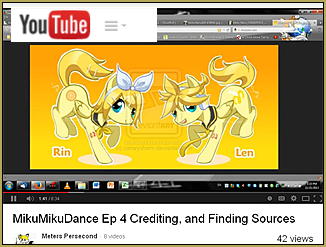
LearnMMD has several articles, pages, and even a video describing methods for keeping track of your models, accessories and other items.

Our respect for the creators of our files extends, also, to keeping track of any modifications or re-distributions of those files. Think about it; if we don’t really “own” the models … we really do not have the right to give them away to someone else. To redistribute a model, do not upload the file to make it available online. Instead, reference the website or dA page where you found the link. Send your reader to the creator’s page.

Modifying/Making Changes to a Model …

The same applies to making changes to a model. It’s fun to customize a model to make it your own. Since you didn’t create the base model, you cannot really claim the modified model as your own. If you use your modified model in a video … be sure to mention that you modified the model and list the original artist’s credit.  Do Not Share your modified model without clear permission from the artist. Most models come with a ReadMe.txt file in which the artist who created the model details his permissions as to sharing and modifying his model. Many times the ReadMe.txt is in Japanese! Learn how to translate those files into YOUR language.

Keep the Faith-MMD!

I have covered only a few points … there are a few more. Please visit the LearnMMD Keep the Faith-MMD page.


– SEE BELOW for MORE MMD TUTORIALS…


— — —


– _ — –


Visit the LearnMMD.com Homepage! Plenty of Mikumikudance instruction and info!

More MMD Tutorials...

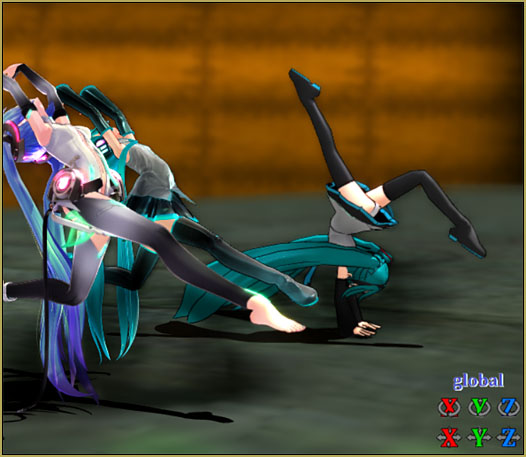
Enjoy the "camera Angles WEIRD in Anime" meme...

Enjoy the "camera Angles WEIRD in Anime" meme... This image is from The Slayers - NEXT, ...read more

Reader asks how to create MMD artwork... stuff like posing, camerawork?

A reader asks... Is there a tutorial on how to create MMD artwork, like those you ...read more

Learn MikuMikuDance in Small Steps! New LearnMMD Video Series

Learn MikuMikuDance in Small Steps. Where can I find easy-to-follow MMD instructions on YouTube? How ...read more

Apply Multiple Effects on an Entire MMD Model Using M4Layer Effect

How can I apply multiple effects to an MMD model? Can I use more than ...read more

MMD Plugin Manager... I Found a Treasure!

What sorts of MMD Plugins are there? MMD Plugin Manager? MMD Plugins. Plugin MMD. More ...read more

2025: Hatsune Miku is 18... but she is designed to be always 16 Years. Old by design and in reality!

Finally, in 2023, Hatsune Miku is 16 years old! but in August of 2025, she ...read more

MMD Tutorials

Post navigation

Previous Post: Get started with MMM – The Basics
Next Post: MMD vs MMM

Related Posts

  • Beamman’s Water v5 Effect needs Editing before you can use it! Beamman's Water v5
  • MMD MME Rhinestone effect adds sparkle to your models! MMD Tutorials
  • Understanding PMXE Materials: Ambient, Diffuse, Specular, Reflect and More! Bandages
  • The K Lite Mega Codec Pack 995 – The Ultimate HD Video compressor! HD Videos in MMD
  • Easily Create Walk-in-Place Motion in MMD Animation Shortcuts
  • Creating an animation using MMD, MikuMikuDance! "the making of" my video

More Related Articles

Ray-MMD shading Mech-Girls! Ray-MMD Shading Mech Girls brings those beauties to life! MMD Tutorials
MMD Batokin Island stage is MORE than a beach MMD Basics
How to subtitle MMD videos MMD Tutorials
RAY-MMD: A method to get great results fast and easy! RAY-MMD: A method to get great results fast and easy! MMD Tutorials
Culling unseen MMD model parts optimises computer assets (PART 2) Chestnutscoop
Installing old DirectX 9c solves many MMD Missing DLL Errors Dealing with the Missing DLL Error

Leave a Reply Cancel reply

Your email address will not be published. Required fields are marked *

Download the latest version of MikuMikuDance!
See the MMD Step-by-Step instructions page!
Learn how to make your own MMD motions!
LearnMMD.com
  • How to make a Portal in MMD: blast a hole in the wall! Customize MME effects
  • Animation Fade helps MMD scene transitions Animation Shortcuts
  • Use PMDE to Switch On the MME AutoLuminous effect in MMD AutoLuminous MME / PMDE
  • How To Add Depth and Emotion in an MMD Picture Advanced Shader Technique
  • Update previous MMD to MMD 9.32 with no tears … Download MikuMikuDance
  • Editing Model Materials in PMDE for MikuMikuDance PMD and PMX Models Fixing Broken Models
  • MikuMikuDance Tutorials MMD Tutorials on LearnMMD.com MMD Tutorials
  • LearnMMD’s MEME PARTY 2 a Success! CONTESTS

Copyright © 2022 Learn MikuMikuDance – MMD Tutorials – Free 3D Animation Software and Instructions..

Powered by PressBook Premium theme

Go to mobile version