Skip to content
Learn MikuMikuDance – MMD Tutorials – Free 3D Animation Software

Learn MikuMikuDance – MMD Tutorials – Free 3D Animation Software

Download Free Animation Software – Let's Learn How to Do Everything!

  • Step-by-Step MMD instructions
  • DOWNLOADS
  • Troubleshoot, Fix MMD
  • Site Contents
  • Reggie Replies Q&A
  • Homework!
  • What IS MMD?
    • Download MikuMikuDance Newest Latest Version of MMD
  • “HOW TO”
    • Raycast RAY-MMD Effect Tutorials
  • BONUS PAGES
    • Why convert PMD models to PMX?
  • HALL of CHAMPIONS
  • Tutorial Categories
  • About
    • Privacy Policy
  • Toggle search form
  • Get the K-Lite Codec for MMD
    The K-Lite Codec Pack: How To Install, and Current Problems K Lite Mega Codec Pack 995
  • MikuMikuDance MMD Cage Stage Tutorial Downloading New Models
  • MMD NyaReimu dances to Miku’s “The World is Mine” "the making of" my video
  • Using the AdultShader Effect In MikuMikuDance Adult Shader effect
  • Give the Animasa Teto Chimera a wing flapping motion in MMD 7.39
    Create Wing Flapping Motion for Teto Chimera MMD 7.39 Creating Motions
  • Watch the video as I create this MMD animated GIF using GIMP 2.6
    Make MMD Animated GIFs using GIMP 2.6 – MikuMikuDance Animated GIFs
  • Animation Fade helps MMD scene transitions Animation Shortcuts
  • Make WAV files for MikuMikuDance Using Your Music Files Music and WAV Files
MMD Camerawork makes your video exciting!

No more boring MMD Camerawork – Keep it moving!

Posted on December 9, 2022August 15, 2023 By Reggie_Dentmore No Comments on No more boring MMD Camerawork – Keep it moving!

A Feature Article by Reggie Dentmore on LearnMMD.comMMD Camerawork can be so boring. How can I add life to my MMD animations? What tricks can I use to save my MMD video from the scrap heap of forgotten MMD productions?

MMD Camerawork can make your MMD video exciting to watch!

–
So many times an MMD video features dance characters in frantic dance motions. It is tempting to set the camera where it can watch the whole scene… but nothing could be more boring!

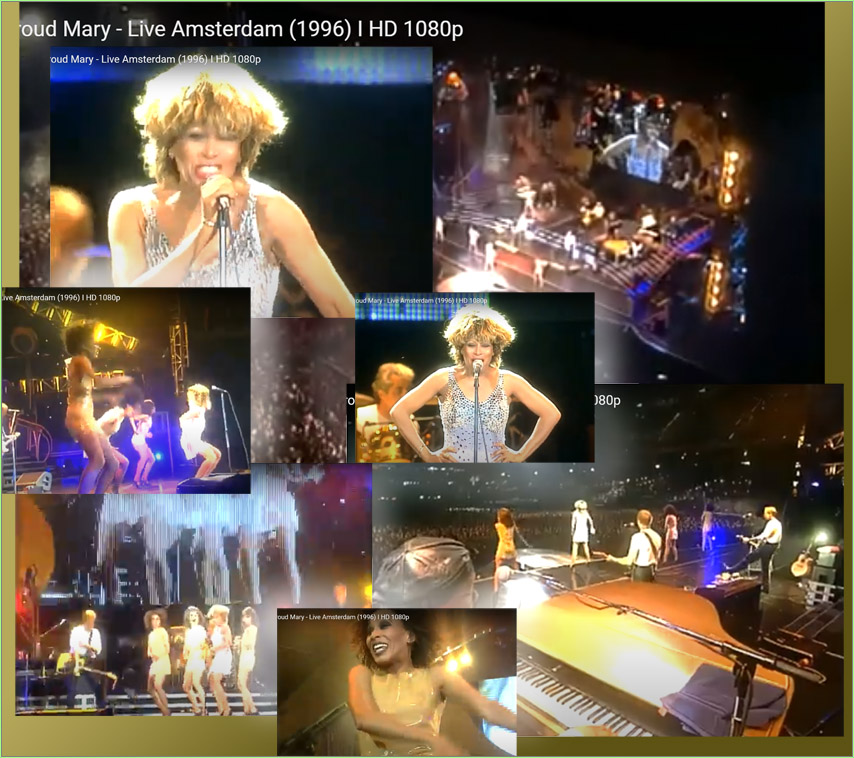
Check out this actual concert footage… Tina Turner LIVE in Amsterdam: Proud Mary. Keep your eye on the camerawork, skip to the middle of the video and see how much the camerawork enhances an already hectic scene…

MMD Camerawork brings life and excitement to your animation!

Carefully watch that concert footage… see how the camera tries to get in everywhere! In a concert venue, there are a dozen cameras documenting the action and each is a bit limited on what it can show us.

We MMDers only have the one camera but we can place it ANYWHERE!
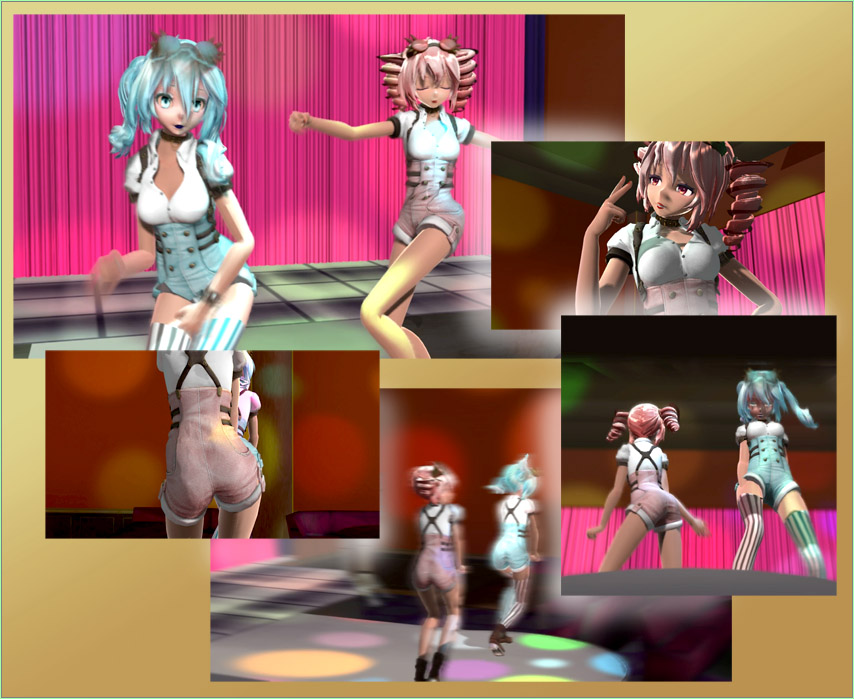
MMD Camerawork allows us to place the camera ANYWHERE... do not let the camerawork be boring!

Be civil… you know what’s right…

Allow yourself a balance of modesty and “fan service”… views of the whole stage set the scene, yes, but it’s the close-ups that make the viewers look twice!
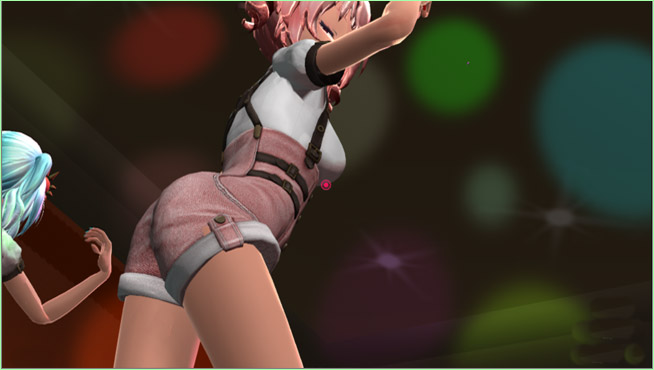
MMD Camerawork allows us to get as close as we wish!

Portraits, close ups, that feature your model, make for memorable moments, too.

Nice close-up portraits of your model make for a comfortable feeling in your video.

My Steampunk Teto video of “KISS ME” has fast, fun MMD camerawork!

See my full write-up about the making of that video.

KEEP YOUR MMD CAMERAWORK ALIVE!
Have fun with MikuMikuDance!


– SEE BELOW for MORE MMD TUTORIALS…


— — —


– _ — –


Visit the LearnMMD.com Homepage! Plenty of Mikumikudance instruction and info!

More MMD Tutorials...

Enjoy the "camera Angles WEIRD in Anime" meme...

Enjoy the "camera Angles WEIRD in Anime" meme... This image is from The Slayers - NEXT, ...read more

Reader asks how to create MMD artwork... stuff like posing, camerawork?

A reader asks... Is there a tutorial on how to create MMD artwork, like those you ...read more

Learn MikuMikuDance in Small Steps! New LearnMMD Video Series

Learn MikuMikuDance in Small Steps. Where can I find easy-to-follow MMD instructions on YouTube? How ...read more

Apply Multiple Effects on an Entire MMD Model Using M4Layer Effect

How can I apply multiple effects to an MMD model? Can I use more than ...read more

MMD Plugin Manager... I Found a Treasure!

What sorts of MMD Plugins are there? MMD Plugin Manager? MMD Plugins. Plugin MMD. More ...read more

2025: Hatsune Miku is 18... but she is designed to be always 16 Years old, by design and in reality!

Finally, in 2023, Hatsune Miku is 16 years old! but in August of 2025, she ...read more

Camera Motion, MMD Basics, MMD Tutorials, Reggie Dentmore

Post navigation

Previous Post: Rio Carnival Miku is my latest MMD Model Adoration Slideshow video
Next Post: Create 450-Frame MMD animation from scratch!

Related Posts

  • Download MMDxShow.dll Fix the Cannot Read MMDxShow.dll Error MMDxShow.dll Error
  • Arrow MMD Animation Video Finished in only Six Weeks! "the making of" my video
  • How to Use the Squash and Stretch Effect for MMD. ARIZONA
  • Written Credits aid YouTube MMDer search results Keep the Faith-MMD Credits/Sharing
  • See LearnMMD’s New Crop-Transition Panel Video Google SketchUp and MMD
  • New Interpolation Curve Video was fun to make! "the making of" my video

More Related Articles

Zooming Out of MMD City Stage. Working with Large Stages In MikuMikuDance ARIZONA
Using the OP function in an animation MMD Tutorials
How to sign up and Upload to Piapro! HollyLawliet
How To Recolor MikuMikuDance Models Without PMDE! Keep the Faith-MMD Credits/Sharing
Hitogata Brings Face Tracking to MMD Animation Resource
Free Download MikuMikuDance MMD Free Download MikuMikuDance 3D animation software Intro to MikuMikuDance

Leave a Reply Cancel reply

Your email address will not be published. Required fields are marked *

Download the latest version of MikuMikuDance!
See the MMD Step-by-Step instructions page!
Learn how to make your own MMD motions!
LearnMMD.com
  • YouTube serves video playback quality to best suit your viewing-screen HD Videos in MMD
  • The Making of “Viva La Vida MMD” by Zazi The Angel "the making of" my video
  • The Easiest Way To Add Hair Physics in PMX Editor! BigPerryman
  • LearnMMD.com's Video Dojo Expo FIVE
    Video Dojo Expo Five Entries… The VOTING is Done! Video Dojo Competition
  • After lowering the stage -.2 on the Y axis, the floorlights.x work great!
    Easy Fix for the Auditorium Stage Accessory: Use a Dummy Bone Dummy Bones
  • Create Motion Data – So you think you can’t dance? Creating Motions
  • Beamman Effects Page MMD Newbies Guide MMD Tutorials
  • Translate Japanese Models to English with Google Translate and PMDE Bones

Copyright © 2022 Learn MikuMikuDance – MMD Tutorials – Free 3D Animation Software and Instructions..

Powered by PressBook Premium theme

Go to mobile version