

Skip to content
Learn MikuMikuDance – MMD Tutorials – Free 3D Animation Software

Learn MikuMikuDance – MMD Tutorials – Free 3D Animation Software

Download Free Animation Software – Let's Learn How to Do Everything!

  • Step-by-Step MMD instructions
  • DOWNLOADS
  • Troubleshoot, Fix MMD
  • Site Contents
  • Reggie Replies Q&A
  • Homework!
  • What IS MMD?
    • Download MikuMikuDance Newest Latest Version of MMD
  • “HOW TO”
    • Raycast RAY-MMD Effect Tutorials
  • BONUS PAGES
    • Why convert PMD models to PMX?
  • HALL of CHAMPIONS
  • Tutorial Categories
  • About
    • Privacy Policy
  • Toggle search form
  • Use the PMXE Transform Window to edit your MMD models! Accessory Manipulation/Adjust
  • VDE-3 Champion: CyanKuriboh Video Dojo Champions
  • Making stages/accessories for MMD using Sketchup Google SketchUp and MMD
  • Ray-MMD LED widget replaces MMD screen capture widget Add Background Pictures and AVI
  • Keep the Center-Bone when adding Mother-Bone to an older model MMD Tutorials
  • Video Dojo Expo 2 CHAMPIONS are chosen! CONTESTS
  • Physical Operations Tab in MikuMikuDance 7.39 Menu Options MENU Option Descriptions
  • Rendering in 4K video at 60FPS with MMD 4k video
The 966_ Otogibanashi Toon effect recolors your models!

966_ Otogibanashi Toon “Fairy Tale” shader effect recolors your models

Posted on November 5, 2021November 7, 2021 By Reggie_Dentmore 2 Comments on 966_ Otogibanashi Toon “Fairy Tale” shader effect recolors your models

A Feature Article by Reggie Dentmore on LearnMMD.com

What is the 966_ Otogibanashi Toon shader? How can I recolor my models without using PMXE? How can I add an iridescent effect to my MMD models? What the heck does Otogibanashi mean, anyway?
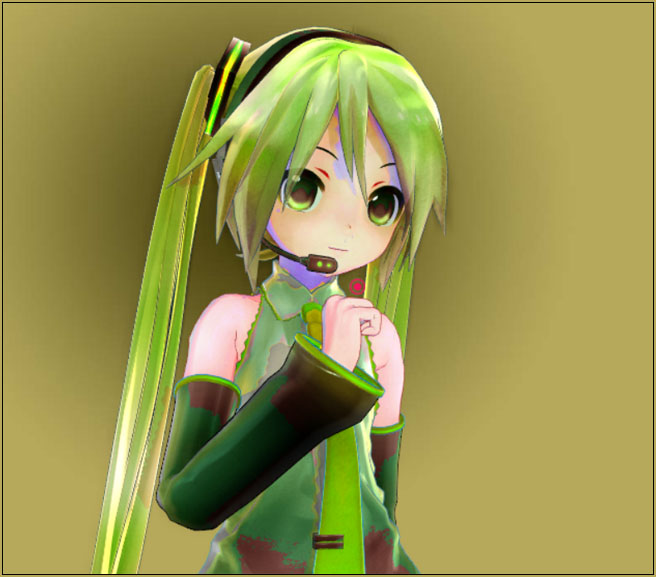
966_ Otogibanashi Toon shader gives an almost iridescent quality to your MMD models.

The 966_ Otogibanashi Toon “Fairy Tale” shader effect recolors your models!

I discovered Chestnutscoop’s List of ALL MME EFFECTS on Deviant Art. She is working to list and link-to ALL MME effects… a HUGE, monumental task! … The first one on her list is the 966(Kuromu) Collection of effects.

I visited that BowlRoll page she mentions and found a collection of effects. I chose THIS one from that collection.
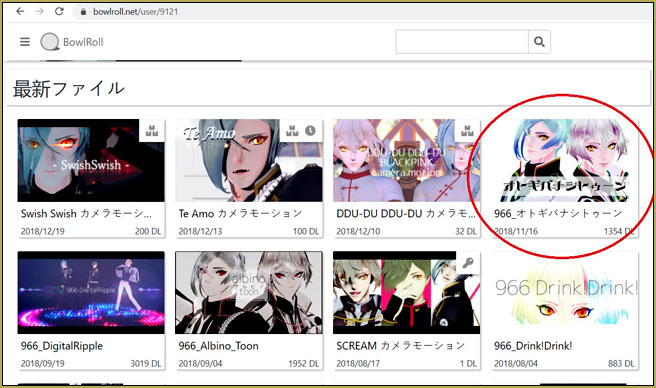
The 966(Kuromu) Collection of effects on Bowlroll include 966_ Otogibanashi Toon

That is the 966_オトギバナシトゥーン effect. Translates to “966_ Otogibanashi Toon”

What the heck does Otogibanashi mean? Well, you know how much the Japanese like compound words… and so if you break this down, it translates as Fairy Tale. … and remember to pronounce the word as in Romaji: latin vowels… and in Japanese, no particular sylable empahsis… and each sylable ends with a vowel… except n…
… so: O to gi ba na shi
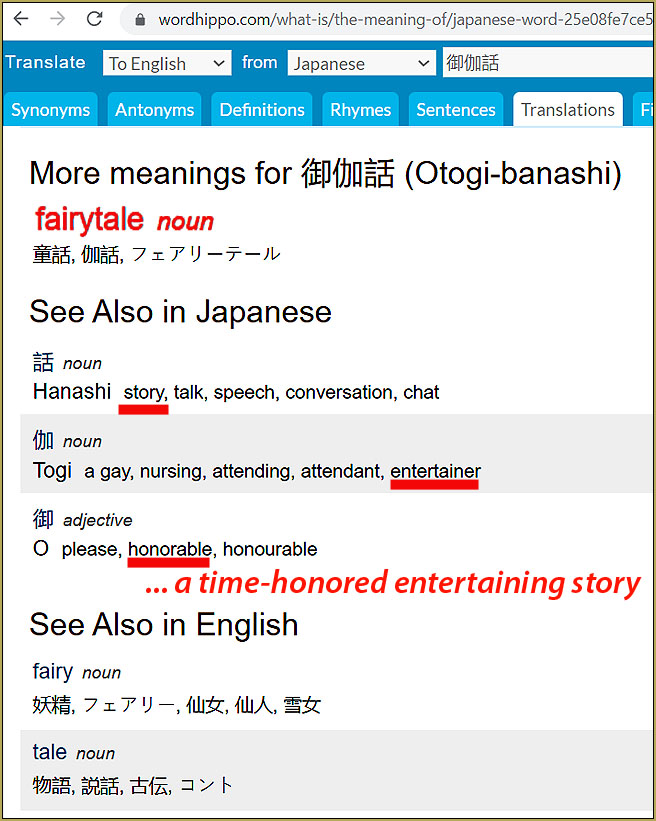
So… I’m glad we have THAT cleared-up, right?

The Fairy Tale effect adds colored filters to your models…

The 966_ Otogibanashi Toon effect gives us EIGHT color-filters that you can add to your model or stage… one at a time. The original Japanese file names do not translate well, so I took a stab at renaming those FX files, myself.

This image shows the original files names and also the names that I gave them…
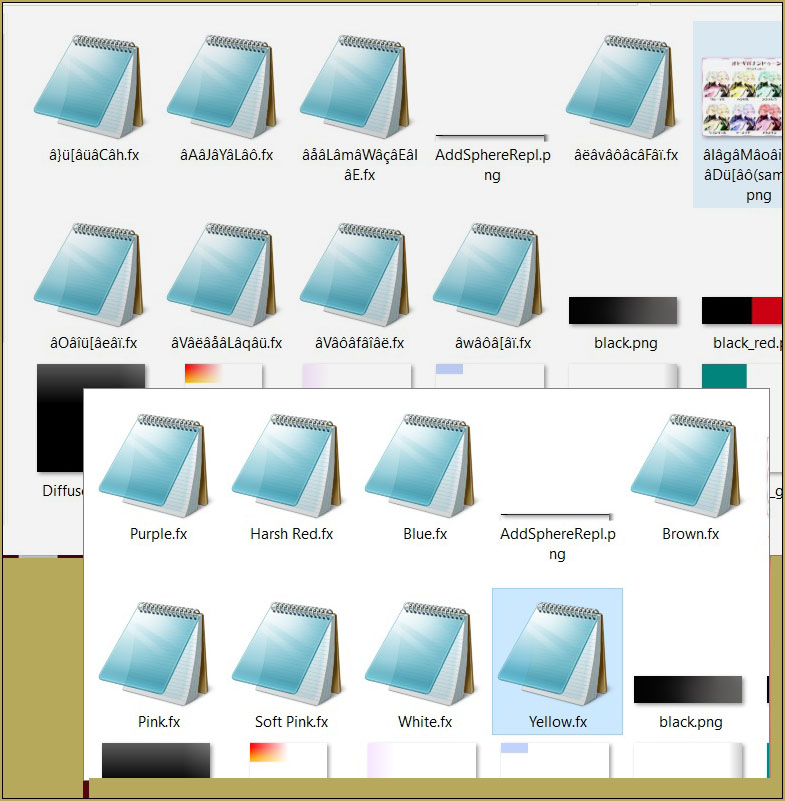
Inside the 966_ Otogibanashi Toon effect folder I renamed the FX files.

The effect is much more complicated than the simple names I gave them, but… I had to call ’em something!

Brown…

I found the Brown version to be the most pleasing as I shifted the colors of Appearance Miku.
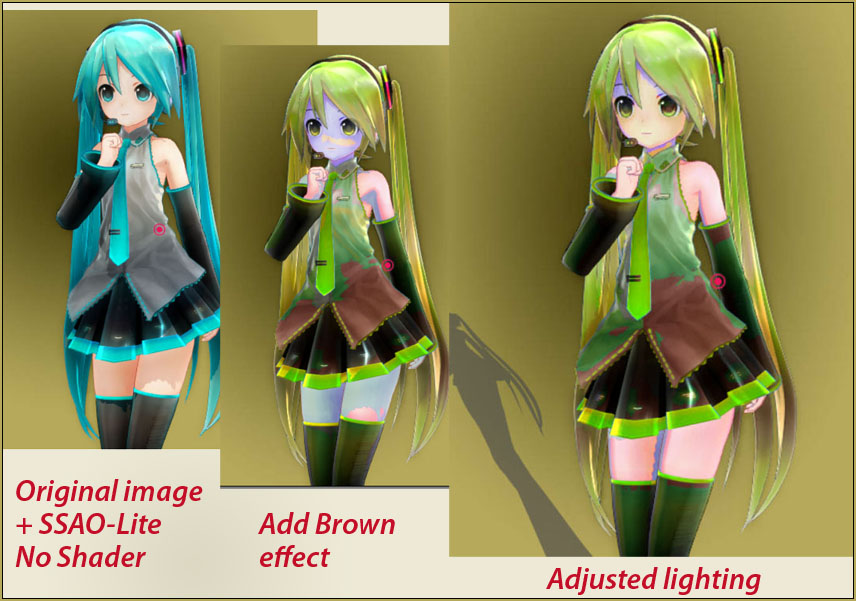
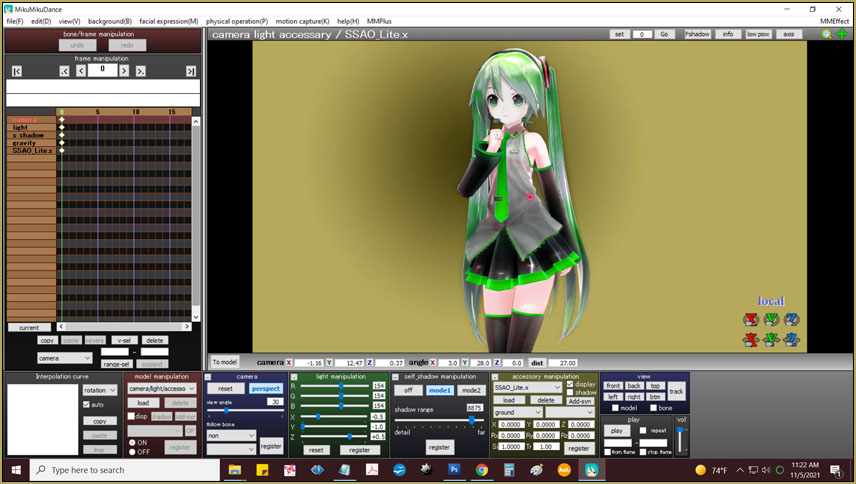
The position of the lights is EVERYTHING as you use these shaders.

The color-wash applied to your model has a rather “iridescent” quality that shifts as your lighting is adjusted. You will find that the lighting is very important to achieving the result you want.

I am thinking that, because the light is critical, we will not be able to use 966_ Otogibanashi Toon except for still-image composition. In a video, the model will shimmer (as if in a fairy tale)… with difficult to control results.

Soft-Pink…
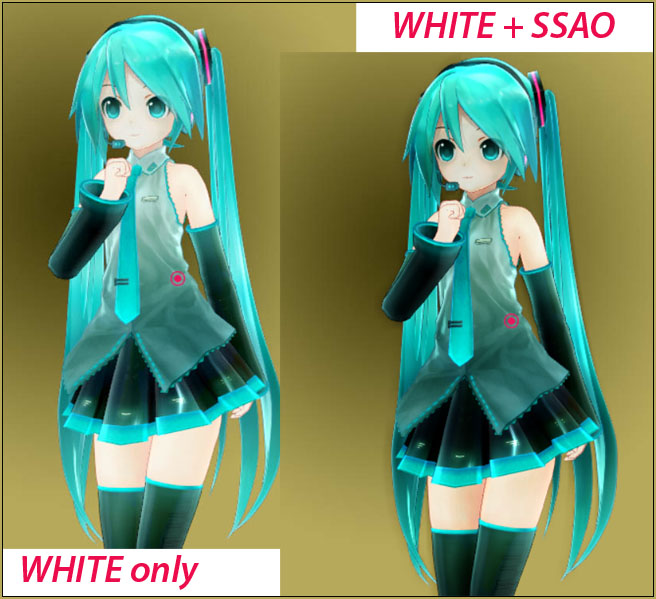
White…

The White version of the effect is interesting… it sort of lightens the whole model… and you can get some of the color back by adding SSAO. With WHITE, the shadows are all softened and then the SSAO brings back the skin colors.
Again… the names I chose are only approximations of each effects true… effect.

Modify this effect?

I took a look into modifying this effect so as to adjust depth of the color “filter” and, maybe determining an exact color shade that I wanted to see… but those FX files have only a few variables buried in them and I could not readily determine any “user” adjustments. … BUT: There are a ton of .PNG texture files in that folder, so… you could drastically alter this effect by adjusting those texture images. … Remember: Keep the Faith-MMD … you can use the effect, modify it for your own use… but do not share your files with anyone, the creator has sepecified “no redistribution”.

The README is quite simple and says “no redistribution”… so I cannot share my translated version with you. Using Notepad++ and Google Translate you will be able to decipher the text of the Japanese .txt files included in your download.

That’s it! … Have fun with MikuMikuDance!


– SEE BELOW for MORE MMD TUTORIALS…


— — —


– _ — –


Visit the LearnMMD.com Homepage! Plenty of Mikumikudance instruction and info!

More MMD Tutorials...

Introducing MMD model 1052C China Qipao Miku

Where can I download MMD model 1052C dancers? I want the 1052C China Qipao Miku ...read more

Download Jomomonogm's Snow Miku 2019 for MMD, a most unusual model!

Where can I download Jomomonogm's Snow Miku 2019? What is so unusual about this Snow ...read more

MMD animation made-from-scratch Forgotten Vocaloid Mew Rags on Reggie's MMD Videos

How do I make my own MMD animation from scratch? How do I start my ...read more

Rediscover your old MMD Animations: Love them again!

Rediscover your old MMD Animations: Love them again! https://youtu.be/P4b3todZMUI A labor of love... Remember how it was when ...read more

MMD Boobs too Big yields Too Funny Really Bad Boy video!

Can MMD boobs too big get in the way of a downloaded motion file? What ...read more

Download Hatsune Miku type N models from 2010... a set of 6!

Can I still download Hatsune Miku type N models? Where can I download a few ...read more

966_ Otogibanashi Toon, MME Effects Tutorials, Reggie Dentmore

Post navigation

Previous Post: Zombie Song download easily makes spooky MMD videos!
Next Post: 966_DigitalRipple Effect splashes lots of color into your MMD video!

Related Posts

  • Bandizip® keeps Japanese file names intact when Extracting ZIP folders Bandizip
  • RAY-MMD: Haku’s crazy light show [PART 2] MME Effects Tutorials
  • Translate Romaji for better English translations Navigating Japanese Pages
  • MMD Camerawork makes your video exciting!
    No more boring MMD Camerawork – Keep it moving! Camera Motion
  • Miku Love Featured image
    Making of my new Looked at Love – Both Sides Now animation "the making of" my video
  • Ghost Effect for MME
    How to Use the Ghost Effect for MME! ARIZONA

More Related Articles

Free Download MikuMikuDance MMD Download MikuMikuDance Easily make YouTube MMD Music Videos MMD Basics
The Zombie Song download for MMD is a lot of fun! Zombie Song download easily makes spooky MMD videos! "the making of" my video
Print a hard copy! Art is fleeting… especially NOW! MMD Tutorials
MMD NyaReimu dances to Miku’s “The World is Mine” "the making of" my video
The MME Otome effect adds a fantasy cloud of bubbles and sparkles. Otome effect yields bubble and sparkle psychedelia Otome
Hand Clap free download MMD motion file ureshiiiiii “HAND CLAP” Free Motion & WAV Download – Awesome! "the making of" my video

Comments (2) on “966_ Otogibanashi Toon “Fairy Tale” shader effect recolors your models”

  1. PicaDude says:
    November 18, 2021 at 8:15 am

    I like this one.

    Reply
  2. PicaDude says:
    November 16, 2021 at 7:08 am

    I enjoy this “fairytale” effect… such nice colors.

    Reply

Leave a Reply Cancel reply

Your email address will not be published. Required fields are marked *

Download the latest version of MikuMikuDance!
See the MMD Step-by-Step instructions page!
Learn how to make your own MMD motions!
LearnMMD.com
  • MMD Animation Project Resource Ushimitsu Toki Animation Resource
  • MMD Animation without Animating the model.
    Create MMD Animations WITHOUT Animating a Model Animation Shortcuts
  • Animation Lag may “blur” your playback in MikuMikuDance Animation Lag
  • Tesagure! Bukatsu-mono Animated
    Tesagure! Bukatsu-mono. An anime associated with MikuMikuDance. ARIZONA
  • Select the Center Bone if your MMD Model Doesn’t Feel the Floor Bones
  • Ray-MMD environment controls create MMD dreamscape MMD Tutorials
  • Show the Love: Melanie’s “Ring Around the Moon” CONTESTS
  • PMDE Parts Links help you create your MMD Selfie NOKO2

Copyright © 2022 Learn MikuMikuDance – MMD Tutorials – Free 3D Animation Software and Instructions..

Powered by PressBook Premium theme

Go to mobile version