
Skip to content
Learn MikuMikuDance – MMD Tutorials – Free 3D Animation Software

Learn MikuMikuDance – MMD Tutorials – Free 3D Animation Software

Download Free Animation Software – Let's Learn How to Do Everything!

  • Step-by-Step MMD instructions
  • DOWNLOADS
  • Troubleshoot, Fix MMD
  • Site Contents
  • Reggie Replies Q&A
  • Homework!
  • What IS MMD?
    • Download MikuMikuDance Newest Latest Version of MMD
  • “HOW TO”
    • Raycast RAY-MMD Effect Tutorials
  • BONUS PAGES
    • Why convert PMD models to PMX?
  • HALL of CHAMPIONS
  • Tutorial Categories
  • About
    • Privacy Policy
  • Toggle search form
  • Intel Gen 12 Processor puts white screen over the MMD stage.
    Solved? White screen covers MMD stage Intel Gen 12 Processor blocks MMD stage MMD Tutorials
  • YouTube Copyright Enforcement Bamboozles MMDers! Copyrighted Music
  • Adding captions in MMM MikuMikuMoving Bullwood
  • How to Add Multiple Effects on a Model. Adult Shader effect
  • Translate Romaji for better English translations Navigating Japanese Pages
  • How to tame unruly skirts: fix fluttering parts in MMD 9.xx+ Fixing Broken Models
  • Fix MMD Missing Model Options using PMDE Fixing Broken Models
  • Total Success Running MMD on Win 10 64-bit! MikuMikuDance Random Thoughts & Visions

Creating Inspirational Pictures in MMD

Posted on November 6, 2015December 31, 2015 By XxHalfAlivexX 2 Comments on Creating Inspirational Pictures in MMD

A feature article by LearnMMD's XxHalfAlivexX !Hallo, wie geht’s? XxHalfAlivexX here!

So I, personally, as an artist, strive to create inspiring and beautiful art! Many times, I get the question, “How do you create so much emotion in one picture?” And, “How do you actually do it??”

Most people think I just sit, and the whole thing simply comes to me.
Unfortunately, it does not.

Creating Inspirational Pictures in MMD

It takes me quite a long time to find something I love (or hate) and make it into something amazing! Now… Where does someone get inspiration? My answer is.. anywhere! From trash you found in your room, to a dream you had, to your cat! Anything can be turned into something beautiful. Normally, I make my own pictures, but sometimes (SOMETIMES) I use other pictures that I find on the internet and use them as my inspiration to build from.
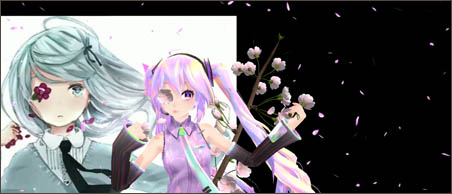
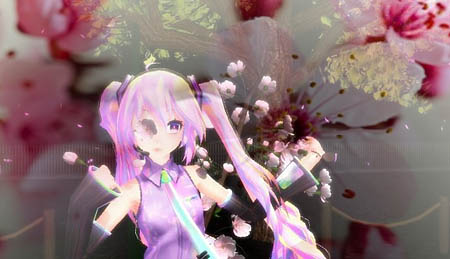
The image in that background inspired me to make the now called 'Sakura Miku' image!

Once done, they turn out, with effects and editing, like so:
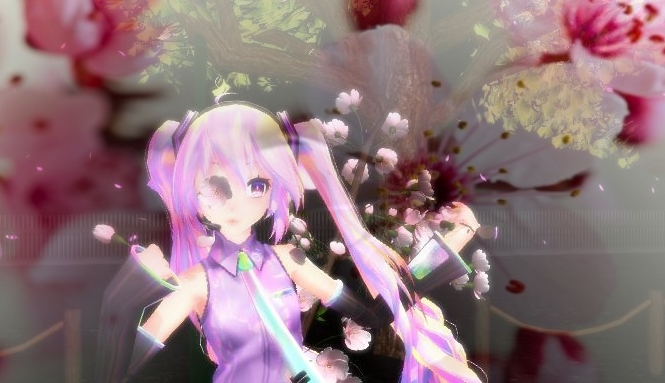
My finished Sakura Miku image... CLICK to see larger image.

For you people just beginning in the whole “Picture business”, as I like to call it, it may take a while to make and edit the pictures, especially if you’re just starting out in ANIMATING. But, we’ll come back to that later. Anyway! How do I do it? Simple! Let’s look at this picture that I found:

Use whatever you like as a source for your inspirational pictures.

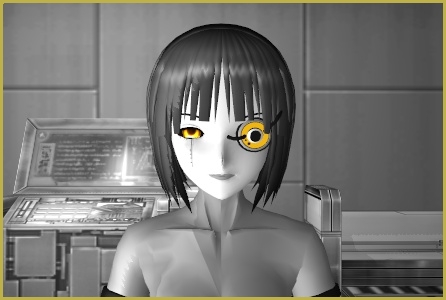
Sad, isn’t it? But beautiful! Now, think of another situation where someone is crying? Got it? Great! Now, why is the person Crying? Death in the family, break up, friend died, didn’t get the ice cream she wanted? No worries if it sounds ridiculous! This is a brainstorming session!

Now keep that in your mind and think, what is a sad _____? Animal, plant, cup, whatever! Anything sad that comes into your mind KEEP IT! Now, with that in your mind, draw SOMETHING on a piece of paper that has to do with it. Once you have that, create a rough design for your piece; draw a real picture, of a person (or animal) that is sad. Don’t use a lot of detail or you’ll spend so much time before you’re done editing the picture, your brain will be tired, you won’t be able to do the actual picture! When I do concept art it can end up looking like a mix between a chicken and a human (Yeah, it’s happened to me before.)

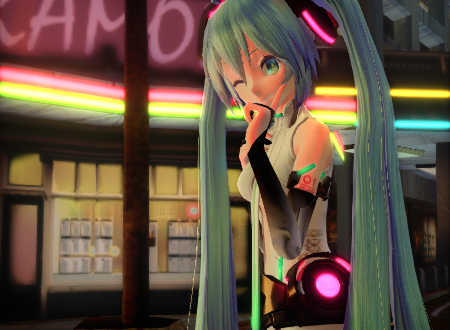
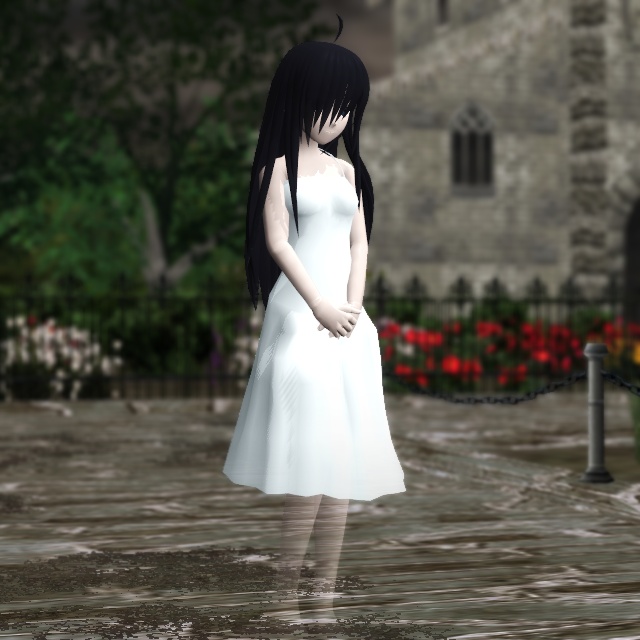
Now apply that to MMD. Spend as much time as you can on that and it can end up like this;
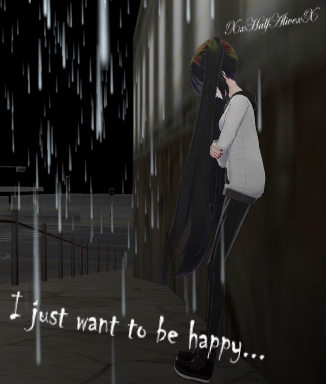
An inspirational picture I created... sometimes it's hard work!

Beautiful, yet sad.

I appreciate the time you took to read this, and remember, “At the end of the day, we must go forward with hope and not backward by fear and division.” One Last thing… I take requests for pictures. :) Good Luck!


– SEE BELOW for MORE MMD TUTORIALS…


— — —


– _ — –


Visit the LearnMMD.com Homepage! Plenty of Mikumikudance instruction and info!

More MMD Tutorials...

Reader asks how to create MMD artwork... stuff like posing, camerawork?

A reader asks... Is there a tutorial on how to create MMD artwork, like those you ...read more

Learn MikuMikuDance in Small Steps! New LearnMMD Video Series

Learn MikuMikuDance in Small Steps. Where can I find easy-to-follow MMD instructions on YouTube? How ...read more

Apply Multiple Effects on an Entire MMD Model Using M4Layer Effect

How can I apply multiple effects to an MMD model? Can I use more than ...read more

MMD Plugin Manager... I Found a Treasure!

What sorts of MMD Plugins are there? MMD Plugin Manager? MMD Plugins. Plugin MMD. More ...read more

2023: Hatsune Miku is 16 Years Old by design and in reality!

Finally, in 2023, Hatsune Miku is 16 years old! When did Miku make her first ...read more

SEARCH LearnMMD.com... it's Easy!

Search LearnMMD.com to find your answers! With the posting of this article, LearnMMD.com has 758 tutorials ...read more

MMD Fine Art, MMD Tutorials, Random Thoughts & Visions, XxHalfAlivexX Tags:XxHalfAlivexX

Post navigation

Previous Post: Find New MMD Models – MMD Resources Hunting!
Next Post: YouTube Copyright Enforcement Bamboozles MMDers!

Related Posts

  • Vocaloids and MMD: It’s all about the Music!! Random Thoughts & Visions
  • GaussianVariable MME Effect Blurs your entire scene! GaussianVariable
  • pmothair Effect Makes Hair Actually Look like hair MMD Tutorials
  • MMD Fill Lights Part 1 (Half-Lambert Shader) Half-Lambert Shader
  • You might name this model's folde "Short_Kimono_Teto_by_Nanami".
    Organize Your MMD Model Collection, Track Your Sources ARIZONA
  • PMXE weight painting tools and deformation types for new MMD models Bandages

More Related Articles

Animation Fade helps MMD scene transitions Animation Shortcuts
Behind the Scenes insights into my newest video "the making of" my video
Beautiful CyberMiku Black ver1.5 has wings! Download MMD CyberMiku Black ver1.5 with Glowing Wings and an attitude! "the making of" my video
LearnMMD.com _ MikuMikuDance MMD Tutorials Almost Photo-realistic renders in MMD using Shaders and Effects Advanced Shader Technique
Make Smooth Animation Using Interpolation Curves Making Smooth Motions
New Reggie’s Evil Eye demo video posted to YouTube "the making of" my video

Comments (2) on “Creating Inspirational Pictures in MMD”

  1. Lola says:
    November 15, 2015 at 9:48 am

    Hallo wie geht’s? You speak german? O-O

    Reply
    1. XxHalfAlivexX says:
      November 16, 2015 at 8:25 am

      Umm.. Some. I’m still learning, but the only reason I speak some is because of Tokio Hotel (my favorite band.) \(*.*)/

      Reply

Leave a Reply Cancel reply

Your email address will not be published. Required fields are marked *

Download the latest version of MikuMikuDance!
See the MMD Step-by-Step instructions page!
Learn how to make your own MMD motions!
LearnMMD.com
  • Subtex slot for MMD models in PMXE Bandages
  • Chimera Teto Emerging into the Light.
    Looking Good with the MME Mirror Water Effect in MMD ARIZONA
  • Video Dojo Expo 2 Champion: blazeraptor Video Dojo Champions
  • Background AVI Files require a Baseleine AVI setting.
    MMD Background AVI Files converted using CloudConvert Background AVI
  • Download Reggie Dentmore's "Hand Pose Collection" on LearnMMD.com
    MMD Hand Poses make Animation Easier Animation Shortcuts
  • How to make multi-part videos in MikuMikuDance Animation Shortcuts
  • New Reggie’s Evil Eye demo video posted to YouTube "the making of" my video
  • MMD Model Noodle smiles while carrying the weight of the modern world on her shoulders!
    Download MMD Model NOODLE by vasilnatalie Downloading New Models

Copyright © 2022 Learn MikuMikuDance – MMD Tutorials – Free 3D Animation Software and Instructions..

Powered by PressBook Premium theme

Go to mobile version