Skip to content
Learn MikuMikuDance – MMD Tutorials – Free 3D Animation Software

Learn MikuMikuDance – MMD Tutorials – Free 3D Animation Software

Download Free Animation Software – Let's Learn How to Do Everything!

  • Step-by-Step MMD instructions
  • DOWNLOADS
  • Troubleshoot, Fix MMD
  • Site Contents
  • Reggie Replies Q&A
  • Homework!
  • What IS MMD?
    • Download MikuMikuDance Newest Latest Version of MMD
  • “HOW TO”
    • Raycast RAY-MMD Effect Tutorials
  • BONUS PAGES
    • Why convert PMD models to PMX?
  • HALL of CHAMPIONS
  • Tutorial Categories
  • About
    • Privacy Policy
  • Toggle search form
  • Understanding Normals Bandages
  • Let your new MIKU do the Sample Dance!
    Downloading Japanese Models Can Scramble File Names Downloading New Models
  • New MMD Video Taught Awareness of Camera Angles and Motion Quirks! "the making of" my video
  • Beginner’s Guide: Using Ray-MMD ver 1.5.0 – Latest version of Raycast MMD Tutorials
  • PocketMQO(with MMD) MikuMikuDance in an Android environment! MMD Tutorials
  • Passion VS Work – Making Videos for your Fanbase MMD Tutorials
  • Adding & Working the Stage Lights with Dummy Bones MMD MikuMikuDance Dummy Bones
  • My First MMD Video – After Struggling with Blender, MMD was Easy "the making of" my video

Zazi’s Guide To Atmosphere in an MMD animation

Posted on November 6, 2016 By Zazi 1 Comment on Zazi’s Guide To Atmosphere in an MMD animation

See all the articles written by Zazi on LearnMMD.com

Okay… so I know I have been over this before, but I have often been asked what creates an “atmosphere” in an animation?

Zazi’s Guide To Atmosphere

The answer might surprise you on how little it has to do with “placement” and how much it has to do with your own feelings.

Let’s take a look at picture 1… a simple shot of a basic throne room centered in such away that it says what it is in this one image, but it feels dry and feels like a generic placement within a game… almost like a cut-out.
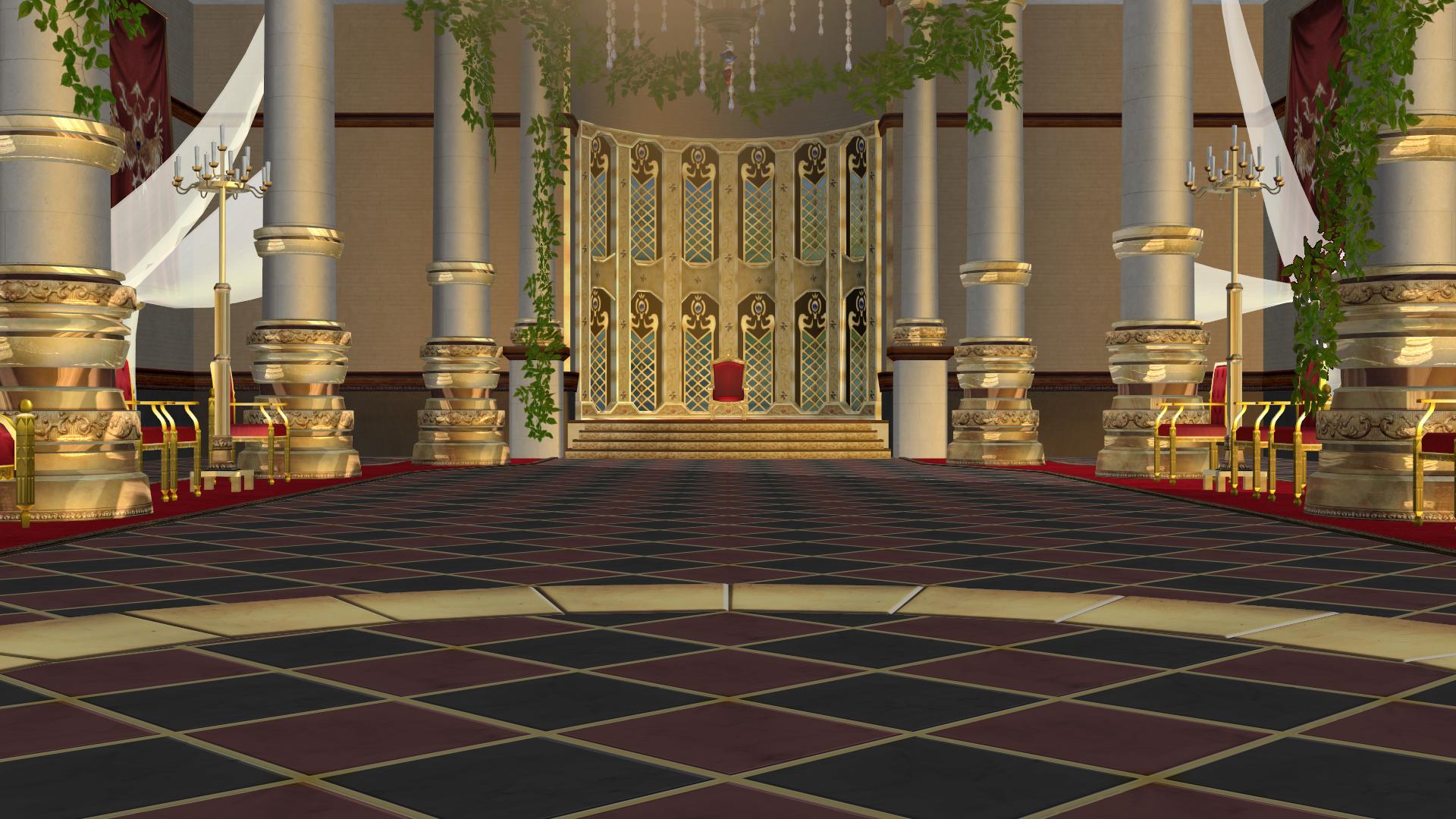
A very crisp, sterile image. The atmosphere is sterile, crisp and clean.
Picutre 1… A sterile picture.
CLICK for larger image.

So how do we fix it?

First ask yourself: What vibe are you going for? Search your feelings and ask yourself what emotion you want to evoke with your picture. It is important to know this for two reasons:

  1. Having a specific feeling being directly implicated in a picture may stir strong emotions in the onlooker without anything else even happening.
  2. Having a strong emotion focused in your mind is the gateway to being able to properly portray your mind-set to someone else through the medium of art.

So what did I go for?

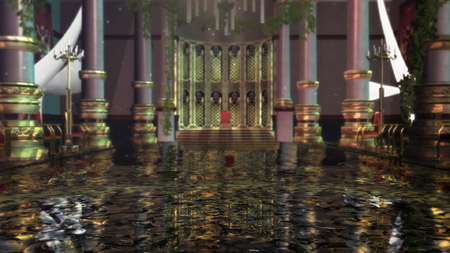
Well, I wanted to have a feeling of loneliness and decay… of a once-great place. So I added dust and broken glass to showcase decay… Then I added diffusion and lighting to showcase the once-great charm of the golden throne and pillar encrusting. Then I added DOF (the depth-of-focus effect) to add a sense of realness to the photo. Wanna see the difference?
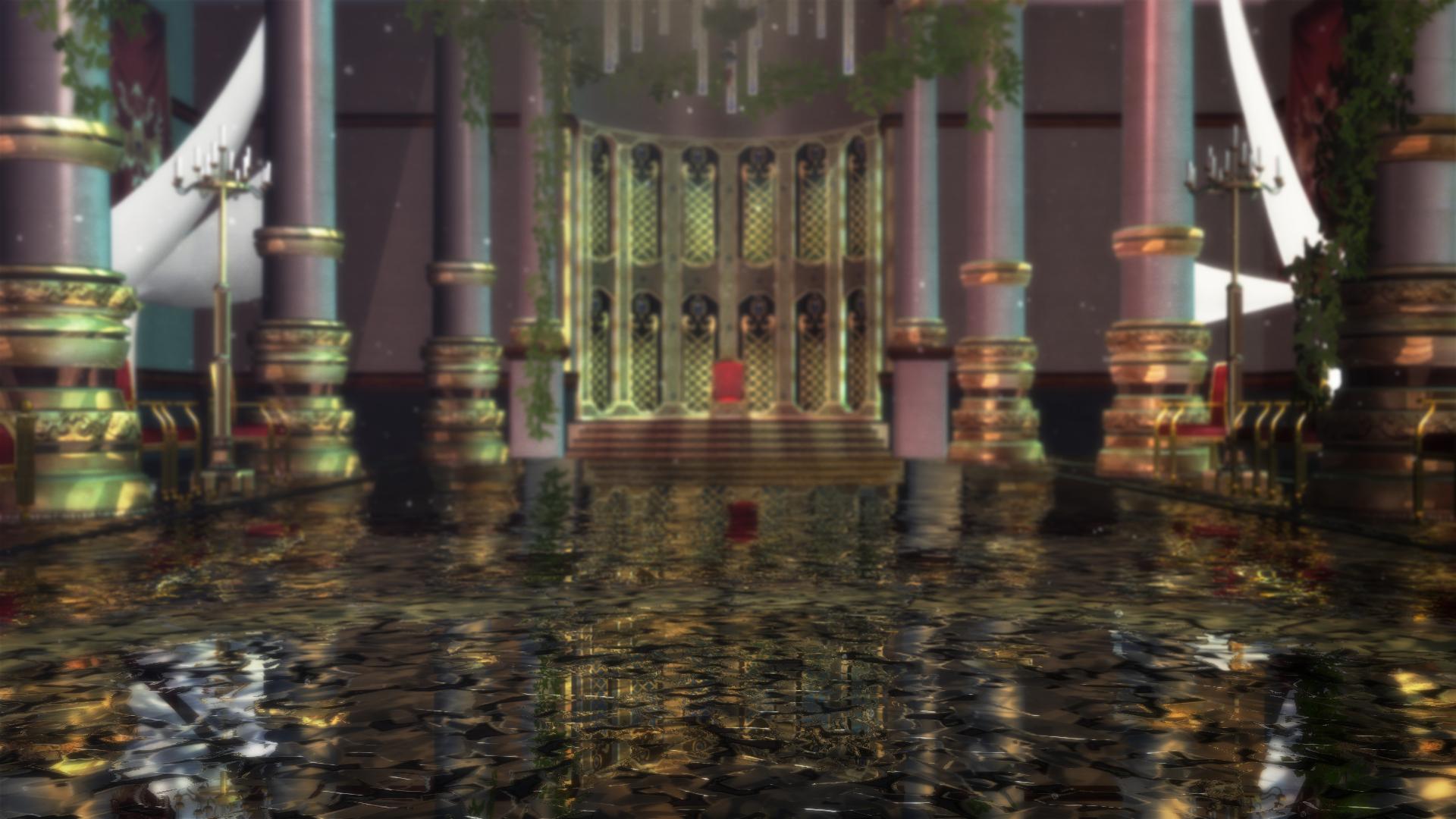
My new image: dust, debris, and soft focus.

So you now have seen both photos and understand what made me tick when I added the effects… at least in a basic regard. But you still have one question, right?… Yep. I thought so: How do I find the right effects and stages to invoke a certain emotion?

My answer would be: You’re going about it the wrong way! Don’t use an emotion to guide a scene; let a SCENE guide your emotions! and go from there. You’d be shocked at the difference.

Anyways, it was neat to have a small chat with y’all about this topic. I’ve been meaning to post more but, sadly, I am a bit internalized sometimes ^_^ regardless, if you’re an MMD artist and ever need tips, tricks, or want to talk to someone who can help, my door is always open. Just email the help line on LearnMMD.com and I should get back to ya!

This has been Zazi the Angel, singing off…


– SEE BELOW for MORE MMD TUTORIALS…


— — —


– _ — –


Visit the LearnMMD.com Homepage! Plenty of Mikumikudance instruction and info!

More MMD Tutorials...

Reader asks how to create MMD artwork... stuff like posing, camerawork?

A reader asks... Is there a tutorial on how to create MMD artwork, like those you ...read more

Rediscover your old MMD Animations: Love them again!

Rediscover your old MMD Animations: Love them again! https://youtu.be/P4b3todZMUI A labor of love... Remember how it was when ...read more

Create MMD Abstract Art from Low-Res Videos!

This is an idea I have been playing with for the last few months... Create MMD ...read more

Recoloring MMD's Control Panel GUI Interface

Hi and welcome to your personal MMD care and color service, where I give you ...read more

Culling unseen MMD model parts optimises computer assets (PART 2)

How can I make my MMD run faster? What if removing parts using Subset-Extract isn’t ...read more

Optimise computer assets by culling unseen MMD model parts

How can I make my MMD run faster? How can I optimise computer assets as ...read more

MMD Fine Art, Random Thoughts & Visions, Zazi

Post navigation

Previous Post: Create Bouncing Ball using MMD Physics Engine
Next Post: Play games within MMD using MMD as a Game Engine!

Related Posts

  • Japanese Maid Cafe poster you can make!
    Making your own Japanese Maid Cafe poster Random Thoughts & Visions
  • Sketchup Orbit view on MMD: Right Click and Drag! Keyboard Shortcuts
  • MMD NyaReimu dances to Miku’s “The World is Mine” "the making of" my video
  • create credible characters for your projects
    How to create credible characters for your projects. MMD Tutorials
  • Graphic Design Skills enhance MMD Pictures MMD Basics
  • Stationary Motion Creation rights and wrongs Creating Motions

More Related Articles

MMD Theater Seats Don’t Have to Sit on the Floor Animation Shortcuts
Create MMD Abstract Art from Low-Res Videos! MMD Tutorials
Breathing “SOUL” into MMD models and scenes using Fine Art Techniques Advanced Shader Technique
Scrambled first frame of video must be Voodoo! MMD Basics
MMD uses your computer to the max! Intro to MikuMikuDance
Watch the video as I create this MMD animated GIF using GIMP 2.6 Make MMD Animated GIFs using GIMP 2.6 – MikuMikuDance Animated GIFs

Comment (1) on “Zazi’s Guide To Atmosphere in an MMD animation”

  1. Anonymous Grey says:
    January 27, 2017 at 9:58 pm

    Are you going to do a follow-up on this, maybe on the use of the camera settings for effect? Sharp camera angles, uncomfortable perspective settings, dramatic shadows, etc? Sorry if this sounds demanding or anything, but the usefulness of the camera is easy to forget..!

    Reply

Leave a Reply Cancel reply

Your email address will not be published. Required fields are marked *

Download the latest version of MikuMikuDance!
See the MMD Step-by-Step instructions page!
Learn how to make your own MMD motions!
LearnMMD.com
  • Culling unseen MMD model parts optimises computer assets (PART 2) Chestnutscoop
  • Speech Synthesizer gives MMD Models a voice! Making Soundtracks
  • How to Add Multiple Effects on a Model. Adult Shader effect
  • How do I use MikuMikuDance Make A Music Video with MMD Intro to MikuMikuDance
  • LearnMMD.com _ MikuMikuDance MMD Tutorials
    MMD Quits after a few minutes? You are not alone! Reggie Dentmore
  • 15-Second MMD animation “Smash Walkin’ “ "the making of" my video
  • My latest Halloween video is a Scream! "the making of" my video
  • How To Make Global Lighting Work with Game-Rips Fixing Broken Models

Copyright © 2022 Learn MikuMikuDance – MMD Tutorials – Free 3D Animation Software and Instructions..

Powered by PressBook Premium theme

Go to mobile version