

Skip to content
Learn MikuMikuDance – MMD Tutorials – Free 3D Animation Software

Learn MikuMikuDance – MMD Tutorials – Free 3D Animation Software

Download Free Animation Software – Let's Learn How to Do Everything!

  • Step-by-Step MMD instructions
  • DOWNLOADS
  • Troubleshoot, Fix MMD
  • Site Contents
  • Reggie Replies Q&A
  • Homework!
  • What IS MMD?
    • Download MikuMikuDance Newest Latest Version of MMD
  • “HOW TO”
    • Raycast RAY-MMD Effect Tutorials
  • BONUS PAGES
    • Why convert PMD models to PMX?
  • HALL of CHAMPIONS
  • Tutorial Categories
  • About
    • Privacy Policy
  • Toggle search form
  • Beamman’s MME SelfBurning Effect Sets your MMD models Ablaze! MME Effects Tutorials
  • Everything is loaded and ready to "Play!" ... Happy Hands MMD Meme.
    Create an MMD Video using the “Happy Hands” Meme Making Videos - Rendering to AVI
  • How to Switch Models and Stages in MikuMikuDance Accessory Manipulation/Adjust
  • 3D printing MMD models on a desktop 3D printer! 3D Printing MMD Models
  • MMD Cell Phone Screen Video
    MMD Cell Phone Screen Video Creation… just for that vertical screen! Cell-Phone Video
  • Use the Half-Lambert Shader effect for point-source lighting.
    MME Half-Lambert Shader Point-Source Lighting Effects Half-Lambert Shader
  • Dummy Bones Hold Accessories in MikuMikuDance Dummy Bones
  • Download and Configure the OldTV MME Effect for MikuMikuDance Customize MME effects

Welcome to Nico Seiga, Nico Nico’s art page!

Posted on September 24, 2014July 3, 2024 By HollyLawliet 3 Comments on Welcome to Nico Seiga, Nico Nico’s art page!

A feature article by HollyLawliet on LearnMMD!Hello everyone!!!

Today I’m going to show you Nico Seiga, this is Nico Nico’s “deviant-art” so to speak. It has plenty of Manga Anime and MMD art works! It contains everything from good to bad! You can log into Nico Seiga using your normal Nico Nico Douga sign-in! Nico Seiga is home to all sorts of anime and art whether it is fan-service or Just your normal Miku model.

Welcome to Nico Seiga!

When you first log in to Nico Seiga you’ll be met with Nico’s most popular works! Like this one:
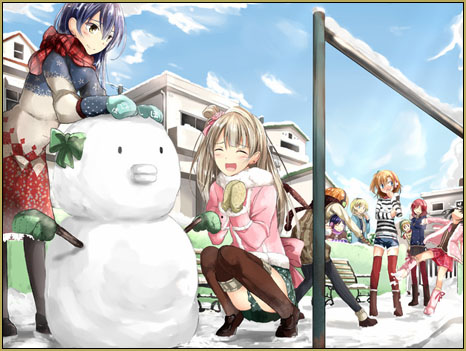
This is a perfect masterpiece drawn by はころくさん of the Love Live School Idol Project Characters!

This is a perfect masterpiece drawn by はころくさん of the Love Live School Idol Project Characters!

Normal art work is displayed as a plain image with comments next to it, but Manga is displayed in a completely different way. There, you can add your own comments on top of the manga!! The comments will slide across the screen just like comments do in videos!
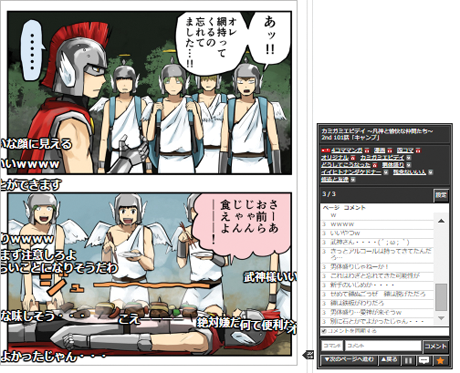
Manga found on Nico Seiga

Below that, your going to see some news, and an advertisement, after that will be works that were commented on recently. Along with their Featured Daily E-Book and Popular POP.

Popular Pop? What’s that? 

Popular Pop is where another user can “pop” your work to show they like it. When a pop’ed illustration gets popular enough it goes into the popular pop section.

Then, you’ll see the recently uploaded manga’s and

the normal artwork rankings. The rankings will go down the rest of the page. Next to the rankings will be Featured tags and Events. All of that is just Nico Seiga’s front page.
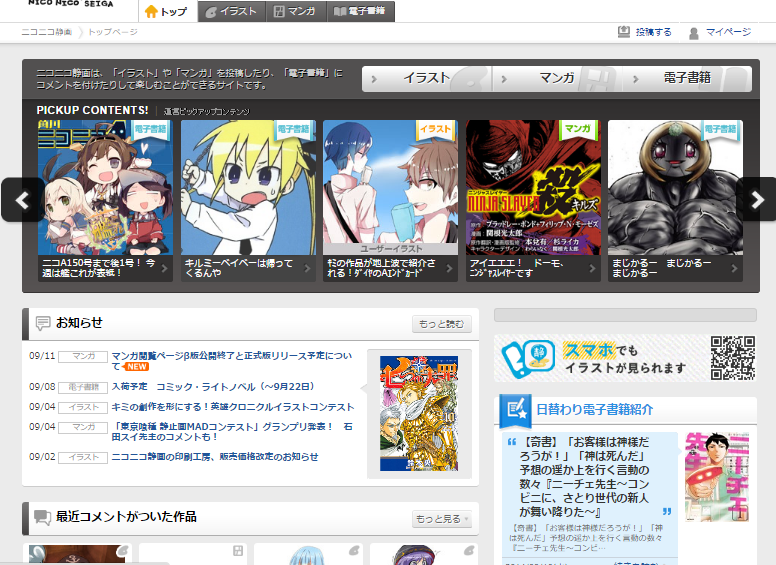
Nico Seiga's Homepage
Nico Seiga’s Homepage

Nico Seiga has pages for each type of art. You will notice they have tabs near the top of the page. The first tab is the home page, The second tab is the “Illustration page”, Third is the manga page, Fourth is the E-Book Page. I highly suggest none of you visit the E-Book page, I haven’t seen the e-book page but according to my parental controls it has… super mature R-rated stuff! Which is bad!

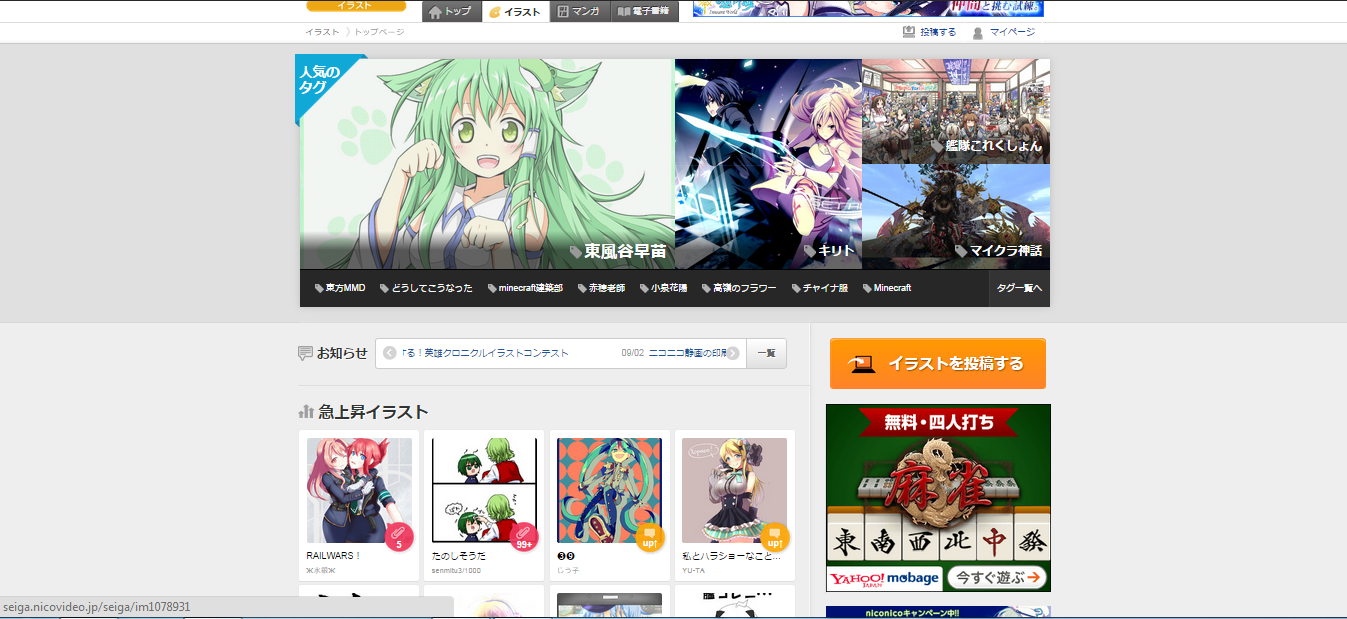
The Illustration page has a featured tag box at the top of the page. Similar to the home page it has art work, but it links to tags and not peoples art work. You’ll notice one of the first ones is MMD, check it out here: seiga.nicovideo.jp/tag/MMD . It also has Minecraft as a tag! Below that, you’ll see an orange button with some white Japanese text on it this literally translates to “I post illustrations” We’ll get to the uploading later! For now let me tell you about the illustration page.
Nico Seiga's Illustrations Page
Nico Seiga’s Illustrations Page

Next to the button you’ll see the soaring illustrations “急上昇イラスト”  This means illustrations that are getting comments faster.

Below that you’ll see “開催中のイベント” or Events being held.

Below you’ll see the hourly ranking. The hourly ranking ranks “創作” or Creative meaning a character(s) you’ve designed yourself,” ファンアート” Fan-art, and “殿堂入り” Hall of fame I’m not entirely sure why this was put in the hourly ranking.

After that you’ll see the Featured Tag “注目のタグ” which right now happens to be  コーヒー or coffee!

Below, you’ll notice the New illustrations or “新着イラスト”.

Last but not least of the page you’ll see the タグ一覧 tag list.

(By the way, have you noticed how many times this text “イラスト” comes up? It’s Japanese for illustration and is spoken “Irasuto”)

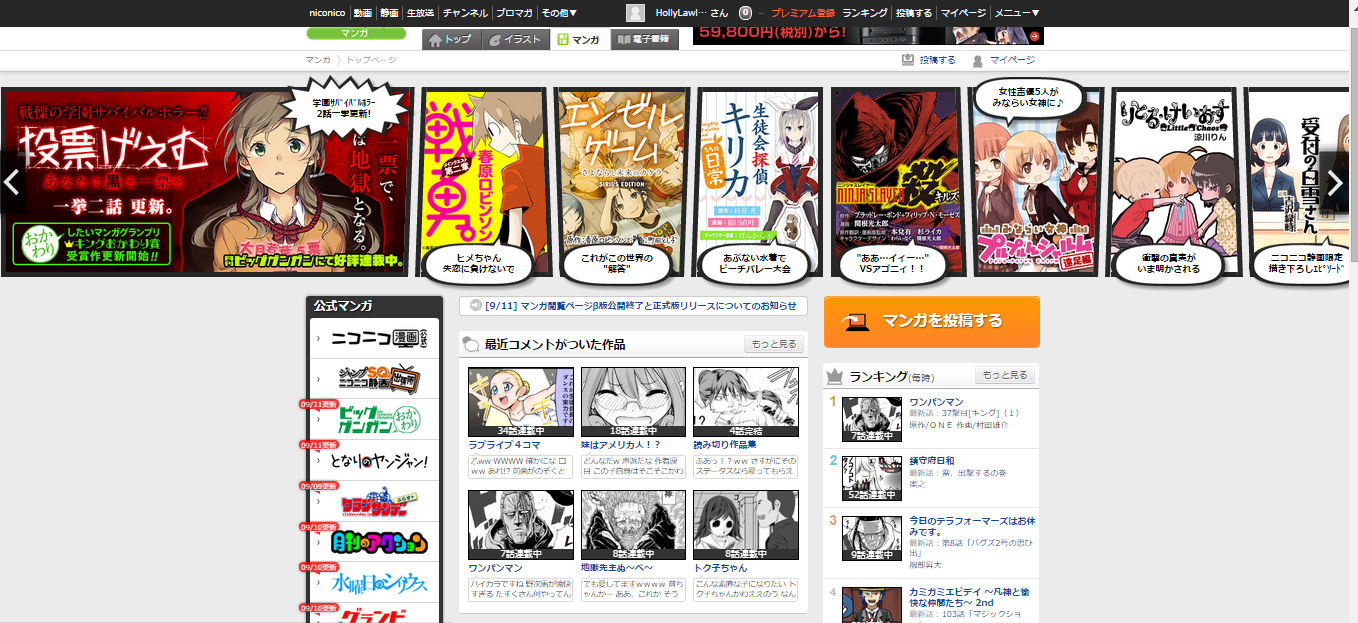
The last page I’ll be showing off today is the manga page (マンガ). Sorry everyone, E-Books are just to inappropriate!!!

At the top of the Manga page you’ll see about 18 manga’s (or mangai, my secret plural for manga) that you can scroll through! Below that you will see the “公式マンガ” Official Manga, “最近コメントがついた作品” Artworks recently Commented on, and the Hourly Ranking. I cannot say this with absolute certainty but I believe Official Manga pertains to Mangas being published.  Below the Recently commented manga you’ll see featured manga and below that check the “最近更新された作品” Recently updated Manga.
Nico Seiga's Manga Page
Nico Seiga’s Manga Page


Now lets get to uploading!!!

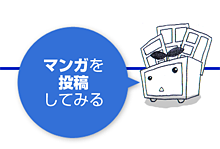
Notice the upload button on the right side of the screen, between the page and the tabs? It should say 投稿する meaning “post”. You’ll see two columns, an orange column and a blue column. The orange column is for single still artworks or pictures. The blue column is for Manga and EBooks. Down at the bottom of the columns you’ll see Mr. Nico as I like to call him. (I don’t think he has a proper name) He looks like a TV with a leaf sprouting out of it. Mr. Nico will guide you to the upload pages for Manga/Pictures by clicking on what he’s saying. Remember Blue for Manga and Orange for Pictures!

Meet Nico Seiga's Mr. Nico!
Meet Nico Seiga’s Mr. Nico!
Upload your Manga to Nico Seiga Here
Upload your Manga
to Nico Seiga Here
Upload your illustrations to Nico Seiga!
Upload your illustrations
to Nico Seiga!

– SEE BELOW for MORE MMD TUTORIALS…


— — —


– _ — –


Visit the LearnMMD.com Homepage! Plenty of Mikumikudance instruction and info!

More MMD Tutorials...

Making JRPG style scenes using MMD

Making JRPG style scenes using MMD Specifically here in this article we are referencing the JRPG/VN ...read more

How to Lip-Sync in MMD using MoggProject Face and Lips

What's the easiest way to lip-sync in MMD? How do I use the Face and ...read more

Find New MMD Models - MMD Resources Hunting!

How do I find MMD resources? Where can I download new models for MMD? How will I ...read more

How to sign up and Upload to Piapro!

"Uwahh~ mamama and C'mell have so many cool models! But How and where do I ...read more

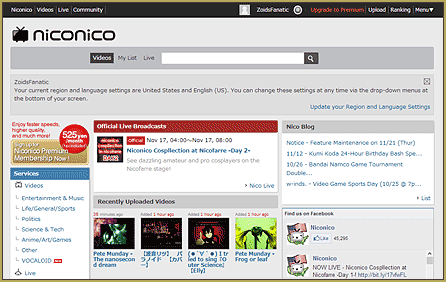
Nico Nico MMD Videos, Models, Motions, and Music!

What is Nico Nico? How do I use it? Looks like there are a lot ...read more

How to Use the Croquis Effect in MikuMikuDance

What is the Croquis Effect in MMD? How do you use the Croquis Effect in ...read more

HollyLawliet, MMD Comics, Navigating Japanese Pages, Nico Nico

Post navigation

Previous Post: AsciiArt for MikuMikuDance.
Next Post: How to tame unruly skirts: fix fluttering parts in MMD 9.xx+

Related Posts

  • Learn How to Navigate Japanese MikuMikuDance Pages Downloading New Models
  • Making JRPG style scenes using MMD MMD Comics
  • Select Japanese Shift JIS from the Convert dropdown in Notepad++.
    Read Japanese READ ME Text Files with Notepad++, Google Translate Navigating Japanese Pages
  • MMD Download Japanese Models for MikuMikuDance Downloading New Models
  • Haku sees things in black and white with the Manga Shader Effect
    Using The Manga Shader Effect for MikuMikuDance ARIZONA
  • LearnMMD's NOKO2 has several MMD Comics on the LearnMMD Deviant Art Page!
    Have Fun Making MMD Comics using MS Paint Koneko the MMD Fairy

More Related Articles

LearnMMD's NOKO2 has several MMD Comics on the LearnMMD Deviant Art Page! Have Fun Making MMD Comics using MS Paint Koneko the MMD Fairy
Find New MMD Models – MMD Resources Hunting! Downloading New Models
Haku sees things in black and white with the Manga Shader Effect Using The Manga Shader Effect for MikuMikuDance ARIZONA
How to sign up and Upload to Piapro! HollyLawliet
MMD Download Japanese Models for MikuMikuDance Downloading New Models
Select Japanese Shift JIS from the Convert dropdown in Notepad++. Read Japanese READ ME Text Files with Notepad++, Google Translate Navigating Japanese Pages

Comments (3) on “Welcome to Nico Seiga, Nico Nico’s art page!”

  1. Illusion_SSniper_LLuke says:
    March 12, 2020 at 5:09 pm

    Here’s the link to publish MMD as ILLUST which is the best option: https://seiga.nicovideo.jp/illust/create

    Reply
  2. Helios says:
    December 1, 2019 at 9:35 pm

    okay so i want to download something from the site. this http://seiga.nicovideo.jp/seiga/im4737449 is what i want to download, but I don’t know how-

    Reply
    1. UndeadLuciel says:
      December 2, 2019 at 6:08 pm

      This model is a private dl for a community that can be found at this link after you sign into niconico: http://seiga.nicovideo.jp/seiga/co2733818
      To join the community, the author says you should be interested in MMD and Jojo, but they’re not super strict about it.
      Hope that helps!

      Reply

Leave a Reply Cancel reply

Your email address will not be published. Required fields are marked *

Download the latest version of MikuMikuDance!
See the MMD Step-by-Step instructions page!
Learn how to make your own MMD motions!
LearnMMD.com
  • LearnMMD Video Dojo Expo competition: open to all MMDers!
    Voting is closed – You Chose the Winners! CONTESTS
  • The MMD Pity Partry motion is free to download!
    MiyukiOhayashi’s Pity Party motion download includes WAV "the making of" my video
  • The Fourth Momi Cup is Set to Begin! ARIZONA
  • Reset Your Computer to Japanese Locale for perfect Japanese Stella The Alchemist
  • MMD MME Rhinestone effect adds sparkle to your models! MMD Tutorials
  • UTAU Splash Screen
    Making VSQ Files Without VOCALOID Using UTAU Mae Blythe
  • Download Reggie’s MMD DeckPanel when you just need a place to sit or stand! Make your own Accessories
  • askY Dramatic Anime Style Sky Domes for MMD created by Meme "the making of" my video

Copyright © 2022 Learn MikuMikuDance – MMD Tutorials – Free 3D Animation Software and Instructions..

Powered by PressBook Premium theme

Go to mobile version