
Skip to content
Learn MikuMikuDance – MMD Tutorials – Free 3D Animation Software

Learn MikuMikuDance – MMD Tutorials – Free 3D Animation Software

Download Free Animation Software – Let's Learn How to Do Everything!

  • Step-by-Step MMD instructions
  • DOWNLOADS
  • Troubleshoot, Fix MMD
  • Site Contents
  • Reggie Replies Q&A
  • Homework!
  • What IS MMD?
    • Download MikuMikuDance Newest Latest Version of MMD
  • “HOW TO”
    • Raycast RAY-MMD Effect Tutorials
  • BONUS PAGES
    • Why convert PMD models to PMX?
  • HALL of CHAMPIONS
  • Tutorial Categories
  • About
    • Privacy Policy
  • Toggle search form
  • Follow My Learnmmd on Facebook for latest LearnMMD.com MMD tutorials! MMD Tutorials
  • MMD MME Beamman Nameplate Effect MMD Tutorials
  • Weight Painting MMD models in Blender with MMD Tools Bandages
  • Keyboard Shortcuts to the Menus Functions-Copy-Paste-Expand
  • MMD Model Adoration Slideshow features your model!
    MMD Model Adoration Slideshow video, a new type of MMD video! "the making of" my video
  • The Art of Moe and the genre’s backstory. Random Thoughts & Visions
  • Stationary Motion Creation rights and wrongs Creating Motions
  • With some practice, Rin can dance the sample dance as well as Miku!
    There Can Be Frame Data Ghosts remaining after Deletion Making Smooth Motions

Use Proper MMD Etiquette When Using New Models and Accessories

Posted on November 17, 2011August 1, 2015 By Reggie_Dentmore 2 Comments on Use Proper MMD Etiquette When Using New Models and Accessories

What is the MMD etiquette when it comes to sharing intellectual property online? How do I know if it’s OK to share my models? I downloaded a new model, can I use it in a video. Can I put a link to my new model on my web page? What is redistribute a model?  Are there rules for sharing MMD models?
Visit LearnMMD's Video Channel on YouTube: Videos by Reggie Dentmore.

Use Proper MMD Etiquette When Using New Models and Accessories

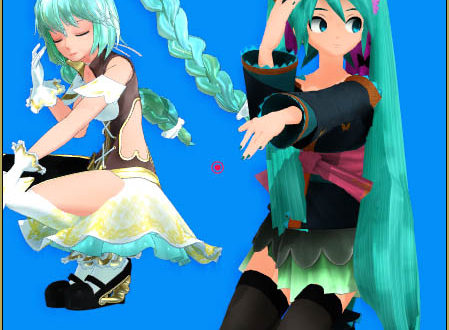
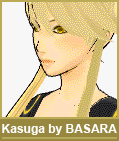
Materials, images and files shared on the web A new model: Kasuga by Basarabecome public property, available to all. But graphic artists, designers, musicians, and programmers put their hearts and souls into their creations and, so, deserve our admiration and our total respect for their products.
Please read this article:  http://mikumikudance.wikia.com/wiki/MMD:Ethics for a complete set of established ethics and rules for redistribution of private property. Follow the guidelines: Don’t give MMD users a bad name!

When you find something … a new model, an accessory, or a whatever … on the web that you download for your use in MMD, please give a list of credits identifying the sources of your finds. Check out the info sections included with the videos on YouTube and see that many DO include a list of sources and credits for their models, music, and etc. We should all strive to emulate that behavior … know that the items you use were developed by others and give them their recognition.

Crimrose by Cyberstep, Inc.Keeping track of your sources on the web is tough! I have started to keep a WORD screen open as I surf the web so that I can jot down notes and copy/paste page info as I go. It’s easy to dive into some pages, follow links, and finally “score” a new model … and then move on to look for the next one … forgetting exactly how or where you found the previous one. Don’t let that happen … be organized! It is important to keep the source info of your models and accessories. Save a written note in the file folder along with the character/model files. Using proper MMD etiquette is important and fair to the creators within the MMD community.Tough for most Americans to read!
And … sometimes the page you find is in Japanese and you can’t read the page info. Check back to your previous pages. There must be some info, in English, that lead you to the Japanese page. Try to put the pieces together so that you can give credit to whom the credit is due. Learn more about navigation on Japanese pages.


– SEE BELOW for MORE MMD TUTORIALS…


— — —


– _ — –


Visit the LearnMMD.com Homepage! Plenty of Mikumikudance instruction and info!

More MMD Tutorials...

Introducing MMD model 1052C China Qipao Miku

Where can I download MMD model 1052C dancers? I want the 1052C China Qipao Miku ...read more

Rediscover your old MMD Animations: Love them again!

Rediscover your old MMD Animations: Love them again! https://youtu.be/P4b3todZMUI A labor of love... Remember how it was when ...read more

MMD Boobs too Big yields Too Funny Really Bad Boy video!

Can MMD boobs too big get in the way of a downloaded motion file? What ...read more

Download Hatsune Miku type N models from 2010... a set of 6!

Can I still download Hatsune Miku type N models? Where can I download a few ...read more

Download Early Miku 1052C-Re0710 MMD Models from 2010!

Download these 1052C-Re0710 MMD Models from 2010! These 1052C-Re0710 MMD models were created in 2010. I ...read more

Download MMD CyberMiku Black ver1.5 with Glowing Wings and an attitude!

Download MMD CyberMiku Black ver1.5 with Glowing Wings and an attitude to match! A treasure... Yesterday I ...read more

Downloading New Models, Random Thoughts & Visions Tags:download, new accessory, new model, ownership, redistribution

Post navigation

Previous Post: LearnMMD.com: The MMD Instructions you have been looking for!
Next Post: Opening Japanese Models in MikuMikuDance – Sometimes they don’t work!

Related Posts

  • Cookiefun Channel Camera Crew Model Free Download Downloading New Models
  • Dueling Banjos w Metronome MMD Inspiration Video on YouTube Metronome
  • MMD Download Japanese Models for MikuMikuDance Downloading New Models
  • Beautiful CyberMiku Black ver1.5 has wings!
    Download MMD CyberMiku Black ver1.5 with Glowing Wings and an attitude! "the making of" my video
  • A New Challenge for MikuMikuDance Modelers – The Textures from Your Room Challenge! CONTESTS
  • MMD NyaReimu dances to Miku’s “The World is Mine” "the making of" my video

More Related Articles

Save to the Desktop with ALL FILES selected. Opening Japanese Models in MikuMikuDance – Sometimes they don’t work! Applocale / 7-Zip
MMD Model Noodle smiles while carrying the weight of the modern world on her shoulders! Download MMD Model NOODLE by vasilnatalie Downloading New Models
Once there was a war… the making of my “Paint it black” MMD video "the making of" my video
Yellow PV LAT Miku downloaded from a MMD Newcomers find on YouTube. Source for New MMD Models: MMD Newcomers on YouTube Downloading New Models
Total Success Running MMD on Win 10 64-bit! MikuMikuDance Random Thoughts & Visions
Making amazing complicated MMD video requires circle of learning Animation Shortcuts

Comments (2) on “Use Proper MMD Etiquette When Using New Models and Accessories”

  1. Tsuya says:
    March 6, 2014 at 3:54 am

    I would like to ask if it’s against the rules if I recolour or change the clothing of one particular model that is not for edit?

    Reply
    1. Reggie_Dentmore says:
      March 6, 2014 at 6:01 am

      I feel that your modifications are OK as long as only you will use the modified model, you credit the original model, indicate your changes, and do not share the modified model with anyone. Also credit the shirt (or whatever) if you are using one that you downloaded for use on your model.
      Thanks for asking … Let’s “Keep the Faith-MMD!”
      — Reggie Dentmore

      Reply

Leave a Reply Cancel reply

Your email address will not be published. Required fields are marked *

Download the latest version of MikuMikuDance!
See the MMD Step-by-Step instructions page!
Learn how to make your own MMD motions!
LearnMMD.com
  • Value of saved poses.
    Saved Poses get your MMD Animation Started! Animation Shortcuts
  • MMD Credit Helper and PMMLookupper File Management / Organization
  • Download Reggie's collection of Rocking Chair Accessory for MMD7.39
    New MMD Rocking Chair Accessory Ready to Download Make your own Accessories
  • Making a Long Video Animation in MMD 7.39 Can Be Done! CONTESTS
  • You can enlarge or reduce and Accessory by adjusting the Si value in MikuMikuDance.
    Use Accessory Manipulation fields to position/adjust Accessories Accessory Manipulation/Adjust
  • Using BeamMan’s fluid2D Creates Fabulous MMD Under Water Scenes BeamMan's fluid2D
  • LearnMMD.com _ MikuMikuDance MMD Tutorials
    Convert SFM/GMOD Models Into MMD Flawlessly! Haztract
  • Make Smooth Animation Using Interpolation Curves Making Smooth Motions

Copyright © 2022 Learn MikuMikuDance – MMD Tutorials – Free 3D Animation Software and Instructions..

Powered by PressBook Premium theme

Go to mobile version