Skip to content
Learn MikuMikuDance – MMD Tutorials – Free 3D Animation Software

Learn MikuMikuDance – MMD Tutorials – Free 3D Animation Software

Download Free Animation Software – Let's Learn How to Do Everything!

  • Step-by-Step MMD instructions
  • DOWNLOADS
  • Troubleshoot, Fix MMD
  • Site Contents
  • Reggie Replies Q&A
  • Homework!
  • What IS MMD?
    • Download MikuMikuDance Newest Latest Version of MMD
  • “HOW TO”
    • Raycast RAY-MMD Effect Tutorials
  • BONUS PAGES
    • Why convert PMD models to PMX?
  • HALL of CHAMPIONS
  • Tutorial Categories
  • About
    • Privacy Policy
  • Toggle search form
  • Video Dojo Expo 4 CHAMPIONS are CHOSEN! Video Dojo Competition
  • Fix MMD Missing Model Options using PMDE Fixing Broken Models
  • Motion is LOCAL, per the Model's orientation, or GOBAL, per the Program's Grid. (Meiko Sakine from MMD 7.39)
    Local and Global Mode Bone Movement MMD: Miku’s Mode Swings ARIZONA
  • Making amazing complicated MMD video requires circle of learning Animation Shortcuts
  • My latest Halloween video is a Scream! "the making of" my video
  • MMD Augmented Reality AR on Android Devices Random Thoughts & Visions
  • Why does the texture move as I convert the Sketchup model into a DirectX .x model using the 3D-RAD plugin?
    Add custom texture images to Google Sketchup .x model for MMD 7.39 Google SketchUp and MMD
  • Using BeamMan’s fluid2D Creates Fabulous MMD Under Water Scenes BeamMan's fluid2D
MMD Camerawork sets the mood, enhances the animation, and showcases your models!

MMD Camerawork sets mood enhances animation showcases models

Posted on July 24, 2021July 24, 2021 By Reggie_Dentmore No Comments on MMD Camerawork sets mood enhances animation showcases models

A Feature Article by Reggie Dentmore on LearnMMD.comWhat can I do with MMD camerawork to improve my videos? How does camerawork affect the quality of my MMD animation? Good MMD camera work improves the quality of your MMD animations.
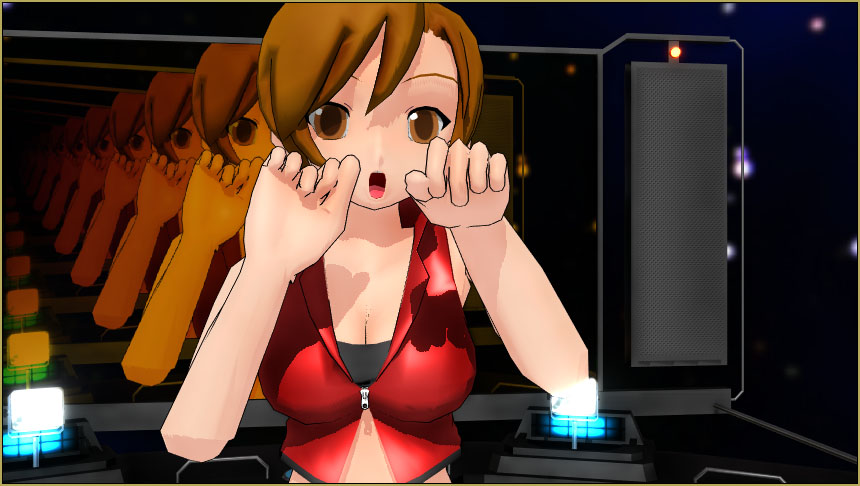
MMD Camerawork enhances your MMD scenes... lets you control the mood and the "look" of your animation.

MMD Camerawork sets the mood of your animation…
…enhances animation…
… and showcases models!

Practice, practice… practice…

Have some fun practicing your MMD camerawork… Camerawork is so important to the “look” of your finished MMD animation. Camerawork sets the visual mood… a quiet piece needs a very controlled camera-motion that will not distract from the import of the scene you are creating. A “fast” song… a crazy-fast song… needs crazy-fast camerawork with plenty of scene cuts, close-ups and long-shots.

Camerawork can also be used to showcase your models. If you want to share your model with the viewers, craft your camerawork so as to show the best features of your model. … If your model has a beautiful face or beautiful hair, you will want some close-ups to share her with us. If it’s your model’s figure that you most enjoy, don’t hide her from us, adjust your camerawork so as to show us what she’s got!

My Test Video…

To demonstrate the camerawork, I created a short test video of that crazy “Bo Beep Bo Beep dance that I have written about before. (You will find the download links in that article.)

I used the VMD and the music supplied in that download. I chose to use Meiko (MEIKO.pmd) because everyone has that model in their MMD download…. and that motion file works well with PMD models.

I used the LearnMMD Stage created for LearnMMD by Trackdancer. The instructions for that stage are included in the download.

The space_dome, the screen (tinted) and the MirrorWF effect are included in the Stage download. I also added Autoluminous and the BlackOut effect… and SSAO_Lite for a bit of color enhancement.
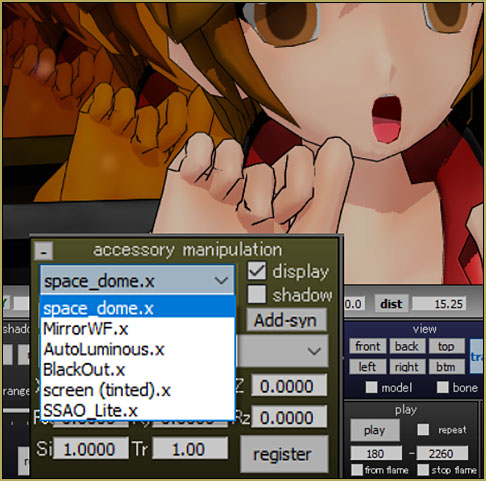
I decided that the main lights were too bright so I dimmed them, a bit, to 120 for the three colors… and I shifted them a bit to better light my model.

Ready, Steady… Go!

The “animation” part of my test video was all too easy!. I loaded my stage, Loaded my model, Added my effects… added the VMD motion file to my model… Loaded the WAV file… and pushed PLAY!

I chose this motion file because the dance is VERY active! It begs for active MMD camerawork!

I spent a fat two hours creating the camera motions ou see in the 2200 frame animation. Along with alternating close-ups and long-shots I also made scene cuts by placing two diamonds right next to each other.
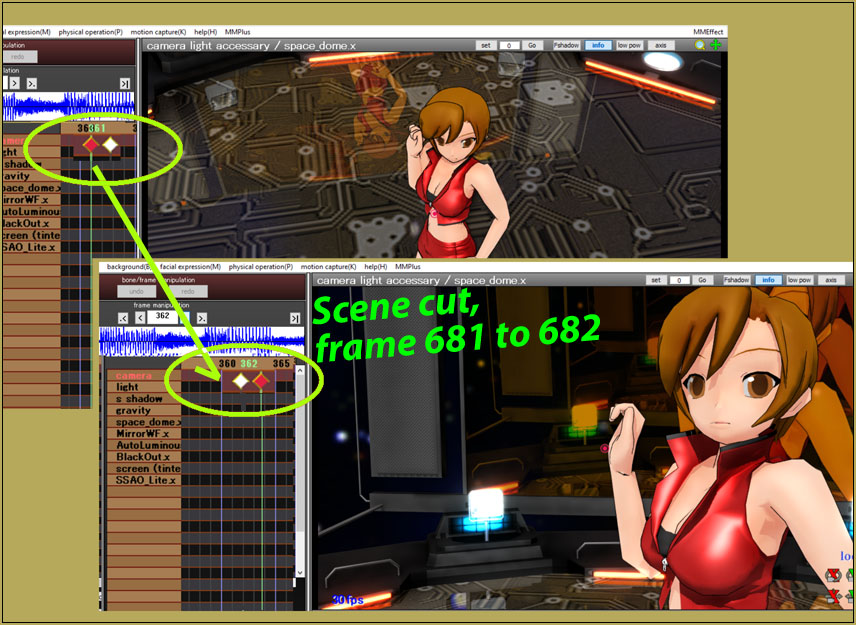
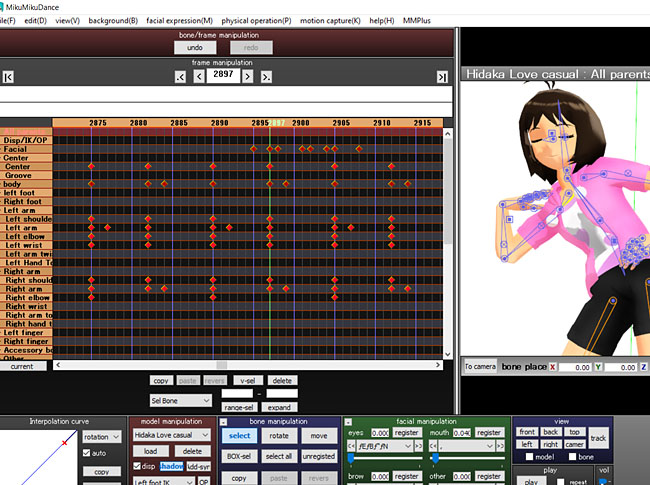
Make a scene cut in MMD by placing two diamonds next to each other.

I carefully listened to the music (too many times!) so as to sync my camera’s movement to the music… and by using MMD’s “Play WAV with Frame” I knew just when to make the scene cuts.

Here is my test video…

There you have it! … practice, practice… have fun with MMD!


– SEE BELOW for MORE MMD TUTORIALS…


— — —


– _ — –


Visit the LearnMMD.com Homepage! Plenty of Mikumikudance instruction and info!

More MMD Tutorials...

Enjoy the "camera Angles WEIRD in Anime" meme...

Enjoy the "camera Angles WEIRD in Anime" meme... This image is from The Slayers - NEXT, ...read more

Reader asks how to create MMD artwork... stuff like posing, camerawork?

A reader asks... Is there a tutorial on how to create MMD artwork, like those you ...read more

Learn MikuMikuDance in Small Steps! New LearnMMD Video Series

Learn MikuMikuDance in Small Steps. Where can I find easy-to-follow MMD instructions on YouTube? How ...read more

Apply Multiple Effects on an Entire MMD Model Using M4Layer Effect

How can I apply multiple effects to an MMD model? Can I use more than ...read more

MMD Plugin Manager... I Found a Treasure!

What sorts of MMD Plugins are there? MMD Plugin Manager? MMD Plugins. Plugin MMD. More ...read more

2025: Hatsune Miku is 18... but she is designed to be always 16 Years. Old by design and in reality!

Finally, in 2023, Hatsune Miku is 16 years old! but in August of 2025, she ...read more

"the making of" my video, Camera Motion, MMD Tutorials, Reggie Dentmore

Post navigation

Previous Post: MME Half-Lambert Shader Point-Source Lighting Effects
Next Post: MME TrueCamera Effect enhances 3D appearance

Related Posts

  • Download the latest version of MikuMikuDance - MMD 9.32
    Download the latest version of MikuMikuDance! Download MikuMikuDance
  • MMD vs MMM Bullwood
  • Click to see the new Getting Started with MMD Video on YouTube!
    Getting Started with MMD Video on YouTube! MMD Basics
  • Set up Kinect 360 motion capture for MMD! Kazuki Matsuoka
  • create easy dance motions in MikuMikuDance... beginner tutorial
    Create MMD Dance Motion from Scratch – a beginners guide Creating Motions
  • My First MMD Video – After Struggling with Blender, MMD was Easy "the making of" my video

More Related Articles

Hand Clap free download MMD motion file ureshiiiiii “HAND CLAP” Free Motion & WAV Download – Awesome! "the making of" my video
Mahlazer’s Walking Motion vmd file download for MMD Make a Smooth Walking Motion
MMD smoke clouds are easy to make with Beamman's Breath effect. MMD Smoke Clouds and a Smoke Filled Room… Beamman's Breath Effect
Switch Models without Physics Glitches Accessory Manipulation/Adjust
Making MikuMikuDance Pictures Render to Picture File Tutorial Camera Motion
Fix MikuMikuDance Missing DLL and Side-by-Side Configuration Errors d3dx9_32.dll error

Leave a Reply Cancel reply

Your email address will not be published. Required fields are marked *

Download the latest version of MikuMikuDance!
See the MMD Step-by-Step instructions page!
Learn how to make your own MMD motions!
LearnMMD.com
  • Beamman’s Breath Effect shows warm breath in winter Beamman's Breath Effect
  • THIS IS TARGET Meme by Zazi on LearnMMD.com MMD Memes
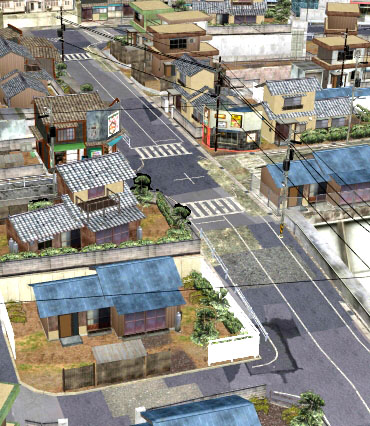
  • An MMD town stage: Making Kerorin Town Great Again – Part1 MMD Stages
  • Learn to resize PMD models
    How to resize PMD models (and what to do when they don’t) KillerBeer
  • A better MMD followcam in PMXE with physics and IK bones Animation Shortcuts
  • Reggie Dentmore's hand motion animation.
    Introduction to MikuMikuDance Intro to MikuMikuDance
  • The MME Otome effect adds a fantasy cloud of bubbles and sparkles.
    Otome effect yields bubble and sparkle psychedelia Otome
  • Making amazing complicated MMD video requires circle of learning Animation Shortcuts

Copyright © 2022 Learn MikuMikuDance – MMD Tutorials – Free 3D Animation Software and Instructions..

Powered by PressBook Premium theme

Go to mobile version