MMD in an Android environment used to be a pipe dream until recently (01/01/17) with the release of an app on Google Play Store called
PocketMQO(with MMD)
Currently it has a 3.8 star rating, primarily because of the idiots who don’t know how to use it giving it 1 star ratings. Don’t be fooled, for what it can do, it is very good. In this article, we will give you an overview of what it can do and advice on how to get the most out of it.
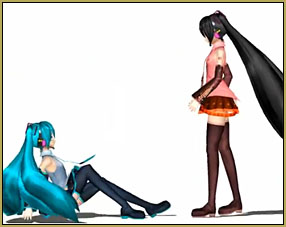
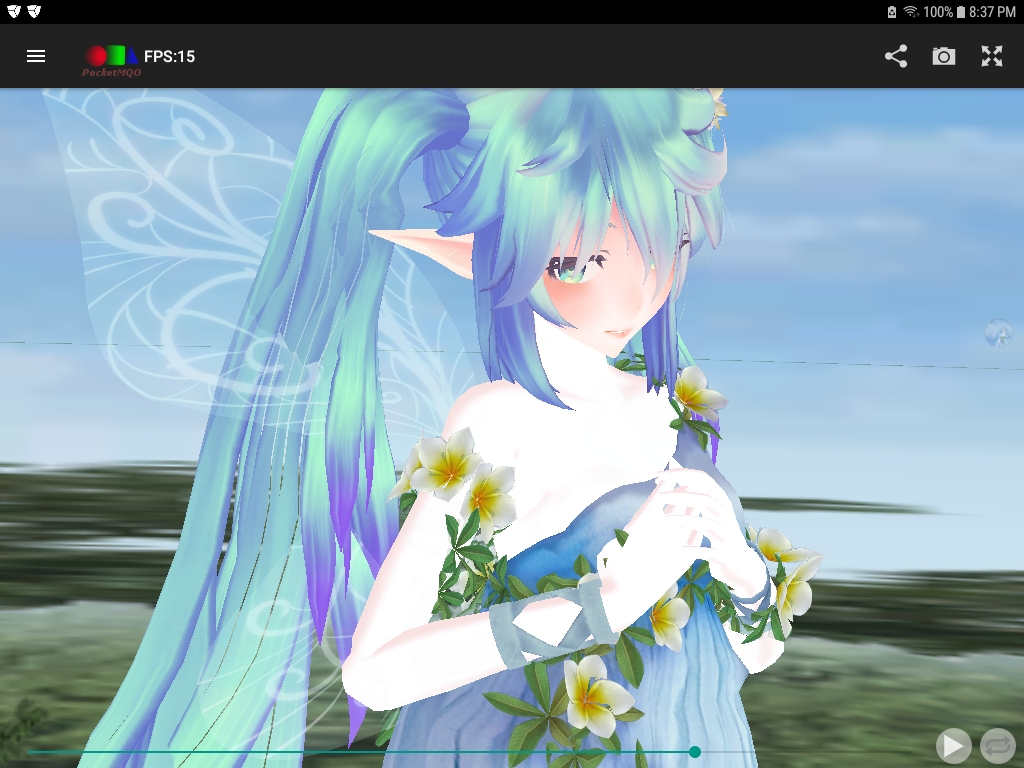
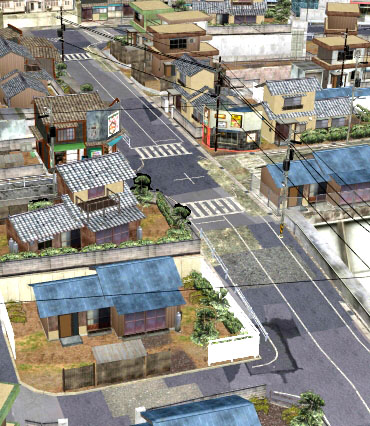
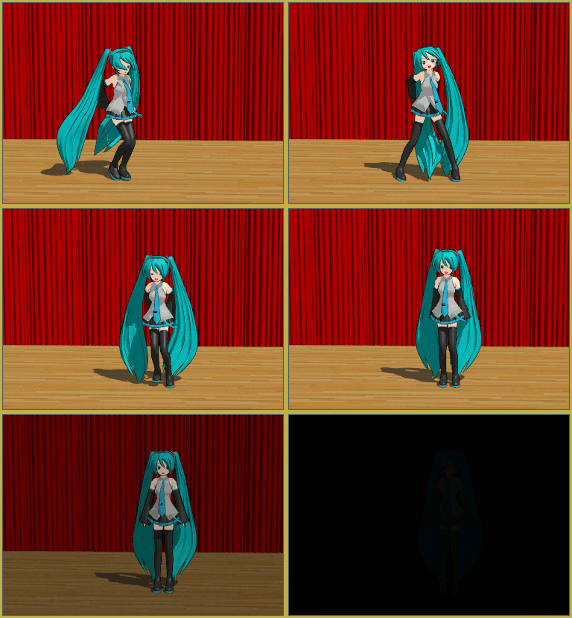
The image at the top of this article was made using only PocketMQO, so you can see that it is very capable of producing really nice MMD style imagery.
First off, this app is not a substitute for MMD. It will be awhile before any app with functionality similar to MMD will be possible on Android devices. This is a restriction due primarily to hardware constraints. Smartphones (and tablets) should not be regarded as substitutes for real computers!
What the app is made to do
What PocketMQO does is that it allows you to load MQO, PMX or PMD models together with motion data and music files. You can then play back the performance much like you would do in MMD. It will also accept pose data. You can use the app to make images and share them with other apps or on social media, however, it cannot record a performance. There is a workaround for this and we will discuss this below.
The app comes with no instructions or tutorials which has lead to many negative comments from individuals who are clueless on how to properly use a smartphone or tablet. For the rest of us, it is relatively straight forward and the UI is very decent.
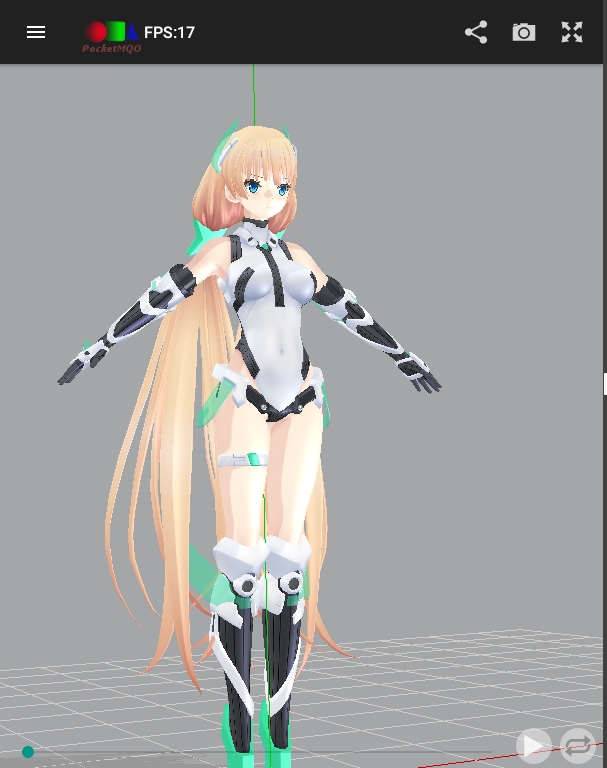
PocketMQO has a very clean interface and many features are similar to those found in MMD.
Limitations and best practices
The app can only reside in the internal storage of your device. Not really an issue as it’s a relatively small app (13.15 MB). However, it can only read resource files that also resides in internal storage. Given that most MMD models are not even optimized for PCs, this is something to factor in unless you have loads of internal memory on your device. It would be nice if it could access resources on an external SD drive (or the Cloud) but currently that is not the case.
One of the major complaints, based on the comments in the review section, is that people unfamiliar with Android file structures can’t find the models or other resources that they downloaded. Here is the solution:
Download the model from Deviantart or wherever.
The ZIP file will be in your internal storage’s Downloads folder and will need to be unpacked (I recommend using a good quality third-party file manager for doing this rather than using the default file manager).
The unzipped model will by default be unzipped into its OWN folder in the same directory (Downloads). I strongly advise that you move the new unpacked folder into a separate directory. On my tablet, I created a directory to store all the resources that will be used by PocketMQO. By resources, I am specifically referring to models, stages, motion data and music files.
Once you have these things done, finding where your models and other resources are from within the app should be child’s play.
Note also that you can transfer models from your PC or laptop to your Android device. You can do this through a USB connection, a direct WiFi connection or a Bluetooth connection. Or simply do what I do; leverage the power of Cloud storage (Dropbox, Google Drive, etc.).
Another common complaint is low frame rate. When the app starts, on my Samsung Galaxy Tab A tablet, the default frame rate is 60fps. Not bad at all! However, once I start loading models this rate will drop drastically. There is a slew of technical hardware related reasons for this. The main factors to consider are that the complexity of a model, being a function of its mesh, texture maps and physics requirements, has a direct bearing on the frame rate due to CPU processing overheads. MMD models are not optimized for Android (and for the majority, they’re not optimized for PCs either). 3D models specifically built for Android apps are very basic in terms of their form and texture resources. So, if you play, for example, 3D MMORPGs on Android, those models have been optimized for Android and function very smoothly. Given the complexity of the average contemporary MMD model, this will generally be not the case with the possible exception of the earlier generation of MMD models.
So for the benefit of those who think that it is OK to load a dozen MMD models into PocketMQO and expect smooth operations, well good luck. The app works best with a single model and may be a static stage. Anymore than this and performance will be negatively impacted by the limitations of your hardware and not the app!
Once your model and other resources are loaded into PocketMQO, you can play back the performance. Now, it does have its quirks. Mouth facials might not work well with some models. Once again, there are complex technical reasons for this but in general terms, if what does not work on one model, try another model by a different modeler and you may have better results. Still, you may find some synchronization issues, but it is primarily due to hardware constraints so there’s no real workaround for these type of issues.
By the way, it’s generally not a good idea to be running multiple apps while running PocketMQO. That said, if your device can support multiple screens like my tablet, the app does work in this mode too!
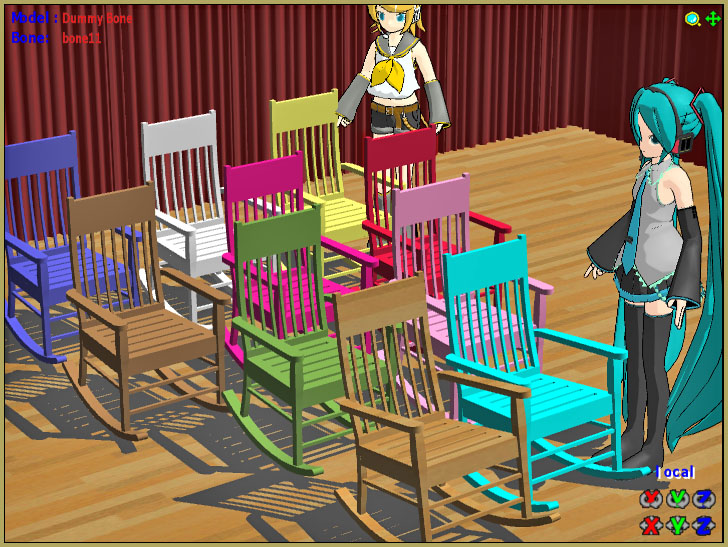
PocketMQO can run in a multi-screen environment on Android devices that support this function.
Using the app to create videos
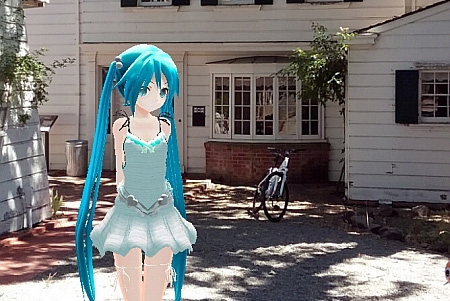
As mentioned above, the app has no built in mechanism to create MMD videos. There is a technical limitation built into Android that restricts this functionality but there is a workaround. The app does have access to your device’s cameras and you can toggle between the front and rear cameras. You can also share captured images from within the app with social media outlets or other apps.
To record a music video, you will need a screen recording app like DU Recorder. Use this to capture the performance and its built in video editor to add the music track. Extra steps, but the results are decent even though PocketMQO does not support MMEs. But it has sufficient lighting controls to make up for this and matched with a nice model, the results will be very good.
In closing, personally, I found the app to be very good and easy to use. It’s great to be able to enjoy MMD on my tablet when I am on the go. Yes, it has real limitations, but for what it can do and on an Android platform, it’s great! If you’re comfortable working in an Android environment, I highly recommend that you give it try. It is free, ad free and works offline, so that makes it even better.
Below, is a video showing how to get a performance set up in the app so as to give you a better idea of its capabilities. Thanks for reading!
Credits
PocketMQO – This app has been removed from Google Playstore since this article was written; do a search for it for an alternate download URL. IT IS STILL AVAILABLE.
To the best of our knowledge, it was not removed from the Play Store due to security issues, but because it accessed Android functions in a manner that was no longer permitted by Google due to policy changes. However, since we cannot guarantee the security status of any other download site outside of the Google Play Store, we are not providing links to nor recommending any alternative download sites.
DU Recorder – play.google.com/store/apps/details?id=com.duapps.recorder
ES File Manager – search for it on the PlayStore. It’s really good!
Google Docs – for the initial draft
WordPress app – for the final write up. The latest version is really nice!
Tda Fairy Miku – Tda / Scary 66
Song of Life stage – game rip from DA
Comments (48) on “PocketMQO(with MMD) MikuMikuDance in an Android environment!”
The explanation of how model complexity affects frame rate is especially useful, since MMD assets can be demanding even on desktop hardware. The recommendation to organize resources in internal storage and start with a single model makes the Android workflow much clearer.
This is really cool! I’ve been looking for ways to get MMD on Android. Speaking of diagrams, have you seen how easy AI makes creating an animal cell diagram these days? animal cell diagram
Huge thanks for this walkthrough — getting MMD running on a phone is something a lot of people have asked about. I’ll try the steps on my device tonight and come back if I hit any issues.
PocketMQO(with MMD) brings a high-quality MikuMikuDance experience to Android devices, showing just how much potential mobile apps have. This app is particularly useful for those interested in recreating intricate animations without needing a high-end computer, but it’s important to remember that hardware limitations still exist. In a similar vein, the car jump ai generator provides a unique way to visualize car jumps, offering a new perspective on how we engage with mobile technology.
I found the point about MMD in an Android environment used to be a pipe dream until recently (01/01/17) with the release of an app on Google Play Store called useful. A related canthal tilt test may be useful as well.
While exploring creative Android apps, I was impressed by the capabilities of PocketMQO(with MMD). It’s fascinating how this app lets you load MQO, PMX or PMD models and offers the MikuMikuDance experience directly on your phone. Though it’s not a complete substitute for MMD, it’s incredibly handy for creating MMD style imagery. When it comes to detailed character visuals, the character turnaround tool has become indispensable.
I’m really impressed by PocketMQO(with MMD) MikuMikuDance on Android! It’s amazing how it can produce such high-quality MMD style imagery. I’m especially excited about how it lets you load and play back MQO, PMX, and PMD models. By the way, have you checked out the Picture Text Editor? It’s a fantastic tool for editing photo text!
I remember spending hours in front of my PC trying to get MMD to run smoothly, so seeing PocketMQO bring that same vibe to Android is honestly wild. The fact that you can load PMX models and motion data right on your phone and get such clean renders feels like a small miracle. It’s not a full MMD replacement, sure, but for quick previews or just messing around on the go, it’s surprisingly capable. If you’re into 3D modeling or animation, you might also enjoy a different kind of puzzle—like figuring out a Rubik’s cube. When I need a break from creative apps, I sometimes use this cube solver 3×3 online to clear my head. It’s a fun way to switch gears and still keep your brain engaged.
It makes sense that users struggle initially when the app ships without any official tutorials or guidance. Because PocketMQO locks every model and motion file to internal storage only, sorting your folder structure ahead of time really pays off. When you need to sync audio cues without hitting the record button, simply grabbing stems from a hub like fmovies can save hours of manual tweaking.
Thanks for the comment… I see you are advertising your site!
I did visit your site and my question is: How did you get clearance to show all of those movies online?





 MMD in an Android environment used to be a pipe dream until recently (01/01/17) with the release of an app on Google Play Store called




The explanation of how model complexity affects frame rate is especially useful, since MMD assets can be demanding even on desktop hardware. The recommendation to organize resources in internal storage and start with a single model makes the Android workflow much clearer.
This is really cool! I’ve been looking for ways to get MMD on Android. Speaking of diagrams, have you seen how easy AI makes creating an animal cell diagram these days? animal cell diagram
“Animal Cell Diagram”… who knew of the need for such a tool?
— Reggie
Huge thanks for this walkthrough — getting MMD running on a phone is something a lot of people have asked about. I’ll try the steps on my device tonight and come back if I hit any issues.
Great… Have fun with it!
— Reggie
PocketMQO(with MMD) brings a high-quality MikuMikuDance experience to Android devices, showing just how much potential mobile apps have. This app is particularly useful for those interested in recreating intricate animations without needing a high-end computer, but it’s important to remember that hardware limitations still exist. In a similar vein, the car jump ai generator provides a unique way to visualize car jumps, offering a new perspective on how we engage with mobile technology.
Funh link to Ai video carjumps…
— who knew??
— Reggie
I found the point about MMD in an Android environment used to be a pipe dream until recently (01/01/17) with the release of an app on Google Play Store called useful. A related canthal tilt test may be useful as well.
Thanks for the note and the links… that canthal tilt page is interesting.
— Reggie
While exploring creative Android apps, I was impressed by the capabilities of PocketMQO(with MMD). It’s fascinating how this app lets you load MQO, PMX or PMD models and offers the MikuMikuDance experience directly on your phone. Though it’s not a complete substitute for MMD, it’s incredibly handy for creating MMD style imagery. When it comes to detailed character visuals, the character turnaround tool has become indispensable.
Wow… Thanks, that’s an interesting link.
— Reggie
I’m really impressed by PocketMQO(with MMD) MikuMikuDance on Android! It’s amazing how it can produce such high-quality MMD style imagery. I’m especially excited about how it lets you load and play back MQO, PMX, and PMD models. By the way, have you checked out the Picture Text Editor? It’s a fantastic tool for editing photo text!
I remember spending hours in front of my PC trying to get MMD to run smoothly, so seeing PocketMQO bring that same vibe to Android is honestly wild. The fact that you can load PMX models and motion data right on your phone and get such clean renders feels like a small miracle. It’s not a full MMD replacement, sure, but for quick previews or just messing around on the go, it’s surprisingly capable. If you’re into 3D modeling or animation, you might also enjoy a different kind of puzzle—like figuring out a Rubik’s cube. When I need a break from creative apps, I sometimes use this cube solver 3×3 online to clear my head. It’s a fun way to switch gears and still keep your brain engaged.
Thanks!
— Reggie
It makes sense that users struggle initially when the app ships without any official tutorials or guidance. Because PocketMQO locks every model and motion file to internal storage only, sorting your folder structure ahead of time really pays off. When you need to sync audio cues without hitting the record button, simply grabbing stems from a hub like fmovies can save hours of manual tweaking.
Thanks for the comment… I see you are advertising your site!
I did visit your site and my question is: How did you get clearance to show all of those movies online?
— Reggie