Skip to content
Learn MikuMikuDance – MMD Tutorials – Free 3D Animation Software

Learn MikuMikuDance – MMD Tutorials – Free 3D Animation Software

Download Free Animation Software – Let's Learn How to Do Everything!

  • Step-by-Step MMD instructions
  • DOWNLOADS
  • Troubleshoot, Fix MMD
  • Site Contents
  • Reggie Replies Q&A
  • Homework!
  • What IS MMD?
    • Download MikuMikuDance Newest Latest Version of MMD
  • “HOW TO”
    • Raycast RAY-MMD Effect Tutorials
  • BONUS PAGES
    • Why convert PMD models to PMX?
  • HALL of CHAMPIONS
  • Tutorial Categories
  • About
    • Privacy Policy
  • Toggle search form
  • New MMD Video Taught Awareness of Camera Angles and Motion Quirks! "the making of" my video
  • MMD animation made-from-scratch
    MMD animation made-from-scratch Forgotten Vocaloid Mew Rags on Reggie’s MMD Videos "the making of" my video
  • Update previous MMD to MMD 9.32 with no tears … Download MikuMikuDance
  • What kind of laptop should I buy for running MMD? Random Thoughts & Visions
  • Let’s Go Learn Hatsune Miku Model Names Downloading New Models
  • MME effect Kamitachi – Night breeze silhouette shader of Kama Kamitachi - Silhouette
  • Move the house curtains into place using Dummy Bones.
    House Curtains now included in the Auditorium Stage Download New Stage Accessory
  • MMD NyaReimu dances to Miku’s “The World is Mine” "the making of" my video

New to MikuMikuDance? LearnMMD is The Instruction Manual for MMD!

Posted on November 23, 2017October 31, 2019 By Reggie_Dentmore No Comments on New to MikuMikuDance? LearnMMD is The Instruction Manual for MMD!

Visit LearnMMD's Video Channel on YouTube: Videos from LearnMMD's team of writers!Did you just download MikuMikuDance? Did it OPEN for you. Did you find yourself confused when you started to try to use MikuMikuDance?

You have come to the right place:
LearnMMD.com is
THE instruction manual for
MikuMikuDance!

It’s not “official”… no corporate entity has identified THESE PAGES as THE instruction manual for MikuMikuDance… but, with over 600 MMD tutorials and articles, we KNOW that THIS is the Place!

First things first…

MikuMikuDance is particular about its “environment” on your computer.

  • You need to be running a Windows PC… not an Apple computer.
  • Your computer must have a mouse and a strong graphics card… one with at least a Gb of cache memory.
  • To avoid the “missing DLL” error, you MUST have the proper older version of DirectX 9c installed on your computer. When you DO, your computer may tell you that you already have a newer version installed. Go ahead and install the older version, too. MMD needs some of the DLL files in that older version.
  • To avoid the “side-by-side configuration” error, you MUST have the proper versions of C++ installed on your computer.

Please see the TROUBLESHOOTING article by our Silent Headset… he discusses many of the stumbling-blocks and their solutions in that article.

Now MMD is running… but… How do I DO it?

LearnMMD.com has MANY articles to help you get started with MikuMikuDance…

Our Start Here “Step-by-Step” page will… get you started!

Our GloriaTheAnimator wrote a “Quick Guide to getting Started!”

… and Reggie Dentmore has written several articles aimed at getting you started with MMD:

  • Do the little Jump Dance to learn how to move Miku!
  • Play the Sample Dance to Learn about MMD
  • Learn about MMD as you make changes to the sample dance…
  • Do the Happy Hands meme to learn about downloading and using Motion files.
  • … and so many more!

SEE the many Category-Links… those Orange Links that run down the center of every page.

SEE the CONTENTS Page… which is simply a list of all the articles ever written on LearnMMD.com… loosely organized into only a few major categories.

Nice… but I need HELP!

Each article includes a COMMENTS section at the end… Please feel free to leave a comment or ask a question, there. We at LearnMMD.com check the comments several times a day and we are happy to answer those questions… sometimes via eMail if that is needed… LearnMMD.com is THE MOST interactive MMD site on the web!

Most of all…
Have Fun with MikuMikuDance!


– SEE BELOW for MORE MMD TUTORIALS…


— — —


– _ — –


Visit the LearnMMD.com Homepage! Plenty of Mikumikudance instruction and info!

More MMD Tutorials...

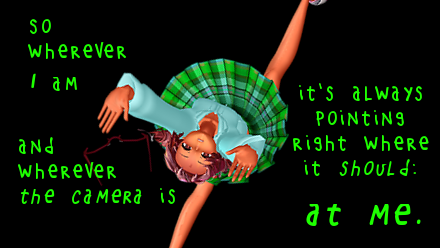
Enjoy the "camera Angles WEIRD in Anime" meme...

Enjoy the "camera Angles WEIRD in Anime" meme... This image is from The Slayers - NEXT, ...read more

Reader asks how to create MMD artwork... stuff like posing, camerawork?

A reader asks... Is there a tutorial on how to create MMD artwork, like those you ...read more

Learn MikuMikuDance in Small Steps! New LearnMMD Video Series

Learn MikuMikuDance in Small Steps. Where can I find easy-to-follow MMD instructions on YouTube? How ...read more

Apply Multiple Effects on an Entire MMD Model Using M4Layer Effect

How can I apply multiple effects to an MMD model? Can I use more than ...read more

MMD Plugin Manager... I Found a Treasure!

What sorts of MMD Plugins are there? MMD Plugin Manager? MMD Plugins. Plugin MMD. More ...read more

2025: Hatsune Miku is 18... but she is designed to be always 16 Years old, by design and in reality!

Finally, in 2023, Hatsune Miku is 16 years old! but in August of 2025, she ...read more

MMD Tutorials

Post navigation

Previous Post: Easy Fun MMD Music Video Mahlazer Motion Download “Feel the Sound”
Next Post: PocketMQO(with MMD) MikuMikuDance in an Android environment!

Related Posts

  • Optimise computer assets by culling unseen MMD model parts Chestnutscoop
  • Speech Synthesizer gives MMD Models a voice! Making Soundtracks
  • MMD Camera Work makes motions fit the song.
    MMD Camera Work made the motion fit the song! "the making of" my video
  • Set MMD Widescreen Screen Size balance Size VS Quality MMD Basics
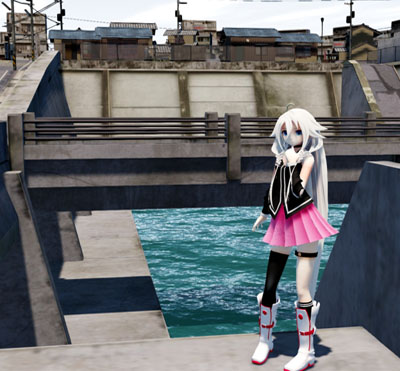
  • Make an MMD Music Video Bo Beep Bo Beep! "the making of" my video
  • An MMD town stage: Making Kerorin Town Great Again – Part1 MMD Stages

More Related Articles

Position Model Parts in PMDE using a placeholder .x Model image Making Models
Beginner’s Guide: Using Ray-MMD ver 1.5.0 – Latest version of Raycast MMD Tutorials
Staging and the 12 Principles of Animation. Accessory Manipulation/Adjust
Blackout Effect offers Fade-to-Black and fade-to-white! MME Blackout Effect offers Fade-to-Black and Fade-to-White Blackout Effect
Make MMD Background AVI using WAV and AviUtl Make MMD Background AVI Using AviUtl WMV Files "the making of" my video
MMD Theater Seats Don’t Have to Sit on the Floor Animation Shortcuts

Leave a Reply Cancel reply

Your email address will not be published. Required fields are marked *

Download the latest version of MikuMikuDance!
See the MMD Step-by-Step instructions page!
Learn how to make your own MMD motions!
LearnMMD.com
  • Get the LearnMMDMmetronome. It is a real help!
    LearnMMD’s METRONOME is Ready to Download! Animation Lag
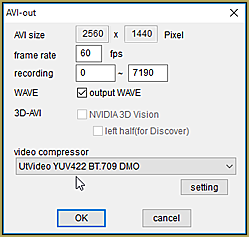
  • The UT Video Codec Suite works well with Render to AVI in MMD.
    UT Video Codec Suite v22.2.0 creates simple AVI video for MMD background AVI Reggie Dentmore
  • Update previous MMD to MMD 9.32 with no tears … Download MikuMikuDance
  • Make a “Dream Fighter” MMD Music Video "the making of" my video
  • Create and save a sexy, natural pose for your MikuMikuDance 7.39 models.
    Create, Save a Natural, Sexy Pose you can load in MikuMikuDance Functions-Copy-Paste-Expand
  • Show the Love: Melanie’s “Ring Around the Moon” CONTESTS
  • What kind of laptop should I buy for running MMD? Random Thoughts & Visions
  • Intel Gen 12 Processor puts white screen over the MMD stage.
    Solved? White screen covers MMD stage Intel Gen 12 Processor blocks MMD stage MMD Tutorials

Copyright © 2022 Learn MikuMikuDance – MMD Tutorials – Free 3D Animation Software and Instructions..

Powered by PressBook Premium theme

Go to mobile version