Skip to content
Learn MikuMikuDance – MMD Tutorials – Free 3D Animation Software

Learn MikuMikuDance – MMD Tutorials – Free 3D Animation Software

Download Free Animation Software – Let's Learn How to Do Everything!

  • Step-by-Step MMD instructions
  • DOWNLOADS
  • Troubleshoot, Fix MMD
  • Site Contents
  • Reggie Replies Q&A
  • Homework!
  • What IS MMD?
    • Download MikuMikuDance Newest Latest Version of MMD
  • “HOW TO”
    • Raycast RAY-MMD Effect Tutorials
  • BONUS PAGES
    • Why convert PMD models to PMX?
  • HALL of CHAMPIONS
  • Tutorial Categories
  • About
    • Privacy Policy
  • Toggle search form
  • Blackout Effect offers Fade-to-Black and fade-to-white!
    MME Blackout Effect offers Fade-to-Black and Fade-to-White Blackout Effect
  • The MMD 7.39 BONE MENU Options MENU Option Descriptions
  • Passion VS Work – Making Videos for your Fanbase MMD Tutorials
  • The Making of “Viva La Vida MMD” by Zazi The Angel "the making of" my video
  • VDE-4 Champion: Kazumi "the making of" my video
  • Raycast Ray-MMD Toon Shader
    Ray-MMD Toon Shading Basics MMD Tutorials
  • create credible characters for your projects
    How to create credible characters for your projects. MMD Tutorials
  • Try Reggie’s Evil Eye Effect for an Anime-style effect MMD Tutorials

Stationary Motion Creation rights and wrongs

Posted on April 6, 2015March 31, 2016 By Zazi No Comments on Stationary Motion Creation rights and wrongs

See all the articles written by Zazi on LearnMMD.comWhy do my motions look stiff? How can I make motions that look more realistic? Little motions add life to an otherwise stationary scene.

Stationary Motion Creation
… the rights and wrongs

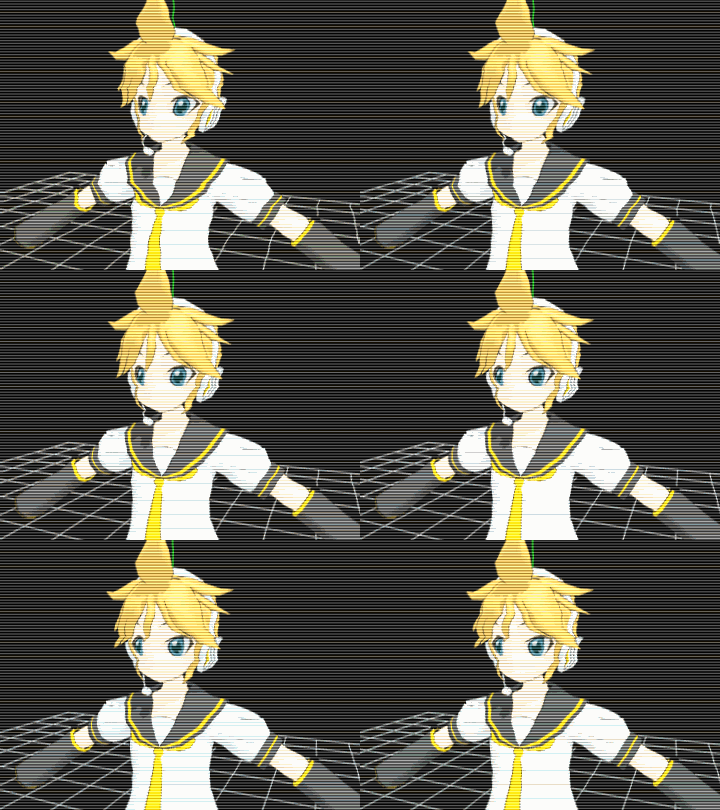
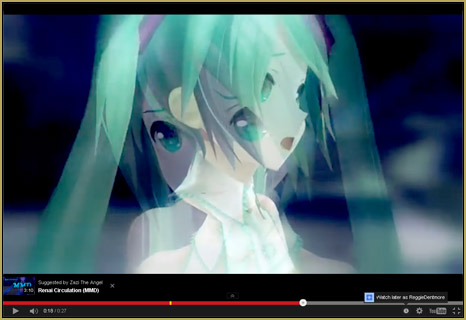
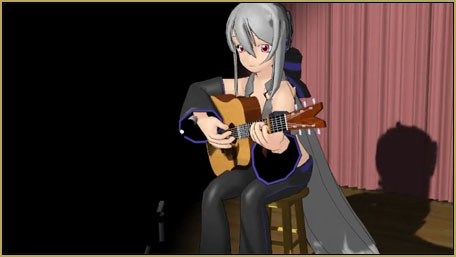
1 Wrong —for the first bit of this video you’ll see the head moves robotically and his eyes have only slight motion. This is due to only two or three key frames per shot.

2 Right —later on in the second half of this video you’ll see more fluent motions… Why? Well this is due to over 15 key frames of different head movements arranged in different orders throughout the video. Do this on different intervals with different bones and you will have a proper stationary motion once your motion is completed… and if you see, for example, a head nodding motion that looks “real” you can copy save that motion as a VMD and use it another time!


– SEE BELOW for MORE MMD TUTORIALS…


— — —


– _ — –


Visit the LearnMMD.com Homepage! Plenty of Mikumikudance instruction and info!

More MMD Tutorials...

Reader asks how to create MMD artwork... stuff like posing, camerawork?

A reader asks... Is there a tutorial on how to create MMD artwork, like those you ...read more

Learn MikuMikuDance in Small Steps! New LearnMMD Video Series

Learn MikuMikuDance in Small Steps. Where can I find easy-to-follow MMD instructions on YouTube? How ...read more

Apply Multiple Effects on an Entire MMD Model Using M4Layer Effect

How can I apply multiple effects to an MMD model? Can I use more than ...read more

MMD Plugin Manager... I Found a Treasure!

What sorts of MMD Plugins are there? MMD Plugin Manager? MMD Plugins. Plugin MMD. More ...read more

2025: Hatsune Miku is 18... but she is designed to be always 16 Years. Old by design and in reality!

Finally, in 2023, Hatsune Miku is 16 years old! but in August of 2025, she ...read more

SEARCH LearnMMD.com... it's Easy!

Search LearnMMD.com to find your answers! With the posting of this article, LearnMMD.com has 758 tutorials ...read more

Creating Motions, MMD Tutorials, Zazi

Post navigation

Previous Post: How to Use the Squash and Stretch Effect for MMD.
Next Post: pmothair Effect Makes Hair Actually Look like hair

Related Posts

  • The Making of “Hell To Your Doorstep” MMD Animation and Video "the making of" my video
  • Download instant fight scene motion by Mahlazer Animation Shortcuts
  • Oomary’s guide to mastering MMD Hair Physics Fixing Broken Models
  • create easy dance motions in MikuMikuDance... beginner tutorial
    Create MMD Dance Motion from Scratch – a beginners guide Creating Motions
  • Creating an animation using MMD, MikuMikuDance! "the making of" my video
  • Learn How to Dress the LearnMMD Stage – Instructions Dummy Bones

More Related Articles

Ray-MMD Painting with light! Ray-MMD: The Art of painting with Light MMD Tutorials
Customized Skydome replace stages, enhance MMD animations MMD Tutorials
How to Lip-Sync in MMD using MoggProject Face and Lips Animation Shortcuts
MMD Little Car Models offer racing fun! MMD Little Car Models Download offers racing thrills! Downloading New Models
The Making Of my “I Know Those Eyes / This Man Is Dead MMD” video "the making of" my video
The Cheaplens Effect is easy to use and very powerful! MME CheapLens Effect controls the “Look” of your MMD video CheapLens Effect

Leave a Reply Cancel reply

Your email address will not be published. Required fields are marked *

Download the latest version of MikuMikuDance!
See the MMD Step-by-Step instructions page!
Learn how to make your own MMD motions!
LearnMMD.com
  • Motion is LOCAL, per the Model's orientation, or GOBAL, per the Program's Grid. (Meiko Sakine from MMD 7.39)
    Local and Global Mode Bone Movement MMD: Miku’s Mode Swings ARIZONA
  • PMXE weight painting tools and deformation types for new MMD models Bandages
  • MMD NyaReimu dances to Miku’s “The World is Mine” "the making of" my video
  • New “LearnMMD Wars” Video Posted to YouTube! Google SketchUp and MMD
  • Rendering HD 60 FPS MMD video and YouTube Upload HD Videos in MMD
  • MMD Model Noodle smiles while carrying the weight of the modern world on her shoulders!
    Download MMD Model NOODLE by vasilnatalie Downloading New Models
  • Export Import MMD Models Using Blender and PMXE Blender
  • Intersecting Physics Bodies Cause Glitchy MMD Models Mae Blythe

Copyright © 2022 Learn MikuMikuDance – MMD Tutorials – Free 3D Animation Software and Instructions..

Powered by PressBook Premium theme

Go to mobile version