


Skip to content
Learn MikuMikuDance – MMD Tutorials – Free 3D Animation Software

Learn MikuMikuDance – MMD Tutorials – Free 3D Animation Software

Download Free Animation Software – Let's Learn How to Do Everything!

  • Step-by-Step MMD instructions
  • DOWNLOADS
  • Troubleshoot, Fix MMD
  • Site Contents
  • Reggie Replies Q&A
  • Homework!
  • What IS MMD?
    • Download MikuMikuDance Newest Latest Version of MMD
  • “HOW TO”
    • Raycast RAY-MMD Effect Tutorials
  • BONUS PAGES
    • Why convert PMD models to PMX?
  • HALL of CHAMPIONS
  • Tutorial Categories
  • About
    • Privacy Policy
  • Toggle search form
  • Build Your Own Stage For MMD Using SketchUp Google SketchUp and MMD
  • Download Jomomonogm's Snow Miku 2019
    Download Jomomonogm’s Snow Miku 2019 for MMD, a most unusual model! "the making of" my video
  • MikuMikuDance Tutorials MMD Tutorials on LearnMMD.com MMD Tutorials
  • Translate PMX models to English using a PMX editor Fixing Broken Models
  • San Japan bow
    LearnMMD Hosts a Panel at San Japan! ARIZONA
  • MikuMikuDance Home Page VPVP is worth a visit! Intro to MikuMikuDance
  • Rigging Models with Appends using PMXEditor Bandages
  • Video Dojo Expo 4 CHAMPIONS are CHOSEN! Video Dojo Competition
Study MMD Motion Files to SEE and LEARN about creating animations

Study MMD Motion Files to SEE and LEARN about creating animations

Posted on April 25, 2021May 4, 2024 By Reggie_Dentmore No Comments on Study MMD Motion Files to SEE and LEARN about creating animations

A Feature Article by Reggie Dentmore on LearnMMD.comHow do I make smooth motions in MikuMikuDance? What can I learn if I study MMD motion files, VMD’s? How do I create life-like MMD animations. How can I make my models DANCE?
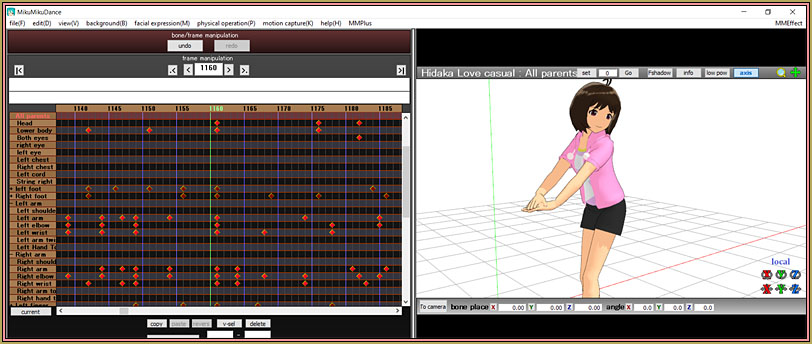
Yo can study MMD motion files to see how motions are created, see the artist's skill.

Study MMD Motion Files…
SEE the art…
… and LEARN about creating animations!

We MMDers have all download motion files, .VMD files, to play with and to use in our MMD videos. We download them and expect them to “work”. We say things like, “Wow… that looks great!” or “Hmmm… that doesn’t seem to work with my model… something’s wrong with it.” … But have you taken the time to look into your favorite .VMD file to see how it is put together? … Have  you studied the motion in detail to see HOW the MMD artist created those motions?

Mahlazer’s “Feel the Sound” motion file helped me to create my “Trick Bag” animation. I saw that Mahlazer had registered stacks of diamonds every FIVE frames in many places. … I created MY model’s motion at that same frantic pace… resulting in a motion that I would NOT have created without that hint. … Another thought: our UndeadLucile wrote a tutorial describing how NOT to stack all of your diamonds in the same frame with the idea that motions will be less robotic and more “life-like” if the various parts of the body didn’t move at the very same moment… better to turn the head before the upper-body before swiveling the lower-body… and so on. Great idea!

The old “Bo Peep Bo Peep” VMD file…

Back in 2016 I wrote about the “Bo Beep Bo Beep”… “Beep?” or “Peep?… ANYWAY… and I included the download link for this animation in that article. … And I used those motions while thinking how clever it was… but I never stopped to study the actual DIAMONDS in that animation.

I learned to see many things…
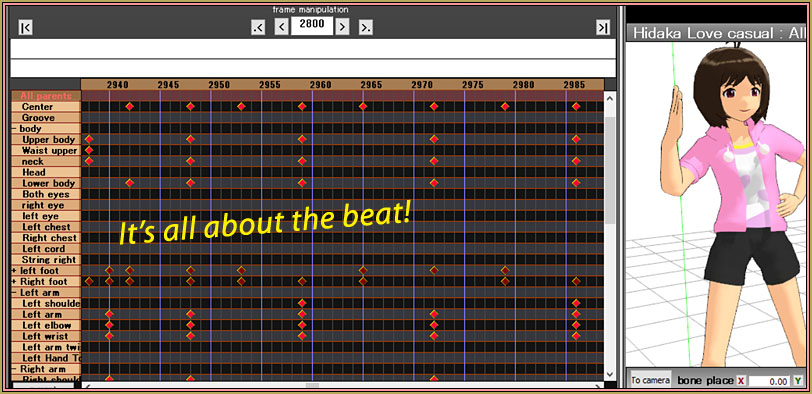
You can learn a lot from MMD Motion Files if you take the time to study them.

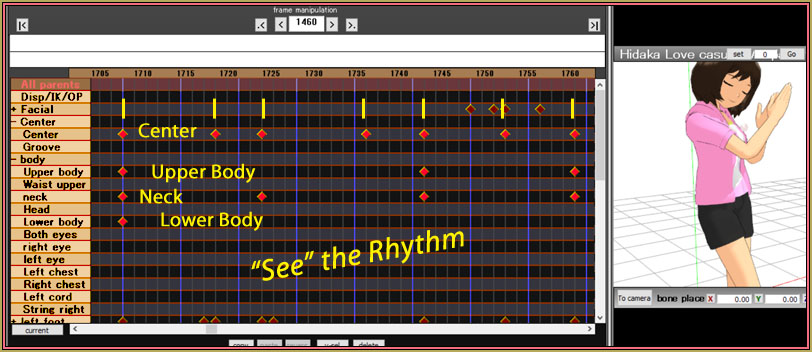
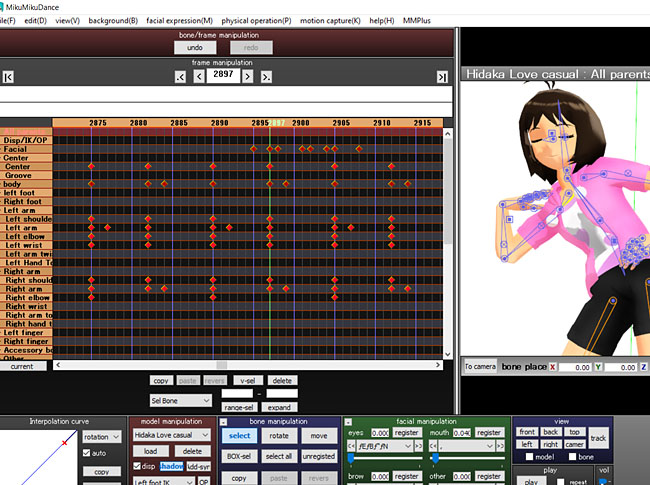
See the rhythm in this MMD motion file.

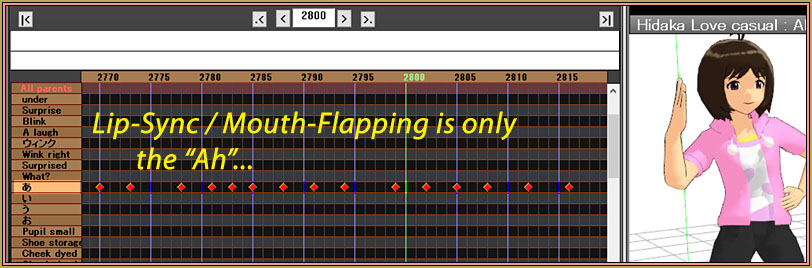
I see that this MMDer used only the "Ah" mouth morph for this animation.

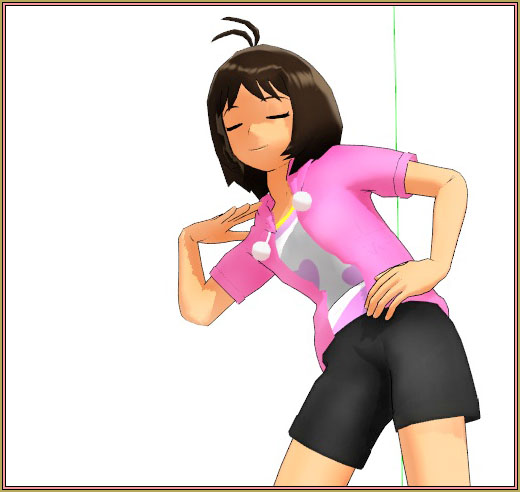
… and I saw many beautiful poses along the way…
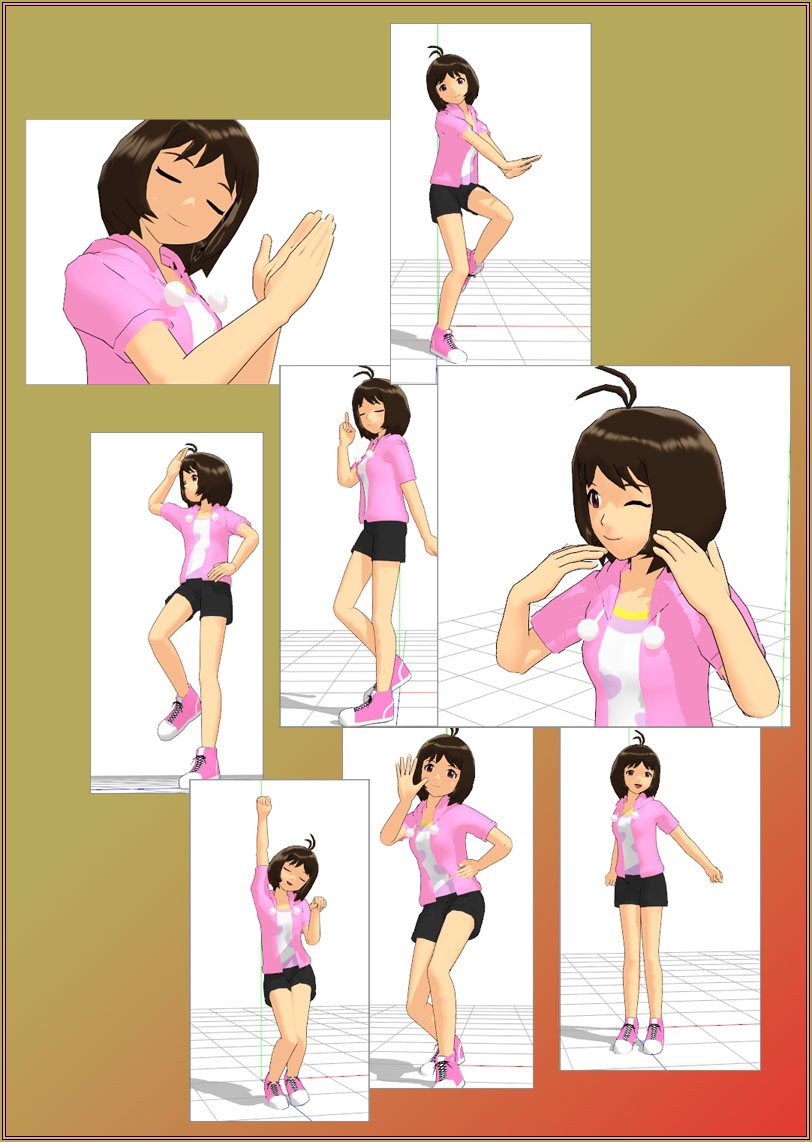
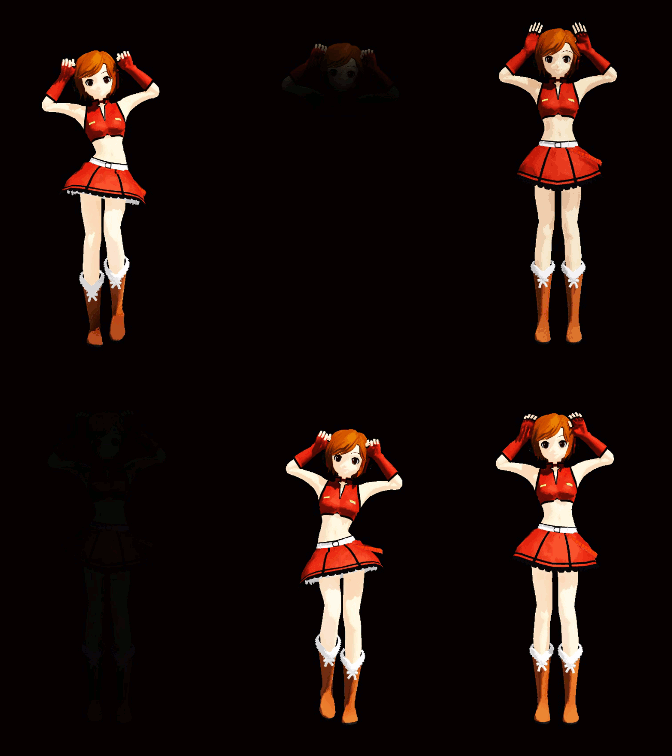
The "Bo Beep" (Bo Peep?) animation has many nice poses built into it.

MMD model "Hidaka Love Casual" strikes a pose!
 So nice…

I wish MY models could move as smoothly and look so “cool!” when I make my OWN animations!

This “Bo Beep Bo Beep” is an older animation… from 2012.
The model I used is the beautiful “Hidaka Love Casual”… one of the models in Yagakoro’s “Cookiefun Channel Camera Crew”. She, too, is a bit older… a PMD model. She seems perfect for this VMD file.

Loading that “Bo Beep” VMD onto Hidaka and scrolling through the frames, I saw very few “conflicts”… hand through the head, that kind of thing… she works well with this motion file.

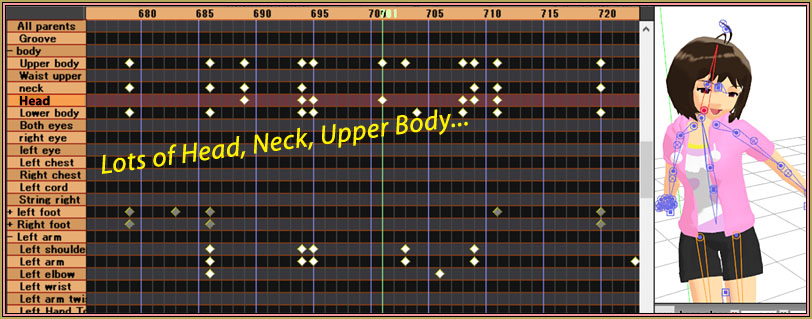
See how complicated this animation is!

Not just a FEW bones are registered in any one place… there are MANY diamonds on that frame-chart!

A SILENT video…

I did not want any music to distract you from “seeing” this nice animation file. I chopped it off at less than a minute in length…
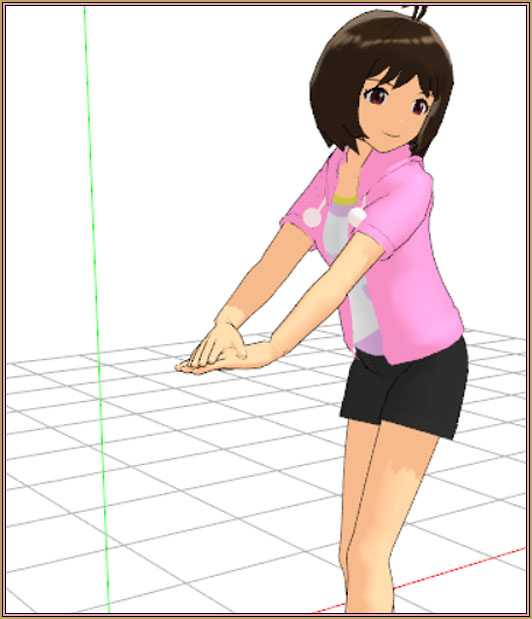
Ms. Hidaka Love Casual is one of the models included in Yagakoro’s "Cookiefun Channel Camera Crew".Download the Bo Peep Motion file. (It’s small: less than 200k)… That zip contains ONLY the VMD file. For the WAV and the Camera VMD, you will need to see the original YouTube video with the download links.

Open MMD, load a model… load that motion file onto her… push play and enjoy!

A few things I saw…

The opening few seconds of the animation have the model “waiting” to begin. She gently sways while standing still.

The hands are often going through a variety of poses… they are changing constantly. You can get Reggie’s Hand Pose Collection for MMD models (…they work great!)

The Lip-Sync uses only the “Ah”… not really concerned about an accurate mouthing of the sounds.

Great use of the eyes and facials… she really looks “alive”.

So, there you go!

Take the time to study MMD motion files. Those nice motions have a lot to show us!

Have fun with MikuMikuDance!


– SEE BELOW for MORE MMD TUTORIALS…


— — —


– _ — –


Visit the LearnMMD.com Homepage! Plenty of Mikumikudance instruction and info!

More MMD Tutorials...

Enjoy the "camera Angles WEIRD in Anime" meme...

Enjoy the "camera Angles WEIRD in Anime" meme... This image is from The Slayers - NEXT, ...read more

Reader asks how to create MMD artwork... stuff like posing, camerawork?

A reader asks... Is there a tutorial on how to create MMD artwork, like those you ...read more

Learn MikuMikuDance in Small Steps! New LearnMMD Video Series

Learn MikuMikuDance in Small Steps. Where can I find easy-to-follow MMD instructions on YouTube? How ...read more

Apply Multiple Effects on an Entire MMD Model Using M4Layer Effect

How can I apply multiple effects to an MMD model? Can I use more than ...read more

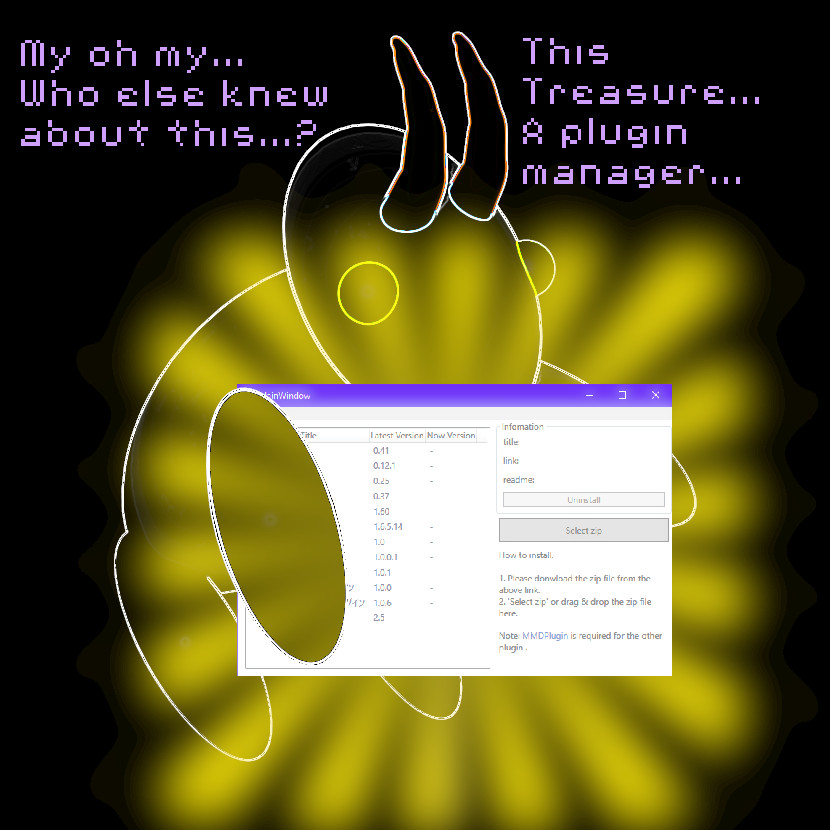
MMD Plugin Manager... I Found a Treasure!

What sorts of MMD Plugins are there? MMD Plugin Manager? MMD Plugins. Plugin MMD. More ...read more

2025: Hatsune Miku is 18... but she is designed to be always 16 Years old, by design and in reality!

Finally, in 2023, Hatsune Miku is 16 years old! but in August of 2025, she ...read more

Making Smooth Motions, MMD Basics, MMD Tutorials, Reggie Dentmore

Post navigation

Previous Post: MME TexFire Effect gives fire and flame but no light!
Next Post: MMD MME Fisheye Lens effect offers Scene Transitions & Cropping

Related Posts

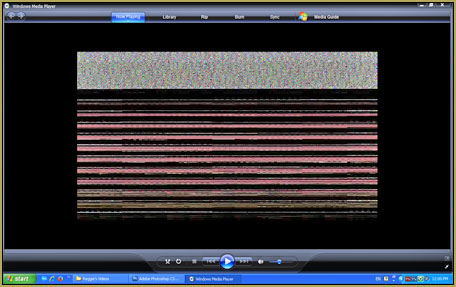
  • Scrambled first frame of video must be Voodoo! MMD Basics
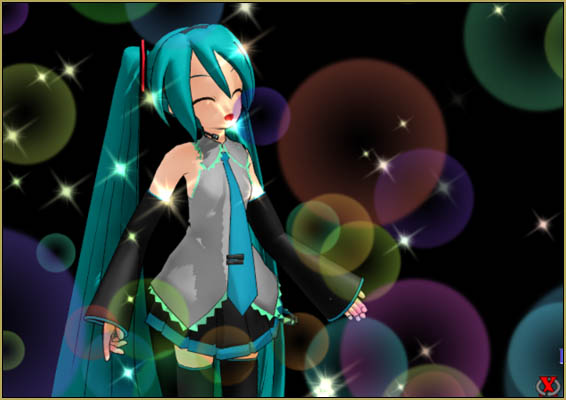
  • The MME Otome effect adds a fantasy cloud of bubbles and sparkles.
    Otome effect yields bubble and sparkle psychedelia Otome
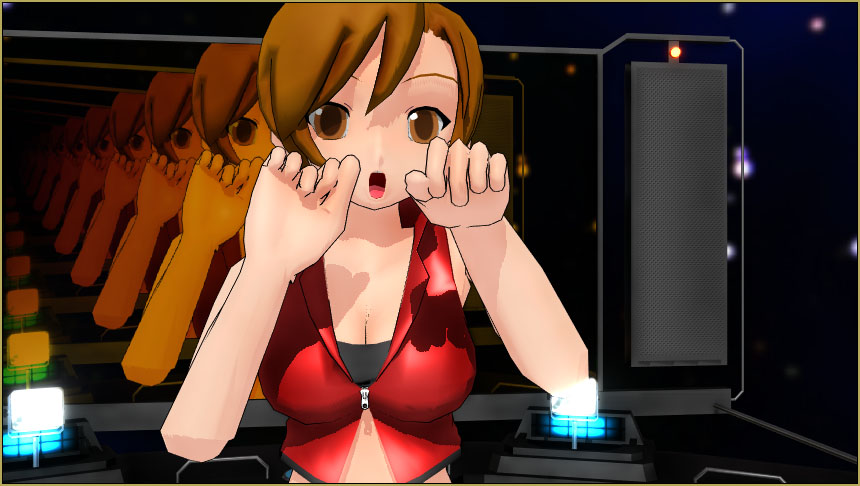
  • MMD Camerawork sets the mood, enhances the animation, and showcases your models!
    MMD Camerawork sets mood enhances animation showcases models "the making of" my video
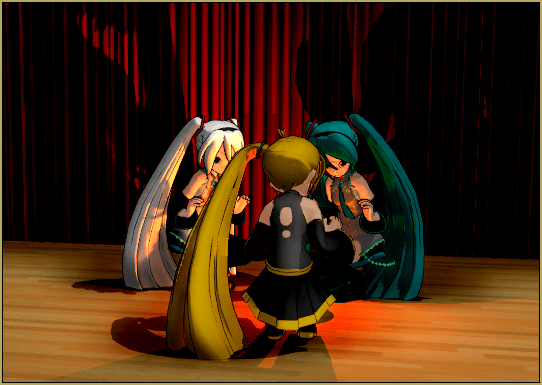
  • MME FireLight Effect adds spooky dancing firelight and shadows FireLight effect
  • Ghost Effect for MME
    How to Use the Ghost Effect for MME! ARIZONA
  • Downloading MMD 9.32 is Quick and Easy! Download MikuMikuDance 9.32 Download MikuMikuDance

More Related Articles

Download/Install DirectX 9 Update to fix the Missing DLL Error Dealing with the Missing DLL Error
Fixed version of the PluginManager featured image. Well, slightly fixed. MMD Plugin Manager… I Found a Treasure! MMD Tutorials
Editing MMD Model Eye Textures enhances Ray-MMD Effect Eien Kiseki-P (Reika)
New Interpolation Curve Video was fun to make! "the making of" my video
Make a “Dream Fighter” MMD Music Video "the making of" my video
How To Make Global Lighting Work with Game-Rips Fixing Broken Models

Leave a Reply Cancel reply

Your email address will not be published. Required fields are marked *

Download the latest version of MikuMikuDance!
See the MMD Step-by-Step instructions page!
Learn how to make your own MMD motions!
LearnMMD.com
  • LearnMMD Auditorium Stage now includes 19 Colors of Drapes! Dummy Bones
  • Teto replies!
    Fixing white models and accessories that don’t follow in PMXE Bandages
  • The Making of “Boum Boum Boum”: Everything is More Sophisticated in French "the making of" my video
  • Video Dojo Expo 4 CHAMPIONS are CHOSEN! Video Dojo Competition
  • Create and Post 1 or 2 videos a day? VocaloidAnime1924 does! Downloading New Models
  • Assemble your stages from .x type components Accessory Manipulation/Adjust
  • Shading China Dresses
    Shading China Dresses Using Advanced Shader Techniques Advanced Shader Technique
  • MMD Keyboard Shortcuts Make MikuMikuDance Easier Keyboard Shortcuts

Copyright © 2022 Learn MikuMikuDance – MMD Tutorials – Free 3D Animation Software and Instructions..

Powered by PressBook Premium theme

Go to mobile version