
Skip to content
Learn MikuMikuDance – MMD Tutorials – Free 3D Animation Software

Learn MikuMikuDance – MMD Tutorials – Free 3D Animation Software

Download Free Animation Software – Let's Learn How to Do Everything!

  • Step-by-Step MMD instructions
  • DOWNLOADS
  • Troubleshoot, Fix MMD
  • Site Contents
  • Reggie Replies Q&A
  • Homework!
  • What IS MMD?
    • Download MikuMikuDance Newest Latest Version of MMD
  • “HOW TO”
    • Raycast RAY-MMD Effect Tutorials
  • BONUS PAGES
    • Why convert PMD models to PMX?
  • HALL of CHAMPIONS
  • Tutorial Categories
  • About
    • Privacy Policy
  • Toggle search form
  • MMD Animation Project Resource Ushimitsu Toki Animation Resource
  • Are you running the Latest Version of MMM? MMM Tutorials
  • The Croquis Effect.
    How to Use the Croquis Effect in MikuMikuDance ARIZONA
  • Beamman’s Water v5 Effect needs Editing before you can use it! Beamman's Water v5
  • LearnMMD's Video Dojo EXPO Champions!
    WINNERS of Video Dojo 1 – The FIRST Champions! CONTESTS
  • LearnMMDClub is OPEN on Deviant Art! Intro to MikuMikuDance
  • Rediscover your old MMD animations... Love them again!
    Rediscover your old MMD Animations: Love them again! "the making of" my video
  • The 966_ Otogibanashi Toon effect recolors your models!
    966_ Otogibanashi Toon “Fairy Tale” shader effect recolors your models 966_ Otogibanashi Toon

VDE-4 Champion: Lluiji

Posted on May 22, 2020May 22, 2020 By Reggie_Dentmore No Comments on VDE-4 Champion: Lluiji

Meet The MMDer…

Hi! I’m Lluiji! I do MMD as a hobby and I’ve been using MMD for probably three years now. I always try to make my own motions as frequently as possible… but it ain’t exactly working out so well! And, I’ve recently picked up on 3D modelling.

I’m from the Philippines, but I’m currently living in Canada. I’m a 15 year old high school student and I really like watching Anime and listening to Vocaloid. And… KPOP because… … why not?

I really love using MMD… honestly, it’s pretty fun as long as you stay away from all the drama. I can say that my skills are probably at an “intermediate level” since I don’t really do anything that’s “exciting” or something that would destroy my computer. I don’t really care about trying to be famous, anymore; I just wanna have fun with what I do.

About the Video…

This is probably one of the most interesting things I’ve made for a video. I really loved experimenting with the effect settings. I haven’t really tried a lot of effect varieties so I had only a small number to choose from in my effects folder.

First of all, the models. I originally planned on using Len for the video, but it didn’t seem right due to the mood of the song and his color palette. But when I listened to Joshua-san’s Fukase cover (https://youtu.be/7p5fRiZiDhg) I knew it had to be him.

Choosing the model and stage wasn’t exactly a pain at all. Maydayfireball is one of my biggest MMD inspirations because of how their models look.
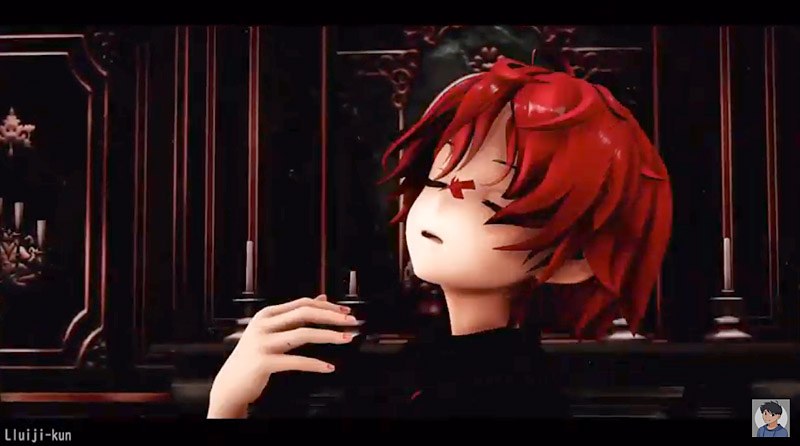

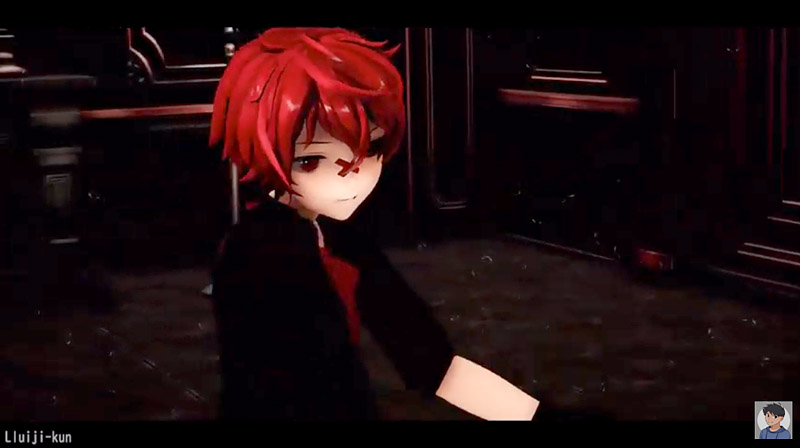
I decided to use their Fukase model since it fit quite well with the song. As for the stage, I used 01mikuxlen01‘s CGSS stage rip, it looked really nice and fancy, perfect for what I had imagined.

The dance motion was made by MOKA, you’ve probably seen their work around the MMDC since they make a number of cool motions such as Kigamure Mercy, Liar Dance and Ghost Rule. Oh, the amazing camera work is by Yukineko, they make really cool MMD PVs!

Work Process…

After I loaded everything in, the hard part was making it all look pleasing, clear, while keeping the mood and tone at the same time.

For this video I decided to use Raycast, I’m just a beginner with it, but Raycast was actually pretty fun to play with. I don’t really know how to make Raycast feel and look real, so I just had to work with what effects I have and the knowledge I have about using them.

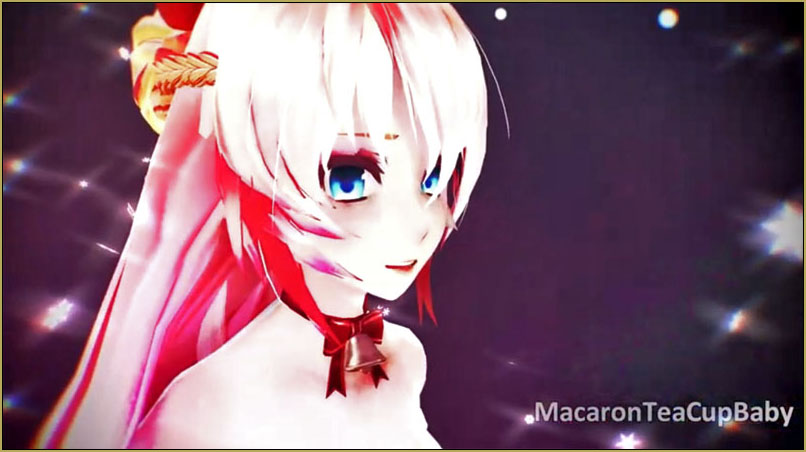
Dramaturgy is a pretty upbeat type song but it has a deep meaning to it. So, I made the video a warm red-ish color scheme to fit the song and Fukase’s colors, and since it was supposed to be dark, I decided to use half of the bloom slider. I added some Diffusion and HgSAO to give the colors some pop to them, and for some “realism” I decided to put in a dust effect. And just for fun, I added a Drawstyle overlay on top of it, workingfloor2 for the floor shine, and used PostAnalogTV to get the black bars for a “cinematic” feel.

Seven Thousand Two-Hundred and Thirty frames!

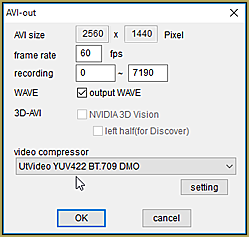
After all that’s done, it’s time to render the video itself. The video had 7230 frames so it took a while, 1-3 hours maybe? not sure. Now what’s left is adding my watermark and uploading it to YouTube which took another hour of waiting.

Finale

https://youtu.be/2m8hfs3gHfM

And here we are! I’m actually really happy with how it all came out! I mean, probably could have done better, but that’s fine.
The important part is that I had fun making it.

I don’t plan on making any motions or videos at the moment, but I DO have plans for models and other stuff. Feel free to check my dA (https://www.deviantart.com/lluiji-kun) if you’re interested.

I hope you all have fun with your projects too!

Don’t stress yourselves, and stay safe everyone!!!


– SEE BELOW for MORE MMD TUTORIALS…


— — —


– _ — –


Visit the LearnMMD.com Homepage! Plenty of Mikumikudance instruction and info!

More MMD Tutorials...

VDE-FIVE Honorable Mention: Jonah Snyder

Howdy Folks! My name is Jonah Snyder! I am a 17 year old guy from Winston-Salem, ...read more

VDE-4 Champion: Reona

Hello! ... I am Reona... I'm an MMDer who started in March of 2015. Aside from ...read more

VDE-4 Champion: Kazumi

It is I, Kazumi!  Aka "that one Sukone Tei stan" aka "RoboCheatsy"!  I can't believe ...read more

VDE-4 Champion: Beemz

Hello! I'm Beemz! I'm from the Philippines!! I do art and make MMD PVs as ...read more

VDE-4 Champion: YamiMori

Hi! I’m YamiMori... (formerly known as BattleNat) I am an 18 year old resident of the US. ...read more

VDE-3 Champion: Kazumi

Hey everyone!  I'm Kazumi, but you may also know me as RoboCheatsy!  I'm still so ...read more

Video Dojo Champions

Post navigation

Previous Post: VDE-4 Champion: Pajamaje135
Next Post: VDE-4 Champion: Izzmations

Related Posts

  • VDE-4 Champion: Pajamaje135 Video Dojo Champions
  • VDE-FIVE Honorable Mention: Jonah Snyder Video Dojo Champions
  • The Champions are Chosen! Video Dojo Expo 3 is Complete. CONTESTS
  • Video Dojo Expo 2 Champion: Turquoise Narcotic Video Dojo Champions
  • Video Dojo Expo 1 Winner: Miku Fantasy Video Dojo Champions
  • VDE-3 Champion: CyanKuriboh Video Dojo Champions

More Related Articles

The Champions are Chosen! Video Dojo Expo 3 is Complete. CONTESTS
VDE-FIVE Honorable Mention: Jonah Snyder Video Dojo Champions
VDE-3 Champion: CyanKuriboh Video Dojo Champions
VDE-4 Champion: Pajamaje135 Video Dojo Champions
VDE-3 Champion: Katherine Duncan Video Dojo Champions
VDE-4 Champion: Beemz Video Dojo Champions

Leave a Reply Cancel reply

Your email address will not be published. Required fields are marked *

Download the latest version of MikuMikuDance!
See the MMD Step-by-Step instructions page!
Learn how to make your own MMD motions!
LearnMMD.com
  • Zelda09pokemon's Miku with dark shades and black jacket.
    Download New MMD Model of Miku by Zelda09pokemon Downloading New Models
  • Download these 1052C-Re0710 MMD Models and enjoy!
    Download Early Miku 1052C-Re0710 MMD Models from 2010! Downloading New Models
  • The SSAO effect adds depth of color and shadows for greater realism! MME MMD 7.39
    Playing with MME – Using MORE cool MikuMikuEffects! Nuts & Bolts
  • LearnMMD’s MEME PARTY 2 a Success! CONTESTS
  • Making JRPG style scenes using MMD MMD Comics
  • Using Beamman Particle-styled MME effects Beamman's AuraParticle
  • A brightly colored .sph sphere file replaced the common gray one with brilliant results! MMD 7.39
    Alter Sphere Files for a quick color change in MMD Reggie Dentmore
  • LearnMMD.com _ MikuMikuDance MMD Tutorials
    Convert SFM/GMOD Models Into MMD Flawlessly! Haztract

Copyright © 2022 Learn MikuMikuDance – MMD Tutorials – Free 3D Animation Software and Instructions..

Powered by PressBook Premium theme

Go to mobile version