Skip to content
Learn MikuMikuDance – MMD Tutorials – Free 3D Animation Software

Learn MikuMikuDance – MMD Tutorials – Free 3D Animation Software

Download Free Animation Software – Let's Learn How to Do Everything!

  • Step-by-Step MMD instructions
  • DOWNLOADS
  • Troubleshoot, Fix MMD
  • Site Contents
  • Reggie Replies Q&A
  • Homework!
  • What IS MMD?
    • Download MikuMikuDance Newest Latest Version of MMD
  • “HOW TO”
    • Raycast RAY-MMD Effect Tutorials
  • BONUS PAGES
    • Why convert PMD models to PMX?
  • HALL of CHAMPIONS
  • Tutorial Categories
  • About
    • Privacy Policy
  • Toggle search form
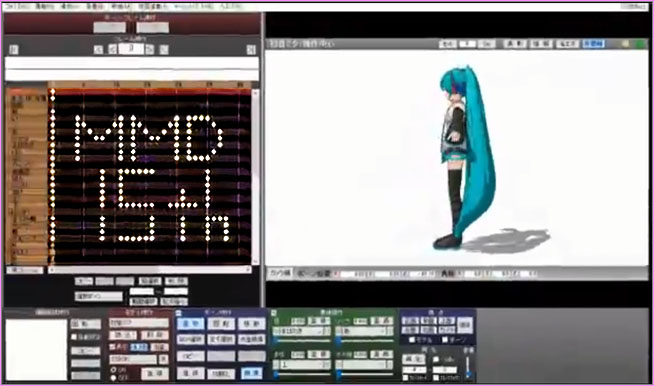
  • MikuMikuDance 15th Anniversary Celebration Video is on NicoNico!
    MikuMikuDance 15th Anniversary celebration video posted on NicoNico! MMD Basics
  • A Discussion of unloved Vocaloids Downloading New Models
  • You Are My Senpai MMD Meme Project Download MMD Memes
  • Beamman's WEater Effect can be very realistic.
    BeamMan’s Water Effects really look wet! Beamman's Water v5
  • Public Domain and Ethical Release for MMD Bandages
  • MMD Light Manipulation Panel helps set the mood Global Lighting
  • Let the model itself help you to align its bones!
    Rig a Model: Adding and weighting bones with PMDE Bones
  • Why does the texture move as I convert the Sketchup model into a DirectX .x model using the 3D-RAD plugin?
    Add custom texture images to Google Sketchup .x model for MMD 9.32 Google SketchUp and MMD

‘PROJECT: MikuMiku Movie!’ part 01: prepare the first scene!

Posted on March 5, 2014August 28, 2016 By Fia Phoenix 2 Comments on ‘PROJECT: MikuMiku Movie!’ part 01: prepare the first scene!

An MMD Feature Article by Fia Phoenix on LearnMMD.com!Happy Lebericson Day
… but no, seriously, lets talk about movies!
No, I don’t mean the new Thor movie. OR Frozen.

MIKUMIKU Movie ... My new project to share with you Let's make it!I mean MIKUMIKU MOVIE!

What? You dont know?
Oh well … I wouldn’t expect you to. It hasn’t been made yet; key word here being YET!
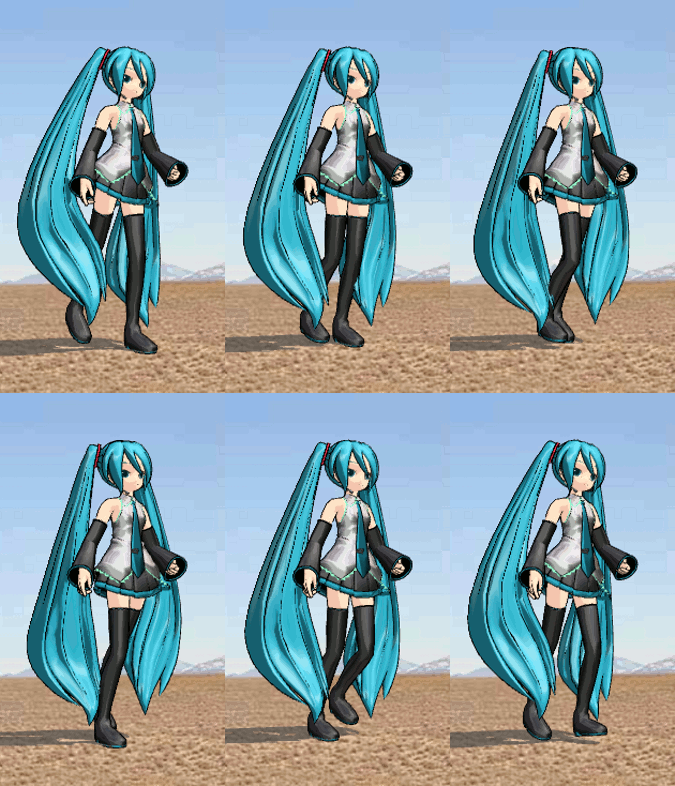
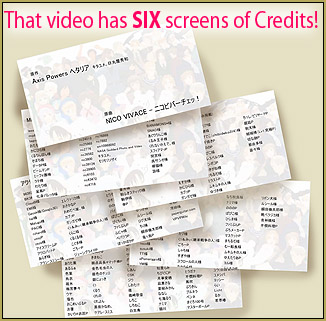
‘Project: MikuMiku Movie!’ is UNDER WAY! And youve been invited to watch it all unfold! Every glitch, every crash, every deleted scene and blooper! I plan to document every mishap and screw-up; just for you- I think. *Fishing for suggestions* First order of buisnes, MIKU. Some of my Many Mikus for the MIKUMIKU MOVIE!Were gonna need Miku models right? Let’s use about 95 Miku models to start with. (spoiler* Miku raises an army of Mikus *spoiler.) But don’t all the creators deserve credit? Yea! So let’s show them our bookmarks!
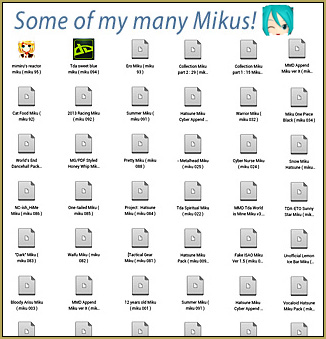
No. this dosen’t count. You have to name them and link them if possible! Though I’m not going to bore you with my extensive list of models at the moment, I DO credit. “Keep the faith!”

“Now what do we do after we document our models? FIND MATCHING OUTFITS ! I mean STAGES!
Wait.
Why cant I just use one stage?
Because its not pretty, that’s why … and movies have scenes! Pretty matching scenes! So when Hatsune Miku meets Let's add Racing Miku and the Racing Miku Stage to our MikuMiku Movie!Racing Miku, we have a racetrack stage, right? Right!
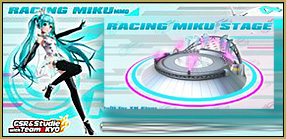
Where do I get one of those? Oh my… this will work! We have everything we need for the first scene now!
( I had cars )

End Part One … of many!


– SEE BELOW for MORE MMD TUTORIALS…


— — —


– _ — –


Visit the LearnMMD.com Homepage! Plenty of Mikumikudance instruction and info!

More MMD Tutorials...

Rediscover your old MMD Animations: Love them again!

Rediscover your old MMD Animations: Love them again! https://youtu.be/P4b3todZMUI A labor of love... Remember how it was when ...read more

Create MMD Abstract Art from Low-Res Videos!

This is an idea I have been playing with for the last few months... Create MMD ...read more

Recoloring MMD's Control Panel GUI Interface

Hi and welcome to your personal MMD care and color service, where I give you ...read more

Culling unseen MMD model parts optimises computer assets (PART 2)

How can I make my MMD run faster? What if removing parts using Subset-Extract isn’t ...read more

Optimise computer assets by culling unseen MMD model parts

How can I make my MMD run faster? How can I optimise computer assets as ...read more

Good MMD videos require Inspiration, Vision, Planning: The Lament of Okada's Ghost

The Lament of Okada's Ghost... The secret to making good MMD videos All MMD videos have three ...read more

Fia Phoenix, Random Thoughts & Visions

Post navigation

Previous Post: Are you running the Latest Version of MMM?
Next Post: Adding captions in MMM MikuMikuMoving

Related Posts

  • Good MMD videos require Inspiration, Vision, Planning: The Lament of Okada’s Ghost MMD Basics
  • Miku Expo 2014 New York – learnmmd.com coverage NeKo MANiac aMMDy
  • My First MMD Video – After Struggling with Blender, MMD was Easy "the making of" my video
  • Starting-out Using MMD starts you on a learning path.
    Starting-out Using MMD Reader discovers missing elements. MMD Basics
  • Intentionally Build Dramatic Atmosphere into your MMD Animation MMD Tutorials
  • Watch the video as I create this MMD animated GIF using GIMP 2.6
    Make MMD Animated GIFs using GIMP 2.6 – MikuMikuDance Animated GIFs

More Related Articles

A girl named Miku Hatsune… Random Thoughts & Visions
MME Balloon Effect (And what I found out) Balloon Effect
Japanese Maid Cafe poster you can make! Making your own Japanese Maid Cafe poster Random Thoughts & Visions
Creating MMD Diva Performance Animations – An Overview "the making of" my video
Making amazing complicated MMD video requires circle of learning Animation Shortcuts
Learnmmd.com hosts MMD Panel at San Japan 8 bit. ARIZONA

Comments (2) on “‘PROJECT: MikuMiku Movie!’ part 01: prepare the first scene!”

  1. Tia Lyles says:
    July 24, 2016 at 10:57 am

    I tried to make a movie. I’m new to MikuMikuDance and I want to make my own but I don’t know how. Please help me learnmmd?!

    Reply
    1. Silent Headset says:
      July 24, 2016 at 2:09 pm

      Hmm…first off…make sure you already get the hang of animating in MMD to begin with. MMD’s learning curve is quite steep, so it might be important to take things slowly at first.
      First, take a look at our start here pages
      https://learnmmd.com/StartHere/

      Before tackling a project as HUGE as a movie, it’s better to “get a feel” of MMD’s capability as an animation software. One of the best way to do this is through “meme”, which is basically a project that is already done in most part, like motions, lip-sync, and music. We host some memes here, from the most basic meme:
      https://learnmmd.com/http:/learnmmd.com/create-an-mmd-video-using-the-happy-hands-meme/
      To the slightly more advanced ones:
      https://learnmmd.com/http:/learnmmd.com/our-ring-around-the-moon-project/
      https://learnmmd.com/http:/learnmmd.com/mmd-animation-project-demons/
      Or you can look here for the ones you might like:
      http://mmd-nay-pmd.deviantart.com/art/New-MMD-Motion-Data-Index-A-L-526892180
      Done with memes? Then you can try making your own original short animations!
      We have another site dedicated to give some “ideas” for your short projects, which is ideally 450 frames long!
      http://zero-to-450.com/
      Now that you’re pretty much confident with MMDing, then you can tackle the movie projects!
      Note that since “movies” are long, and MMD will have some issues if you overload it with too many models at once (depending on your hardware capacity of course). It’s better that you do them in “parts” and then use another video editing software to combine them.
      I gave some advice on how to make such a project in one of my articles:
      https://learnmmd.com/http:/learnmmd.com/behind-the-scenes-of-my-newest-video/
      Self promoting aside (^^;), the most important thing is to have fun with MMD. You can’t expect to become good and make a movie in one day, but a bit of work and training and you’ll find yourself as an Ace Animator in no time!!

      Reply

Leave a Reply Cancel reply

Your email address will not be published. Required fields are marked *

Download the latest version of MikuMikuDance!
See the MMD Step-by-Step instructions page!
Learn how to make your own MMD motions!
LearnMMD.com
  • Create Bouncing Ball using MMD Physics Engine Making Models
  • MMD Banjo_RD by Reggie Dentmore for MikuMikuDance 7.39
    LearnMMD’s Dueling Banjos Banjo is avilable for Download! Google SketchUp and MMD
  • Using the MME ColorShift Effect in MikuMikuDance ARIZONA
  • Intersecting Physics Bodies Cause Glitchy MMD Models Mae Blythe
  • MMD Project Source YouTube’s Baster037 provides links! Animation Resource
  • Keep The Faith MMD
    MMD Models Rant Keep the Faith-MMD Credits/Sharing
  • Making a Long Video Animation in MMD 7.39 Can Be Done! CONTESTS
  • Use M4Layer Effect to add multiple effects onto your MMD model.
    Apply Multiple Effects on an Entire MMD Model Using M4Layer Effect M4Layer Effect

Copyright © 2022 Learn MikuMikuDance – MMD Tutorials – Free 3D Animation Software and Instructions..

Powered by PressBook Premium theme

Go to mobile version