Skip to content
Learn MikuMikuDance – MMD Tutorials – Free 3D Animation Software

Learn MikuMikuDance – MMD Tutorials – Free 3D Animation Software

Download Free Animation Software – Let's Learn How to Do Everything!

  • Step-by-Step MMD instructions
  • DOWNLOADS
  • Troubleshoot, Fix MMD
  • Site Contents
  • Reggie Replies Q&A
  • Homework!
  • What IS MMD?
    • Download MikuMikuDance Newest Latest Version of MMD
  • “HOW TO”
    • Raycast RAY-MMD Effect Tutorials
  • BONUS PAGES
    • Why convert PMD models to PMX?
  • HALL of CHAMPIONS
  • Tutorial Categories
  • About
    • Privacy Policy
  • Toggle search form
  • Introducing MikuMikuMoving … MMM! Kazuki Matsuoka
  • Create color morphs in MMD models using PMXE
    Create MMD model color morphs using PMXE Making Models
  • Use Center Position Bias to duplicate a motion Functions-Copy-Paste-Expand
  • VDE-3 Champion: Kazumi Video Dojo Champions
  • How to Use The VelocityMap Effect for MikuMikuDance. ARIZONA
  • Make MMD Model Hands from scratch in Blender Blender
  • Creating Black Model Silhouettes in MikuMikuDance ARIZONA
  • Download Reggie’s Cafeteria Table and Chair accessory! New Stage Accessory

Make Your YouTube Channel Popular with Engrossing Introductions

Posted on September 4, 2015November 6, 2015 By Zazi No Comments on Make Your YouTube Channel Popular with Engrossing Introductions

See all the articles written by Zazi on LearnMMD.comEngrossing introduction segments can make your YouTube channel more popular. How can I build traffic on my YouTube Channel? How can I make my channel more popular? How can I get more views for my MMD videos?

YouTube and MMD Videos

Okay! …so, Fun Fact:
YouTube MMD Videos Are Awesome!

… but I bet you knew that…

But I bet you didn’t know the most effective way to get people to look at your videos: engrossing introductions… and if you DID know that, then “Good for you; you earn a gold star!”… just kidding… I don’t have any stars to give-out ^_^
Anyways, there are several types of Engrossing Introductions:

  • Colorful
  • Musical
  • Guiding

Let me break it down…

Colorful– bright colors, moving imagery and cartoonish style

Musical– an intro usually with just a name, highly reliant on the music to draw people in

https://www.youtube.com/watch?v=iv5gmxrfXrQ

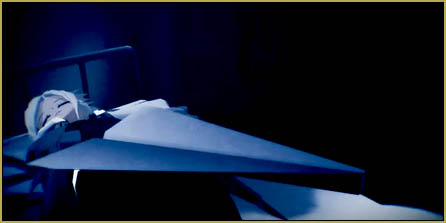
Guiding– a style of Intro that starts simply but guides the viewer’s focus where you want it to go…perhaps, if your videos are moody or dark,  an engrossing intro should have a darker feeling, as well… maybe think horror…

https://www.youtube.com/watch?v=_-nLIzu4JZo

Okay Still With Me?… Awesome!

So, now that you see the different types of intros that are effective, which style will you use and how will you make it with MMD?

Well, as for which one to use, take a look at your channel. Are your videos dark, light, or about the music? That’s the easiest way to determine which one you need. As for how to make them in MMD, here’s a small guide:

Colorful- Make sure to Download your Favorite Chibis for MMD and get a more cartoony stage… and don’t forget The M4toon effect… and avoid effects like Post Movie, Adult Shader, and Real Figure Shader. Don’t forget to use a lot of Diffusion 7.
Musical Driven- for this type of intro you don’t need anything but a good video editor and a Cool Logo… and of course Music designed by yourself or some music that you think fits the theme of your channel.

Guiding- If your channel has a “dark mood”, use Darker Styled models, dark lighting-not too dark, though, as well as effects like Post Movie, Real Figure Shader, and Greener Shader.
AVOID Diffusion 7, toon-anything, and Adult Shader.

STILL WITH ME?… Wow… you’re really committed!

Okay… so the final step to making sure your YouTube channel is popular: always have similar content in your videos. Something I learned from doing videos for two years now is that if you do MUSIC videos for three months and then do a COMEDY video, you’ll get a lot of thumbs-down “dislikes” on the comedy video… !
But stick with your passion, okay? If you enjoy making all kinds of videos; follow your heart! … It’s the viewers’ problem if they cannot grow with you or be flexible enough to enjoy your creativity in all its forms.

One of my examples of an Engaging Video…

Enjoy MikuMikuDance!


– SEE BELOW for MORE MMD TUTORIALS…


— — —


– _ — –


Visit the LearnMMD.com Homepage! Plenty of Mikumikudance instruction and info!

More MMD Tutorials...

Enjoy the "camera Angles WEIRD in Anime" meme...

Enjoy the "camera Angles WEIRD in Anime" meme... This image is from The Slayers - NEXT, ...read more

Reader asks how to create MMD artwork... stuff like posing, camerawork?

A reader asks... Is there a tutorial on how to create MMD artwork, like those you ...read more

Learn MikuMikuDance in Small Steps! New LearnMMD Video Series

Learn MikuMikuDance in Small Steps. Where can I find easy-to-follow MMD instructions on YouTube? How ...read more

Apply Multiple Effects on an Entire MMD Model Using M4Layer Effect

How can I apply multiple effects to an MMD model? Can I use more than ...read more

MMD Plugin Manager... I Found a Treasure!

What sorts of MMD Plugins are there? MMD Plugin Manager? MMD Plugins. Plugin MMD. More ...read more

2025: Hatsune Miku is 18... but she is designed to be always 16 Years old, by design and in reality!

Finally, in 2023, Hatsune Miku is 16 years old! but in August of 2025, she ...read more

MMD Basics, MMD Tutorials, Nuts & Bolts, Random Thoughts & Visions, Zazi

Post navigation

Previous Post: How do I use MikuMikuDance Make A Music Video with MMD
Next Post: Make Smooth Animation Using Interpolation Curves

Related Posts

  • Using Beamman Particle-styled MME effects Beamman's AuraParticle
  • My First MMD Video – After Struggling with Blender, MMD was Easy "the making of" my video
  • Meiko showing her "Bones"
    Add Songs to MikuMikuDance: All you need is a WAV file! Music and WAV Files
  • Free Download MikuMikuDance MMD
    Reader writes: i don’t know how to do mmd :( MMD Tutorials
  • Editing MMD Model Eye Textures enhances Ray-MMD Effect Eien Kiseki-P (Reika)
  • Download MMD Pokeball Accessory and Learn Accessory Manipulation Accessory Manipulation/Adjust

More Related Articles

Darkening the stage lighting makes the floorlight look very bright! MMD 7.39, LearnMMD.com MMD Camera Motions: The Camera’s Gotta Keep Moving! Camera Motion
Raycast Ray-MMD Toon Shader Ray-MMD Toon Shading Basics MMD Tutorials
Ray-MMD advanced lighting techniques for MMD MikuMikuDance Ray-MMD Advanced Lighting: A Night on the Town MMD Tutorials
Posing MMD Models: Anatomy Matters! BigPerryman
Storyboards organize your MMD animation Intro to MikuMikuDance
A girl named Miku Hatsune… Random Thoughts & Visions

Leave a Reply Cancel reply

Your email address will not be published. Required fields are marked *

Download the latest version of MikuMikuDance!
See the MMD Step-by-Step instructions page!
Learn how to make your own MMD motions!
LearnMMD.com
  • UV Unwrapping MMD Models in Blender with MMD Tools Bandages
  • Bandizip® keeps Japanese file names intact when Extracting ZIP folders Bandizip
  • LearnMMD Video Dojo Expo competition: open to all MMDers!
    Voting is closed – You Chose the Winners! CONTESTS
  • PMDE Q&A – Making clothes follow model motions Fixing Broken Models
  • Convert VRoid Studio to MMD Header Image
    Convert VRoid Studio to MMD With One Click Mae Blythe
  • Fix MikuMikuDance Missing DLL and Side-by-Side Configuration Errors d3dx9_32.dll error
  • Fix Model Ambient Light Problems Using PMDE/PMXE GloriaTheAnimator
  • MME TexFire Effect adds flames but no light.
    MME TexFire Effect gives fire and flame but no light! MMD Tutorials

Copyright © 2022 Learn MikuMikuDance – MMD Tutorials – Free 3D Animation Software and Instructions..

Powered by PressBook Premium theme

Go to mobile version