Skip to content
Learn MikuMikuDance – MMD Tutorials – Free 3D Animation Software

Learn MikuMikuDance – MMD Tutorials – Free 3D Animation Software

Download Free Animation Software – Let's Learn How to Do Everything!

  • Step-by-Step MMD instructions
  • DOWNLOADS
  • Troubleshoot, Fix MMD
  • Site Contents
  • Reggie Replies Q&A
  • Homework!
  • What IS MMD?
    • Download MikuMikuDance Newest Latest Version of MMD
  • “HOW TO”
    • Raycast RAY-MMD Effect Tutorials
  • BONUS PAGES
    • Why convert PMD models to PMX?
  • HALL of CHAMPIONS
  • Tutorial Categories
  • About
    • Privacy Policy
  • Toggle search form
  • LearnMMD.com _ MikuMikuDance MMD Tutorials
    DO NOT reduce AVI file sizes that go up to YouTube HD Videos in MMD
  • Fix Model Ambient Light Problems Using PMDE/PMXE GloriaTheAnimator
  • How to subtitle MMD videos MMD Tutorials
  • Watch the video as I create this MMD animated GIF using GIMP 2.6
    Make MMD Animated GIFs using GIMP 2.6 – MikuMikuDance Animated GIFs
  • Free Download MikuMikuDance MMD
    Download the Latest Version of MikuMikuDance: MMD 9.32 Download MikuMikuDance
  • Scrambled first frame of video must be Voodoo! MMD Basics
  • Miku Miku Dance: Life Changing! Random Thoughts & Visions
  • YouTube Audio Library supplies Free music Copyrighted Music
modified MMD effects can yield NEW surprises!

Modified MME Effects Files yield NEW Effects for MMD!

Posted on January 27, 2020February 8, 2020 By Reggie_Dentmore 3 Comments on Modified MME Effects Files yield NEW Effects for MMD!

A Feature Article by Reggie Dentmore on LearnMMD.comHow do I modify MME effects?
Can I create a NEW MME effect?
How do I change the way an effect looks in MMD?

Modified MME Effects Files yield NEW Effects for MMD!

I was playing with MikuMikuDance last night… still studying what can be done with those rotating skydome images… and I created this little animation featuring TWO skydomes against a cloud-photo background image and the Falling Hearts effect (for added interest)… just as food for thought… (There’s no audio… is silent)

… and THEN I realized that I wanted the Falling Hearts to be LARGER. We know that you CAN EDIT the FX files for an effect… it’s easy.

I renamed the original .fx file and made a copy that I could edit and save using the old, original name. I also saved the original .PNG image file. … and I created a new .PNG image to test.
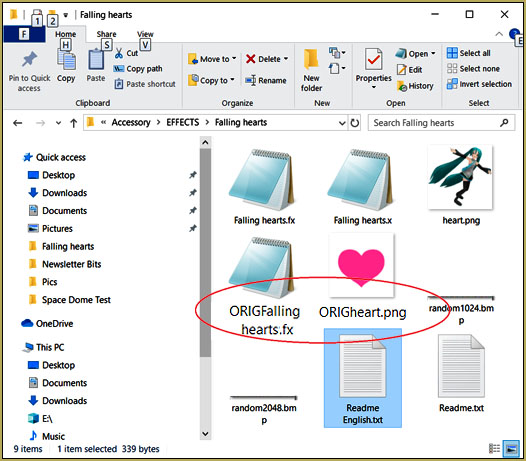
My first step as I Modified MME Effects was to make copies of, rename, and save the original files that I wanted to modify.

Those tiny hearts we see in that video turned out to be NOT a function of the PNG image size. My new Miku PNG was created at 600×600… the old original Heart was only 120×120.
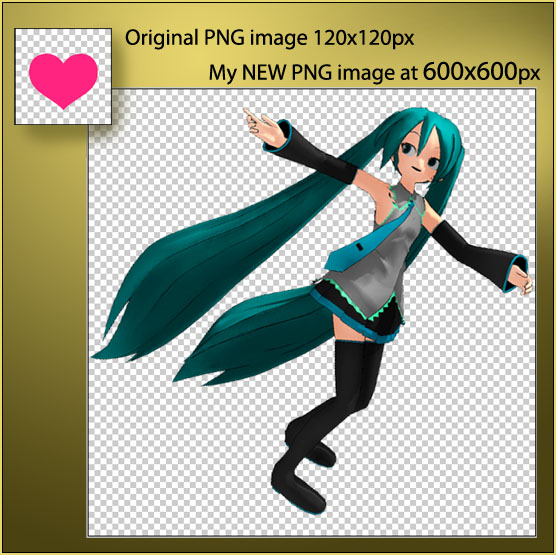
I thought that a larger image would allow Falling Hearts effect to show larger Mikus... but, no... that by itself did not work.

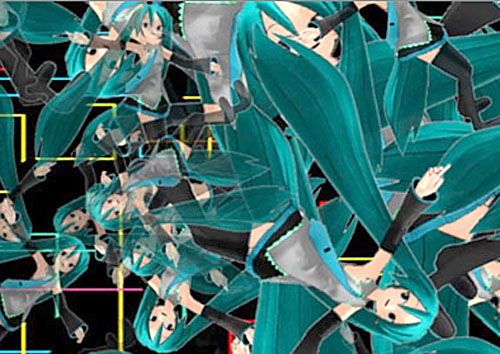
… but when I ran that 600×600 Miku image… it looked like THIS: Tiny Mikus!
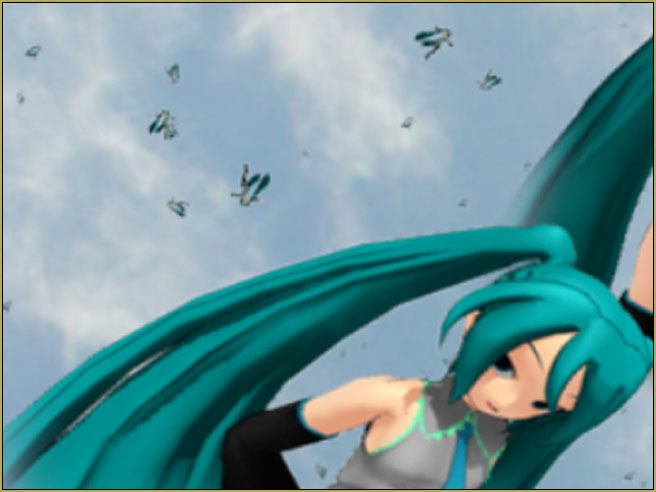
So… I decided to EDIT that FX file to see if I could find a “Size” attribute… and… there it was:
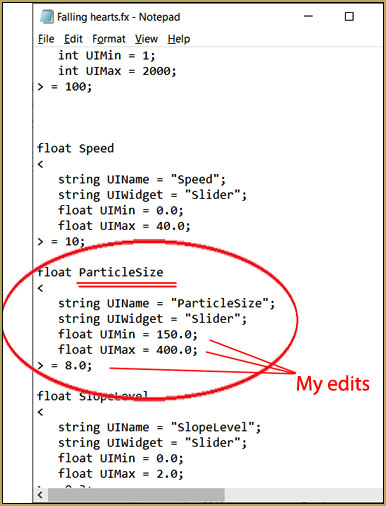
Don't be afraid... you can modify effects and, if you have renamed the original files so that you can restore them... you are free to play!

The original numbers for that text had the “Float Min at 0.0 and Float Max at 3.0… I changed the numbers to what you see there… that was my only change for the first test… but… I still had tiny Mikus… no change.

So I went back and modified the original last line, there

= 0.8; to read my new value of 25.0

and NOW I had HUGE Mikus, way too large…

So I went back and set the value you see, there: 8.0

and I again found HUGE Mikus… but at a reasonable size I could play with.

I started a NEW MMD animation to show only the modified “Falling Hearts” effect, by itself…

… and when I DID… Wow!  Amazing.

Going into Accessory mode, I could roll that effect to new angles and new views… Just amazing…
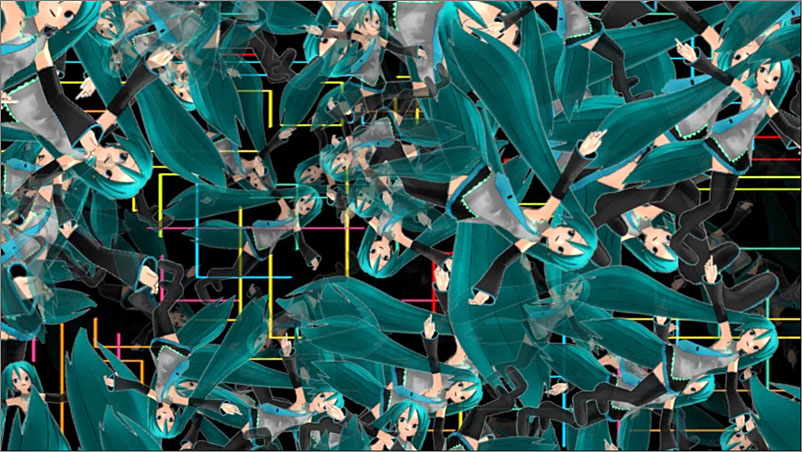
Modified MME Effects... the modified Falling Hearts is easy and amazing!

WOW! … literally “something for nothing”… an amazing, crazy view of whirling Mikus simply by making that simple modification to the old effect.

Give it a try:

Think of an effect you have used and imagine what you might do to make it “more!”… and then dig into that .fx file and see if you can figure out your new twist.

BTW…

I DID check the README for the Falling Hearts effect and it was simple and clean… no violation on my part.
Have fun with MikuMikuDance!


– SEE BELOW for MORE MMD TUTORIALS…


— — —


– _ — –


Visit the LearnMMD.com Homepage! Plenty of Mikumikudance instruction and info!

More MMD Tutorials...

Enjoy the "camera Angles WEIRD in Anime" meme...

Enjoy the "camera Angles WEIRD in Anime" meme... This image is from The Slayers - NEXT, ...read more

Reader asks how to create MMD artwork... stuff like posing, camerawork?

A reader asks... Is there a tutorial on how to create MMD artwork, like those you ...read more

Learn MikuMikuDance in Small Steps! New LearnMMD Video Series

Learn MikuMikuDance in Small Steps. Where can I find easy-to-follow MMD instructions on YouTube? How ...read more

Apply Multiple Effects on an Entire MMD Model Using M4Layer Effect

How can I apply multiple effects to an MMD model? Can I use more than ...read more

MMD Plugin Manager... I Found a Treasure!

What sorts of MMD Plugins are there? MMD Plugin Manager? MMD Plugins. Plugin MMD. More ...read more

2025: Hatsune Miku is 18... but she is designed to be always 16 Years old, by design and in reality!

Finally, in 2023, Hatsune Miku is 16 years old! but in August of 2025, she ...read more

Customize MME effects, Edit Effects .fx files, MMD Tutorials, Reggie Dentmore

Post navigation

Previous Post: Ray-MMD Demonstration “Battle stations … all hands on deck!!!”
Next Post: Ray-MMD Toon Shading Basics

Related Posts

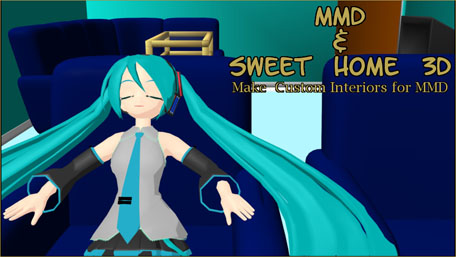
  • Sweet Home 3D Creates Custom MMD Interiors as .x or .pmd MMD Tutorials
  • Motion Reference Videos Available FREE Online Animation Resource
  • Using the OP function in an animation MMD Tutorials
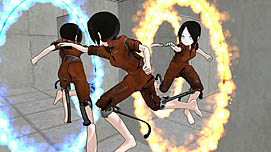
  • How to make a Portal in MMD: blast a hole in the wall! Customize MME effects
  • Tips for how to create complicated MMD dance motions.
    Making more complicated MMD dance motions – Some new notes… Making Smooth Motions
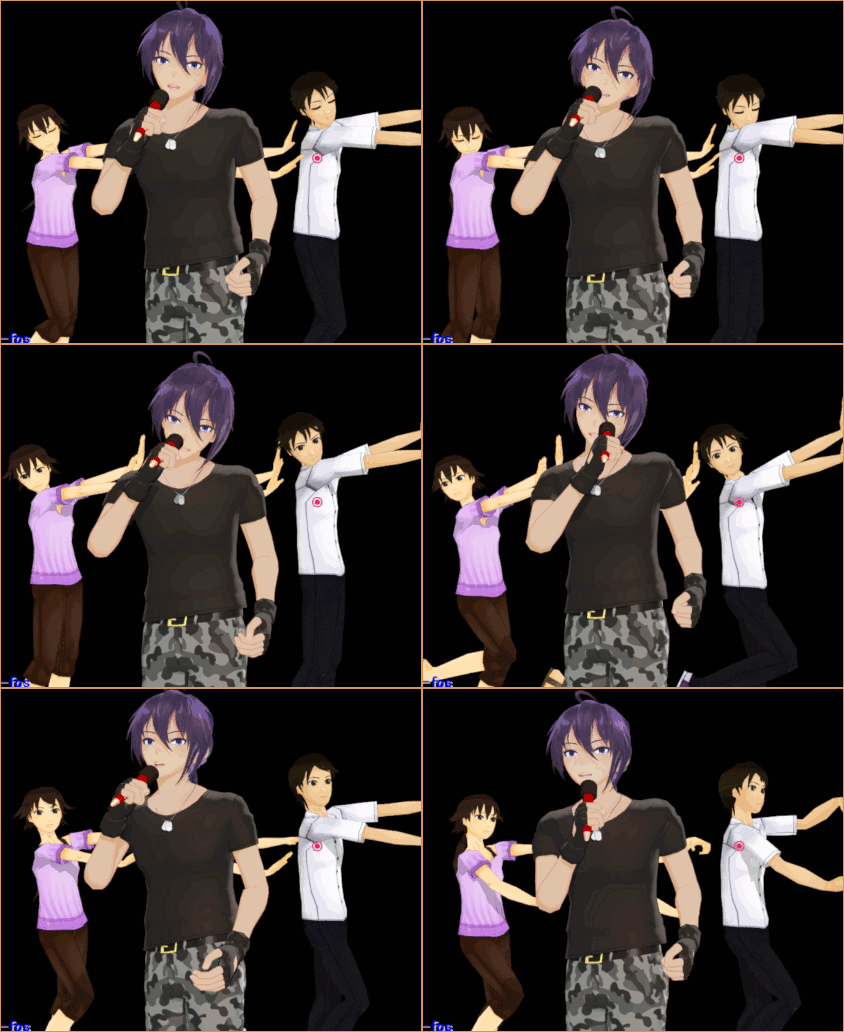
  • Creating MMD Diva Performance Animations – An Overview "the making of" my video

More Related Articles

Translate PMX models to English using a PMX editor Fixing Broken Models
Make Smooth Motions using Multiple Keyframes Animation Shortcuts
Running MikuMikuDance in Linux using Wine and DXVK Linux running MMD
Ray-MMD advanced lighting techniques for MMD MikuMikuDance Ray-MMD Advanced Lighting: A Night on the Town MMD Tutorials
Learn How to Dress the LearnMMD Stage – Instructions Dummy Bones
MMDers Audacity Tutorial Video is on YouTube! Making Soundtracks

Comments (3) on “Modified MME Effects Files yield NEW Effects for MMD!”

  1. Sebastian says:
    February 1, 2020 at 8:58 pm

    Hi, can you please tell me how to put a “Music in this video” into my video description? I am about to upload my second work and I don’t want my video to be deleted from Youtube…

    Thanks in advance!

    Reply
    1. QwQ -ShiruMMD- says:
      March 3, 2020 at 8:52 pm

      It auto detects music.

      Reply
    2. Reggie_Dentmore says:
      March 3, 2020 at 10:08 pm

      I create my soundtrack and make a simple MMD video: just a model onstage and the full soundtrack, render to video for the full number of frames… and post that video to YouTube (unlisted so the world doesn’t see it)… and wait a day (or less, actually) for YouTube to “see” your music and block it or add their license data. … HERE is MY latest one of those:
      https://www.youtube.com/watch?v=ScygQcZ18G8
      NOTE that, in the description of that video, YouTube HAS added their license stuff… so my soundtrack, my project, is “approved”.

      Reply

Leave a Reply Cancel reply

Your email address will not be published. Required fields are marked *

Download the latest version of MikuMikuDance!
See the MMD Step-by-Step instructions page!
Learn how to make your own MMD motions!
LearnMMD.com
  • MMD Project Source YouTube’s Baster037 provides links! Animation Resource
  • My VDE-3 Entry has Music, Camera, Dancers… Now for the HARD part. "the making of" my video
  • pmothair Effect Makes Hair Actually Look like hair MMD Tutorials
  • Learn How to Dress the LearnMMD Stage – Instructions Dummy Bones
  • Free Download MikuMikuDance MMD
    Download the Latest Version of MikuMikuDance: MMD 9.32 Download MikuMikuDance
  • Add a Motherbone for Easy Model Manipulation in MMD 7.39 Mother Bones
  • Using the AdultShader Effect In MikuMikuDance Adult Shader effect
  • Adding Sound Effects to existing MMD animations Making Soundtracks

Copyright © 2022 Learn MikuMikuDance – MMD Tutorials – Free 3D Animation Software and Instructions..

Powered by PressBook Premium theme

Go to mobile version