Skip to content
Learn MikuMikuDance – MMD Tutorials – Free 3D Animation Software

Learn MikuMikuDance – MMD Tutorials – Free 3D Animation Software

Download Free Animation Software – Let's Learn How to Do Everything!

  • Step-by-Step MMD instructions
  • DOWNLOADS
  • Troubleshoot, Fix MMD
  • Site Contents
  • Reggie Replies Q&A
  • Homework!
  • What IS MMD?
    • Download MikuMikuDance Newest Latest Version of MMD
  • “HOW TO”
    • Raycast RAY-MMD Effect Tutorials
  • BONUS PAGES
    • Why convert PMD models to PMX?
  • HALL of CHAMPIONS
  • Tutorial Categories
  • About
    • Privacy Policy
  • Toggle search form
  • "Gothic Teto" by Nigamon and "Mouse Cursor" by SachiShirakawa
    Collecting MMD Models, Music and Accessories for Beginners ARIZONA
  • Download the latest version of MikuMikuDance - MMD 9.32
    NEW MMD 9.32 and 9.32×64… Latest version of MMD! Download MikuMikuDance
  • LearnMMD.com's Video Dojo Expo FIVE
    Beach-side Pool-side “Hot August Nights” – Video Dojo Expo FIVE CONTESTS
  • Workin’ on my VDE-4 Animation: The Easy Part is Complete! "the making of" my video
  • Video Dojo Expo 1 Champion
    Video Dojo Expo 1 Winner: EmberAce216 EmberAce216
  • Making MikuMikuDance Original Animation Videos "the making of" my video
  • Why MMD Does not run on Apple Computers Kazuki Matsuoka
  • Learn to translate models from Japanese with LearnMMD.com!
    Translate Japanese Models to English in PMDE… with Excel! Fixing Broken Models

Using the AdultShader Effect In MikuMikuDance

Posted on December 16, 2012October 14, 2019 By Arizona 10 Comments on Using the AdultShader Effect In MikuMikuDance

How do you use the AdultShader Effect in MMD? What is the AdultShader Effect for MikuMikuDance? Where do you getA Feature Article by contributor ARIZONA on LearnMMD.com the AdultShader Effect? LearnMMD MME Tutorials. Why can’t you use the AdultShader Effect on Lat models?

Using the AdultShader Effect …


We recently started a FORUMS section here at LearnMMD (The link is on the green bar at the top of the page). One of the questions that came up was how to use the AdultShader Effect. We strive to help our readership as much as possible and the forum section is another tool for this. So please use our FORUMS if you have any MikuMikuDance related questions. These topics can easily become articles.
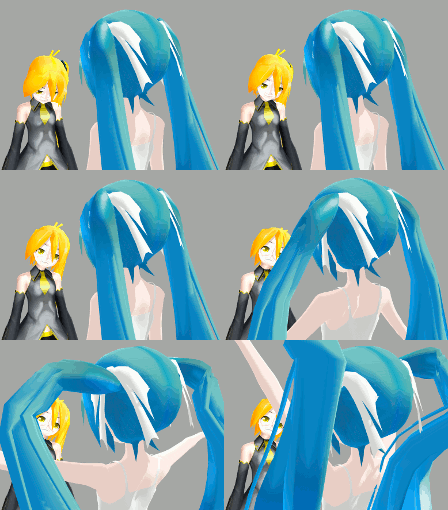
AdultShader can be scary on Lat ModelsYou can download the AdultShader Effect . What the AdultShader effect does is darken the shadowy parts of your model and enriches the colors and textures of the model. Some people have mentioned that the models look more “ripped.” This effect is different than most of the effects we’ve written about, in that you don’t have to go the Accessory Manipulation Panel to load it.

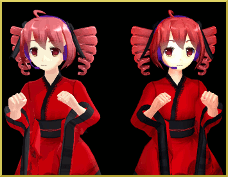
Made in the Shade.Nanami Teto without and with the AdultShader
Load all your model, motion, wave data files. I would also recommend going to the main menu; choose view and turn the model’s “thickness of edge line” all the way to 0. Click your MMEffects button (See Noko2’s article about downloading and installing MME for MikuMikuDance) at the top right of your screen, select “Effect Mapping.” Another window will open up with a list of all the stuff you’ve loaded. Select your model’s name and then click on the Set Effect button. Now find your AdultShader file and double click on the effect and then Lat Yukata Miku without AdultShader Effect and one with.click OK. That’s it, you’re done.
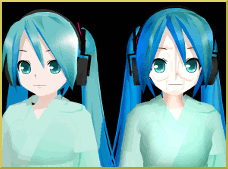
Whenever you search for information on the AdultShader Effect, you almost always come across the obligatory mantra “Never use on Lat models! Never use on Lat models!” It has become the MMD equivalent of the Bloody Mary myth (Notice, I didn’t say “Never use on Lat models” for a third time-Oops!). Well, I did. It’s rather hideous and not for the faint of heart. It isn’t the worst thing I’ve seen in MikuMikuDance though. The .gif to the right shows the same Lat Yukata Miku model without and with the AdultShader effect.

This is a beautiful effect and definitely worth keeping in your MMD tool box. It adds depth to your animations. Remember you want your videos to stand out and every little tweak will help out.


Have fun with this.


Credits:

Models: Neru and Yukata Miku by Lat.

ReYaMa090 Lat Secret Data Miku.

Teto Kasane by Nanami

Effects:

AdultShader.


– SEE BELOW for MORE MMD TUTORIALS…


— — —


– _ — –


Visit the LearnMMD.com Homepage! Plenty of Mikumikudance instruction and info!

More MMD Tutorials...

Reader asks how to create MMD artwork... stuff like posing, camerawork?

A reader asks... Is there a tutorial on how to create MMD artwork, like those you ...read more

MikuMikuDance 15th Anniversary celebration video posted on NicoNico!

Did you know that the first version of MikuMikuDance was released in 2008? MMD is ...read more

Use YouTube Video Analytics Attract Maintain Viewers

How can I use YouTube Video Analytics to learn how to make popular MMD videos? ...read more

Create 450-Frame MMD animation from scratch!

How do I create a 450-Frame MMD animation from scratch? How do I start making ...read more

No more boring MMD Camerawork - Keep it moving!

MMD Camerawork can be so boring. How can I add life to my MMD animations? ...read more

Download Halloween Costume TDA Miku edit by dA's Shiro-NekoVocaloid

Where can I get Halloween Costume TDA Miku? Download a gang of five MMD models ...read more

Adult Shader effect, ARIZONA, Floor Light Art Effect, MMD Basics, Nuts & Bolts, Special Effects, Using MME Effects

Post navigation

Previous Post: Getting Started with MMD Video on YouTube!
Next Post: Using The Floor Light Art Effect in MMD.

Related Posts

  • Ghost Effect for MME
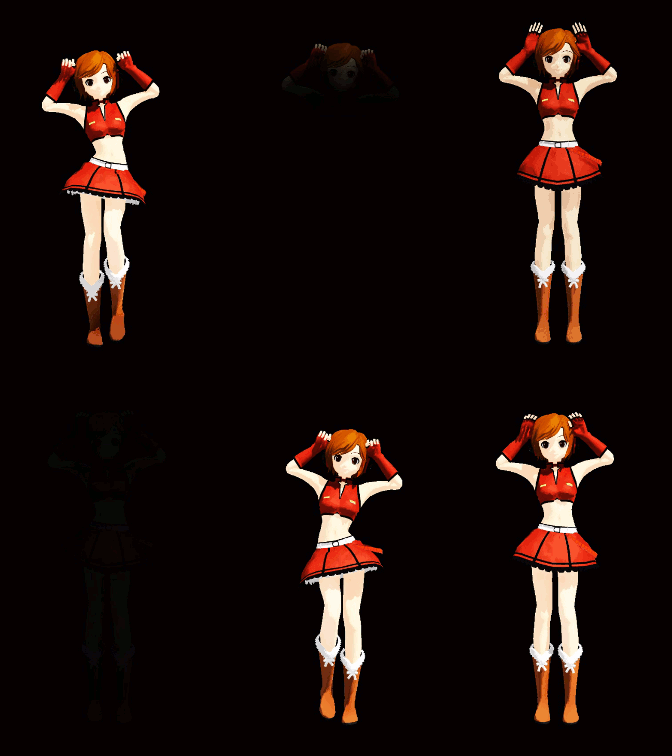
    How to Use the Ghost Effect for MME! ARIZONA
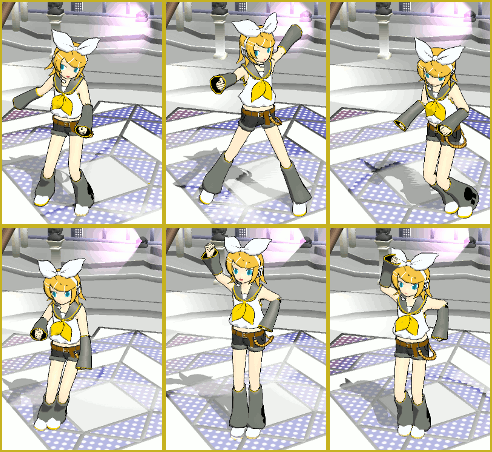
  • With some practice, Rin can dance the sample dance as well as Miku!
    There Can Be Frame Data Ghosts remaining after Deletion Making Smooth Motions
  • Different MMEffects for different feelings
    Give MMD Pictures Different MMEffects For Different Feelings BigPerryman
  • Add interest to you choreography by moving/rotating models with Mother Bones.
    Add Interest: Place Multiple Models Onstage Using Mother Bones ARIZONA
  • New MMD Video Taught Awareness of Camera Angles and Motion Quirks! "the making of" my video
  • Magician Miku pulls a magic trick and reverses her motion data!
    How to Reverse Motion Data in MikuMikuDance ARIZONA

More Related Articles

Why MMD Does not run on Apple Computers Kazuki Matsuoka
Knock-out the Background as you Render to Picture in MMD Add Background Pictures and AVI
Add interest to you choreography by moving/rotating models with Mother Bones. Add Interest: Place Multiple Models Onstage Using Mother Bones ARIZONA
Why MMD cannot open the models in a saved PMM file Downloading New Models
A Discussion of unloved Vocaloids Downloading New Models
Ghost Effect for MME How to Use the Ghost Effect for MME! ARIZONA

Comments (10) on “Using the AdultShader Effect In MikuMikuDance”

  1. hg says:
    October 10, 2019 at 1:03 pm

    dAdultShader download link:

    https://bowlroll.net/file/65211

    Reply
    1. Reggie_Dentmore says:
      October 10, 2019 at 1:18 pm

      Thank you for the info… nice email address!

      Reply
      1. Trackdancer says:
        October 12, 2019 at 9:06 pm

        Actually, the link given above is to a modified version of the effect that is intended to work with the collapse effect. Bandages link in the comment below contains the correct link to the AdultShader effect.

        There is another similar effect dsAdultShader but that effect doesn’t seem to be available anymore.

        Reply
  2. bandages says:
    July 29, 2016 at 8:48 am

    Here’s a download link to an updated version (incl. a readme):

    http://ux.getuploader.com/Elle_DataPort/download/9/AdultShader_v014.zip

    Reply
  3. Erwana says:
    January 27, 2015 at 12:37 pm

    Hello ! I wanted to know how to put Adult Shader on MMD since it’s a fx file i can’t open it with the camera and all (it only load x files ) can you help me with this please ? ^^

    Reply
    1. Reggie_Dentmore says:
      February 7, 2015 at 5:38 pm

      Load all your model, motion, wave data files. I would also recommend going to the main menu; choose view and turn the model’s “thickness of edge line” all the way to 0. Click your MMEffects button in the upper-right of your MMD screen, select “Effect Mapping.” Another window will open up with a list of all the stuff you’ve loaded. Select your model’s name and then click on the Set Effect button. Now find your AdultShader file and double click on the effect and then Lat Yukata Miku without AdultShader Effect and one with.click OK. That’s it, you’re done.

      Reply
    2. Reggie_Dentmore says:
      February 7, 2015 at 5:40 pm

      I sent you an email … but the info you seek is in the middle of that article … use the Effect Mapping window that is available if you click the MME button on the top right of your MMD screen.

      Reply
  4. Koneko says:
    June 20, 2013 at 12:23 pm

    Oh darnit, I was about to make an article on that (about LAT and Adult Shader)… But since nobody really replied except for Arizona, I guess I still can, because the LAT thing isn’t too well known.

    Reply
  5. Arizona says:
    December 16, 2012 at 10:55 am

    Hey Stella,
    Thank you for that link and that info. More importantly, thanks for keepin’ me honest. 8D
    Our readership, we authors, LearnMMD all benefit from this peer oversight.

    Reply
  6. Stella the Alchemist says:
    December 15, 2012 at 11:19 am

    Actually, you can use the AdultShader effect on LAT models. It just takes a little adjustment. I found this tutorial on it: http://trackdancer.deviantart.com/art/MME-Shading-LAT-models-315210703
    I think the same method should work for other effects that look weird on LAT models, too, like the MangaShader effect. I’m not sure, though. But yeah. :3

    Reply

Leave a Reply Cancel reply

Your email address will not be published. Required fields are marked *

Download the latest version of MikuMikuDance!
See the MMD Step-by-Step instructions page!
Learn how to make your own MMD motions!
LearnMMD.com
  • Blackout Effect offers Fade-to-Black and fade-to-white!
    MME Blackout Effect offers Fade-to-Black and Fade-to-White Blackout Effect
  • create credible characters for your projects
    How to create credible characters for your projects. MMD Tutorials
  • Ray-MMD environment controls create MMD dreamscape MMD Tutorials
  • Creating Hand IK Bones with the IKMakerX PMXE plugin Bones
  • Let the model itself help you to align its bones!
    Rig a Model: Adding and weighting bones with PMDE Bones
  • Find New MMD Models – MMD Resources Hunting! Downloading New Models
  • MMD Starry Winds Effect Makes Amazing Night Time Scenes! MMD Tutorials
  • Post Effect cannot be specified
    Fix the “Post Effect cannot be specified” error Chris no Akumu

Copyright © 2022 Learn MikuMikuDance – MMD Tutorials – Free 3D Animation Software and Instructions..

Powered by PressBook Premium theme

Go to mobile version