Skip to content
Learn MikuMikuDance – MMD Tutorials – Free 3D Animation Software

Learn MikuMikuDance – MMD Tutorials – Free 3D Animation Software

Download Free Animation Software – Let's Learn How to Do Everything!

  • Step-by-Step MMD instructions
  • DOWNLOADS
  • Troubleshoot, Fix MMD
  • Site Contents
  • Reggie Replies Q&A
  • Homework!
  • What IS MMD?
    • Download MikuMikuDance Newest Latest Version of MMD
  • “HOW TO”
    • Raycast RAY-MMD Effect Tutorials
  • BONUS PAGES
    • Why convert PMD models to PMX?
  • HALL of CHAMPIONS
  • Tutorial Categories
  • About
    • Privacy Policy
  • Toggle search form
  • o_ShaderCustomSet_v0_3 effect applies gentle color modification MMD Tutorials
  • MMD Dummy Bones may be your most important models! Dummy Bones
  • Video Dojo Expo 1 Champion
    Video Dojo Expo 1 Winner: EmberAce216 EmberAce216
  • Creating Hand IK Bones with the IKMakerX PMXE plugin Bones
  • VDE-4 Champion: Izzmations Video Dojo Champions
  • Cycles materials for textures model and nodes
    Cycles Materials For Textures in Blender: Nice Textures for MMD Fast! Blender
  • MME FunyaFunya Effect adds wavy psychedelia to your MMD scene! FunyaFunya Effect
  • Rin is excited about the MomiCup
    How to enter The MomiCup and other YouTube MMD Contests and Parties. ARIZONA

Adult Shader on a LAT model – it’s possible!

Posted on November 12, 2013July 24, 2015 By Kazuki Matsuoka 3 Comments on Adult Shader on a LAT model – it’s possible!

See all of the articles by LearnMMD's Kurea Urusuta!Adult Shader on a LAT model doesn’t work. Don’t use Adult Shader on a LAT model. How can I use Adult Shader on my LAT Miku?


Adult Shader on a LAT model – it’s possible … Just protect the face!

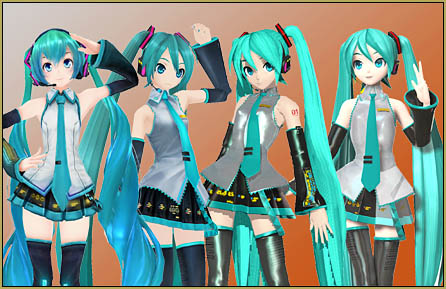
Have you ever longed to use adult shader on your favourite LAT model to make it look amazing for Adult Shader on a LAT model is possible! ... Just protect the face!  MME  MMD  LearnMMD.comyour video but it looks horrible?
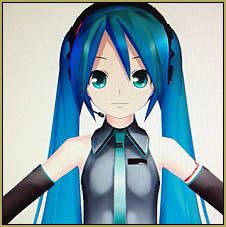
Well, that ends today! Just by following a few simple steps with only MMD and MME, you can fix that!

First of all, load up MMD and load your LAT model. Open the MME window and add the adult shader effect to your model.

Now this is when things get exciting!

Right click on the model name in MME and click on subset-extract. Get rid of the face and nose by clicking on the numbers, for example, the normal Miku LAT model, to get rid of the face and nose, click on numbers #16 and #6.
Click on one number first and make sure that those two boxes aren’t ticked, click on edit and remove effect. Do the same to the other part.

Then the magic begins!

Click on the boxes again to tick them and click “OK”.

TADA! All, of your troubles are over! Feel free to ask any questions!
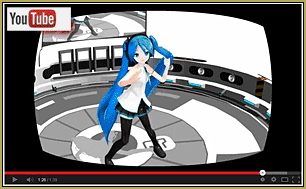
See my video with my LAT model showing off her beautiful face with Adult Shader in effect!See the test video I have on YouTube and see Adult Shader on my LAT Miku… Enjoy!


– SEE BELOW for MORE MMD TUTORIALS…


— — —


– _ — –


Visit the LearnMMD.com Homepage! Plenty of Mikumikudance instruction and info!

More MMD Tutorials...

LAT Model Shaders Create Stunning Scenes in MMD

Are there any LAT model shaders? How can I use shaders with LAT models? Do ...read more

Set up Kinect 360 motion capture for MMD!

How do I set up Kinect 360 to do motion capture for MMD? Which Kinect ...read more

Understanding MME Render Targets for Miku Miku Dance Effects

How can I use MME? How can I use effects for MMD?  Can I hide ...read more

Win 7 Virtual Machine Runs MMD on MAC and Linux

How can I run MMD on a MAC? Find out how a virtual machine runs ...read more

Make an effect start at a certain frame

How do I make an effect start in a certain frame? How can I turn ...read more

Professionally made models FOUND!

Sometimes... we wish that we could have the models in Project DIVA, Mitchie M's Burenai ...read more

Adult Shader effect, Kazuki Matsuoka, LAT Models

Post navigation

Previous Post: Knock-out the Background as you Render to Picture in MMD
Next Post: The MMD Physics Engine keeps Skirts from going through legs!

Related Posts

  • How to Add Multiple Effects on a Model. Adult Shader effect
  • LAT Model Shaders Create Stunning Scenes in MMD Kazumi
  • The K Lite Mega Codec Pack 995 – The Ultimate HD Video compressor! HD Videos in MMD
  • Get started with MMM – The Basics Kazuki Matsuoka
  • Make an effect start at a certain frame Kazuki Matsuoka
  • VOCALOID 3 Tutorial – The whole interface on a basic level Kazuki Matsuoka

More Related Articles

Make an effect start at a certain frame Kazuki Matsuoka
Introducing MikuMikuMoving … MMM! Kazuki Matsuoka
Why MMD Does not run on Apple Computers Kazuki Matsuoka
Set up Kinect 360 motion capture for MMD! Kazuki Matsuoka
Exporting VSQX to VSQ for MMD! Kazuki Matsuoka
Using the AdultShader Effect In MikuMikuDance Adult Shader effect

Comments (3) on “Adult Shader on a LAT model – it’s possible!”

  1. XXSefa says:
    September 24, 2016 at 10:09 am

    seriously adult shader is the most awful shader for lats -_- just use some better shader like S5 or Niceshader

    Reply
  2. Aoqi says:
    March 20, 2014 at 10:58 pm

    I don’t know how to fix the broken models ?

    Reply
    1. Reggie_Dentmore says:
      March 21, 2014 at 9:50 pm

      Is the model white, with no, or few colored areas? Maybe this will help:
      https://learnmmd.com/http:/learnmmd.com/opening-japanese-models-in-mikumikudance-7-39-sometimes-they-don%E2%80%99t-work/

      Reply

Leave a Reply Cancel reply

Your email address will not be published. Required fields are marked *

Download the latest version of MikuMikuDance!
See the MMD Step-by-Step instructions page!
Learn how to make your own MMD motions!
LearnMMD.com
  • ‘PROJECT: MikuMiku Movie!’ part 01: prepare the first scene! Fia Phoenix
  • Use YouTube Video Analytics to Attract and maintain viewers!
    Use YouTube Video Analytics Attract Maintain Viewers "the making of" my video
  • New Interpolation Curve Video was fun to make! "the making of" my video
  • Ray-MMD shading Mech-Girls!
    Ray-MMD Shading Mech Girls brings those beauties to life! MMD Tutorials
  • Formatting Captions With MMM MikuMikuMoving Bullwood
  • Blackout Effect offers Fade-to-Black and fade-to-white!
    MME Blackout Effect offers Fade-to-Black and Fade-to-White Blackout Effect
  • A girl named Miku Hatsune… Random Thoughts & Visions
  • How To Add Depth and Emotion in an MMD Picture Advanced Shader Technique

Copyright © 2022 Learn MikuMikuDance – MMD Tutorials – Free 3D Animation Software and Instructions..

Powered by PressBook Premium theme

Go to mobile version