


Skip to content
Learn MikuMikuDance – MMD Tutorials – Free 3D Animation Software

Learn MikuMikuDance – MMD Tutorials – Free 3D Animation Software

Download Free Animation Software – Let's Learn How to Do Everything!

  • Step-by-Step MMD instructions
  • DOWNLOADS
  • Troubleshoot, Fix MMD
  • Site Contents
  • Reggie Replies Q&A
  • Homework!
  • What IS MMD?
    • Download MikuMikuDance Newest Latest Version of MMD
  • “HOW TO”
    • Raycast RAY-MMD Effect Tutorials
  • BONUS PAGES
    • Why convert PMD models to PMX?
  • HALL of CHAMPIONS
  • Tutorial Categories
  • About
    • Privacy Policy
  • Toggle search form
  • PMXE weight painting tools and deformation types for new MMD models Bandages
  • MMPlus has many safeguards that will save you time as you work with MMD.
    MMPlus, a New MMD Plugin! Animation Resource
  • New LearnMMD Stage Instructions just posted! MMD Tutorials
  • Create 450-Frame MMD Animation from scratch!
    Zero-to-450.com: REALLY Learn MikuMikuDance! "the making of" my video
  • How to Switch Models and Stages in MikuMikuDance Accessory Manipulation/Adjust
  • Troubleshoot MMD models– or anything else– with four techniques! Bandages
  • The MMD Physics Engine keeps Skirts from going through legs! MMD Basics
  • Creating Spooky Scenes with MMD Animation Shortcuts
Save to the Desktop with ALL FILES selected.

Opening Japanese Models in MikuMikuDance – Sometimes they don’t work!

Posted on November 18, 2011May 28, 2016 By Reggie_Dentmore 24 Comments on Opening Japanese Models in MikuMikuDance – Sometimes they don’t work!

Why is my new model white in MikuMikuDance? New models do not download correctly in MMD. The clothes are the wrong color are white.  LearnMMD Tutorials. My new model not right is broken has white has no color not showing working mmd.

Opening Japanese Models in MikuMikuDance
– Sometimes they don’t work!

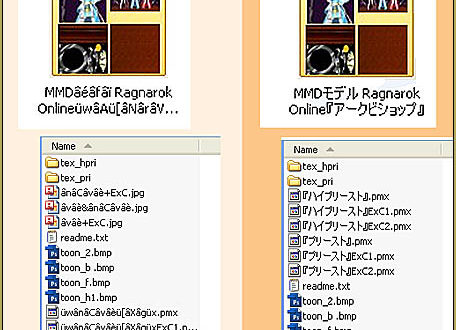
The Japanese have been into MMD for years and they Broken Models are often caused by scrambled file names.have created and shared thousands of models online. Of course they name their files in Japanese! … and our computers, in the USA, use a different character set … don’t speak Japanese … with the result being scrambled file names. We need to use a new “program set” to open those Japanese zip files while keeping the original file names.

I found a solution to share with you: https://learnmmd.com/Applocale7zip/. Following the instructions, there, you will download a zip-file software, 7-Zip, and a Microsoft program: AppLocale. Read and follow the instructions carefully, like I did, and you will have no problems.

Editor’s
Note: 5/28/2016

Another method for keeping the Japanese file names as you open a Japanese model zip folder is to use the free Bandizip software
with the Code Page dropdown set to Japanese.
See the Bandizip article.

The only place I hada question was about saving a batch file that we will use in the future to open that Zip program. We want to make a simple icon button for our desktop that we can double-click when we want to use 7-Zip in combination with AppLocale to open a new model. The author gives us the command line:

C:\WINDOWS\AppPatch\AppLoc.exe “C:\Program Files\7-Zip\7zFM.exe” “/L0411”

and he assumesthat we know what to do with it … but it has been a long time since I have thought about DOS!   What you do is open NOTEPAD on your computer; copy/paste that line of type into an empty NOTEPAD screen and SAVE AS … as a “.bat” file. Your SAVE AS window should look like this:
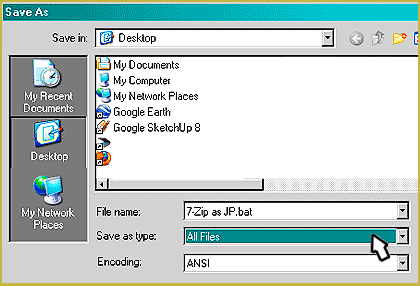
Save to the Desktop with ALL FILES selected.

At the bottom of the save window the drop-down will show “Text Document .txt” … you change that to “All Files” … designate your Desktop, and name your file like he did:   7-Zip as JP.bat    and SAVE. A “gear” icon will appear on your desktop. Double click the icon and 7-Zip will open. A gear icon will appear on your Desktop.You use 7-Zip to extract your downloaded model’s zip file.
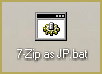
That’s all there is to it “:o).


– SEE BELOW for MORE MMD TUTORIALS…


— — —


– _ — –


Visit the LearnMMD.com Homepage! Plenty of Mikumikudance instruction and info!

More MMD Tutorials...

Introducing MMD model 1052C China Qipao Miku

Where can I download MMD model 1052C dancers? I want the 1052C China Qipao Miku ...read more

MMD Boobs too Big yields Too Funny Really Bad Boy video!

Can MMD boobs too big get in the way of a downloaded motion file? What ...read more

Download Hatsune Miku type N models from 2010... a set of 6!

Can I still download Hatsune Miku type N models? Where can I download a few ...read more

Download Early Miku 1052C-Re0710 MMD Models from 2010!

Download these 1052C-Re0710 MMD Models from 2010! These 1052C-Re0710 MMD models were created in 2010. I ...read more

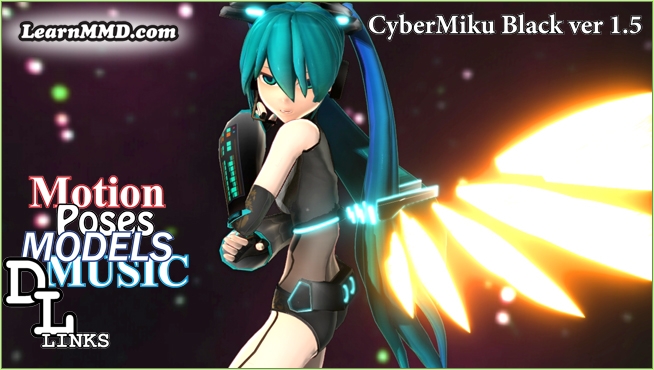
Download MMD CyberMiku Black ver1.5 with Glowing Wings and an attitude!

Download MMD CyberMiku Black ver1.5 with Glowing Wings and an attitude to match! A treasure... Yesterday I ...read more

Download the beautiful LUKA MEGURINE HIPSTERBLACK by PS-2002

Where can I download LUKA MEGURINE HIPSTERBLACK by PS-2002? How can I get a new ...read more

Applocale / 7-Zip, Downloading New Models, Fixing Broken Models Tags:new model, new model not working

Post navigation

Previous Post: Use Proper MMD Etiquette When Using New Models and Accessories
Next Post: Learn How to Navigate Japanese MikuMikuDance Pages

Related Posts

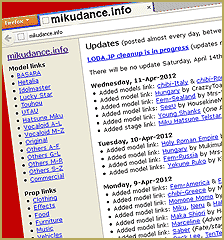
  • MikuDance.info has a constantly updated list of new MMD models and accesssories.
    MikuDance.info – A Very Useful Site for MMDers! Downloading New Models
  • MMD model 1052C China Qipao Miku download
    Introducing MMD model 1052C China Qipao Miku "the making of" my video
  • A Discussion of unloved Vocaloids Downloading New Models
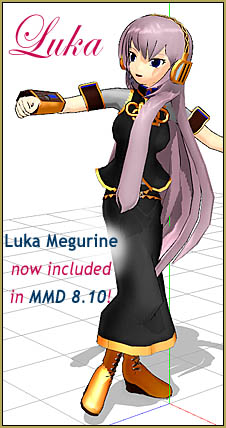
  • MikuMikuDance Welcomes Luka Megurine to MMD 8.10! Download MikuMikuDance
  • Editing Model Materials in PMDE for MikuMikuDance PMD and PMX Models Fixing Broken Models
  • Cookiefun Channel Camera Crew Model Free Download Downloading New Models

More Related Articles

MMD model 1052C China Qipao Miku download Introducing MMD model 1052C China Qipao Miku "the making of" my video
Bandizip® keeps Japanese file names intact when Extracting ZIP folders Bandizip
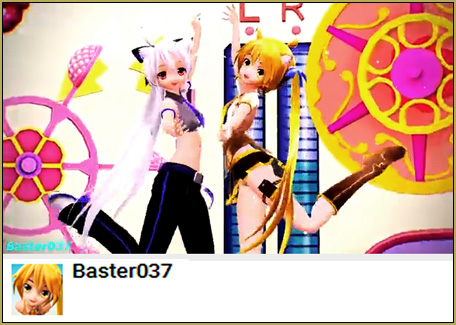
MMD Project Source YouTube’s Baster037 provides links! Animation Resource
MikuDance.info has a constantly updated list of new MMD models and accesssories. MikuDance.info – A Very Useful Site for MMDers! Downloading New Models
Troubleshoot MMD models– or anything else– with four techniques! Bandages
Beautiful CyberMiku Black ver1.5 has wings! Download MMD CyberMiku Black ver1.5 with Glowing Wings and an attitude! "the making of" my video

Comments (24) on “Opening Japanese Models in MikuMikuDance – Sometimes they don’t work!”

Comments navigation

Older comments
  1. Owen says:
    September 11, 2026 at 12:28 am

    The AppLocale and 7-Zip tip saved me hours, honestly. I’d been renaming files one by one like an idiot until a friend pointed me to that same guide. Keeping the original filenames matters more than people think, since textures reference them internally. Same principle applies elsewhere: understanding your own setup first beats guessing. I tried KinkWeave at https://kinkweave.com/kink-test recently, and it’s the same idea, a private quiz that maps preferences without needing an account. Nothing to fix, just clearer.

    Reply
  2. Owen says:
    September 10, 2026 at 4:32 am

    The scrambled filename problem hit me too, and I spent an hour blaming the model before realizing it was character encoding all along. Learning to open those zips properly really is half the battle. It reminds me of taking the Aura Color Test at https://loretypes.com/archetype/ — the full spectrum stays visible instead of forcing one label, which is how these fixes should feel too.

    Reply

Comments navigation

Older comments

Leave a Reply Cancel reply

Your email address will not be published. Required fields are marked *

Download the latest version of MikuMikuDance!
See the MMD Step-by-Step instructions page!
Learn how to make your own MMD motions!
LearnMMD.com
  • Download Previous Versions of MikuMikuDance from LearnMMD.com! Download MikuMikuDance
  • Convert PMD Models To PMX Models and Chicken-Leg Fix! BigPerryman
  • Easily Create Walk-in-Place Motion in MMD Animation Shortcuts
  • Export Import MMD Models Using Blender and PMXE Blender
  • LearnMMD.com: The MMD Instructions you have been looking for! MMD Basics
  • Speech Synthesizer gives MMD Models a voice! Making Soundtracks
  • Reset Your Computer to Japanese Locale for perfect Japanese Stella The Alchemist
  • The story of Portal Turret "Bang Bang" video
    The making of: “Bang Bang” Portal video "the making of" my video

Copyright © 2022 Learn MikuMikuDance – MMD Tutorials – Free 3D Animation Software and Instructions..

Powered by PressBook Premium theme

Go to mobile version