
Skip to content
Learn MikuMikuDance – MMD Tutorials – Free 3D Animation Software

Learn MikuMikuDance – MMD Tutorials – Free 3D Animation Software

Download Free Animation Software – Let's Learn How to Do Everything!

  • Step-by-Step MMD instructions
  • DOWNLOADS
  • Troubleshoot, Fix MMD
  • Site Contents
  • Reggie Replies Q&A
  • Homework!
  • What IS MMD?
    • Download MikuMikuDance Newest Latest Version of MMD
  • “HOW TO”
    • Raycast RAY-MMD Effect Tutorials
  • BONUS PAGES
    • Why convert PMD models to PMX?
  • HALL of CHAMPIONS
  • Tutorial Categories
  • About
    • Privacy Policy
  • Toggle search form
  • Keyboard Shortcuts and Easy Moves Keyboard Shortcuts
  • Visit Krystal-Sakura on Deviant Art to get "Sparkly Eyes" for MMD 7.39
    Change a Model’s Eyes Using MMD Eye Packs in MikuMikuDance NOKO2
  • Get the K-Lite Codec for MMD
    The K-Lite Codec Pack: How To Install, and Current Problems K Lite Mega Codec Pack 995
  • Introduction to Vocaloid: a short tutorial NOKO2
  • Download Reggie's collection of Rocking Chair Accessory for MMD7.39
    New MMD Rocking Chair Accessory Ready to Download Make your own Accessories
  • Free Download MikuMikuDance MMD
    Download MikuMikuDance Easily make YouTube MMD Music Videos MMD Basics
  • Tesagure! Bukatsu-mono Animated
    Tesagure! Bukatsu-mono. An anime associated with MikuMikuDance. ARIZONA
  • Study MMD Motion Files to SEE and LEARN about creating animations
    Study MMD Motion Files to SEE and LEARN about creating animations Making Smooth Motions

Happy Birthday Miku (16 Again) … Miku’s Birthday

Posted on August 31, 2014July 30, 2015 By NeKo MANiac aMMDy 1 Comment on Happy Birthday Miku (16 Again) … Miku’s Birthday

A feature article by LearnMMD's Neko MANiac aMMDy!When is Miku’s Birthday? Miku’s birthday is what day in August? What is a good way to celebrate Miku’s birthday?

Some thoughts on Miku’s Birthday.

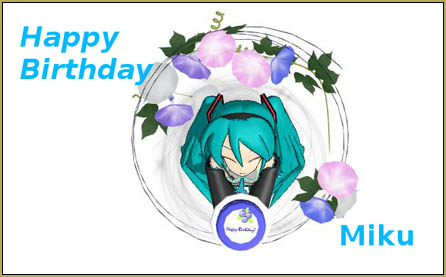
Today, August 31, being Miku’s Birthday, I would like to share some of my thoughts on this occasion. Even though today is her birthday and her original voice bank is seven, she remains sixteen years old. For a sixteen year old girl she has made, and will continue to make a big impact on today’s society.
New_Happy_Birthday_miku

Without Miku, the Vocaloid software would not be as popular as it is today. About five vocaloids had been released before Miku’s release in 2007. It was with the release of Miku that the popularity of Vocaloid took off. Originally developed as a professional software, Miku’s popularity spilled over to the amateur side. With this came the birth of a community based on collective creativity. This idea has spawned many derivative applications to enhance one’s creativity, including Utauloid and MikuMikuDance. Miku’s image can symbolize the creativity of the community as her image is based on the creator’s ideas and is not set in stone (Short history of MMD Miku Models Part 1, Short history of MMD Miku Models Part 2) . In fact, for the initial cover-image of Miku for the Vocaloid Software, the artist who designed Miku, Kei Garo’s only direction was that she was an android and her color scheme: turquoise color.

Although, Miku was artificially created, to many of us she seems more real than many of today’s flesh and blood artists. This is due to that fact that she is a reflection of the creators of her song. As a consumer, we thrive in relating to the background of an artist. This also contributes to her popularity. The PBS Idea Channel dives into this in their video:

Is Miku Hatsune A More Authentic Pop Star Than Lana Del Rey

As time passes, Miku, Vocaloid and the community continues to evolve. This is shown through the development and re-release of many Vocaloid characters in Vocaloid3, which includes an English version and specialized version … as well as her performing sold-out 3D concerts.

As we celebrate her birthday by listening to her songs, I would like to wish her a …

Happy Birthday!


– SEE BELOW for MORE MMD TUTORIALS…


— — —


– _ — –


Visit the LearnMMD.com Homepage! Plenty of Mikumikudance instruction and info!

More MMD Tutorials...

Rediscover your old MMD Animations: Love them again!

Rediscover your old MMD Animations: Love them again! https://youtu.be/P4b3todZMUI A labor of love... Remember how it was when ...read more

Create MMD Abstract Art from Low-Res Videos!

This is an idea I have been playing with for the last few months... Create MMD ...read more

Free Download MikuMikuDance 3D animation software

Where can I free download MikuMikuDance... download MMD? What can I do with MikuMikuDance. Can ...read more

Recoloring MMD's Control Panel GUI Interface

Hi and welcome to your personal MMD care and color service, where I give you ...read more

Culling unseen MMD model parts optimises computer assets (PART 2)

How can I make my MMD run faster? What if removing parts using Subset-Extract isn’t ...read more

Optimise computer assets by culling unseen MMD model parts

How can I make my MMD run faster? How can I optimise computer assets as ...read more

Intro to MikuMikuDance, NeKo MANiac aMMDy, Random Thoughts & Visions

Post navigation

Previous Post: My new “Ring Around the Moon” MMD video is on YouTube
Next Post: MMD Outside Parent Setting Enables Bone Connecting

Related Posts

  • Download VMDSpectrum Analyzer to create VMD files MMD Tutorials
  • Behind the Scenes insights into my newest video "the making of" my video
  • Written Credits aid YouTube MMDer search results Keep the Faith-MMD Credits/Sharing
  • MMD Let’s Learn How to Do Everything! Intro to MikuMikuDance
  • Making amazing complicated MMD video requires circle of learning Animation Shortcuts
  • New MMD Video Taught Awareness of Camera Angles and Motion Quirks! "the making of" my video

More Related Articles

With some practice, Rin can dance the sample dance as well as Miku! Let’s Play the Sample Dances and Learn About MikuMikuDance Intro to MikuMikuDance
Getting Re-Excited about MikuMikuDance … Happy Birthday Miku! Intro to MikuMikuDance
MikuMikuDance FREE Animation Software & Instructions MMD Tutorials
Sketchup Orbit view on MMD: Right Click and Drag! Keyboard Shortcuts
Creating Inspirational Pictures in MMD MMD Fine Art
Use Professional Tricks to Make MMD Animating Faster and Easier Random Thoughts & Visions

Comment (1) on “Happy Birthday Miku (16 Again) … Miku’s Birthday”

  1. Jarek says:
    September 4, 2014 at 4:03 pm

    Hilarious, how we all think Miku is still 16 seven years later. BTW, I don’t receive confirmation emails from learnmmd.com even in my spam folder.

    Reply

Leave a Reply Cancel reply

Your email address will not be published. Required fields are marked *

Download the latest version of MikuMikuDance!
See the MMD Step-by-Step instructions page!
Learn how to make your own MMD motions!
LearnMMD.com
  • Adjust downloaded motions to fit your MMD models Animation Shortcuts
  • Scrambled first frame of video must be Voodoo! MMD Basics
  • Make Chibi Models for MikuMikuDance! Adjust PMD Model Size
  • Chibi Miku and Baby Teto Love Dancing with the KeyScreen!
    Using the KeyScreen Effect in MikuMikuEffects (MME) ARIZONA
  • LearnMMD.com _ MikuMikuDance MMD Tutorials
    MMD Quits after a few minutes? You are not alone! Reggie Dentmore
  • Beamman's WEater Effect can be very realistic.
    BeamMan’s Water Effects really look wet! Beamman's Water v5
  • Fixing Missing Facial Manipulation Tabs in MikuMikuDance. Fixing Broken Models
  • Video Dojo Expo 2 CHAMPIONS are chosen! CONTESTS

Copyright © 2022 Learn MikuMikuDance – MMD Tutorials – Free 3D Animation Software and Instructions..

Powered by PressBook Premium theme

Go to mobile version