Skip to content
Learn MikuMikuDance – MMD Tutorials – Free 3D Animation Software

Learn MikuMikuDance – MMD Tutorials – Free 3D Animation Software

Download Free Animation Software – Let's Learn How to Do Everything!

  • Step-by-Step MMD instructions
  • DOWNLOADS
  • Troubleshoot, Fix MMD
  • Site Contents
  • Reggie Replies Q&A
  • Homework!
  • What IS MMD?
    • Download MikuMikuDance Newest Latest Version of MMD
  • “HOW TO”
    • Raycast RAY-MMD Effect Tutorials
  • BONUS PAGES
    • Why convert PMD models to PMX?
  • HALL of CHAMPIONS
  • Tutorial Categories
  • About
    • Privacy Policy
  • Toggle search form
  • Stationary Motion Creation rights and wrongs Creating Motions
  • How To Make Global Lighting Work with Game-Rips Fixing Broken Models
  • Animate MMD ballet pirouette motion Creating Motions
  • LearnMMD’s MEME PARTY 2 a Success! CONTESTS
  • Workin’ on my VDE-4 Animation: The Easy Part is Complete! "the making of" my video
  • Create color morphs in MMD models using PMXE
    Create MMD model color morphs using PMXE Making Models
  • Making MMD Textures with Blender Bandages
  • Load Camera Motion Data VMD files using the File Menu in MMD ARIZONA
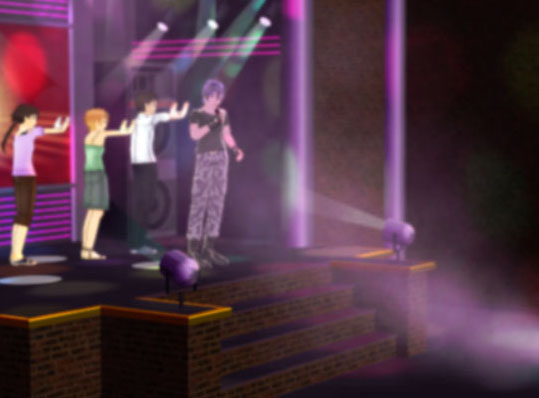
MMD smoke clouds are easy to make with Beamman's Breath effect.

MMD Smoke Clouds and a Smoke Filled Room…

Posted on March 26, 2020May 4, 2024 By Reggie_Dentmore No Comments on MMD Smoke Clouds and a Smoke Filled Room…

A Feature Article by Reggie Dentmore on LearnMMD.comHow can I make MMD smoke Clouds? How can I make clouds of smoke in MMD. What’s an easy way to add cigarette smoke to my MMD scene? How can Beamman’s Breath Effect make big MMD Smoke Clouds?

Create MMD Smoke Clouds and a Smoke Filled Room…
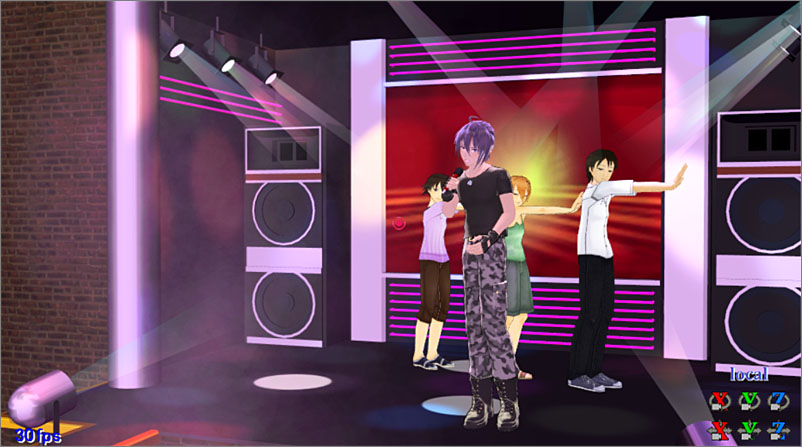
MMD smoke clouds create a smoky nightclub scene in MMD.
See the MMD smoke clouds building-in from the lower left. Those “Light” accessories included in the basic MMD download seem to be shining through that hazy atmosphere.

The LearnMMD Accessory folder contains “lights”…

I have often used the “light.x” accessories included in the MMD download… and they DO look good… but they DO look like they are shining through a thick atmosphere. … and in my latest animation, Gakupo sings Robert Palmer’s “Trick Bag”, I wanted to create that smoky atmosphere.

Beamman’s Breath Effect is just the ticket!
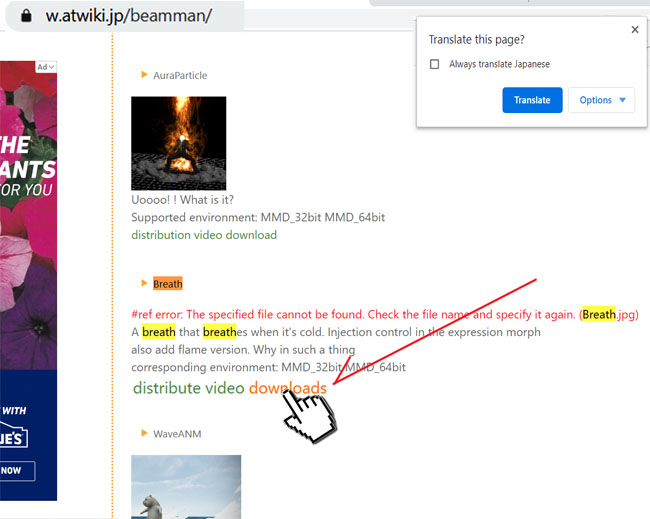
Download the effect…

Beamman's Effects page...

Clicking that DOWNLOADS takes you to this page… click the download button to start your download.
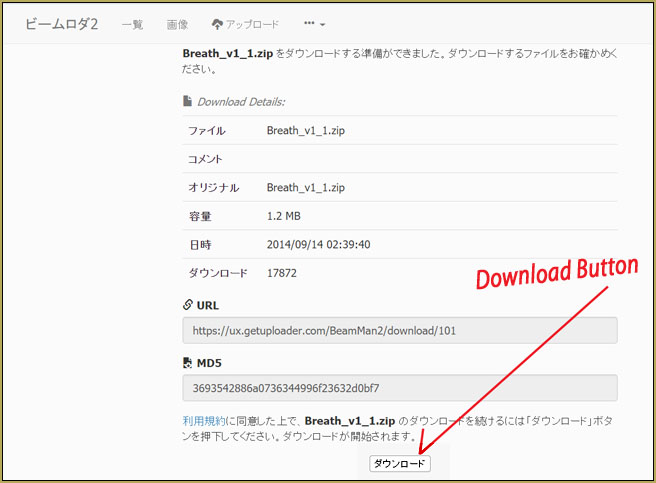
Click the DOWNLOAD button to get the effect.

Use BANDIZIP to unzip your downloaded ZIP and RAR files…

So… how does the Breath Effect work? … it’s EASY!

This effect is kind of funny. You load your favorite model… Miku, of course,  and then load the effect Breath.x… and then set that effect to attach it to Miku’s head bone… and Register.
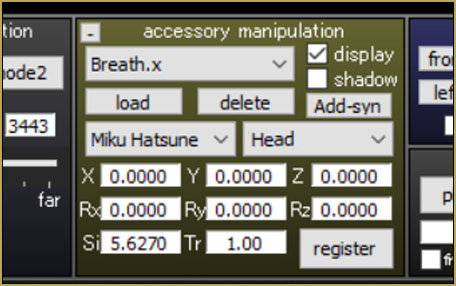
That’s it… get ready to Breath… say A!

This simple effect is triggered by opening your model’s mouth. At the basic setting, you will need a black background or a dark stage to see the slight vapor that puffs out of your model’s open mouth. … but you can set the Si Size for as large a number as you wish so that you get a huge volume of “smoke”.
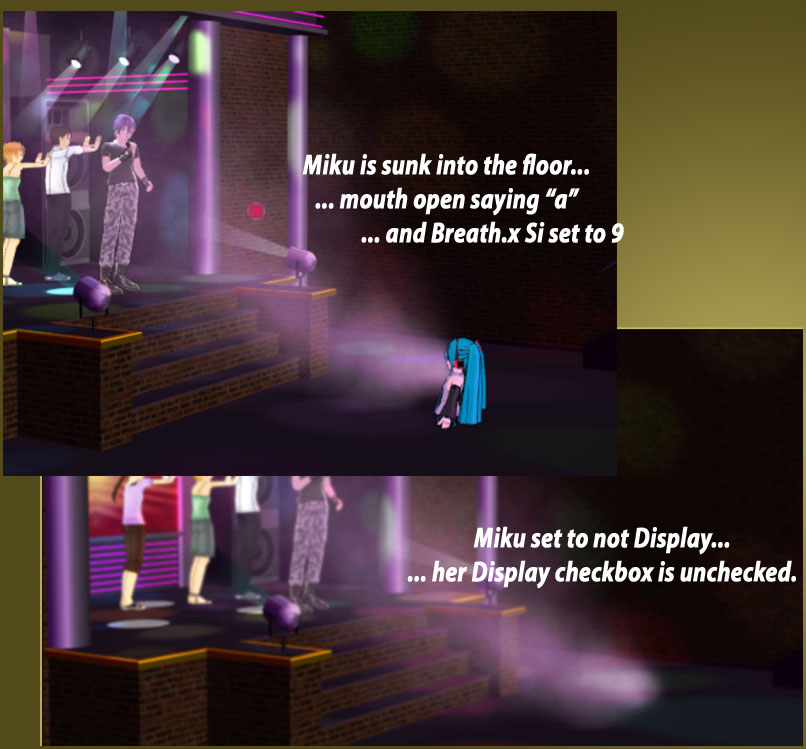
Use a model to make MMD smoke clouds... and it's OK to make the model invisible!

Get the smoke started… set the Si that you like… place your model anywhere that puts the smoke in the right place… and then go to your model and uncheck the model’s DISPLAY checkbox (right there under the LOAD button)… Register, right there in that same Model Manipulation box. … Adjust your camera so that you do not see the dense cloud near the model’s mouth… move the camera… or move the model away from your “live area”… so that you get just the effect you want to see. You can adjust the direction of the “breath” by adjusting the model’s rotation… or you can click into Accessory mode and use the XYZ rollers to aim the smoke cloud.

Use Beamman’s Breath effect whenever you need to
see “Smoke!” against a dark background.

Have fun with MikuMikuDance!


– SEE BELOW for MORE MMD TUTORIALS…


— — —


– _ — –


Visit the LearnMMD.com Homepage! Plenty of Mikumikudance instruction and info!

More MMD Tutorials...

Enjoy the "camera Angles WEIRD in Anime" meme...

Enjoy the "camera Angles WEIRD in Anime" meme... This image is from The Slayers - NEXT, ...read more

Reader asks how to create MMD artwork... stuff like posing, camerawork?

A reader asks... Is there a tutorial on how to create MMD artwork, like those you ...read more

Learn MikuMikuDance in Small Steps! New LearnMMD Video Series

Learn MikuMikuDance in Small Steps. Where can I find easy-to-follow MMD instructions on YouTube? How ...read more

Apply Multiple Effects on an Entire MMD Model Using M4Layer Effect

How can I apply multiple effects to an MMD model? Can I use more than ...read more

MMD Plugin Manager... I Found a Treasure!

What sorts of MMD Plugins are there? MMD Plugin Manager? MMD Plugins. Plugin MMD. More ...read more

2025: Hatsune Miku is 18... but she is designed to be always 16 Years old, by design and in reality!

Finally, in 2023, Hatsune Miku is 16 years old! but in August of 2025, she ...read more

Beamman's Breath Effect, MMD Tutorials, Reggie Dentmore

Post navigation

Previous Post: My VDE-3 Entry has Music, Camera, Dancers… Now for the HARD part.
Next Post: MMD animation environment… MORE than just a model on a stage!

Related Posts

  • Easy Fun MMD Music Video Mahlazer Motion Download “Feel the Sound” MMD Basics
  • MMD Animation Project Resource Ushimitsu Toki Animation Resource
  • Different MMD models react differently to pose and motion data MMD Basics
  • MMD has an EXPAND function that lets you adjust a motion's speed.
    EXPAND function modifies MMD motion tempo EXPAND a motion
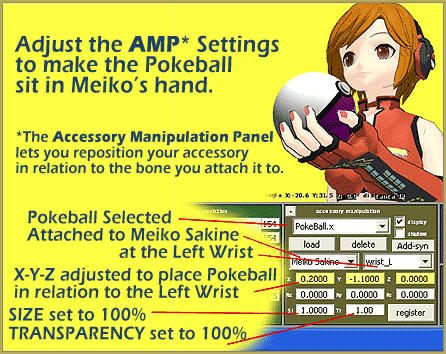
  • Download MMD Pokeball Accessory and Learn Accessory Manipulation Accessory Manipulation/Adjust
  • Free AVIUTL Video Editing software adds animated titles to MMD Videos! Animated Titles

More Related Articles

Make an MMD Music Video Bo Beep Bo Beep! "the making of" my video
YouTube thumbnail image is so important! Create your Most Attractive YouTube Thumbnail image "the making of" my video
MMD Animation Project Resource Ushimitsu Toki Animation Resource
MME Plastic Effect Featured MME Plastic Effect adds plastic realism to MMD model parts MMD Tutorials
Modifying model texture color compensates Raycast color desaturation MMD Tutorials
PMDE Q&A – Making clothes follow model motions Fixing Broken Models

Leave a Reply Cancel reply

Your email address will not be published. Required fields are marked *

Download the latest version of MikuMikuDance!
See the MMD Step-by-Step instructions page!
Learn how to make your own MMD motions!
LearnMMD.com
  • Starting-out Using MMD starts you on a learning path.
    Starting-out Using MMD Reader discovers missing elements. MMD Basics
  • RAY-MMD Technique: of Battleships and Fleet Girls Battleship Models - MMD
  • Use Center Position Bias to Move Models in MMD ARIZONA
  • Painted Table Accessory Download Available Now Downloading New Models
  • RAY-MMD: A method to get great results fast and easy!
    RAY-MMD: A method to get great results fast and easy! MMD Tutorials
  • How do I use MikuMikuDance Make A Music Video with MMD Intro to MikuMikuDance
  • Kasane Teto with Beamman's Simple Magic Explosion2 positioned behind her
    Beamman’s SimpleMagic creates Explosions, Fire-Balls and Swirling Flames! Beamman's SimpleMagic
  • MikuMikuDance 15th Anniversary Celebration Video is on NicoNico!
    MikuMikuDance 15th Anniversary celebration video posted on NicoNico! MMD Basics

Copyright © 2022 Learn MikuMikuDance – MMD Tutorials – Free 3D Animation Software and Instructions..

Powered by PressBook Premium theme

Go to mobile version