Skip to content
Learn MikuMikuDance – MMD Tutorials – Free 3D Animation Software

Learn MikuMikuDance – MMD Tutorials – Free 3D Animation Software

Download Free Animation Software – Let's Learn How to Do Everything!

  • Step-by-Step MMD instructions
  • DOWNLOADS
  • Troubleshoot, Fix MMD
  • Site Contents
  • Reggie Replies Q&A
  • Homework!
  • What IS MMD?
    • Download MikuMikuDance Newest Latest Version of MMD
  • “HOW TO”
    • Raycast RAY-MMD Effect Tutorials
  • BONUS PAGES
    • Why convert PMD models to PMX?
  • HALL of CHAMPIONS
  • Tutorial Categories
  • About
    • Privacy Policy
  • Toggle search form
  • An MMD town stage: Making Kerorin Town Great Again – Part 3 MMD Stages
  • RAY-MMD Technique: of Battleships and Fleet Girls Battleship Models - MMD
  • 15-Second MMD animation “Smash Walkin’ “ "the making of" my video
  • Why MMD cannot open the models in a saved PMM file Downloading New Models
  • Fixed the MMD 8.05 Configuration Error Failed to Start MikuMikudance Reggie Dentmore
  • Mahlazer’s Walking Motion vmd file download for MMD Make a Smooth Walking Motion
  • Smooth camera moves and soft focus make for smooth scene transitions in MMD 7.39 . LearnMMD.com
    Smooth Scene Transitions featured in new MMD Departures video "the making of" my video
  • Value of saved poses.
    Saved Poses get your MMD Animation Started! Animation Shortcuts
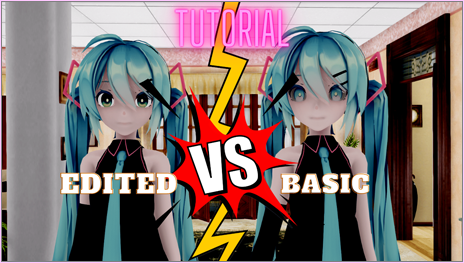
dull-VS-alive-animation-environment

MMD animation environment… MORE than just a model on a stage!

Posted on March 27, 2020October 7, 2021 By Reggie_Dentmore 2 Comments on MMD animation environment… MORE than just a model on a stage!

A Feature Article by Reggie Dentmore on LearnMMD.comHow can I control my animation environment. What goes INTO a solid animation environment. How do I set the “ambiance” of my scenes in MMD?

MMD animation environment…
… MORE than just a model on a stage!

I see many MMD animations on YouTube that have a fine MMD model on an amazing stage… and that is the end of the creativity. Then we watch the model strut around until the music ends… and many times the camera barely moves or it simply keeps the model within view as she moves across the stage. THOSE are the videos that most viewers click-away-from before the first minute is up!

Give your animation some LIFE!

–

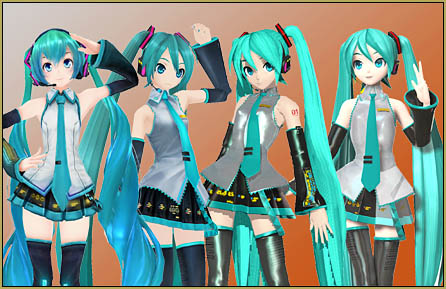
Take a look at this scene…

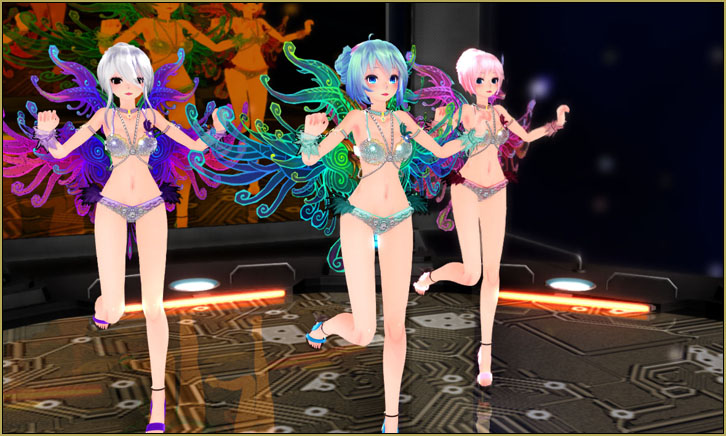
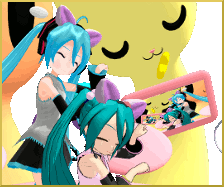
The top image is cold… four models on a stage…
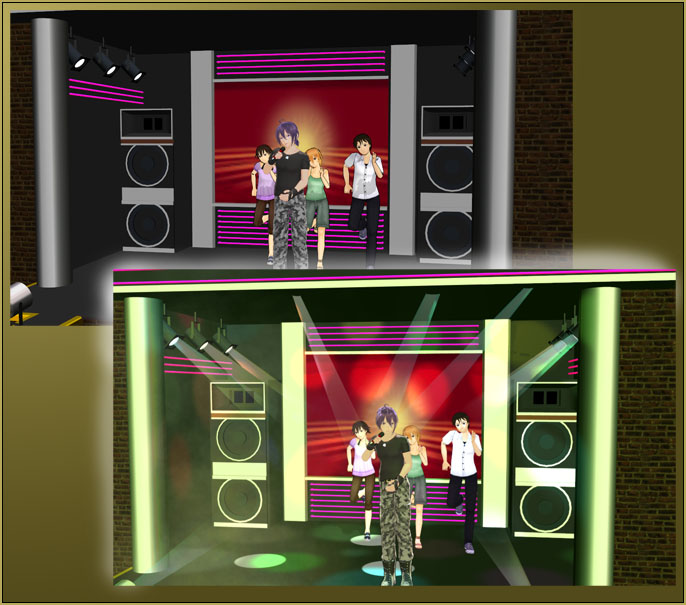
… that LOWER image is “alive!” … soft-focus SvDOF effect, a bit of Diffusion7 effect, MMD accessory “lights”… there is also a Disco-light effect casting those colored spots on the back wall and the floor… and I have added three MMD accessory “floorlights” at an Si size of 50% to the floor, each attached to a dummybone so I can slide them around on the floor and then follow them around with overhead accessory “lights” which are ALSO attached to dummybones. … and see that diffuse area on the lower left half of the stage… THAT is Beamman’s Breath effect; in my mind’s eye it is simulating a cigarette-smoke-filled room animation environment… the heavy “you can almost taste it” air of a busy nightclub. … I also adjusted the color of the MMD lighting by sliding the light-color sliders every 100 frames… so the ambient light is greenish… then pinkish… then blueish and then lavender and then white, again, going to pink… every 100 frames throughout the animation, the light color is shifting. … and with that, and the smoke, and the effects, and that crazy model motion… there is a lot to SEE in my animation. At the end it fades to black. … Don’t let your world be sterile… add some life to it. 

There’s a LOT going on!
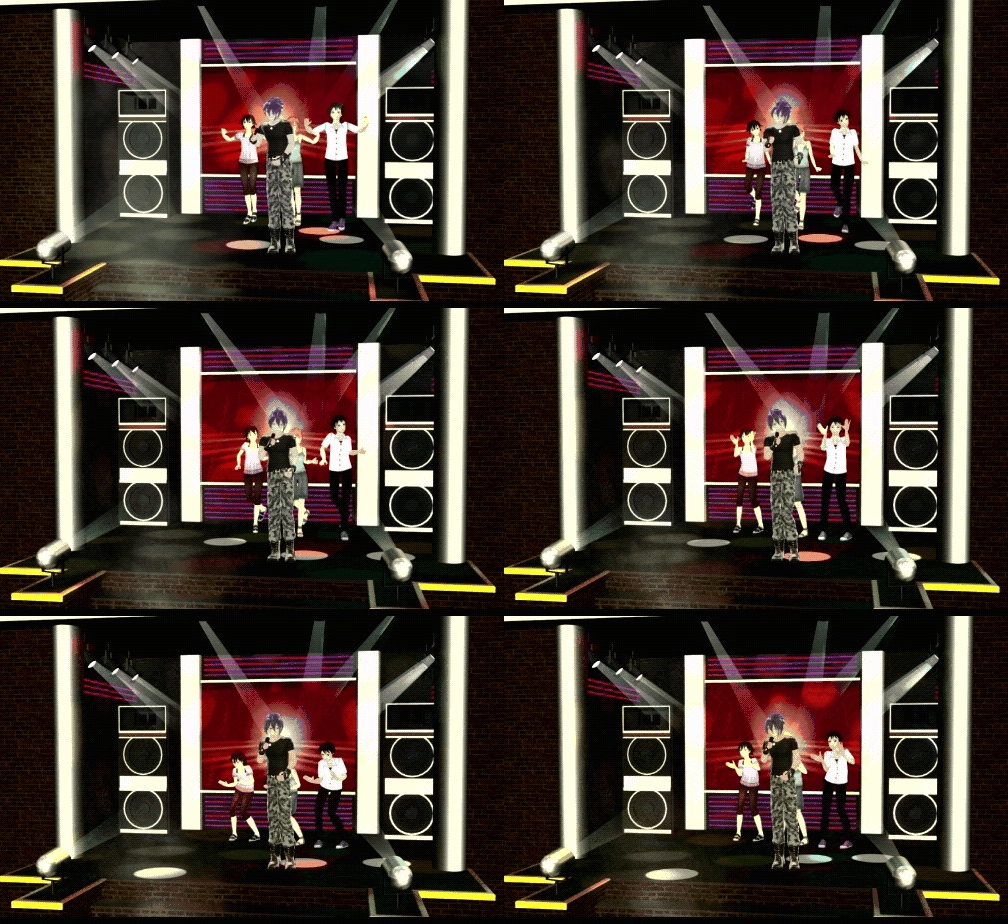
Better animation environment ambiance by adding interesting effects.

See the entire video on YouTube. The way you DO this kind of thing is just to “keep at it!” … It’s pretty easy to slam together an MMD video when you use all downloaded items. … You find a song that you like, and download it. You find a model that you like, and download it. You find a stage that you like, and download it. You find a motion file that you like and download it. You open MMD and load the stage, load the model, apply the motion file to the model, then you load the WAV file… and push play. … and TOO MANY TIMES, THAT’S what gets uploaded to YouTube. … a canned presentation that probably no one will want to watch for more than just a few seconds.

Take the time to make it your own.

It’s OK to MAKE an animation following those steps, above… but don’t simply “Render to AVI” and put it on YouTube. Play with it for awhile… add some effects, change the lighting, see if you can deepen the colors using SSAO and try adjusting the focus with SvDOF… Move the camera in for a close-up and show us the “personal” side of your model. … and don’t let it run for four minutes! … OMG! Almost nothing is more boring to watch than a canned MMD animation that drags on and on. Try to edit the music for something that runs nearer to 90 or 120 seconds… or use Audacity to make the music fade-out at about that time … and also use the BlackOut effect to make the image fade-out, as well.. … Try to keep adding interesting things… maybe adjust the model’s motion to make her wave or smile at  the camera… or otherwise interact with what she is doing. … MANY times a motion that comes with a piece of music actually has nothing, much, to DO with that particular music. … and that’s OK… but DO something to make it interesting to watch. Maybe try that motion file with a different piece of music. I often use bits of Mahlazer’s “Feel the Sound” motion file in my animations… like those three background dancers in my video… “Feel the Sound” motion in my “Trick Bag” animation. The Lead Singer, Gakuppo’s motion, I created from scratch.

This almost turned into a RANT!

I love teaching and preaching about this stuff. Just remember to be creative as you create with MikuMikuDance. MMD is a powerful software… like a box of toys, a box of tools, just lying there ready for you to use. Learn more by practicing with the tools. Make your MMD scene look as alive as your dream for the project you are imagining. Have fun… show the world what you can do!

Have fun with MikuMikuDance!


– SEE BELOW for MORE MMD TUTORIALS…


— — —


– _ — –


Visit the LearnMMD.com Homepage! Plenty of Mikumikudance instruction and info!

More MMD Tutorials...

Use YouTube Video Analytics Attract Maintain Viewers

How can I use YouTube Video Analytics to learn how to make popular MMD videos? ...read more

Create 450-Frame MMD animation from scratch!

How do I create a 450-Frame MMD animation from scratch? How do I start making ...read more

Ancient MMD Elektrika Motion Gets NEW Life!

Where can I download the old MMD Elektrika Motion? Can we still use old MMD ...read more

askY Dramatic Anime Style Sky Domes for MMD created by Meme

Where can I get a sunset skydome for my MMD animation? Dramatic Anime Style Sky ...read more

Make a Music Video with MMD and Learn to Use MMD

How do I make a music video with MMD? How do I work MikuMikuDance? How ...read more

My new MMD Action Video was fun to make!

Len is one tough little guy! My new Action Video was fun to make! This all started yesterday ...read more

"the making of" my video, MMD Basics, MMD Tutorials, Reggie Dentmore

Post navigation

Previous Post: MMD Smoke Clouds and a Smoke Filled Room…
Next Post: The Champions are Chosen! Video Dojo Expo 3 is Complete.

Related Posts

  • MMD Wooden Stool Accessory from LearnMMD.com Google SketchUp and MMD
  • Strong Soundtrack Offers 3-D Animation Shortcuts! "the making of" my video
  • Graphic Design Skills enhance MMD Pictures MMD Basics
  • Japanese Mode Opens Hidden Model Features in MMD 8.06 Japanese Mode
  • Breathing “SOUL” into MMD models and scenes using Fine Art Techniques Advanced Shader Technique
  • o_ShaderCustomSet_v0_3 effect applies gentle color modification MMD Tutorials

More Related Articles

Position stage near MMD coordinate axis center-line Accessory Manipulation/Adjust
Kaitensora effect gives moving clouds background in your MMD scene Kaitensora Moving Clouds
How do I use MikuMikuDance Make A Music Video with MMD Intro to MikuMikuDance
MMD Camerawork sets the mood, enhances the animation, and showcases your models! MMD Camerawork sets mood enhances animation showcases models "the making of" my video
MMD Download Japanese Models for MikuMikuDance Downloading New Models
Make successful MMD YouTube videos MMD Basics

Comments (2) on “MMD animation environment… MORE than just a model on a stage!”

  1. Jonah Snyder says:
    June 15, 2020 at 12:10 pm

    A very wise bit of advice Reggie!

    Reply
    1. Reggie_Dentmore says:
      June 15, 2020 at 5:32 pm

      Thank you…

      Reply

Leave a Reply Cancel reply

Your email address will not be published. Required fields are marked *

Download the latest version of MikuMikuDance!
See the MMD Step-by-Step instructions page!
Learn how to make your own MMD motions!
LearnMMD.com
  • Move the whole Model with Box-Sel in MikuMikuDance Functions-Copy-Paste-Expand
  • MikuDance.info has a constantly updated list of new MMD models and accesssories.
    MikuDance.info – A Very Useful Site for MMDers! Downloading New Models
  • Assemble your stages from .x type components Accessory Manipulation/Adjust
  • Video Dojo Expo 2 – Holiday Song “Diva Performance”! CONTESTS
  • Close Up of Sph File with Text
    Create Sph Files in Blender Without Drawing Anything! Blender
  • VDE-4 Champion: Reona Video Dojo Champions
  • Oomary’s guide to mastering MMD Hair Physics Fixing Broken Models
  • Download ARROW Lip-Sync Soundtrack Zip Folder "the making of" my video

Copyright © 2022 Learn MikuMikuDance – MMD Tutorials – Free 3D Animation Software and Instructions..

Powered by PressBook Premium theme

Go to mobile version