




How do I attach an item or accessory to a bone in PMDEditor? What is weighting when using PMDE? How do I weight an  accessory in PMD Editor for MikuMikuDance?
What are you Weighting for …
Attach an item or accessory to a Bone in PMDEditor!
Let’s say you have just made a model. It is truly exquisite – it has all the parts you wanted, the facial sliders are great, the bones are named (between you and me, I never do that), and its textures and sphere files look great. You save the model and open up MMD to test your model out. It looks great when you open it, but 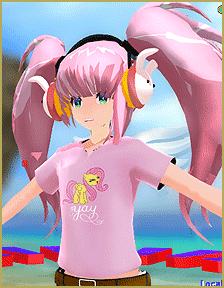 when you add the sample dance motion data and you click play, the model’s shirt/hat/bracelet/etc. either stretches out when he or she moves a certain way or just stays in place. NOOO!!! How could this happen to you?!
I know it’s hard to believe in your sorrow, but many other people have this problem. You are not alone! Lucky for you, I do know how to fix it…
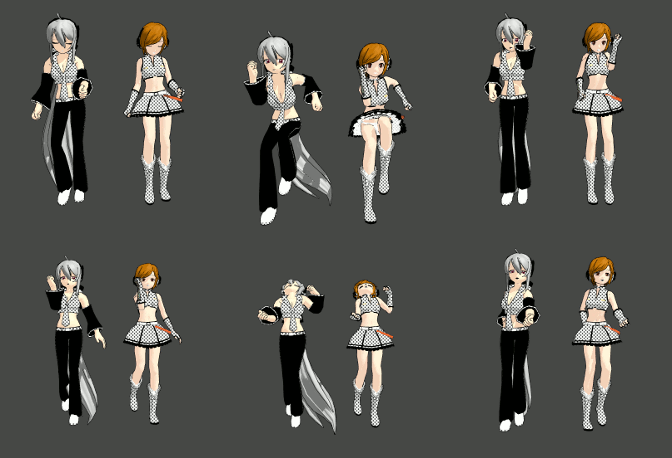
I have had the exact problem…my new model UTsune Mactoshi (download here: http://browse.deviantart.com/?qh=§ion=&q=learnmmd#/d5afn4i) had a shirt that WOULD NOT COOPERATE. When she jumped, bent, or squatted, her shirt would stretch and glitch out. I had no idea how to fix this problem, so I asked the knowledgeable deviant FicticiousAnimation, a co-author here on LearnMMD.com. He knows a lot about PMDE. He said you have to attach an item or accessory to a bone in PMDEditor.
That’s what led me to write this article. “Weighting” in PMD is simply attaching a part to a bone. That’s all it is! It’s not as simple as adding textures and sphere files, but it is pretty easy overall.
Make a folder. Copy a base…or a model…
Now let’s say you want to put an ice cream cone in the model’s hand. Download a vanilla/chocolate cone here: http://mmd-mall.deviantart.com/gallery/?set=26458472&offset=24#/d52377f Copy the ice cream cone and its textures into the model’s folder.
Open up your model in PMDEditor. 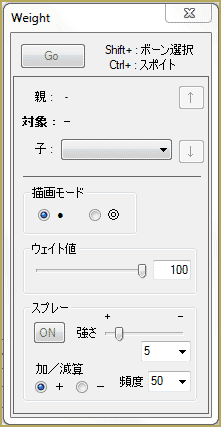 Drag the ice cream cone into PMDView, click “AD” and use Object Controls and Vertex Manage to move and rotate the ice cream cone until the ice cream is facing forward and is in the model’s left hand. In PMDView, find the letters at the top that spell “Me”. Go over until you find the letter W. Click on that. The Weight tab should come up. The ice cream’s layers on the model should start on the second MA0. Check that and everything under it. There should be a tab on that window called “edit”. Click on that tab, then click the last word, which is in Japanese. If you selected the right one, only the ice cream cone should show! Highlight the whole ice cream cone and click “Go” which is in the Weight window. The red dots on the ice cream should turn into black dots. Go into the main window of PMDEditor and go into the Bone tab, which is shortened to “BON”. Sort of like bon bons!
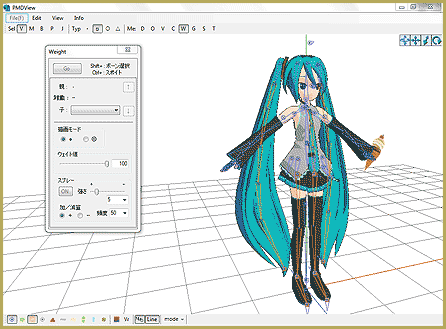
This step is the most painful. You have to go through all of those Japanese bones and pick the left hand bone! The bone you pick will turn red on the model, which is helpful. (The hand  bone will likely have a blue box beside it in the main window.) Once you have picked the right bone, highlight the ice cream cone again so it turns red. Press “Go” again. The dots should disappear. Go into View>Test Model and rotate the arm. If the cone stays in the hand of the model, celebrate!
You have successfully weighted a model!!
– SEE BELOW for MORE MMD TUTORIALS…
— — —
– _ — –

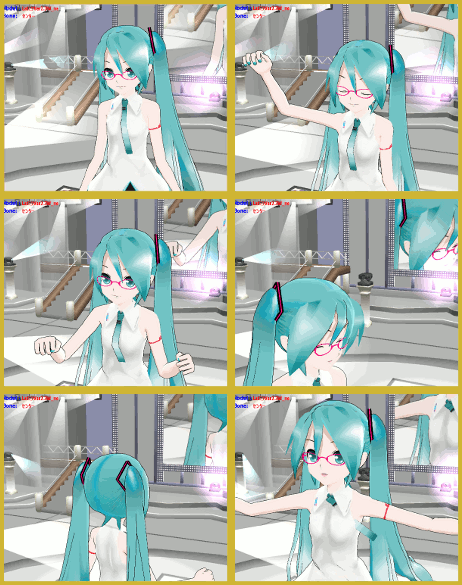

I just downloaded a model where the model has a fan in her hand. How do I remove the fan?
There may be a “slider” control to remove the fan. Each model has those four slider controls … Eyes, Mouse, Brow, and Other … try them all to see if one of them controls the fan. … Yes?
While this did help me a little, I was wondering if anyone encountered this problem and was able to fix it… If so… how. http://imgur.com/YzHO8Hz the shirt doesn’t follow the head properly
There’s none. If (as I assume) you’re looking for a tool to make only a specific part of a model visible, it’s a “Vert/Mat” window that is opened from the main PMDView widnow’s toolbar.
You may check my “Rig a model” article below – it’s second half elaborates more on weighting process.
When I open the Weighting tab, I don’t see any tab that says “Edit” :(
https://learnmmd.com/wp-content/uploads/2014/02/Tag5_Portal.png
The circles-and-arrows thing on the picture is what you need. Drag by arrows to move selection, drag by circles to rotate it, drag by cubes to stretch.
“use Object Controls and Vertex Manage to move and rotate”
Call me stupid but I have no idea how to do this.
um i have a new model i made but the ribbons on her head won’t stay on her head when i put a motion data.
please help!
So, if I want, say, to attach a gun to model’s hand, and then during the clip, to disconnect it, throw it in the air, and then attach it back (ideally, to a different hand, but the same would do too), I *can’t* do this in MMD no matter how clever tricks I might try?
Um… how can I take off a model’s clothes (without taking away his/her flesh, cuz when I do the box selection thing, everything, EVERYTHING in that box is selected while I just wanna select the clothes)? Then do I have to press the Delete key or something?
BlackMoon … You cannot “do” this kind of stuff in MMD. MikuMikuDance is not set-up for you to modify your models. That’s why there is PMD Editor. Go to the LearnMMD Downloads page (The button is at the top of this page) and get “PMDE in English” … and read the articles, here at LearnMMD.com, to get started with it. — Best of Luck! — Reggie D
i’m looking how to add it on the mmd program not the pmd one >.<
I Cant attach an item!!
Can’t help without more info … what are you doing? … how far do you get?
This is an amazing, amazing, amazing article. Very well written and easy to follow. ^^ Putting myself back into the boots of a noob… I still get it. ;) Nice work!
Sorry I hit the wrong key (DERP!)
Normally, with the PMDEditor articles, I’m going (BLINK BLINK) . This one I could really get! ^_^
Good piece.
Normally, with the PMDEditor articles, I’m going . This one I could really get! ^_^