Skip to content
Learn MikuMikuDance – MMD Tutorials – Free 3D Animation Software

Learn MikuMikuDance – MMD Tutorials – Free 3D Animation Software

Download Free Animation Software – Let's Learn How to Do Everything!

  • Step-by-Step MMD instructions
  • DOWNLOADS
  • Troubleshoot, Fix MMD
  • Site Contents
  • Reggie Replies Q&A
  • Homework!
  • What IS MMD?
    • Download MikuMikuDance Newest Latest Version of MMD
  • “HOW TO”
    • Raycast RAY-MMD Effect Tutorials
  • BONUS PAGES
    • Why convert PMD models to PMX?
  • HALL of CHAMPIONS
  • Tutorial Categories
  • About
    • Privacy Policy
  • Toggle search form
  • Creating Inspirational Pictures in MMD MMD Fine Art
  • Dummy Bones allow you to customize your accessory manipulations!
    Using The Dummy Bone for MikuMikuDance Accessory Manipulation/Adjust
  • LearnMMDClub is OPEN on Deviant Art! Intro to MikuMikuDance
  • Knock-out the Background as you Render to Picture in MMD Add Background Pictures and AVI
  • Use PMDE to Switch On the MME AutoLuminous effect in MMD AutoLuminous MME / PMDE
  • RAY-MMD: Creating your own custom sky box MMD Tutorials
  • Download Jomomonogm's Snow Miku 2019
    Download Jomomonogm’s Snow Miku 2019 for MMD, a most unusual model! "the making of" my video
  • New Getting Started with MMD Video on YouTube! Intro to MikuMikuDance
Neru Jams to the Background Music

Downloading Background Music for MikuMikuDance Videos.

Posted on August 12, 2013August 28, 2016 By Arizona No Comments on Downloading Background Music for MikuMikuDance Videos.

Where can I find background music for MMD? Background music downloads for MMD? What’s a good site A Feature Article by contributor ARIZONA on LearnMMD.comfor BGM for MMD DirectX 9? MMD sites for BGMs? Is there a tutorial for getting background music for MMD?

Downloading Background Music.

One of the key elements of a good film is background music (BGM). I have seen so many YouTube videos that had to be taken down because of copyright infringement. So the uploader had to scramble to find another piece of music in its stead or upload it without any BGM.
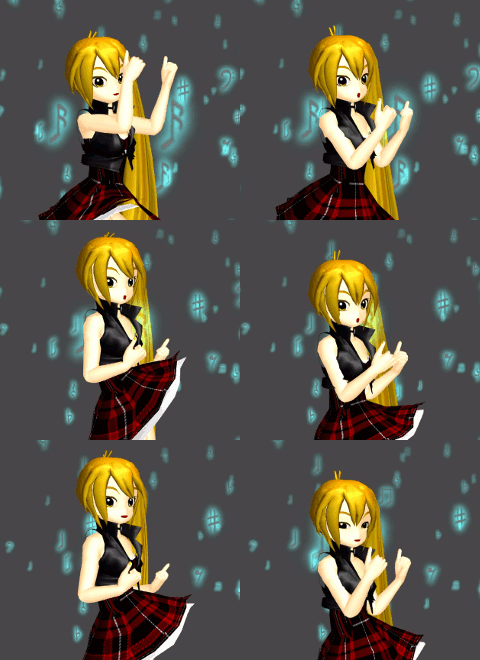
Neru Jams to the Background MusicI found a Japanese website that provides background music for film makers and animators. It’s called MusMus ( http://musmus.main.jp/ ). The site has a rather good selection; more importantly, they keep rotating out the catalog. The background music selections vary from upbeat techno, jazzy, funny, as well as somber and pensive. I have seen MusMus listed in a lot of Japanese MMD video credits. The site lets you listen to the music before you decide to download the file.

Unless you can read Japanese, you will need a translation application (Google Translate will give you an idea of the content). These applications will give you a rough idea of the title and content, it won’t be exact though. For more information about working with Japanese websites please let me refer you to some of our articles: https://learnmmd.com/http:/learnmmd.com/category/ba-translate-japanese-pages/


Working in the Background.

As always, you will need a file compression program like Winrar or 7zip. For many years now, I have been using Winrar (Yes, I bought it. It serves me well). I do an obscene amount of downloading and it is very reliable. You can download Winrar and 7zip at cnet.com http://download.cnet.com/windows/?tag=hdr . Whichever one you use will depend upon your preference. If cost is a deal breaker just remember that 7zip is freeware.

Film studios spend a lot of money for background music. More often than not, the soundtrack of a bad movie will generate more money than the actual film. So don’t overlook its importance.

You should always take care and credit appropriately. Just because you got it off the internet doesn’t allow you to plagiarize someone else’s work. Background music deserves the same respect that MMD model makers should have and that is music to anyone’s ears.

Have fun with this.

 Sources:
Model: Neru Rock 1 by SutekiNek0.
Motion Data: Candy Candy by MotionMakerDiva
Effects: AdultShader and FireParticleSystem_Note


– SEE BELOW for MORE MMD TUTORIALS…


— — —


– _ — –


Visit the LearnMMD.com Homepage! Plenty of Mikumikudance instruction and info!

More MMD Tutorials...

Using the Fireworks Kai effect for MikuMikuDance.

  What is the Fireworks Kai effect? Where can I download the Fireworks Kai effect? How do ...read more

How to Use the L EdgeShader Effect for MikuMikuDance.

How do I download the L EdgeShader Ver1.00? How can I use those edge effects ...read more

Staging and the 12 Principles of Animation.

How do you use staging in MMD? What is the role of staging in the ...read more

YouTube Audio Library supplies Free music

How can I find out what music is safe to use in my MMD video? ...read more

Learnmmd.com hosts MMD Panel at San Japan 8 bit.

There was a MikuMikuDance Panel at San Japan 8 bit 2015. Two of our writers, ...read more

Anticipation is the Second Principle of Animation.

How do you use anticipation in MMD? Anticipation is the second of 12 rules of ...read more

ARIZONA, Free Music, Translate Japanese Pages

Post navigation

Previous Post: Fix MMD Missing Model Options using PMDE
Next Post: Getting Re-Excited about MikuMikuDance … Happy Birthday Miku!

Related Posts

  • The Rule of Thirds.
    Use the Rule of Thirds Effect to Create Camera Motion Data in MMD! ARIZONA
  • Miku wishes for a peaceful birthday!
    Happy Birthday Miku! ARIZONA
  • Extreme S Curve 02.
    Using the Interpolation Curve in MikuMikuDance. ARIZONA
  • San Japan bow
    LearnMMD Hosts a Panel at San Japan! ARIZONA
  • Chrysanthemums are lovely with the Fireworks effect!
    Using the Fireworks Effect In MikuMikuDance ARIZONA
  • Dummy Bones allow you to customize your accessory manipulations!
    Using The Dummy Bone for MikuMikuDance Accessory Manipulation/Adjust

More Related Articles

Leonardo meets Higuchi in a culture clash! Yu Higuchi’s Anatomy: A Lesson on MMD Bones ARIZONA
How to Switch Models and Stages in MikuMikuDance Accessory Manipulation/Adjust
Load Camera Motion Data VMD files using the File Menu in MMD ARIZONA
Kaito Sees Rotating Stars Thanks to the Accessory Manipulation Panel. More on Accessory Manipulation in MikuMikuDance Accessory Manipulation/Adjust
Haku sees things in black and white with the Manga Shader Effect Using The Manga Shader Effect for MikuMikuDance ARIZONA
You cannot use Box-Sel to select a portion of a model. You must selectthe entire MMD model. BOX-sel lets you select an entire model in MikuMikuDance ARIZONA

Leave a Reply Cancel reply

Your email address will not be published. Required fields are marked *

Download the latest version of MikuMikuDance!
See the MMD Step-by-Step instructions page!
Learn how to make your own MMD motions!
LearnMMD.com
  • MMD Smooth Criminal video project download "the making of" my video
  • Let your new MIKU do the Sample Dance!
    Downloading Japanese Models Can Scramble File Names Downloading New Models
  • PMDE Parts Links help you create your MMD Selfie NOKO2
  • IrfanView captures single-frame images from Video AVI files! Irfanview Media Viewer
  • MMD Camerawork makes your video exciting!
    No more boring MMD Camerawork – Keep it moving! Camera Motion
  • Creating Hand IK Bones with the IKMakerX PMXE plugin Bones
  • More Motion Interpolation Curve Instruction for MMDers Creating Motions
  • Written Credits aid YouTube MMDer search results Keep the Faith-MMD Credits/Sharing

Copyright © 2022 Learn MikuMikuDance – MMD Tutorials – Free 3D Animation Software and Instructions..

Powered by PressBook Premium theme

Go to mobile version