Skip to content
Learn MikuMikuDance – MMD Tutorials – Free 3D Animation Software

Learn MikuMikuDance – MMD Tutorials – Free 3D Animation Software

Download Free Animation Software – Let's Learn How to Do Everything!

  • Step-by-Step MMD instructions
  • DOWNLOADS
  • Troubleshoot, Fix MMD
  • Site Contents
  • Reggie Replies Q&A
  • Homework!
  • What IS MMD?
    • Download MikuMikuDance Newest Latest Version of MMD
  • “HOW TO”
    • Raycast RAY-MMD Effect Tutorials
  • BONUS PAGES
    • Why convert PMD models to PMX?
  • HALL of CHAMPIONS
  • Tutorial Categories
  • About
    • Privacy Policy
  • Toggle search form
  • Beamman's WEater Effect can be very realistic.
    BeamMan’s Water Effects really look wet! Beamman's Water v5
  • RAY-MMD: Haku’s crazy light show [PART 3] MME Effects Tutorials
  • Rules for Common MMD Models
    Rules of Common MMD Models and How to NOT Break Them Keep the Faith-MMD Credits/Sharing
  • MMD animation made-from-scratch
    MMD animation made-from-scratch Forgotten Vocaloid Mew Rags on Reggie’s MMD Videos "the making of" my video
  • Register often to get sharp, crisp lip-sync animation movements. LearnMMD,com MMD 7.39
    Create MMD Lip-Sync Animation as a Separate File Creating Motions
  • RAY-MMD: Creating your own custom sky box MMD Tutorials
  • Load Camera Motion Data VMD files using the File Menu in MMD ARIZONA
  • Render your MMD Video in 1080p HD Using Windows Live Movie Maker HD Videos in MMD
Beautiful CyberMiku Black ver1.5 has wings!

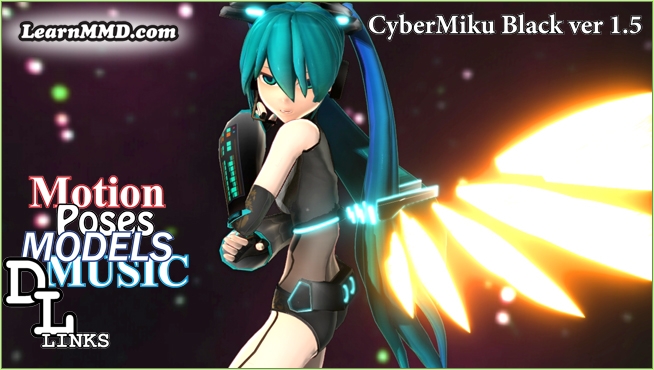
Download MMD CyberMiku Black ver1.5 with Glowing Wings and an attitude!

Posted on February 23, 2023February 23, 2023 By Reggie_Dentmore No Comments on Download MMD CyberMiku Black ver1.5 with Glowing Wings and an attitude!

Download MMD CyberMiku Black ver1.5 with Glowing Wings and an attitude to match!

CyberMiku Black ver1.5 is available on her home page.A treasure…

Yesterday I wanted to create a new MMD Model Adoration Slideshow video for YouTube and I needed a new model in the starring role. I found CyberMiku Black ver1.5 by ichi and hosted on
Vanilla-Cocoflake’s dA page.

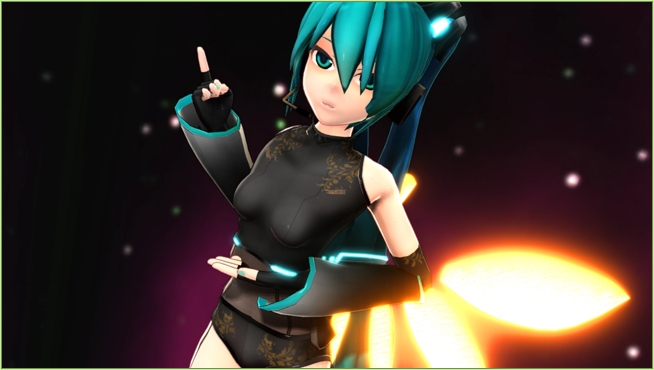
I liked how she looked like a “normal” Miku model in that cool and revealing outfit. I also liked the look of those fully-formed sleeves.  I downloaded the model and left a “Thank You” note… not knowing what a treasure I had found!

CyberMiku Black ver1.5 has WINGS!

Who knew, from just looking at her home page,that
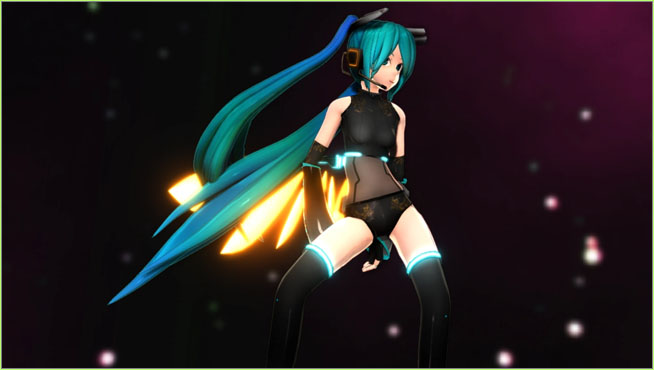
she has glorious Autoluminous wings?
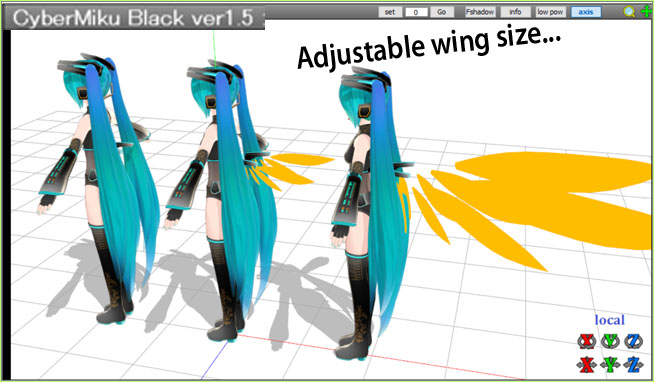
CyberMiku's wings are fully adjustable and flappable!

… and they are rotatable and “flappable”!

The README text file mentions the wings…

PMX model for MikuMikuDance Cyber Miku black color version ver1.5
Production: Ichi

Thank you for downloading

 About the model

 AutoLuminous compatible
 Semi-standard bone model

When using AutoLuminous, if you turn off the wings and put them out, they will shine and look a little cool.
The hair uses a transparent material, so please CyberMiku arrives with a face that shows an all-business attitude!be careful about the drawing order of the accessories.

The creator didn’t mention that face! Awesome built-in Attitude!

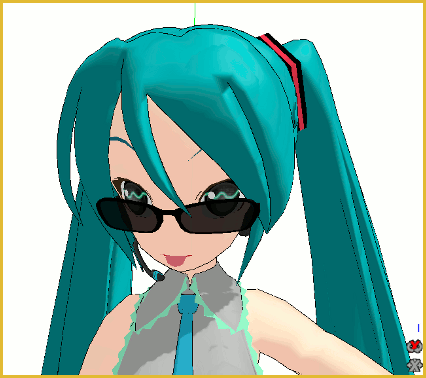
For this portrait, I only added a bit of BLINK and see how determined she looks! … NOT the cute Miku we know and love! She looks tough!
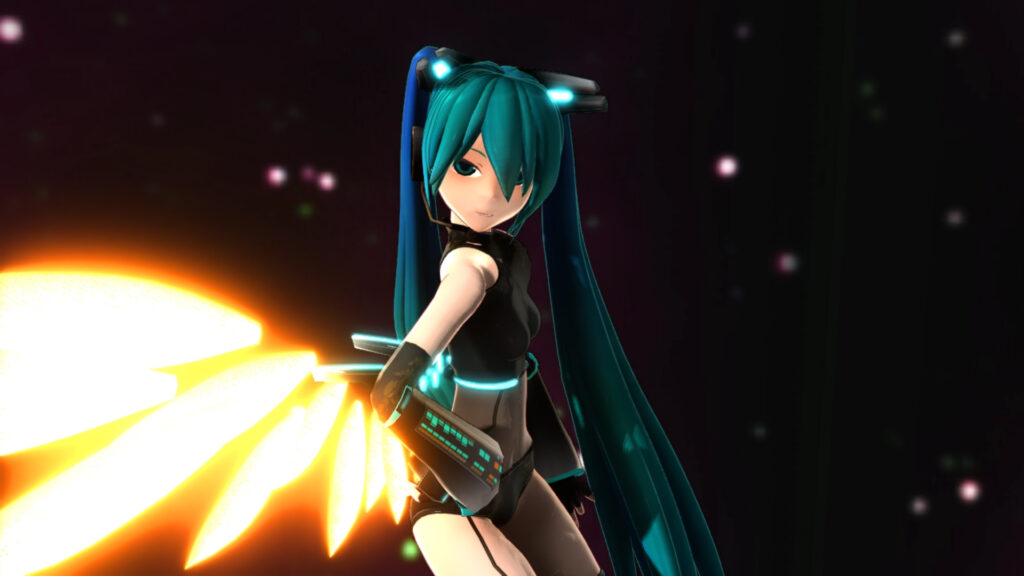
CyberMiku Black ver1a looks tough... a wonderful kind of focus on her face.

Spread her wings and add Autoluminous for the full effect!

The model was not fully translated.

For my use of downloaded MMD models, I like to have a translated model to work with. I followed the simple standard procedure using PMXE and Google Translate to translate my downloaded model.

I translated the README.txt in order to see the creators rules of use. DOWNLOAD MY TRANSLATED VERSION. See that he allows you to modify the model for your own use but does not allow you to share your model, modified or not.

About my MMD Model Adoration Slideshow videos….
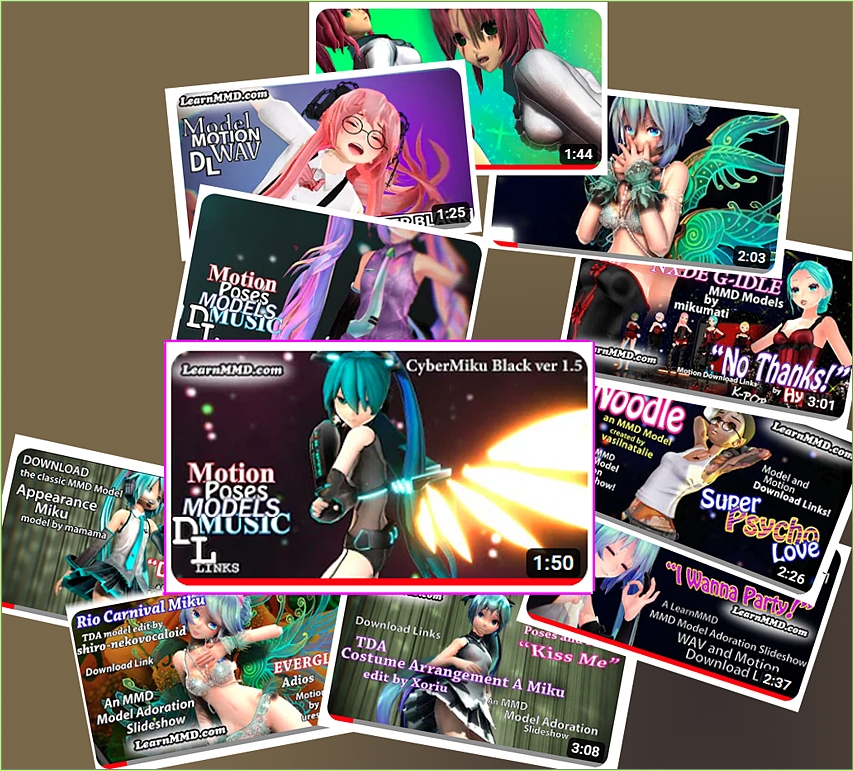
Reggie has been making MMD Model Adoration Slideshow videos for several months... getting better and tighter with each one!

I have been making this kind of an MMD video for several months and they are getting tighter and more watchable with each one I create. I use a downloaded Motion and WAV set and I add my model. In MMD, I create the entire animation while taking special care of the camerawork to yield what I call an “intermediate video” that has the kind of close-ups, scenes and views of the model that I will want to see in my slideshow. Then I Render to AVI. Now for the fun: I play that video full-screen on my monitor and pause to make full-screen screen captures. I go forward and backward through that video until I think I have all of the slides that I want to show in my finished presentation. (in the case of my CyberMiku slideshow video, that was 62 captures!) Then I go back to MMD and create little 150-frame videos of the interesting points within that animation. Finally, I jam all of my clips and slides in MovieMaker and output in Full HD quality.

This method of capturing stills from a video rather than from the MMD GUI yields images showing the model in motion with motion blur and wild hair a-flying! I am totally enjoying this format. I find it makes a better vehicle for sharing my models with you… way better than watching Miku hop-around for two or three minutes.

Have fun with CyberMiku Black ver1.5!
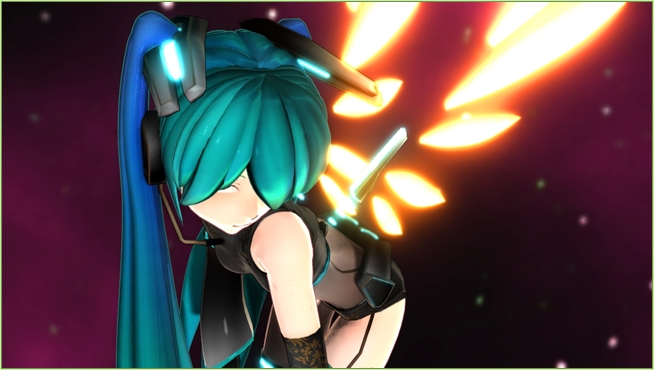
CyberMiku Black ver1.5 is shown here in action!

Have fun with MikuMikuDance!


– SEE BELOW for MORE MMD TUTORIALS…


— — —


– _ — –


Visit the LearnMMD.com Homepage! Plenty of Mikumikudance instruction and info!

More MMD Tutorials...

Enjoy the "camera Angles WEIRD in Anime" meme...

Enjoy the "camera Angles WEIRD in Anime" meme... This image is from The Slayers - NEXT, ...read more

Reader asks how to create MMD artwork... stuff like posing, camerawork?

A reader asks... Is there a tutorial on how to create MMD artwork, like those you ...read more

Learn MikuMikuDance in Small Steps! New LearnMMD Video Series

Learn MikuMikuDance in Small Steps. Where can I find easy-to-follow MMD instructions on YouTube? How ...read more

Apply Multiple Effects on an Entire MMD Model Using M4Layer Effect

How can I apply multiple effects to an MMD model? Can I use more than ...read more

MMD Plugin Manager... I Found a Treasure!

What sorts of MMD Plugins are there? MMD Plugin Manager? MMD Plugins. Plugin MMD. More ...read more

2025: Hatsune Miku is 18... but she is designed to be always 16 Years. Old by design and in reality!

Finally, in 2023, Hatsune Miku is 16 years old! but in August of 2025, she ...read more

"the making of" my video, Downloading New Models, MMD Tutorials, Reggie Dentmore Tags:download MMD model, MMD CyberMiku, MMD CyberMiku Black, MMD Model Adoration slideshow

Post navigation

Previous Post: Create your Most Attractive YouTube Thumbnail image
Next Post: MikuMikuDance 15th Anniversary celebration video posted on NicoNico!

Related Posts

  • MMDers Audacity Tutorial Video is on YouTube! Making Soundtracks
  • PMXEditor Quickly Edits MMD Model using Downloaded Parts BigPerryman
  • Everything is loaded and ready to "Play!" ... Happy Hands MMD Meme.
    Create an MMD Video using the “Happy Hands” Meme Making Videos - Rendering to AVI
  • Download Table Lamp Accessory ON and OFF Downloading New Models
  • Build your own stage for MMD using Blender 2.69 Blender
  • How to Use The VelocityMap Effect for MikuMikuDance. ARIZONA

More Related Articles

Make successful MMD YouTube videos MMD Basics
Make Smooth Motions using Multiple Keyframes Animation Shortcuts
Make Chibi Models for MikuMikuDance! Adjust PMD Model Size
Different MMEffects for different feelings Give MMD Pictures Different MMEffects For Different Feelings BigPerryman
Are you running the Latest Version of MMM? MMM Tutorials
Motion Reference Videos Available FREE Online Animation Resource

Leave a Reply Cancel reply

Your email address will not be published. Required fields are marked *

Download the latest version of MikuMikuDance!
See the MMD Step-by-Step instructions page!
Learn how to make your own MMD motions!
LearnMMD.com
  • Make LearnMMD Masthead Art for the world to see! Reggie Dentmore
  • Welcome to Nico Seiga, Nico Nico’s art page! HollyLawliet
  • LAT Model Shaders Create Stunning Scenes in MMD Kazumi
  • Creating Spooky Scenes with MMD Animation Shortcuts
  • ikUnderwater Effect submerges your MMD animation! ikUnderwater Effect
  • Build your own stage for MMD using Blender 2.69 Blender
  • Haku and Fireworks 02
    Add Background Pictures and AVI’s to MikuMikudance MMD Add Background Pictures and AVI
  • Use PMDE to make a Model for MMD almost from Scratch MMD Tutorials

Copyright © 2022 Learn MikuMikuDance – MMD Tutorials – Free 3D Animation Software and Instructions..

Powered by PressBook Premium theme

Go to mobile version