

Skip to content
Learn MikuMikuDance – MMD Tutorials – Free 3D Animation Software

Learn MikuMikuDance – MMD Tutorials – Free 3D Animation Software

Download Free Animation Software – Let's Learn How to Do Everything!

  • Step-by-Step MMD instructions
  • DOWNLOADS
  • Troubleshoot, Fix MMD
  • Site Contents
  • Reggie Replies Q&A
  • Homework!
  • What IS MMD?
    • Download MikuMikuDance Newest Latest Version of MMD
  • “HOW TO”
    • Raycast RAY-MMD Effect Tutorials
  • BONUS PAGES
    • Why convert PMD models to PMX?
  • HALL of CHAMPIONS
  • Tutorial Categories
  • About
    • Privacy Policy
  • Toggle search form
  • Download Reggie Dentmore's "Hand Pose Collection" on LearnMMD.com
    MMD Hand Poses make Animation Easier Animation Shortcuts
  • MikuMikuDance 15th Anniversary Celebration Video is on NicoNico!
    MikuMikuDance 15th Anniversary celebration video posted on NicoNico! MMD Basics
  • .spa VS .sph sphere texture file types in PMDE / MikuMikuDance MMD.
    PMD Editor Basics: .SPH and .SPA Files Add Sparkle! PMDE/PMXE tutorials
  • Give the Animasa Teto Chimera a wing flapping motion in MMD 7.39
    Create Wing Flapping Motion for Teto Chimera MMD 7.39 Creating Motions
  • LearnMMD Auditorium Stage now includes 19 Colors of Drapes! Dummy Bones
  • RAY-MMD demonstration featuring texture and environmental lighting MME Effects Tutorials
  • LearnMMD’s MikuMikuDance Animated GIFs Now Collected as a Bonus Page! Random Thoughts & Visions
  • ColorShift Effect Dances using VMDSpectrum Analyzer ColorShift 3D Effect

Download MMD 9.32 MikuMikuDance latest version

Posted on July 13, 2013July 2, 2024 By Reggie_Dentmore 116 Comments on Download MMD 9.32 MikuMikuDance latest version

How do I download MMD 9.32? Where can I download MikuMikuDance 9.32? Can I still download MMD 7.39? I want the latest DirectX version of Miku Miku Dance.Visit LearnMMD's Video Channel on YouTube: Videos by Reggie Dentmore.

Download MikuMikuDance 9.32

GET THE NEWEST Version of MMD … 9.32!
Download MikuMikuDance 9.22 from the LearnMMD Downloads page MMD 9.31

MMD 9.32


Designed for newer computers, MMD 9.32 is the latest version of MikuMikuDance:

https://learnmmd.com/MikuMikuDanceE_v932.zip

and also the 64-bit MMD is available:

https://learnmmd.com/MikuMikuDanceE_v932x64.zip

Download MMD 9.32. It is a 6.5mb download ZIP file. I SAVEd it to my Desktop. When you have it, open that zip folder and click the command “Extract All”. I just agreed to the defaults and found a new folder on my desktop containing MikuMikuDance … ready to run. I dropped the ZIP folder into the MMD folder just to keep it. There is no “installing” MMD. It sits in its folder on your desktop, ready to use. If you decide you don’t want to keep it, just drag the folder into the Recycle Bin … there is no “uninstall”.

With MikuMikuDance being released in English, our readers from around the world can download MMD. Readers in France, Chile, Iceland and India can download MMD and visit LearnMMD.com for MMD instructions!

Editors Note 12/2/2016:
MMD does not “install”… just unzip the download folder on your desktop… and double click the MikuMikuDance.exe program.See our Step-by-Step MMD instructions.If it doesn’t run for you, see the LearnMMD Troubleshooting tutorial.The

VPVP page recommends that you download and install:

Regular MikuMikuDance
(32-Bit)
If cannot move, please install following runtime package.
・Microsoft Visual C++ 2005 Redistributable Package
・Microsoft Visual C++ 2008 Redistributable Package
・DirectX End-User Runtime

64-Bit MikuMikuDance 
If cannot move, please install following runtime package.
・Microsoft Visual C++ 2008 Redistributable Package (x64)
・Microsoft Visual C++ 2010 Redistributable Package (x64)
・DirectX End-User Runtime

MMD Tutorials on LearnMMD.com

Hurry back to LearnMMD.com for MMD Tutorials! We have hundreds of MikuMikuDance tutorials written by our team of MMD enthusiasts! See the list on the Homepage of LearnMMD.com


ADVERTISEMENT

Upgrade older versions of MMD to MMD 9.32 …

Already running MMD  and want to Upgrade to MMD 9.32? Read Reggie’s article as he explains …
How to Upgrade MMD 7.39 to MMD 9.32.


——- Getting Error Statements? You are not alone!

The “Configuration Error” is most popular

I have A Solution!

Read the new article about fixing the Failed to start Configuration error …

The “failed to start because the application configuration is incorrect” statement had me confused until I discovered the solution. Read the new article on LearnMMD.com to fix the problem.

The “Missing DLL Error” has Two Versions!

Sometimes a user needs to update his/her DirectX files.

  • The first, basic DirectX error states that MMD cannot find DxOpenNI.dll. You need to run the DirectX 9c Updater from the LearnMMD Downloads page.
  • The other common DLL error is the “d3dx9_32-dll was not found“. This is more complicated because that file is simply not in your system32 folder. Read all about fixing this MMD missing DLL error here: https://learnmmd.com/http:/learnmmd.com/mmd-error-d3dx9_32-dll-was-not-found/


Go to the LearnMMD Downloads Page to get your MikuMikuDanceE_v926.zip … a 6.5mb download.

I expect the new version, Miku Miku Dance 9.32, will run well and be able to use the mountains of accessories, models, and effects created for MMD 7.39. I am looking forward to learning about “what’s new” in MMD 9.32.


– SEE BELOW for MORE MMD TUTORIALS…


— — —


– _ — –


Visit the LearnMMD.com Homepage! Plenty of Mikumikudance instruction and info!

More MMD Tutorials...

NEW MMD 9.32 and 9.32x64… Latest version of MMD!

NEW MMD 9.32 and 9.32x64... New Release! Latest Version of MikuMikuDance! ... just released December 10th, 2019 What's ...read more

Download the Latest Version of MikuMikuDance: MMD 9.32

LearnMMD.com always has the latest version of MikuMikuDance ready for you to download. We check ...read more

Download the latest version of MikuMikuDance!

MMD 9.32 is the latest version of  MikuMikuDance! Where can I download the latest version of MikuMikuDance, ...read more

Download Previous Versions of MikuMikuDance from LearnMMD.com!

Have there been many updates to the original MikuMikuDance program? Can I still download previous ...read more

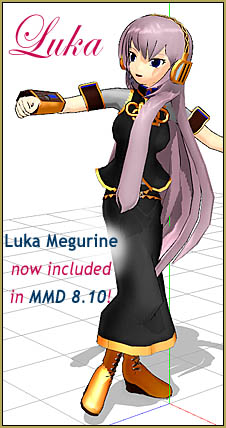
MikuMikuDance Welcomes Luka Megurine to MMD 8.10!

Luka Megurine is included in MMD 8.10! For the first time since the release of MMD ...read more

Recent MikuMikuDance Updates may become collectible, who knows?!

MikuMikuDance Updates of the past ... VPVP has been updating MikuMikuDance every few days for a ...read more

Download MikuMikuDance

Post navigation

Previous Post: Recent MikuMikuDance Updates may become collectible, who knows?!
Next Post: Fixed the MMD 8.05 Configuration Error Failed to Start MikuMikudance

Related Posts

  • Download the latest version of MikuMikuDance - MMD 9.32
    Download the latest version of MikuMikuDance! Download MikuMikuDance
  • MMD Download links – Some of my favorite MikuMikuDance Sites Download MikuMikuDance
  • Download Previous Versions of MikuMikuDance from LearnMMD.com! Download MikuMikuDance
  • Downloading MMD 9.32 is Quick and Easy! Download MikuMikuDance 9.32 Download MikuMikuDance
  • MikuMikuDance Welcomes Luka Megurine to MMD 8.10! Download MikuMikuDance
  • Download the latest version of MikuMikuDance - MMD 9.32
    NEW MMD 9.32 and 9.32×64… Latest version of MMD! Download MikuMikuDance

More Related Articles

Download the latest version of MikuMikuDance - MMD 9.32 NEW MMD 9.32 and 9.32×64… Latest version of MMD! Download MikuMikuDance
MMD Download links – Some of my favorite MikuMikuDance Sites Download MikuMikuDance
Recent MikuMikuDance Updates may become collectible, who knows?! Download MikuMikuDance
Download Previous Versions of MikuMikuDance from LearnMMD.com! Download MikuMikuDance
Downloading MMD 9.32 is Quick and Easy! Download MikuMikuDance 9.32 Download MikuMikuDance
Free Download MikuMikuDance MMD Download the Latest Version of MikuMikuDance: MMD 9.32 Download MikuMikuDance

Comments (116) on “Download MMD 9.32 MikuMikuDance latest version”

Comments navigation

Newer comments
  1. Yukino says:
    June 23, 2014 at 1:14 pm

    when I downloaded it and tried to render a video, it still says:
    ‘cannot read MMDxShow-> dll

    there is not ‘MMDxShow-> dll’ in ‘Data’ folder.
    please download newest ver. of MikuMikuDance.’

    and I downloaded this several times and it still wont let me render!!

    Reply
    1. Reggie_Dentmore says:
      June 24, 2014 at 3:34 pm

      Try downloading the MMDxShow.dll we offer on our Downloads page. Drop it into your MMD DATA folder.

      Reply
  2. e-thankyou forplaying says:
    June 13, 2014 at 9:49 am

    hello can any one fix this error? the application has failed to start because its side-by-side configuration is incorrect. please see the application event log or use the command-line sxstrace.exe tool for more detail.

    Reply
    1. Reggie_Dentmore says:
      June 15, 2014 at 9:03 am

      Use the Search box on the home page of LearnMMD.com. Search for Configuration Error … there will be several results.

      Reply
  3. XXSefa says:
    March 17, 2014 at 10:44 am

    the new mmd v9 please fix the new physics

    or just use old version physics because current

    in mmd v9 some models cant use T_T

    Reply
  4. Bernd P says:
    February 12, 2014 at 1:24 pm

    For MMD 8.10 64bit I have the recommendation: No XPx64 (crappy). No Vista x64 (poor performance), Use it on at least Windows 7 x64 or WIndows 8 x64 at minimum of 4 GB. More Memory is welcomed if you plan to mix effects, long sequences, multi-model animation.

    Reply
    1. Reggie_Dentmore says:
      February 12, 2014 at 5:59 pm

      Thanks! I had assumed x64 would BE for Windows 7 and above. I am surprised people would try to run it 64-bit on older OS machines.

      Reply
  5. Bernd P says:
    February 12, 2014 at 1:16 pm

    well It actually was easy to upgrade an existing installation of MMD 7.39 to the 8.10 version by specifically extracting and patching the contents from the zip file to where they are already located. 8.10 requires C++ Runtime 2008 installed. Runs smoothly on Windows XP SP3.

    Reply
    1. Reggie_Dentmore says:
      February 12, 2014 at 6:05 pm

      For 8.10, to upgrade from MMD 8.08, I only copy/pasted the one new file from the new DATA Folder into my old data folder. It’s the only newer file in that new DATA folder. But I did open the new MODEL folder and copy/paste ALL of the files into my old existing Model folder so as to catch all of the needed parts for the new Luka model.

      Reply
  6. slender says:
    December 1, 2013 at 8:24 am

    why am i getting the “post effect cannot be specified” error when i try to load screen break effect

    Reply
  7. R3537L1F3 says:
    November 20, 2013 at 9:55 pm

    Sorry nevermind I found it. I was miss reading things :p Carry on XD

    Reply
  8. R3537L1F3 says:
    November 20, 2013 at 9:49 pm

    The troubleshooting articles I found (unless I clicking the wrong thing) are for DLL errors and a configuration error on Windows XP which doesn’t use side-by-side, only Windows 7 and Windows 8 had the side by side feature (Windows 8 side-by-side a bit different from Windows 7). I tried googling a solution with no luck.

    Reply
  9. R3537L1F3 says:
    November 19, 2013 at 4:33 pm

    I had this on my Windows 7 but recently redownloaded for Windows 8 and get a “side-by-side” configuration error

    Reply
    1. Reggie_Dentmore says:
      November 19, 2013 at 6:02 pm

      Many MMDers get that “side-by-side configuration error”. We have identified a few things to check. See the Downloads page, in the write-up about downloading MMD 8.03 are links to troubleshooting articles.

      Reply
  10. Cindy says:
    September 30, 2013 at 3:11 pm

    I download the Microsoft C++ both links and when I tried to open the program again, it still won’t work I get the same respond

    Reply
  11. MR says:
    September 29, 2013 at 8:17 pm

    i downloaded the mmd ver 8.03 and the dll but still doesnt work on my windows 7 computer.what do i need to do now. need help:(

    Reply
    1. Reggie_Dentmore says:
      September 30, 2013 at 6:36 am

      Have you downloaded the C++ redistributables? See the notes about that on LearnMMD (linked-to from our Downloads page) and the 64-bit links are also on the VPVP page: http://www.geocities.jp/higuchuu4/index_e.htm
      — Reggie

      Reply
  12. Reggie dentmore says:
    July 21, 2013 at 8:52 pm

    I have a FIX for the Configuration Error: https://learnmmd.com/http:/learnmmd.com/fixed-mmd-failed-to-start-configuration-error/

    Reply
  13. leetdroid says:
    July 18, 2013 at 11:37 pm

    Guess I’ll have to wait for future updates. Thank you for your quick respond.

    Reply
  14. Reggie dentmore says:
    July 18, 2013 at 11:09 pm

    I have no answer … 7.39 is still what I can run … and 7.94 works for me after I did the C++ 2008 thing. The newer versions give me the Configuration error. I have no answer yet.

    Reply
  15. leetdroid says:
    July 18, 2013 at 11:06 pm

    Hi, Im getting the “configuration error”.my OS is windows 7 Ultimate x64. Tried installing microsoft c++ 2008 and 2010 for both 32/64 system but still no luck. Then I tried changing the program compatibality but still not working. Any other solution? I can only run the 7.39 version.

    Reply

Comments navigation

Newer comments

Leave a Reply Cancel reply

Your email address will not be published. Required fields are marked *

Download the latest version of MikuMikuDance!
See the MMD Step-by-Step instructions page!
Learn how to make your own MMD motions!
LearnMMD.com
  • You might name this model's folde "Short_Kimono_Teto_by_Nanami".
    Organize Your MMD Model Collection, Track Your Sources ARIZONA
  • How to Add Multiple Effects on a Model. Adult Shader effect
  • The Making of: Sleepover Gone Wrong (REMAKE) "the making of" my video
  • The Making Of my “I Know Those Eyes / This Man Is Dead MMD” video "the making of" my video
  • Reduce MMD video file size by using HandBrake.
    Reduce MMD Video File Size using FREE HandBrake video converter HandBrake video conversion
  • About changing models skirts using PMD Editor PMXE KillerBeer
  • Miku Short Film Featured
    Anime Shorts – Five minutes worth of animation, maybe three! Animation Shortcuts
  • REM Hatsune Miku 10th model links on LearnMMD.com
    Reintroducing cute REM Hatsune Miku 10th in Hello, how are you? "the making of" my video

Copyright © 2022 Learn MikuMikuDance – MMD Tutorials – Free 3D Animation Software and Instructions..

Powered by PressBook Premium theme

Go to mobile version