


 How do I fix the White Screen error in MMD? How do I fix MMD errors? How do I fix the side-by-side error? How do I fix the missing DLL error? How do I setup MikuMikuDance? How do I solve MMD problems? How do I install MME effects?
Hey LearnMMD readers, it`s parkeerwacht with another tutorial. This time it is a very basic one! How do you solve common issues with MMD. I am writing this article, because I have seen alot of readers saying they run into these problems. The solution is actually allready on the site. In multiple articles! Even on the download page itself! I assume most people read over them soo, I want to create this article to solve them once and for all! (hopefully)
How to solve common MMD problems, and set up MMD so you can start animating!
To start off I suggest you watch my video on the topic:
In this video I will explain everything inside this article.
Downloading MMD
You can get MMD from the downloads page or from the VPVP page (1.3 for 32-bit MMD and 1.4 for 64-bit MMD)
To download the proper version of MMD you can check if your system is 32-bit or 64-bit. (32-bit MMD will run on 64-bit machines) To look this up go to system in the control panel of Windows: (Select Large Icons in the dropdown in the top right for windows Vista-8.1 and select classic view in Windows XP)
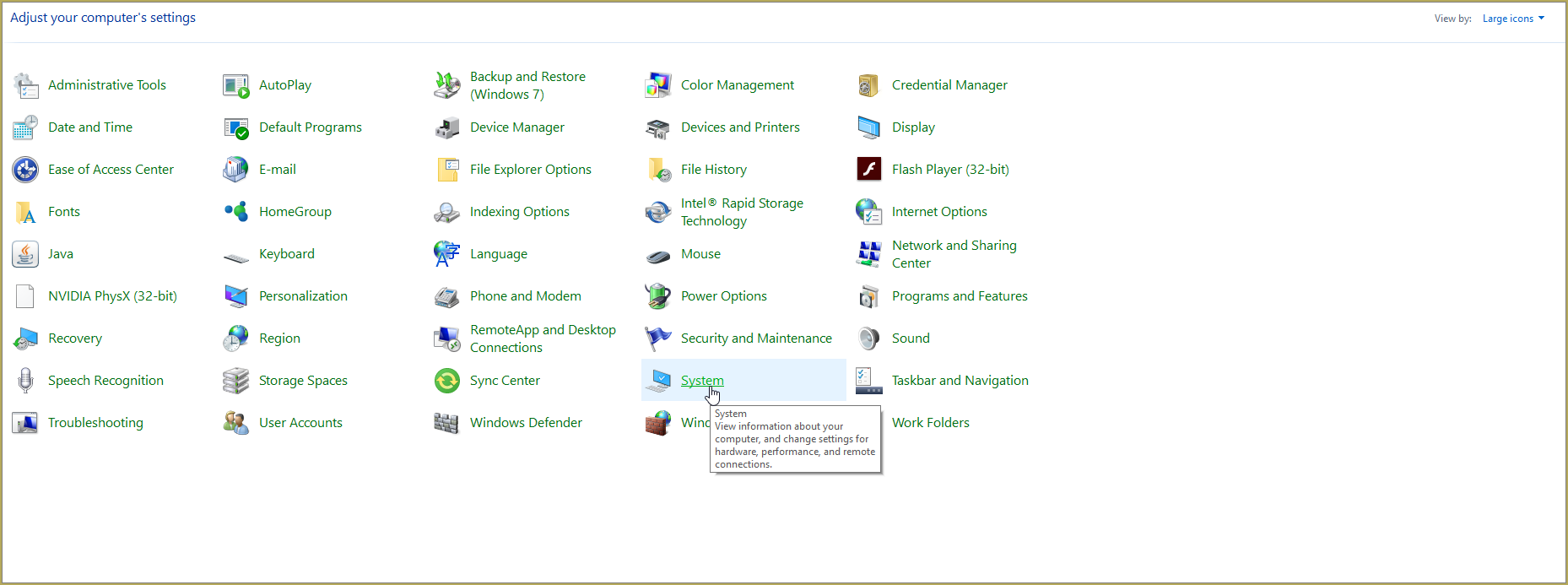 Click image for full size
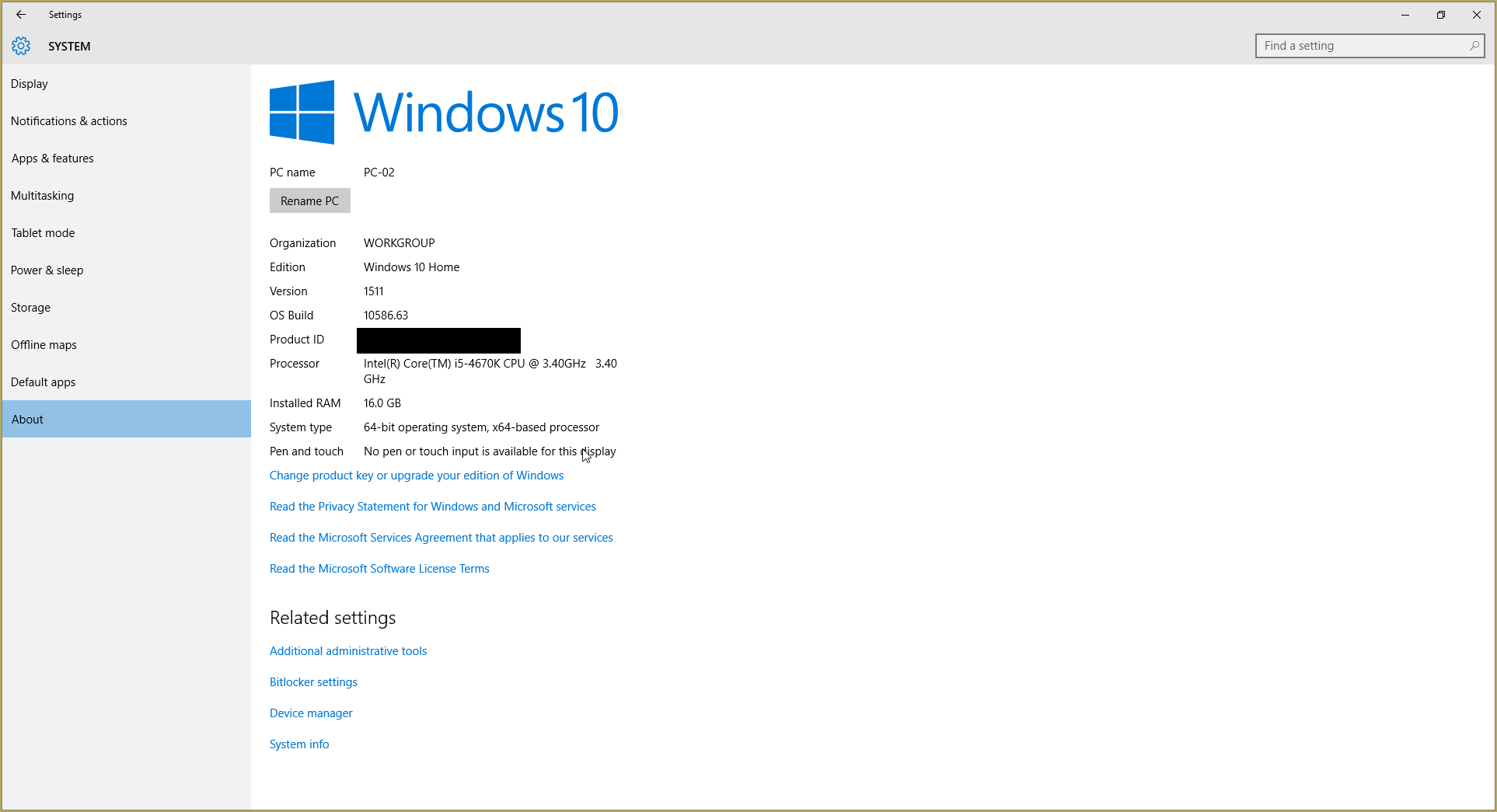
In windows 10 you can go to settings > System > About:
Click Image for full size
Depending on your windows version the screen you will see differs, look for something that says: 64-bit operating system or X64 edition for Windows XP. on the image above you can see how it looks for 64-bit Windows 10, but all systems should have something like that.
This is how it looks for my test system: (a Virtual Machine running on my computer)
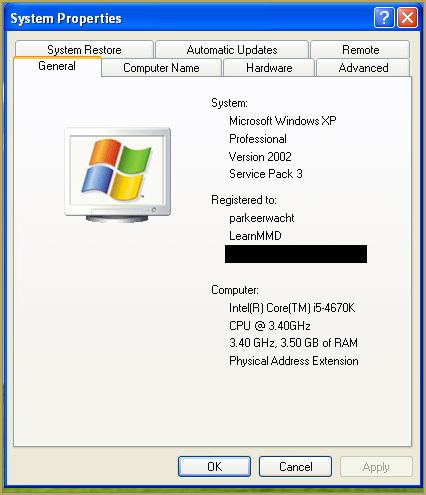
In Windows XP it doesn`t say 32-bit so if it doesn`t say X64 Edition it`s 32-bit. (I found this image online)
My test system is 32-bit so I download the 32-bit version. If it says 64-bit download the 64-bit version MMD. You can also use 32-bit MMD on these systems as well, but I prefer 64-bit MMD.
The Side-by-Side configuration error.
Common question by our readers:
I downloaded MMD but it gives me the following error: “The side-by-side configuration is incorrect” How do I fix this?
On my Windows XP test system it showed up as the following:
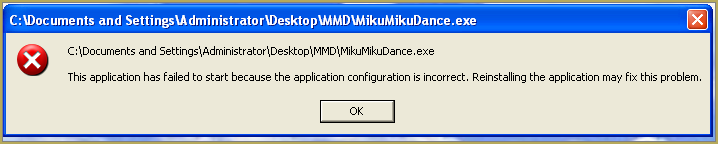 This is the same as the Side-by-Side configuration error.
This means you do not have the C++ Libraries installed!
To fix this error:
Download the following packages for 32-bit MMD:
- Microsoft Visual C++ 2005 Redistributable Package (x86)
- Microsoft Visual C++ 2008 Redistributable Package (x86)
for 64-bit MMD, install the following packages:
- Microsoft Visual C++ 2008 Redistributable Package (x64)
- Microsoft Visual C++ 2010 Redistributable Package (x64)
You will need to have full administrator access to the computer in order to install them.
If you still get the error after installing, reboot your computer.
The missing DLL error
Common question by our readers:
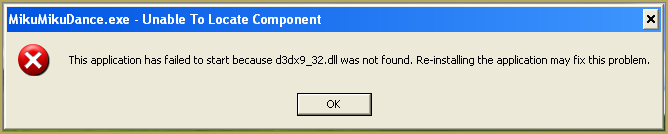
My MMD crashes on startup with the error:”This application has failed to start because D3DX9_**.DLL was not found.” Can you help me? (Different DLL`s may be shown usually D3DX9_32.DLL or D3DX9_43.DLL. I have noted different DLL`s)
For me it showed up like this:
To fix this error:
Download the following package:
DirectX End-User Runtimes (June 2010)
To install it create a new folder on the C drive named TMP. Let it extract to that folder.
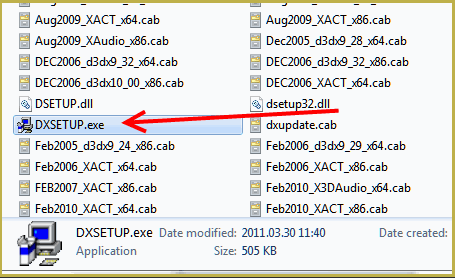
Now open the folder and run: DXSETUP.EXE
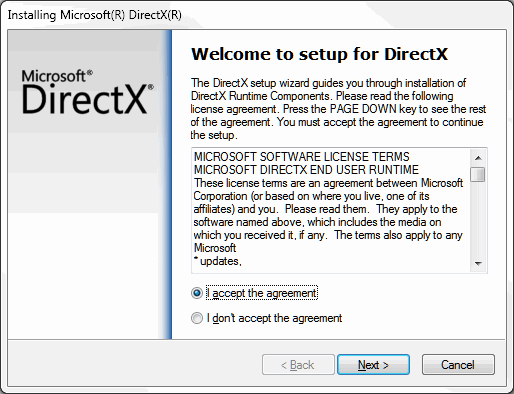
This will install DirectX on your system.
If you get the following error after installing DirectX:

This error means that your graphics card or current graphics drivers, are not able to run DirectX 9. All Graphics cards from 2007 and later are supported for DirectX9. To fix this you can try to update your graphics card drivers. If that does not work you must get a DirectX9 supported Graphics card or a new computer. Since I am on a Virtual Machine I get this error as well.
The White Screen covering the Stage area:
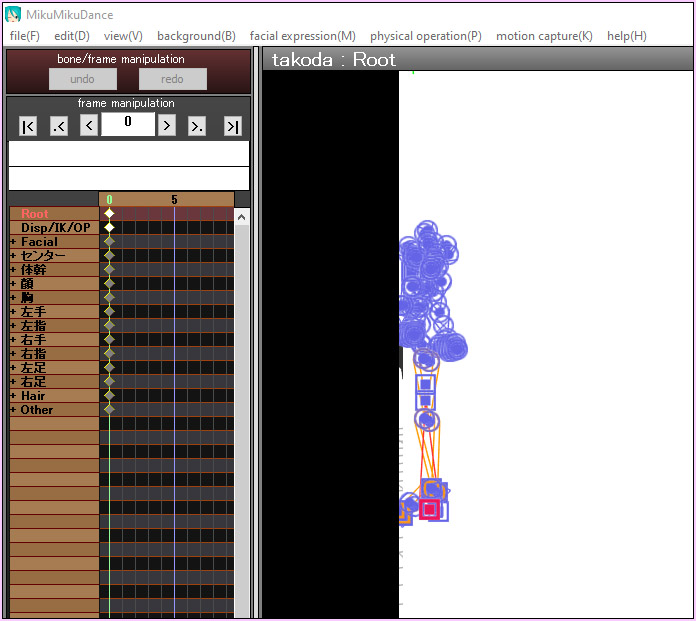
Many users with newer Windows computers using the Intel Gen-12 processor report that MMD opens but the stage area is covered by a white screen. They can see model’s bones but cannot see the model. PLEASE SEE THIS TUTORIAL for a possible solution… seems to be a Driver issue… by adding the right Drivers, you may fix the issue!
Japanese Locale
For some features of MMD to work properly, and prevent scrabled filenamed when extracting MMD data, you must set your system locale for non-unicode applications to japanese.
To do this: go to the controll panel. (For windows 8.1 and 10 users: right click on the start button and click on controll panel) Then click on Region, under the administrative tab click on change system locale, select Japanese from that list. Click on OK and reboot the computer.
MME effects
Once you have got MMD running, you should install MME. This plugin gives you the ability to use different effects in your videos!
Download MME at our downloads page, make sure to download the corrosponding version of MME to your MMD version (64-bit MME for 64-bit MMD, and 32-bit MME for 32-bit MMD)
open the archive and copy these files to the same folder where MikuMikuDance.exe is located:
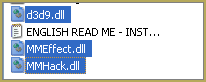
DO NOT PUT THEM IN THE DATA FOLDER! I have seen people do this. This won`t work!
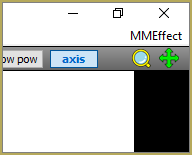
If it worked it should show up in the top right corner of the MMD interface:
Soo, I got it all working. What should I do next?
Well that’s for you to decide I have collected some links that will help you get started:
Getting started
Make a music video
Render your video in HD 60fps (Little bit more advanced)
Keep the faith MMD
Upload your video to YouTube
That`s about it, for this article!
If you get a different error or if it still won’t work, please let me know by posting a comment below or on my YouTube video.
UPDATE 06-05-2016:
Rivised the DirectX part of the post and added Locale part
UPDATE 30-05-2016:
Updated the video with a revised version.
– SEE BELOW for MORE MMD TUTORIALS…
— — —
– _ — –





I’m suddenly getting a “Some techniques cannot run on this hardware” error for every single MME that I try to load, from Raycast to Auto Luminous to HG Toon Shader. But this exact same hardware was running all that MME just fine less than a week ago. The only thing that’s changed is I ran a Windows update, and then spent a few days making a new model. It’s literally the same hardware!
I’ve tried system restore (didn’t fully complete and perhaps that’s why it didn’t work), compatibility mode, and everything else I can think of. Really hope I don’t need to wait for a patch.
In case anyone else runs into this: After further experimentation, it looks like the most recent Windows update can potentially screw with the Visual C++ packets that MMD requires. I didn’t initially suspect that, since MMD wasn’t giving the usual errors that it gives when a computer lacks the necessary Visual C++ installs. But after reinstalling both the 2008 and 2010 Visual C++ redistributables, everything is back to working normally.
https://imgur.com/a/BkfXfph
I’m having this bug on my newer gpu computer, wireframe like artifacts appear on every model I load… I’ve tried everything yet nothing has fixed it. It’s been driving me insane and if I can’t fix it I quit MMD for good.
My GPU is NVIDIA GeForce RTX 5070
I hope the Community will be able to find a solution for your issue!
— Reggie
In my experience, it’s a combination of certain graphics cards and certain MME shaders. Try changing the shader you’re using on the model.
I’m actually not using any shaders