Skip to content
Learn MikuMikuDance – MMD Tutorials – Free 3D Animation Software

Learn MikuMikuDance – MMD Tutorials – Free 3D Animation Software

Download Free Animation Software – Let's Learn How to Do Everything!

  • Step-by-Step MMD instructions
  • DOWNLOADS
  • Troubleshoot, Fix MMD
  • Site Contents
  • Reggie Replies Q&A
  • Homework!
  • What IS MMD?
    • Download MikuMikuDance Newest Latest Version of MMD
  • “HOW TO”
    • Raycast RAY-MMD Effect Tutorials
  • BONUS PAGES
    • Why convert PMD models to PMX?
  • HALL of CHAMPIONS
  • Tutorial Categories
  • About
    • Privacy Policy
  • Toggle search form
  • Japanese Maid Cafe poster you can make!
    Making your own Japanese Maid Cafe poster Random Thoughts & Visions
  • Beamman's WEater Effect can be very realistic.
    BeamMan’s Water Effects really look wet! Beamman's Water v5
  • How to subtitle MMD videos MMD Tutorials
  • See my new YouTube MMD video “She’s So Hot!” Making Soundtracks
  • How to use Raycast MMD MME Shader Effect Advanced Shader Technique
  • Study MMD Motion Files to SEE and LEARN about creating animations
    Study MMD Motion Files to SEE and LEARN about creating animations Making Smooth Motions
  • LearnMMD.com's Video Dojo Expo FIVE
    Beach-side Pool-side “Hot August Nights” – Video Dojo Expo FIVE CONTESTS
  • How to make 360 degree MMD videos on YouTube. 360 Video
Download the beautiful LUKA MEGURINE HIPSTERBLACK by PS-2002

Download the beautiful LUKA MEGURINE HIPSTERBLACK by PS-2002

Posted on February 14, 2023July 9, 2024 By Reggie_Dentmore No Comments on Download the beautiful LUKA MEGURINE HIPSTERBLACK by PS-2002

A Feature Article by Reggie Dentmore on LearnMMD.comWhere can I download LUKA MEGURINE HIPSTERBLACK by PS-2002? How can I get a new model for MMD? I need an MMD model with a pretty face. Is she a friendly demon??

Download the beautiful LUKA MEGURINE HIPSTERBLACK by PS-2002…
… the subject of my latest MMD Model Adoration Slideshow!

I started a new MMD Model Adoration Slideshow project this morning and it started with finding a new model! I found LUKA MEGURINE HIPSTERBLACK by dA’s ps-2002.

This is a fun model: cute and full of life! … or is it Death? As you can see she’s sporting demon-horns!

–
In her “permissions” I see that “Gore” is allowed but not R-18. … I am not into any of that so, for purposes of my Adoration video, I show you the same model as without the horns. I also removed her glasses using Subset-Extract.

The music is Lean On and I found a motion download that includes the WAV file. I do not have a credit for that motion file… only the MediaFire download link.

LUKA MEGURINE HIPSTERBLACK with glasses and demon-horns.

Luka’s long hair goes flying!

New Luka Migurine model has hair a-flyin"!

A very pretty face.

LUKA MEGURINE HIPSTERBLACK has pretty face... and a ghost of her horns!

My latest MMD Model Adoration Slideshow video…

I have been enjoying this new kind of MMD video.

I start by creating an MMD animation without a stage. In this case, I ran a background video of quiet shifting colors as the background of my animation. I load the models, the motion files and my effects. I adjust the lighting to bring out the best in the model. I complete my MMD animation and then Render to AVI.

… and now the magic…

Once I have my finished video, I play that video at full screen and I make screen captures of the moments in that video. In this case, I had 37 screen captures. I would press Print Screen and then PASTE into my open Photoshop document… and then save as a JPG. This method is better than making stills from your MMD screen. Images captured from the video have motion blur and flying hair!

I made 37 captures from my finished MMD animation video.

Next: animated motion clips…

In MikuMikudance, I rummage through my MMD animation looking for interesting scenes of about 5 seconds (about 150 frames) in length. I play with the frame count to get just the content I want and then I Render to AVI for just that 150 frames… like 147 to 297, or so. I do this several times, at different spots in the animation so that I wind up with (in this case) four short 5-second snippets that I can add to my slideshow.

Windows Movie Maker

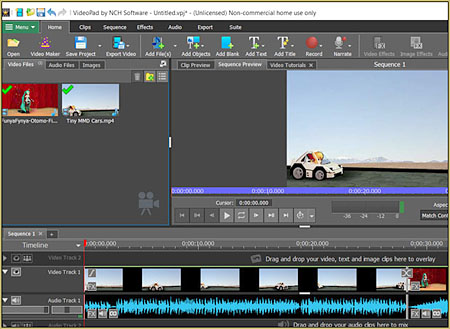
My final step is to open Windows Movie Maker and add all of my captures and my animation clips and my music WAV or Mp3 to create a finished MMD Model Adoration Slideshow video.

There you go…

Have fun with MikuMikuDance! 


– SEE BELOW for MORE MMD TUTORIALS…


— — —


– _ — –


Visit the LearnMMD.com Homepage! Plenty of Mikumikudance instruction and info!

More MMD Tutorials...

Enjoy the "camera Angles WEIRD in Anime" meme...

Enjoy the "camera Angles WEIRD in Anime" meme... This image is from The Slayers - NEXT, ...read more

Reader asks how to create MMD artwork... stuff like posing, camerawork?

A reader asks... Is there a tutorial on how to create MMD artwork, like those you ...read more

Learn MikuMikuDance in Small Steps! New LearnMMD Video Series

Learn MikuMikuDance in Small Steps. Where can I find easy-to-follow MMD instructions on YouTube? How ...read more

Apply Multiple Effects on an Entire MMD Model Using M4Layer Effect

How can I apply multiple effects to an MMD model? Can I use more than ...read more

MMD Plugin Manager... I Found a Treasure!

What sorts of MMD Plugins are there? MMD Plugin Manager? MMD Plugins. Plugin MMD. More ...read more

2025: Hatsune Miku is 18... but she is designed to be always 16 Years old, by design and in reality!

Finally, in 2023, Hatsune Miku is 16 years old! but in August of 2025, she ...read more

"the making of" my video, Downloading New Models, MMD Tutorials, Reggie Dentmore Tags:download MMD model, LUKA MEGURINE HIPSTER BLACK mmd model, LUKA MEGURINE HIPSTERBLACK, LUKA MEGURINE HIPSTERBLACK mmd model, new model for MikuMikuDance

Post navigation

Previous Post: Use YouTube Video Analytics Attract Maintain Viewers
Next Post: Create your Most Attractive YouTube Thumbnail image

Related Posts

  • create credible characters for your projects
    How to create credible characters for your projects. MMD Tutorials
  • New to MikuMikuDance? LearnMMD is The Instruction Manual for MMD! MMD Tutorials
  • Make Smooth Motions using Multiple Keyframes Animation Shortcuts
  • MME FunyaFunya Effect adds wavy psychedelia to your MMD scene! FunyaFunya Effect
  • MMD Animating SAVE AS multiple versions as you go! MMD Basics
  • When you add background AVI files, you can motion trace!
    Loading Background AVI Files into MMD (2021 Edition) Add Background Pictures and AVI

More Related Articles

MikuMikuDance Welcomes Luka Megurine to MMD 8.10! Download MikuMikuDance
Modifying model texture color compensates Raycast color desaturation MMD Tutorials
The MME Otome effect adds a fantasy cloud of bubbles and sparkles. Otome effect yields bubble and sparkle psychedelia Otome
LearnMMD.com _ MikuMikuDance MMD Tutorials No need to “re-download” again and again… Random Thoughts & Visions
Download the latest version of MikuMikuDance - MMD 9.32 Download the latest version of MikuMikuDance! Download MikuMikuDance
Are you running the Latest Version of MMM? MMM Tutorials

Leave a Reply Cancel reply

Your email address will not be published. Required fields are marked *

Download the latest version of MikuMikuDance!
See the MMD Step-by-Step instructions page!
Learn how to make your own MMD motions!
LearnMMD.com
  • RAY-MMD demonstration featuring texture and environmental lighting MME Effects Tutorials
  • About changing models skirts using PMD Editor PMXE KillerBeer
  • Hatsune Miku “LIVE” on David Letterman’s ‘The Late Show’ Random Thoughts & Visions
  • 966_DigitalRipple Effect splashes lots of color into your MMD video! 966_DigitalRipple
  • VDE-FIVE Honorable Mention: Jonah Snyder Video Dojo Champions
  • Search LearnMMD.com
    SEARCH LearnMMD.com… it’s Easy! MMD Tutorials
  • Use Accessory Manipulation Panel Settings to Position Props Accessory Manipulation/Adjust
  • NCHLShader2 adds realistic depth to MMD models Advanced Shader Technique

Copyright © 2022 Learn MikuMikuDance – MMD Tutorials – Free 3D Animation Software and Instructions..

Powered by PressBook Premium theme

Go to mobile version